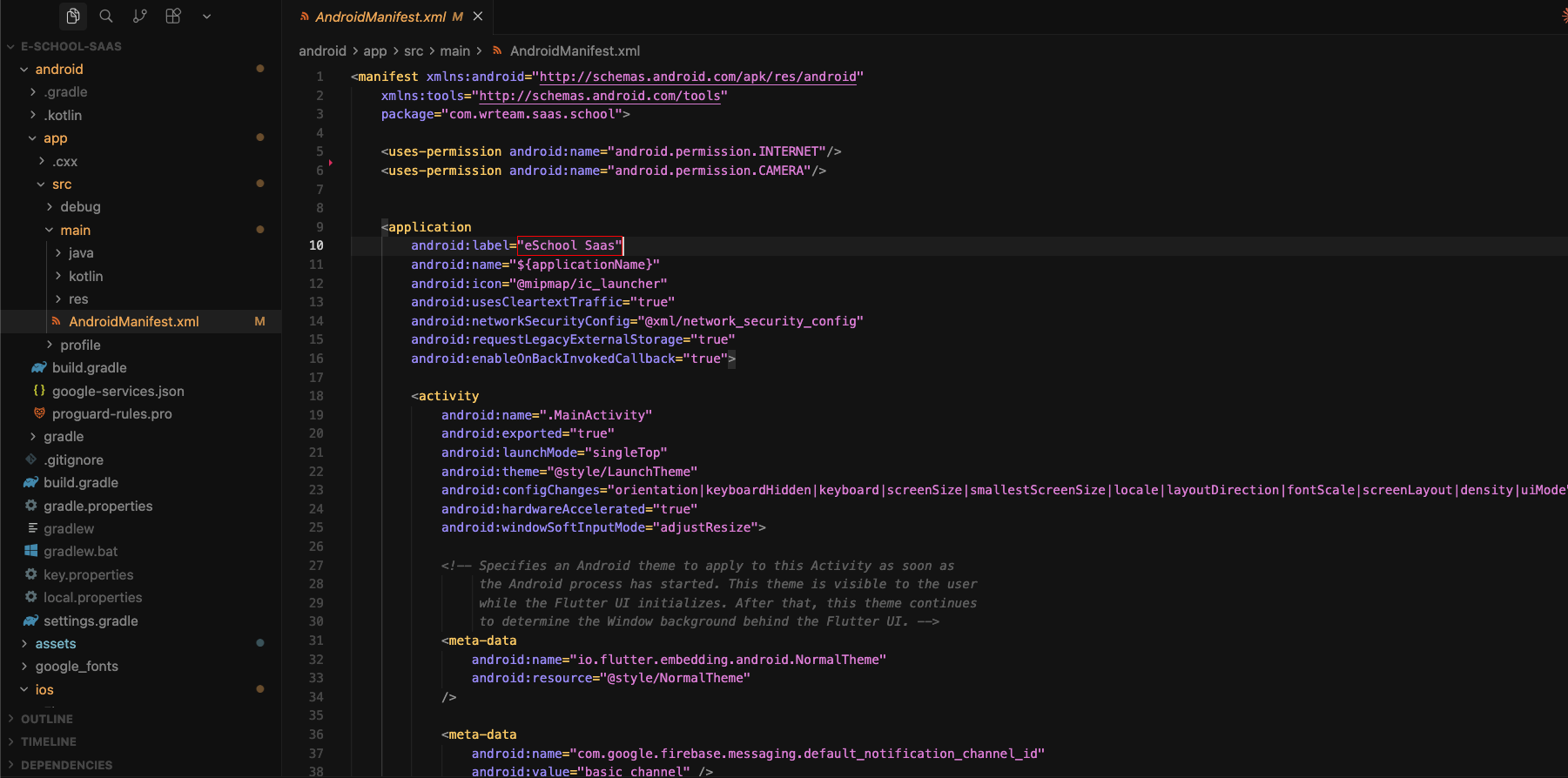
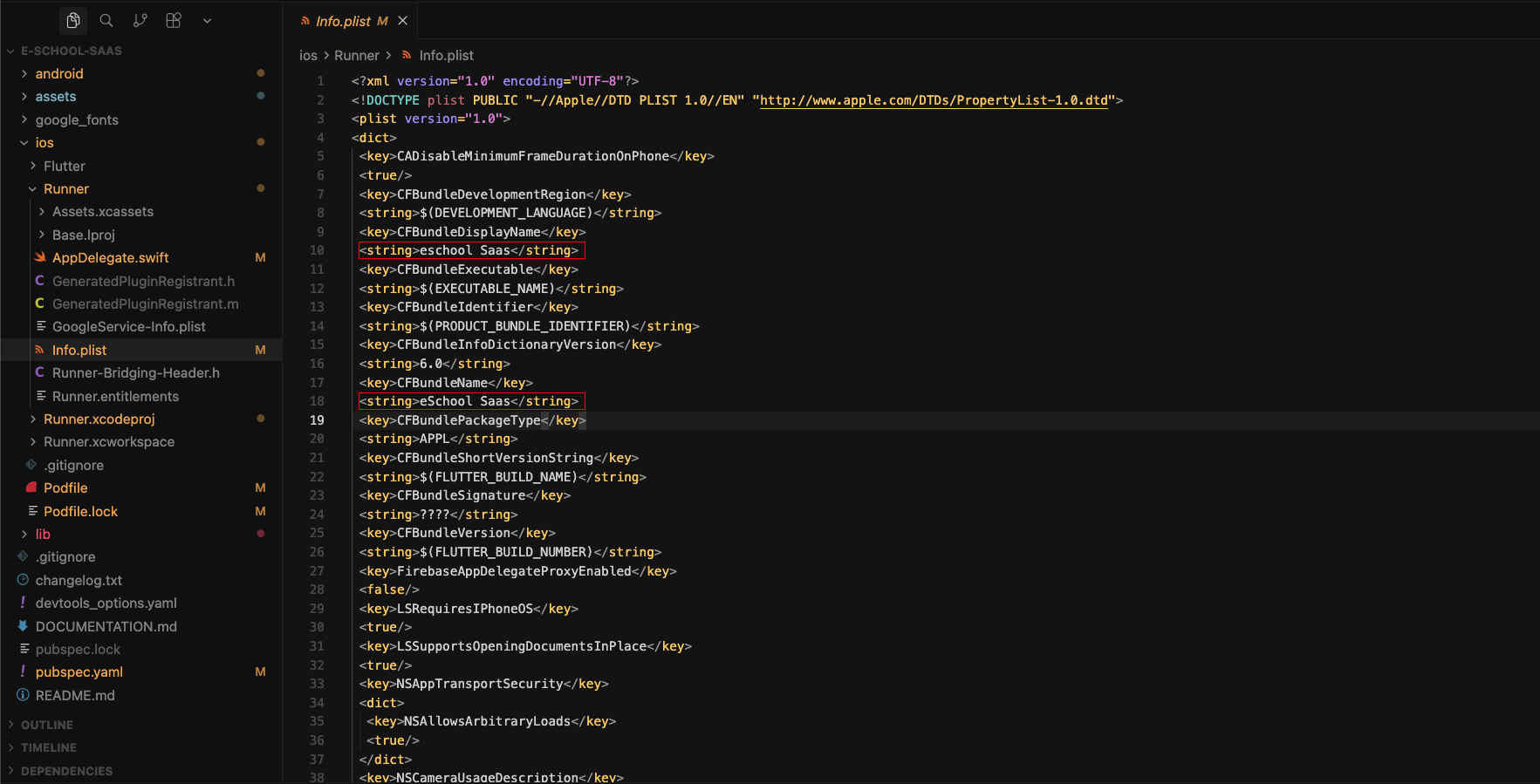
📱 Change App NameOn this page📱 Change App Name 🔄 Steps to Change Name 1️⃣ Android App Name For Android, go to android/app/src/main/AndroidManifest.xml and change the app name as shown in image. Replace the selected eSchool text with your school name Locate the android:label attribute Update the value with your desired app name 2️⃣ iOS App Name Open ios/Runner/Info.plist Find the CFBundleName and CFBundleDisplayName key Update the value with your desired app name 📝 Notes Keep the name concise and memorable Test the app after changing the name Ensure the name follows platform guidelines