PayPal Setup
Set API Keys
Step 1: Login to Developer PayPal Dashboard :- https://developer.paypal.com/dashboard/
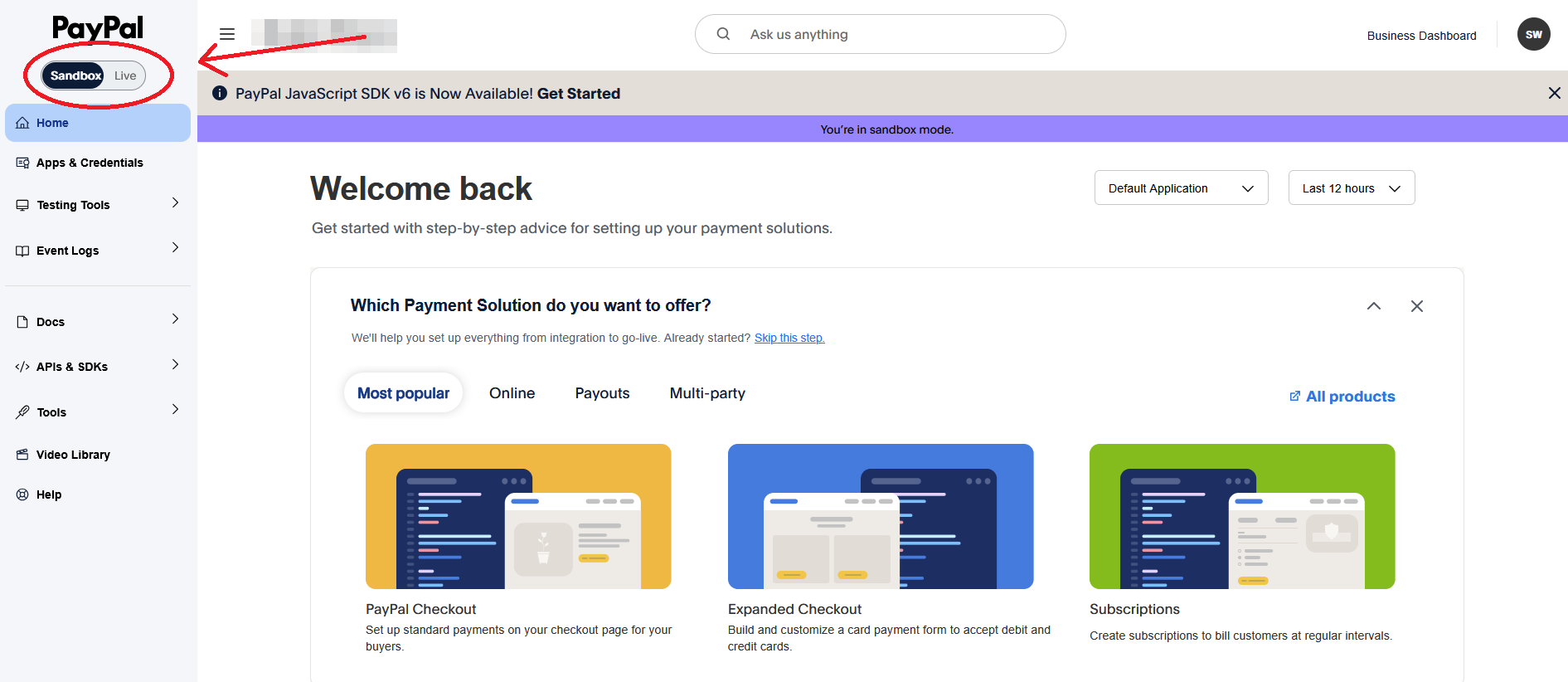
Step 2: Check account type environment (Sandbox or Live) and set according to your choice
Step 3: Click on Apps and credentials
Step 4: Click on Create app
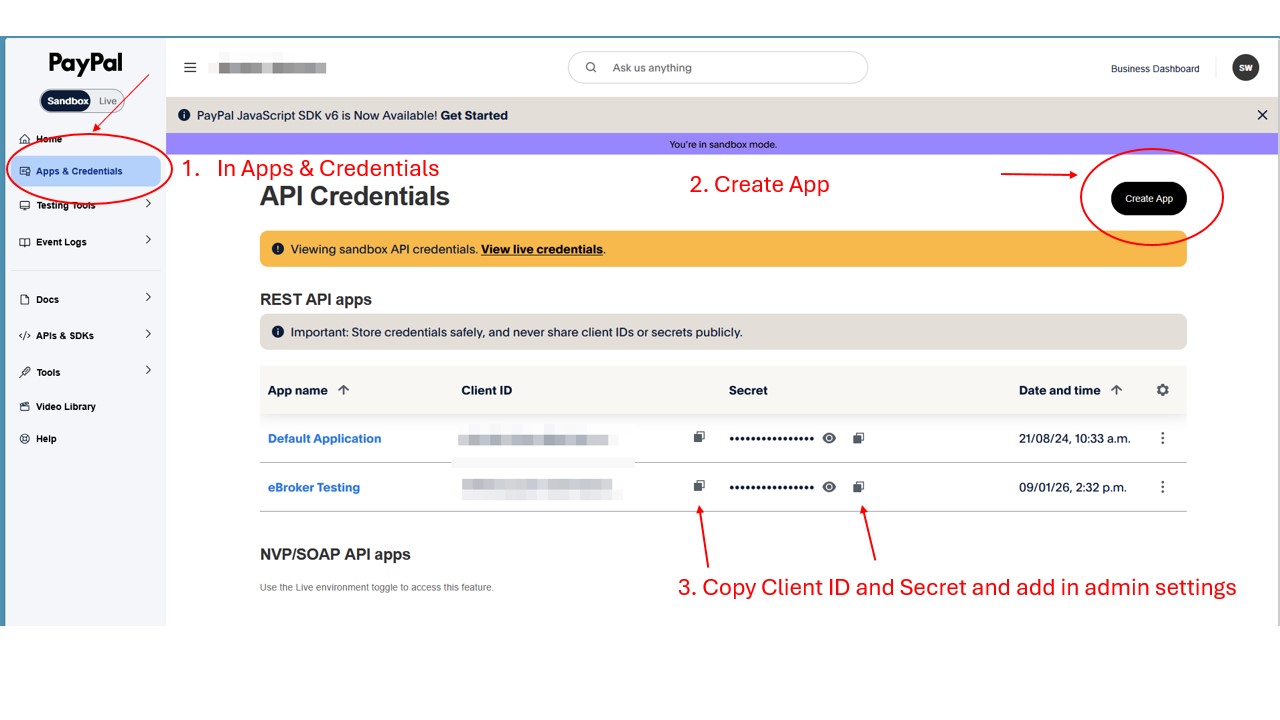
Step 5: Copy Client ID and secret, Paste it in admin panel system -> payment settings
Setup Webhook
Step 1: Login to PayPal Dashboard
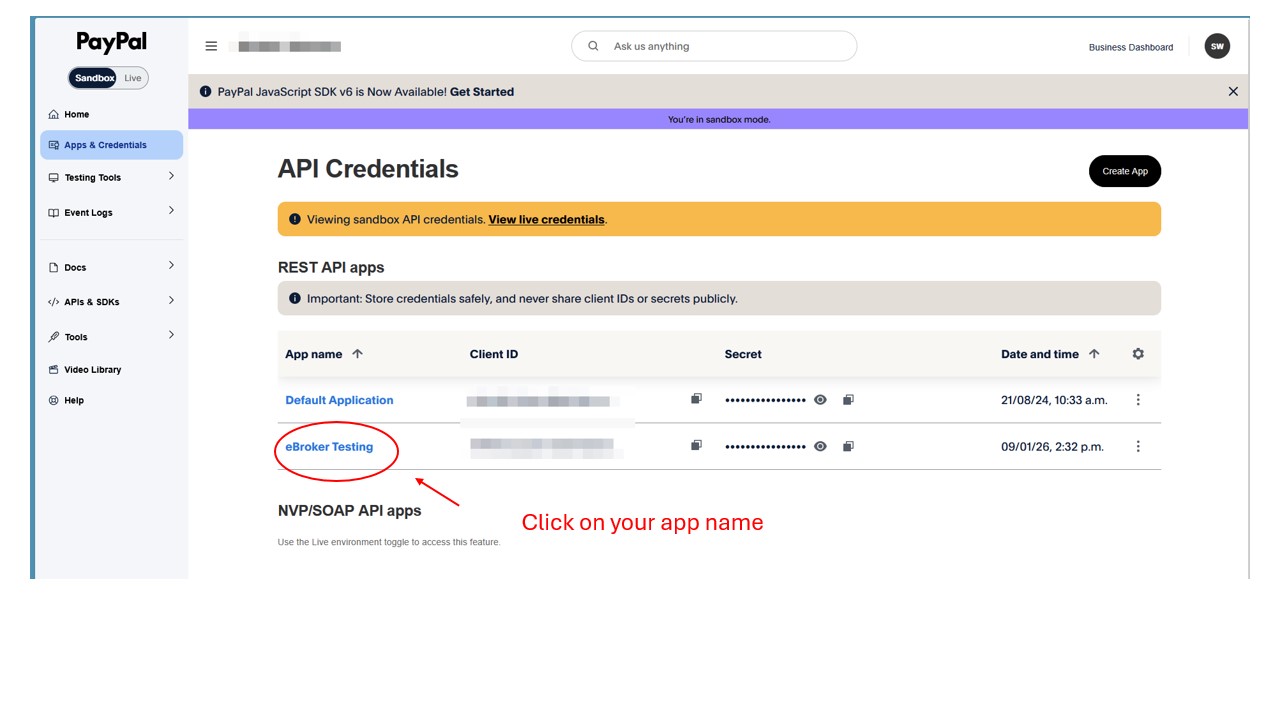
Step 2: Go to Apps and credentials -> Select your App
Step 3: Click on Webhooks
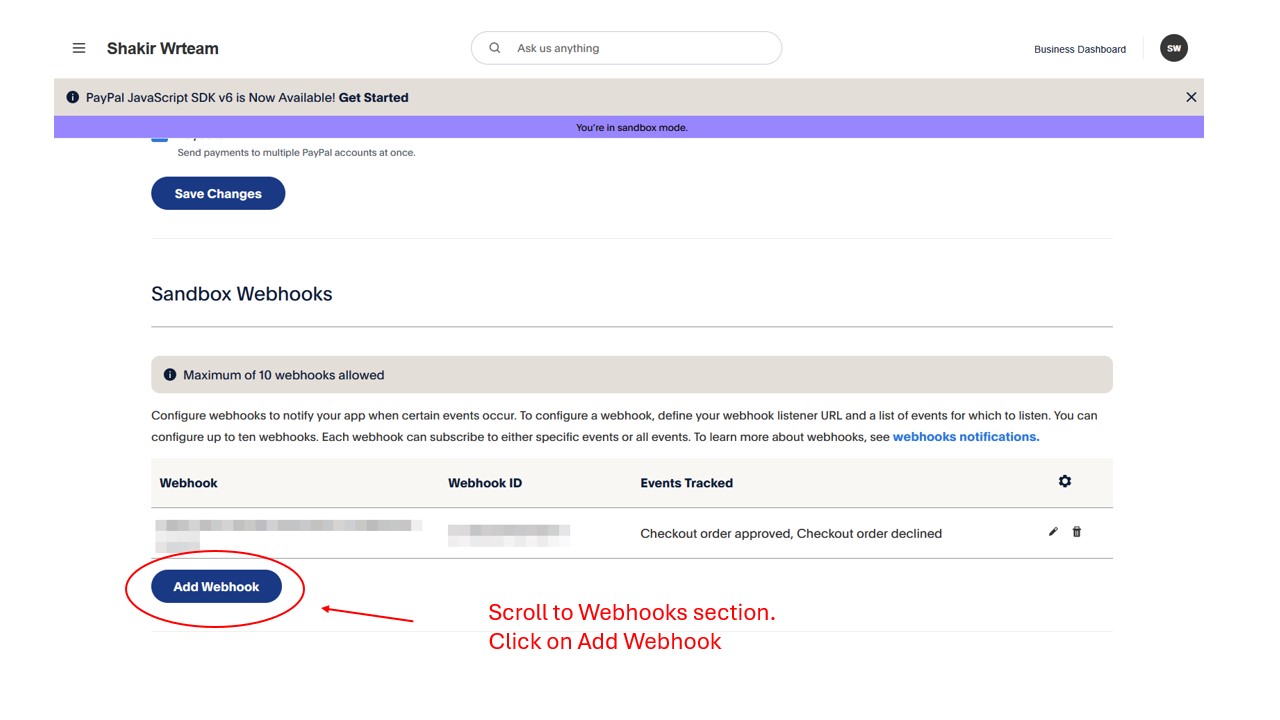
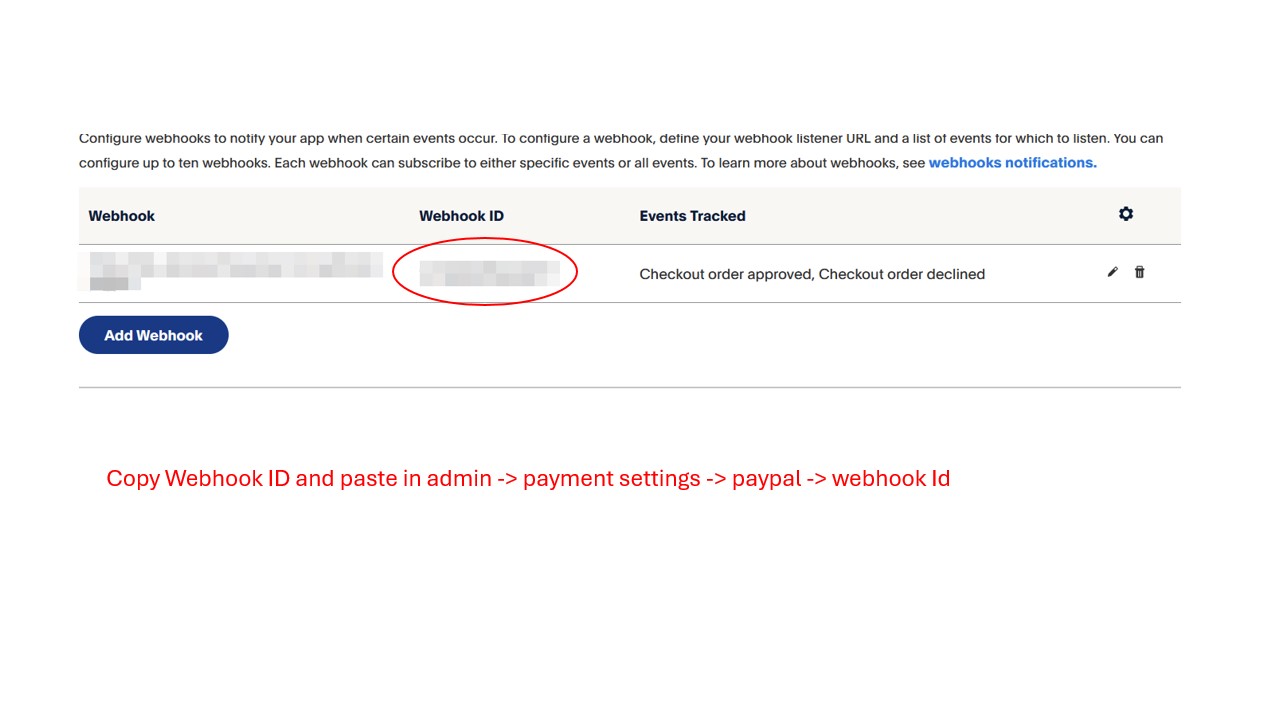
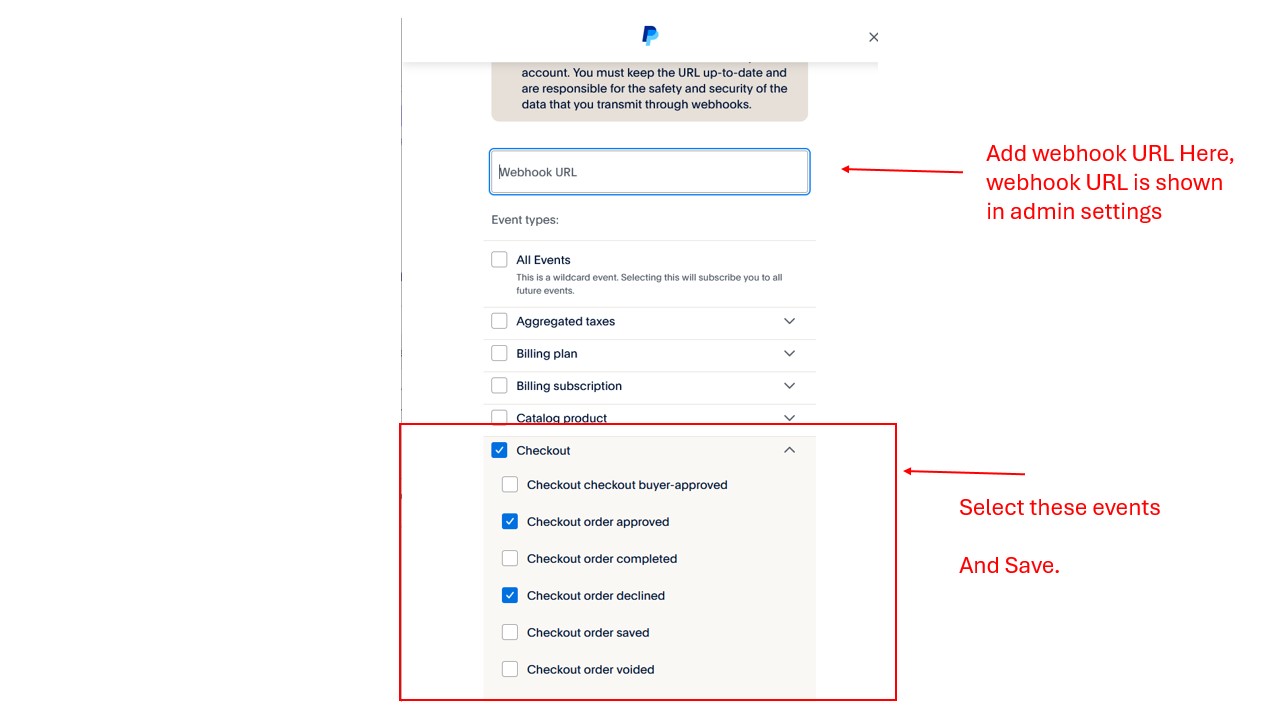
Step 4: Add Webhook URL (From admin), select events that are shown and click on create webhook
Step 5: Copy Webhook ID and add it in admin panel system -> payment settings