PhonePe Setup
Set API Keys
Step 1: Login to PhonePe Business Dashboard
Step 2: Click on Developer Settings -> API Keys
Step 3: Copy Client ID, Client Version, Client Secret and Merchant ID
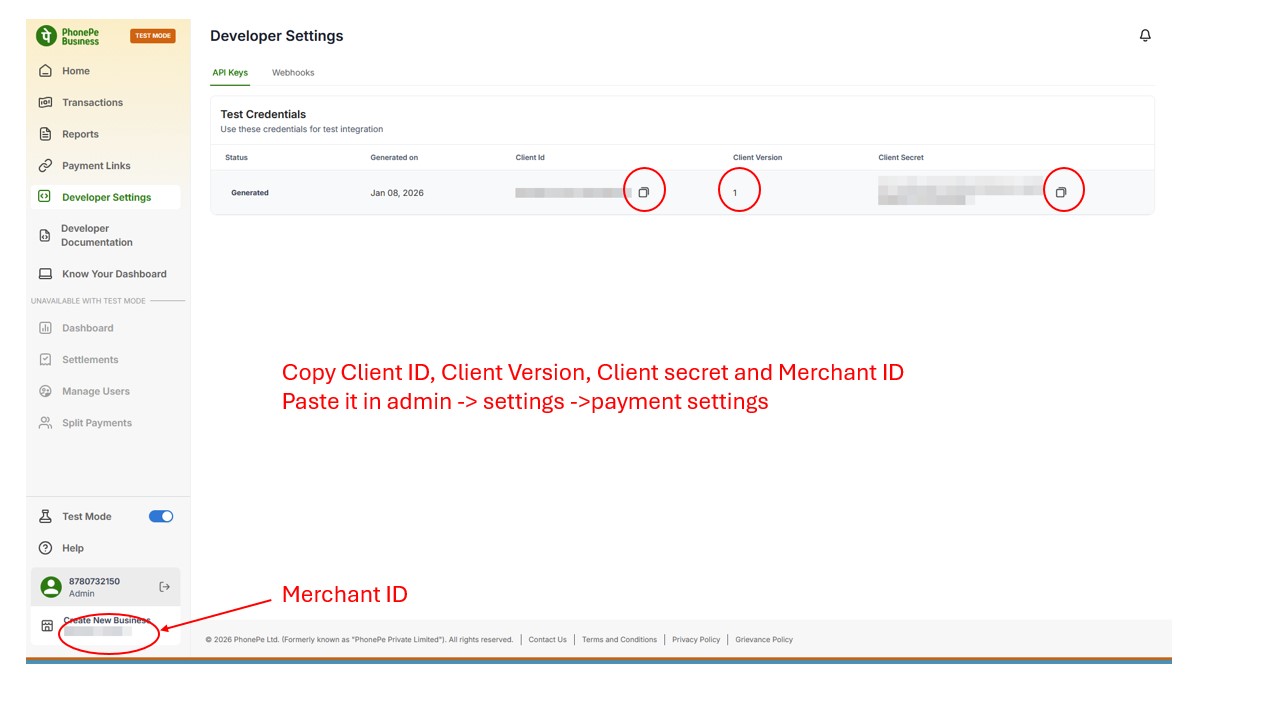
Step 4: Paste these in admin -> settings -> payment settings -> phonepe
Setup Webhook
Step 1: Click on Developer Settings -> Webhooks
Step 2: Click on Create New Webhook
Step 3: Fill the details mentioned in below image
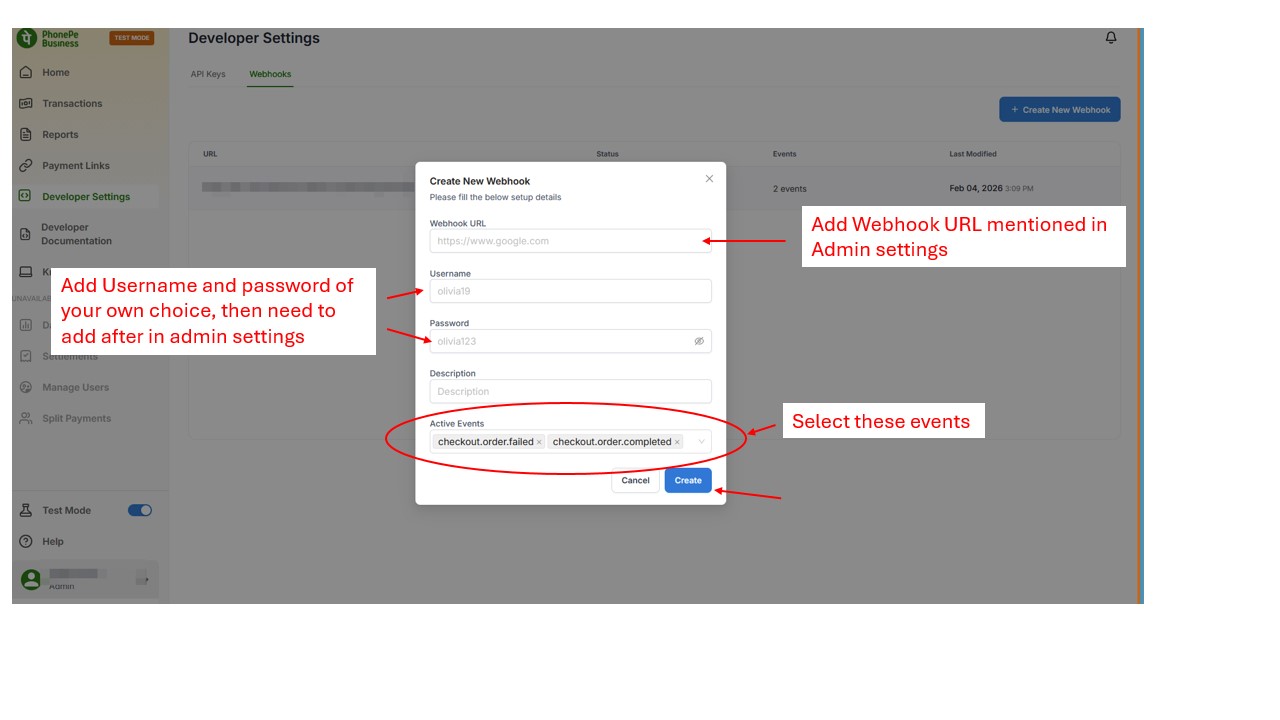
Step 4: Copy the Webhook Username and Password and add in admin -> settings -> payment settings -> phonepe