Stripe Setup
Set API Keys
Step 1: Login to Stripe Dashboard Step 2: Click API keys
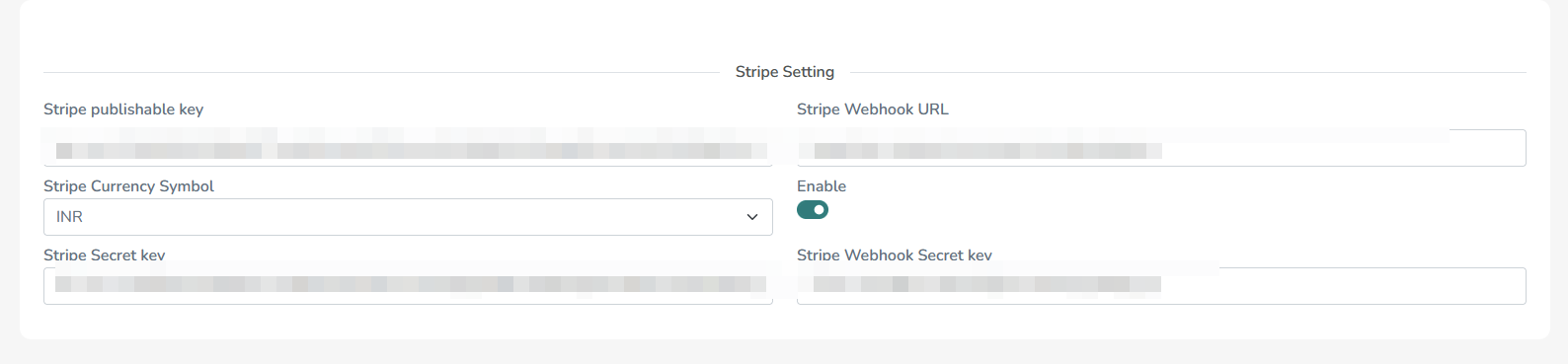
Step 3: Copy publishable key and secret keys and paste it in admin panel system settings
Setup Webhook
Step 1: Login to Stripe Dashboard
Step 2: Developers -> Webhooks
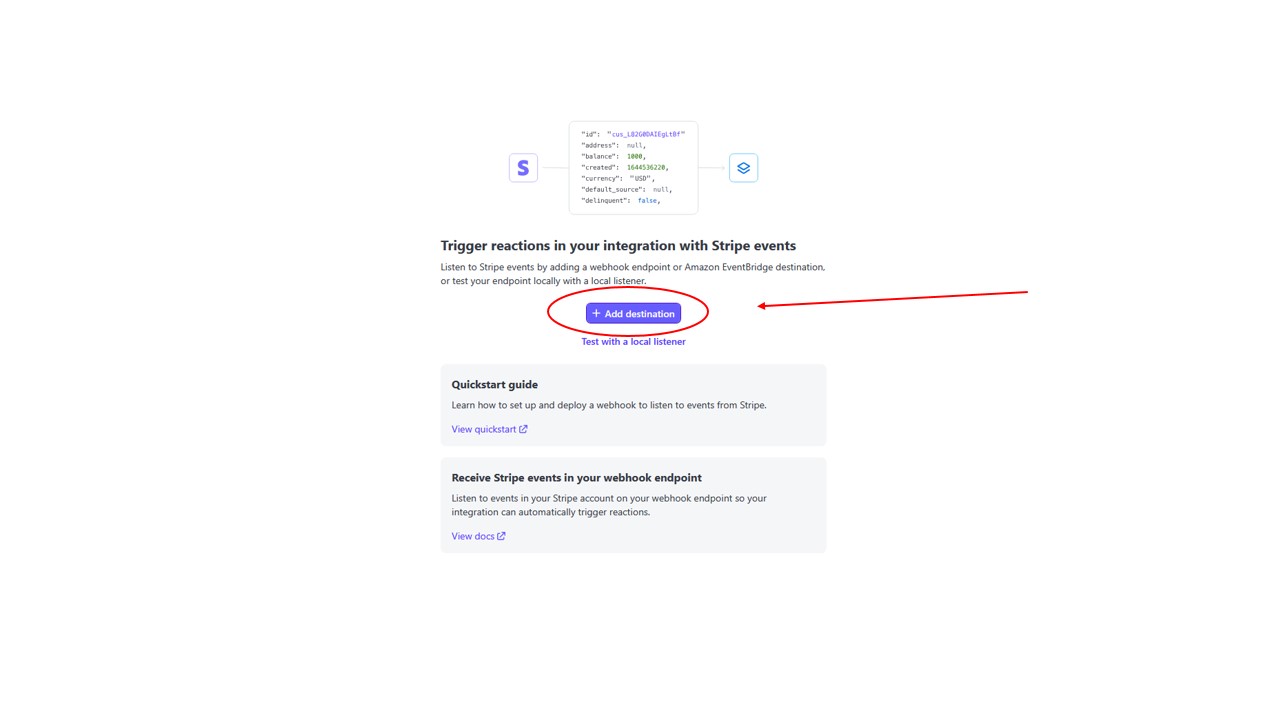
Step 3: Click Add endpoint
Step 4: Select Required Events
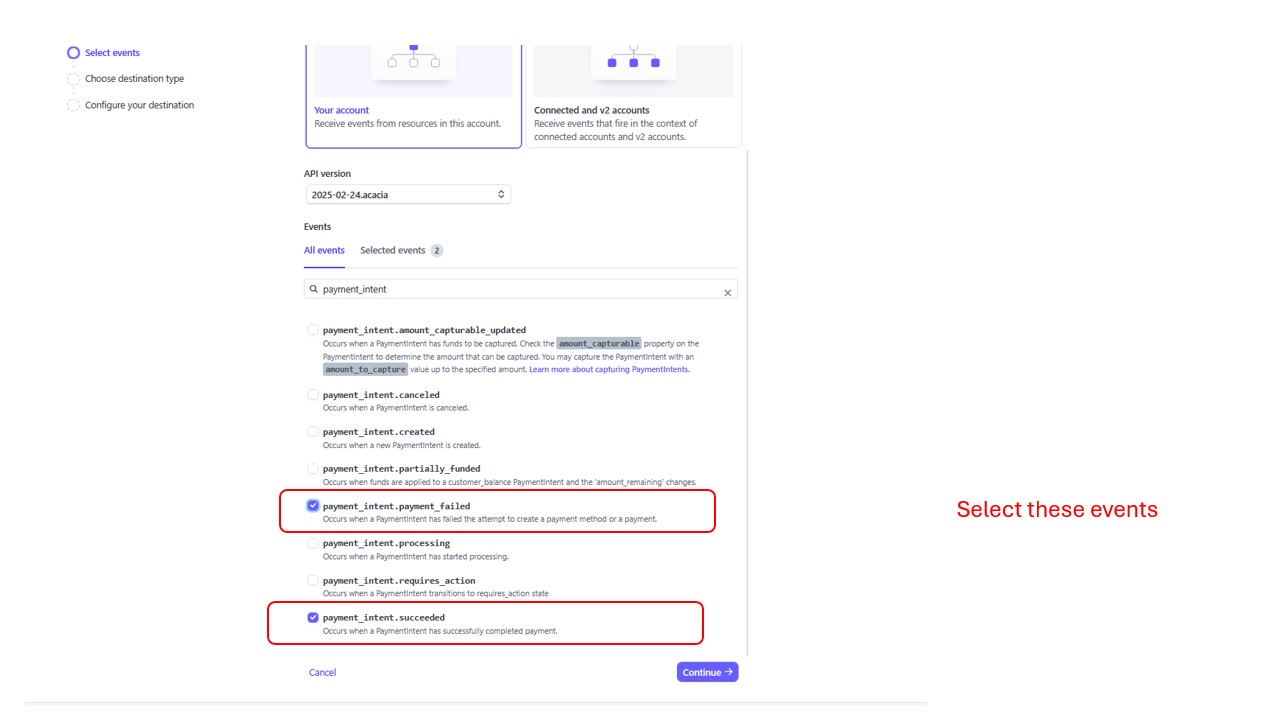
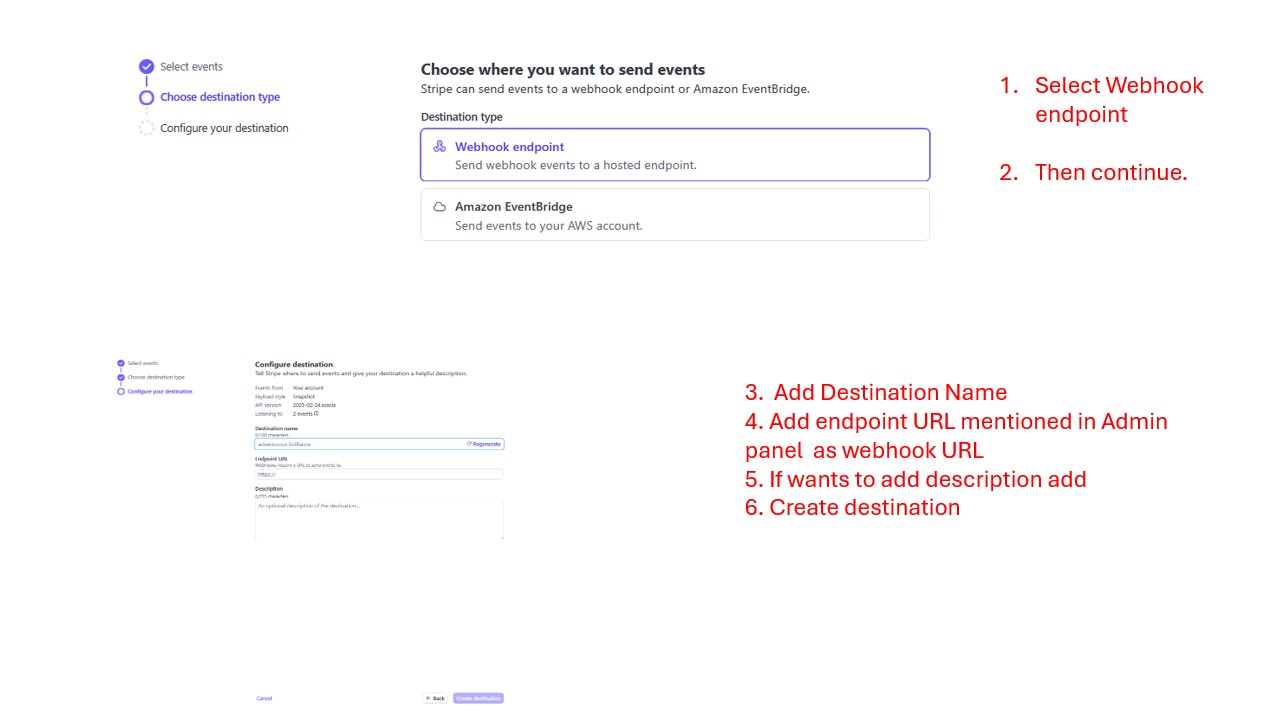
Step 5: Continue -> Select Webhook Event -> Continue
Step 6: Add Webhook URL from admin and required fields -> Create
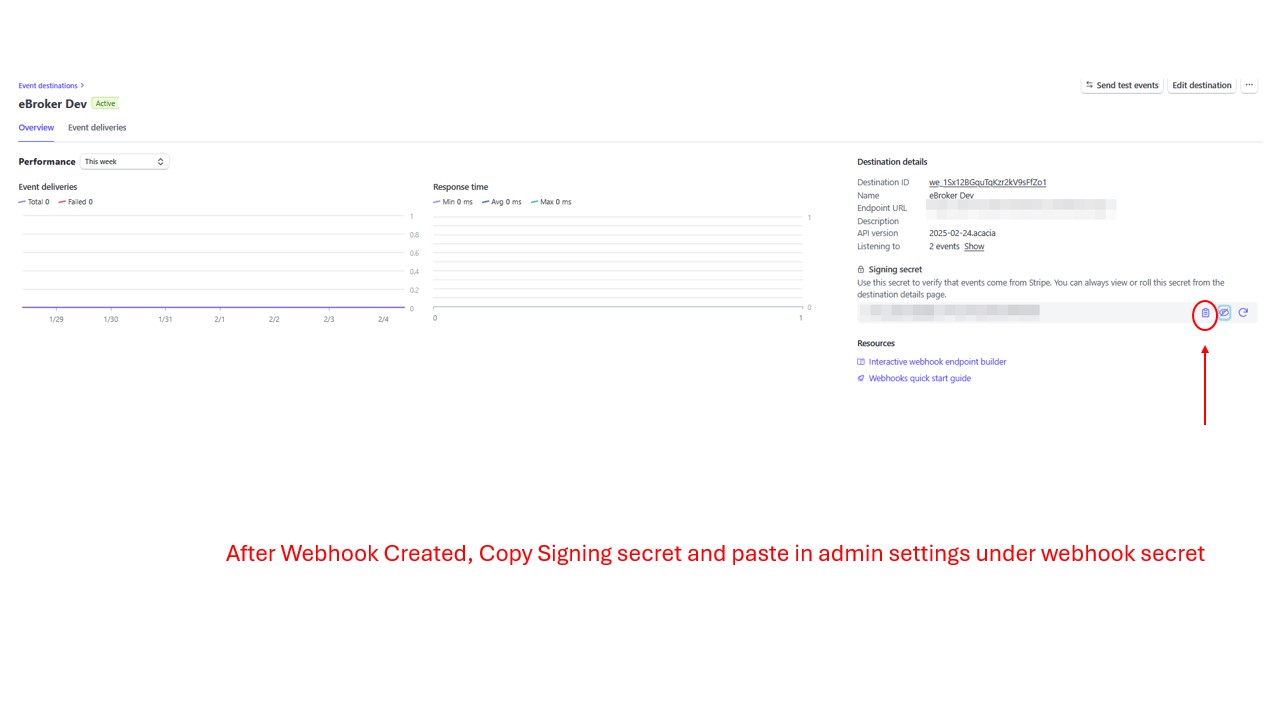
Step 7: Copy Webhook ID and add it in admin panel system -> payment settings