Update System Version
- Take backup of your current version code and database
- Download latest code from codecanyon
- Extract code, extract admin code and head to update folder in admin code
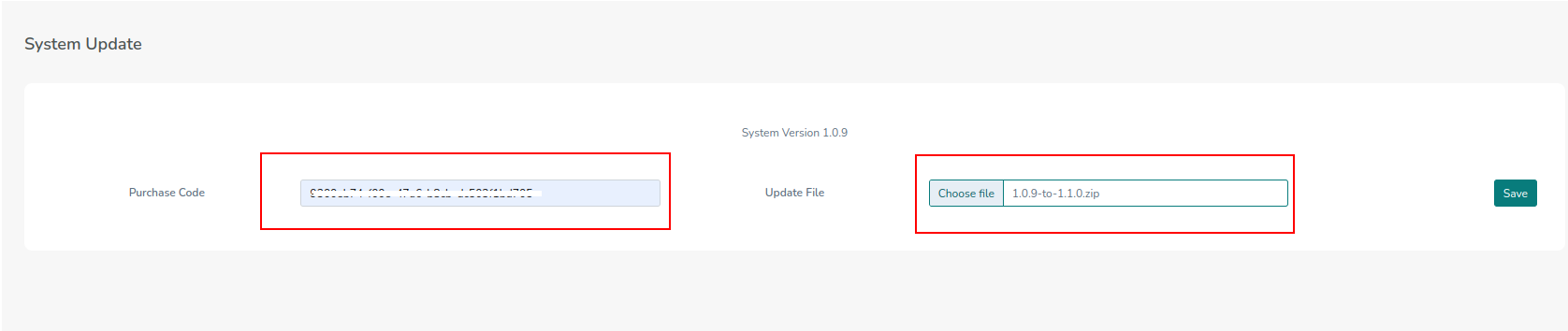
- Then in your admin panel -> system update
- Add Purchase code
- Upload the update zip file for the version you want to update to. For example, if your current version is 1.3.0, then upload 1.3.0-to-1.3.1.zip file
- Click on save and wait to update
warning
You have to update your admin system version by version, like if currently it's 1.2.9 then update to 1.3.0 and then 1.3.1. If possible, check after every version update that the system is working properly, then take backup of the current version and proceed for the next version update.