Notification Settings
The Sender Id will be used for sending App Notification.
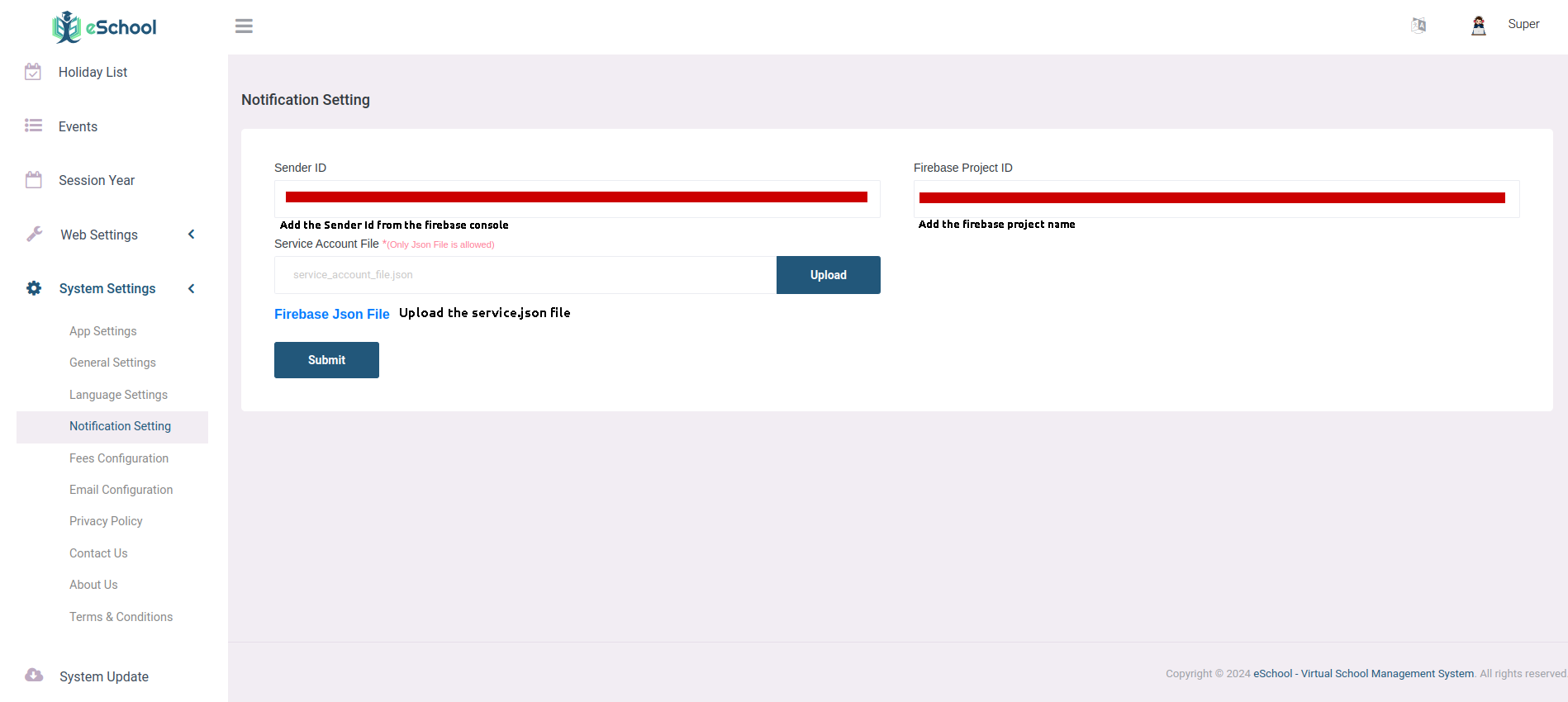
Sender Id
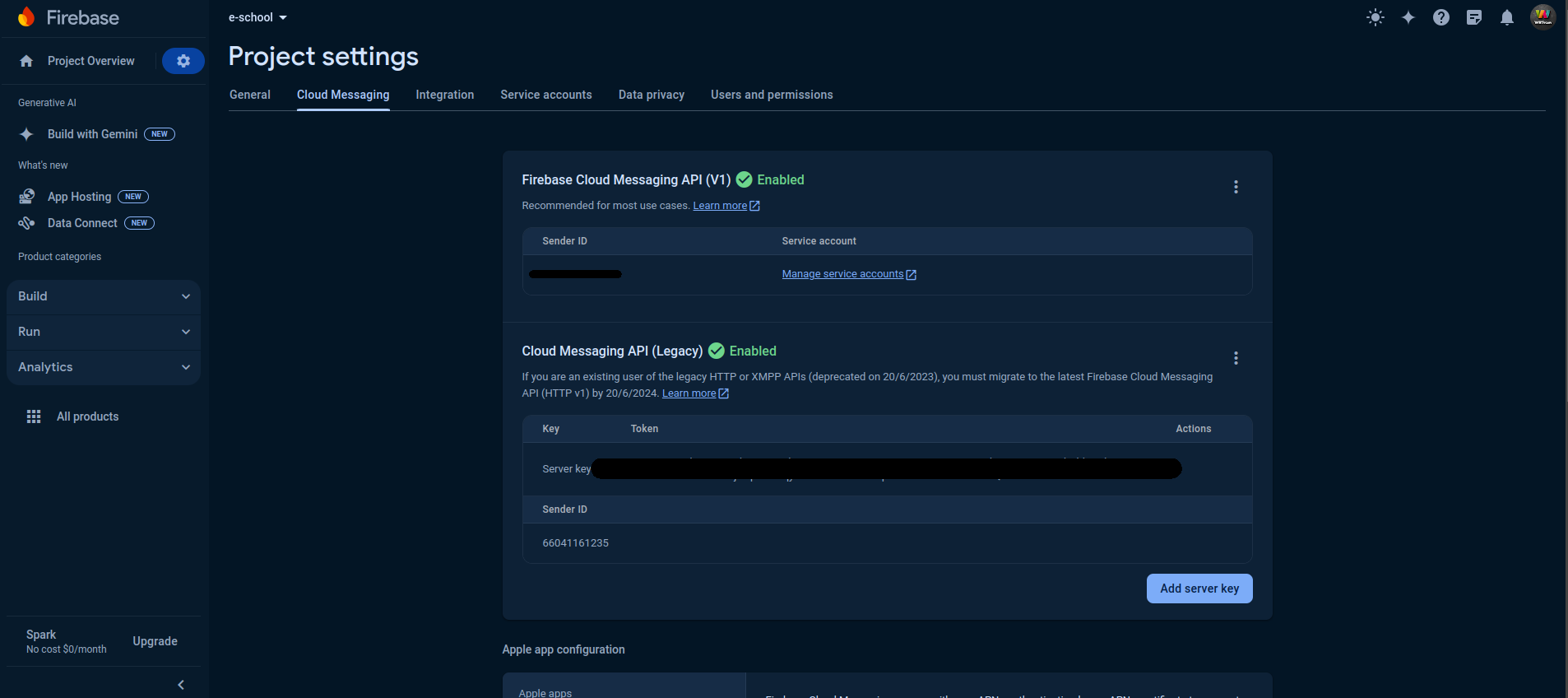
- In the Firebase console, go to Project Settings.
- From Cloud Messaging tab check the Firebase Cloud Messaging API (V1) where Sender Id is given, add that to Admin Panel in System Settings > Notification Setting.
Firebase Project Id
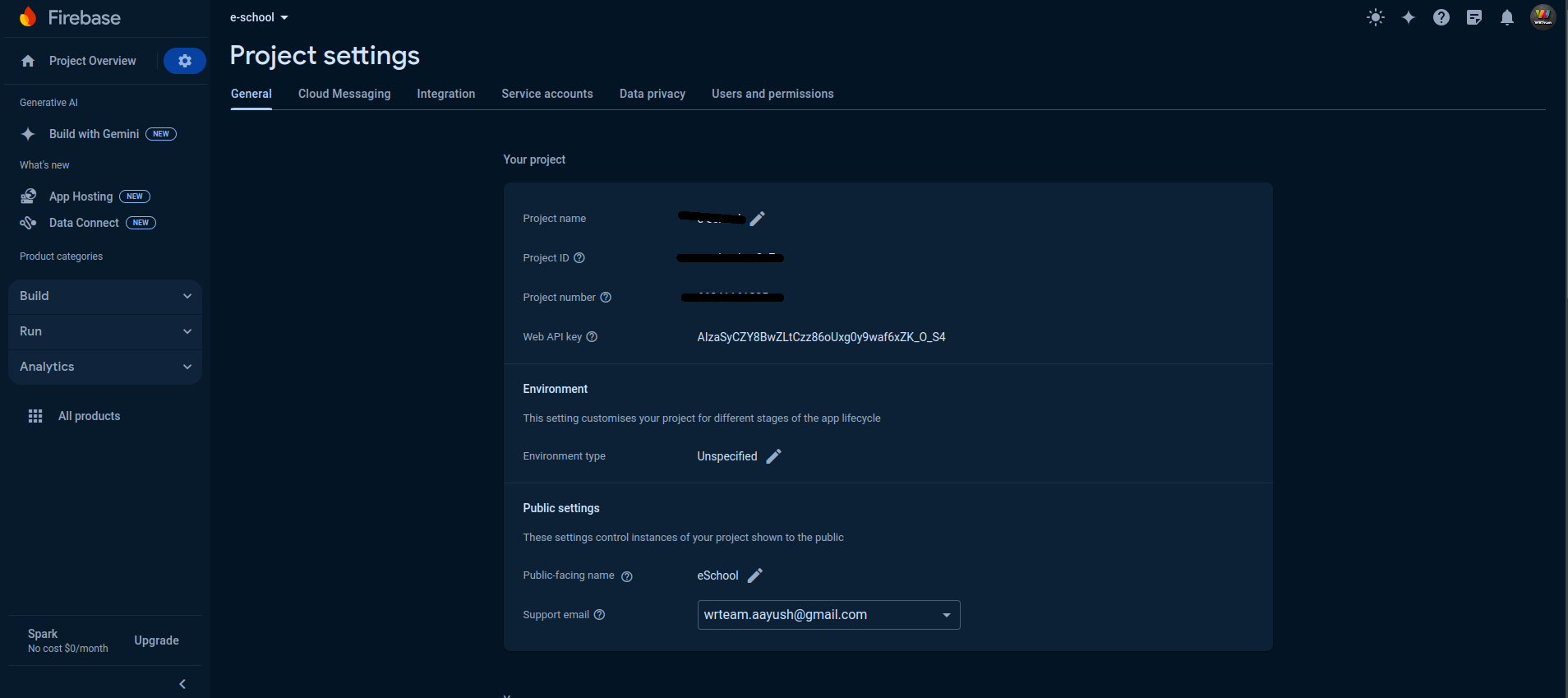
- In the Firebase console, go to Project Settings
- Go to > General where Project Id is given add that to Admin Panel in System Settings > Notification Setting.
Service Json File
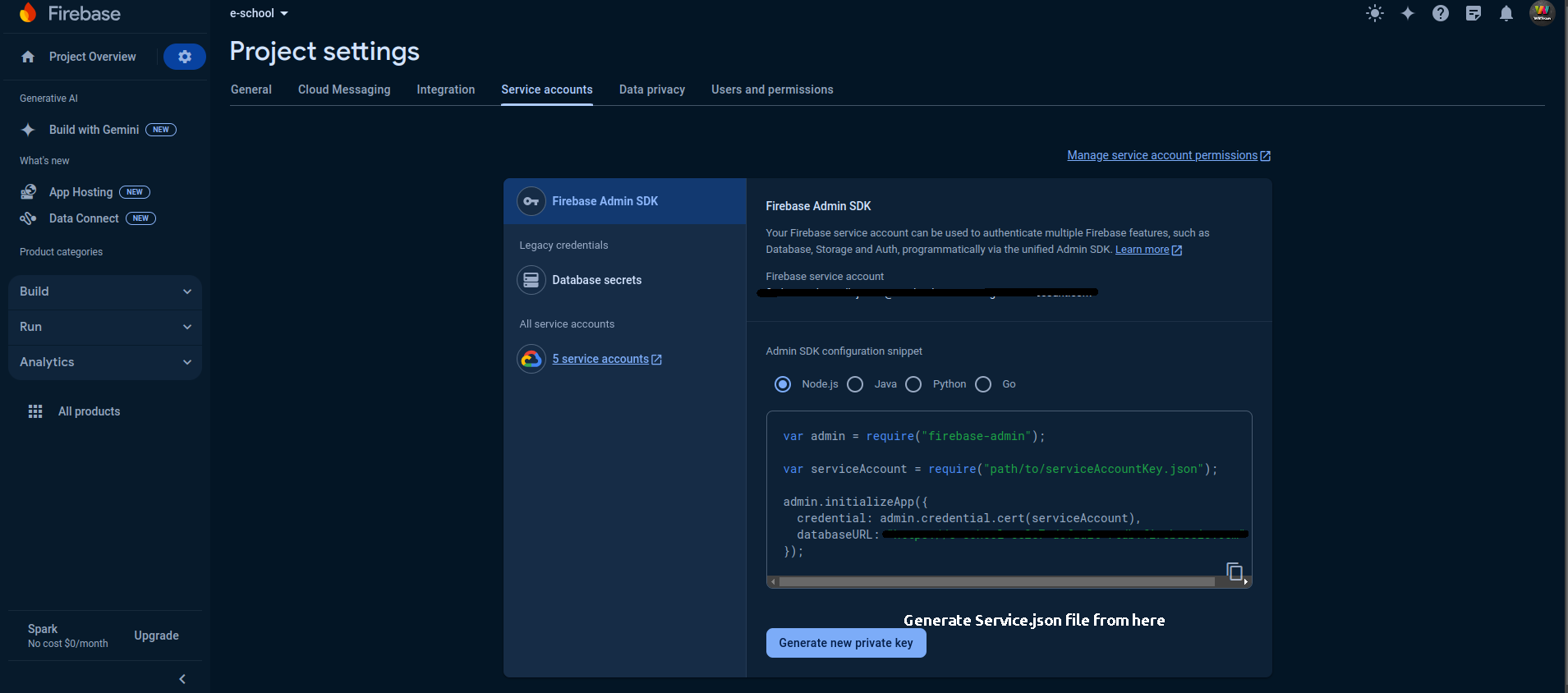
- In the Firebase console, open Settings > Service Accounts.
- Click Generate New Private Key, then confirm by clicking Generate Key.
- Securely store the JSON file containing the key and upload in Admin Panel in System Settings > Notification Setting.