Server & API Configuration
Change Server URL
To configure the server URL for the eMarket Partner App:
-
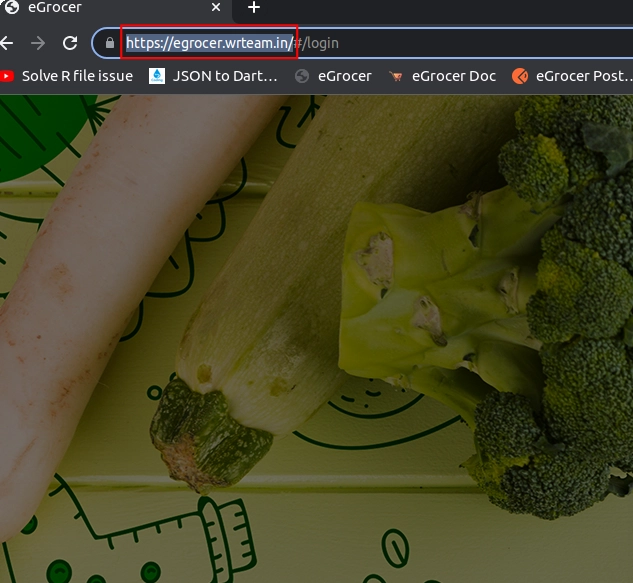
Open your admin panel, copy link from URL as shown below
-
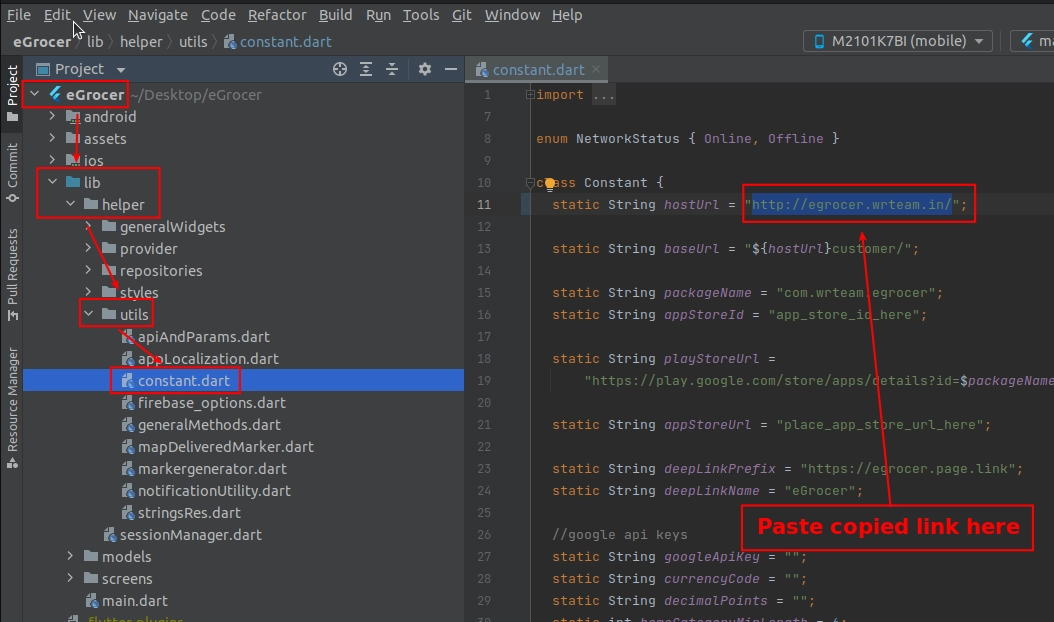
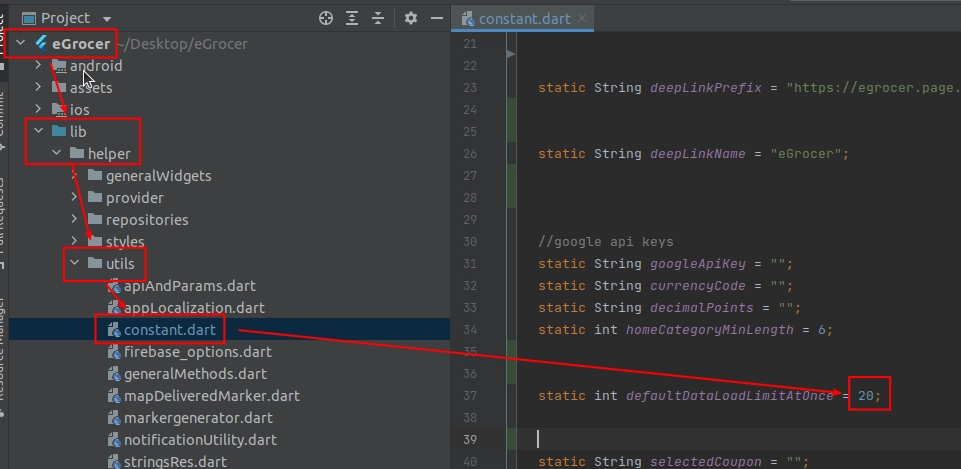
In Android code go to lib > helper > utils > constant.dart and paste the URL
Change API Parameters
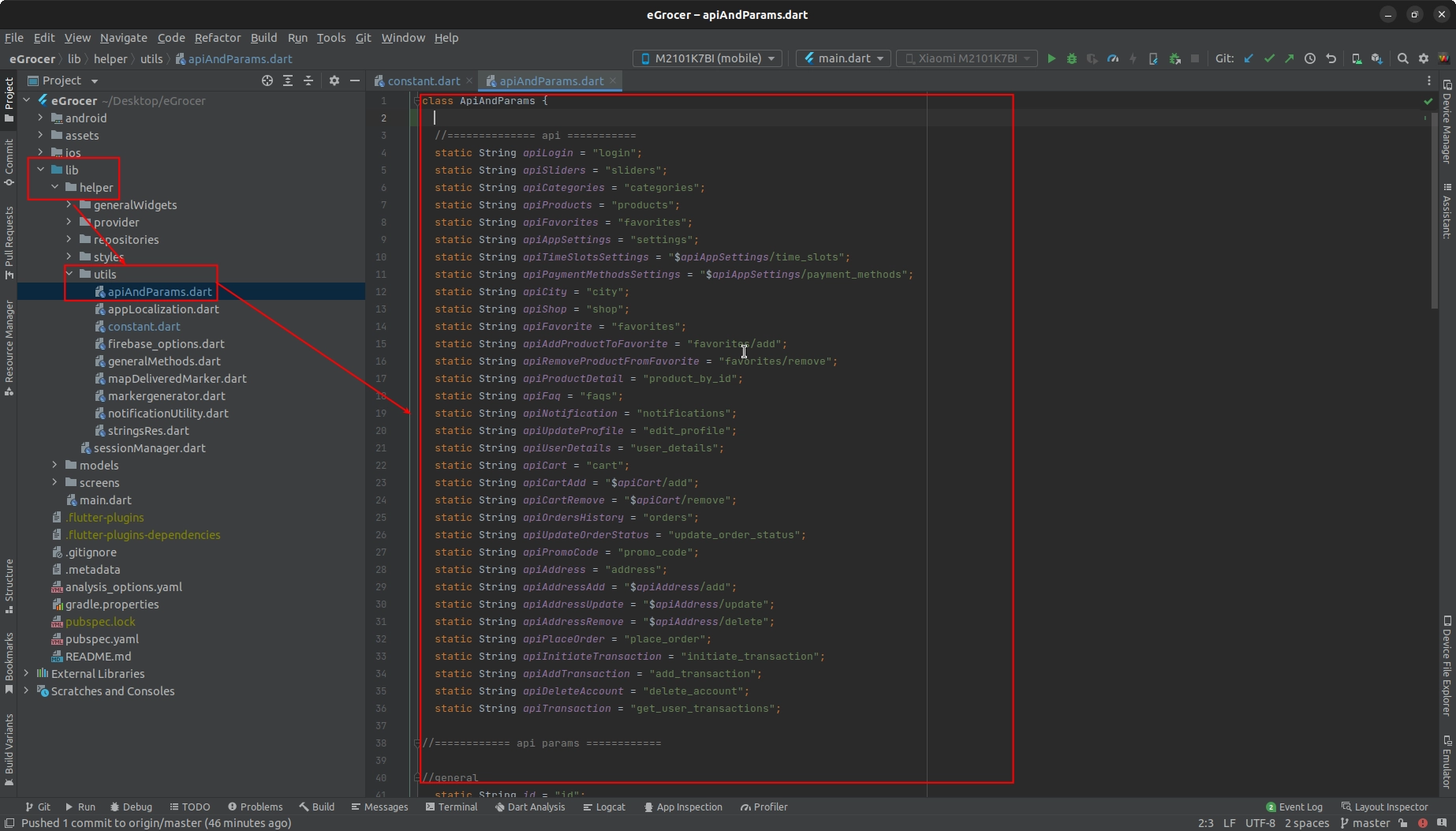
You can change or add API parameters from lib > Helper > String.dart. Here, all list of APIs and API parameters are listed that are used in the app.
Increase Product Load Limit
You can change how many items are fetched at a time when a request is sent to the server:
- Go to lib > helper > Constant.dart
- Find the parameter that controls the product load limit
- Adjust the value as needed
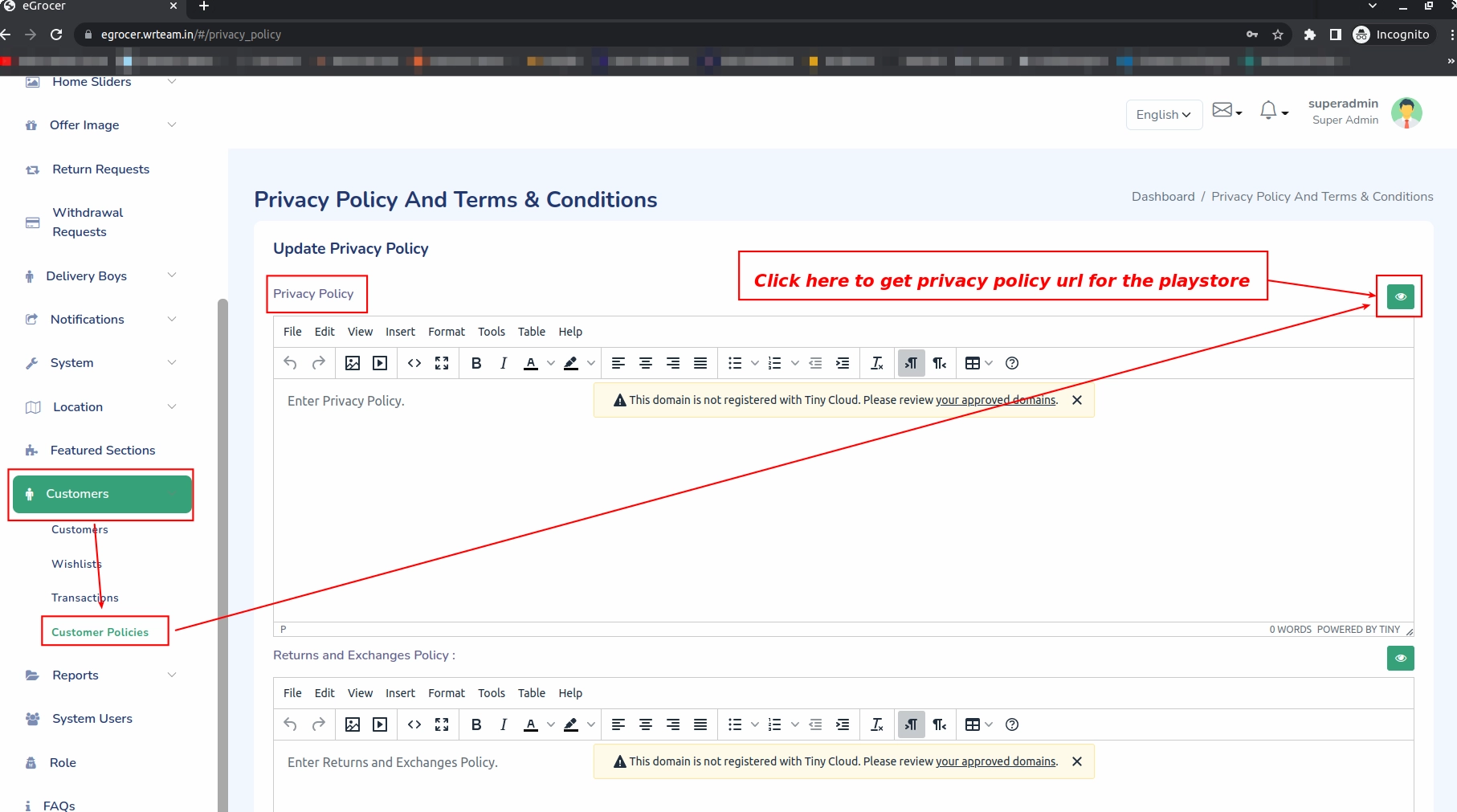
Privacy Policy URL for PlayStore
To get the privacy policy URL for your PlayStore submission:
- First login to admin panel
- Go to System > Privacy Policy
- Use the URL provided there in your app store submissions