Header Options
The header section provides instructors with quick access to important global and account-related features from any page within the instructor panel. It also includes a sidebar toggle to expand or collapse the navigation menu.
Notifications
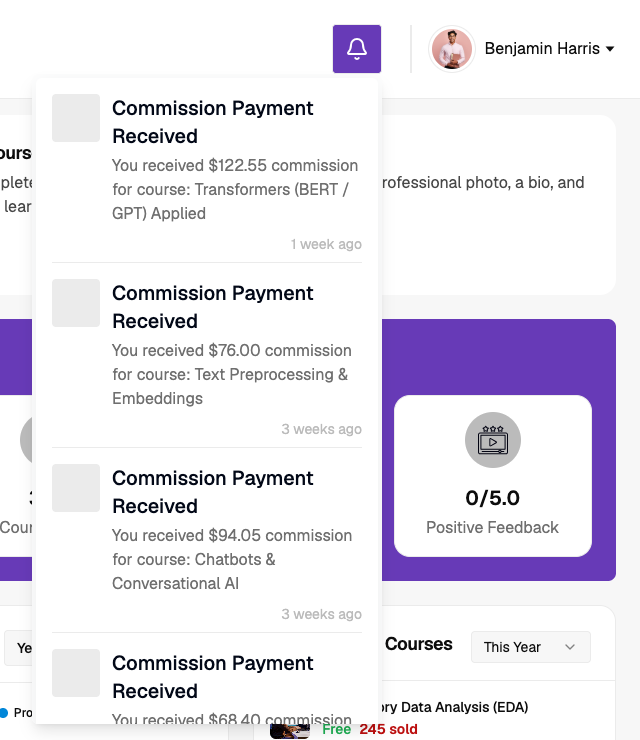
The notifications icon displays up to the latest four notifications directly from the header, along with a View All option to access the complete notifications listing page.
Language Changer
Allows instructors to switch between the available platform languages and translation configurations added by the admin.
Profile Options
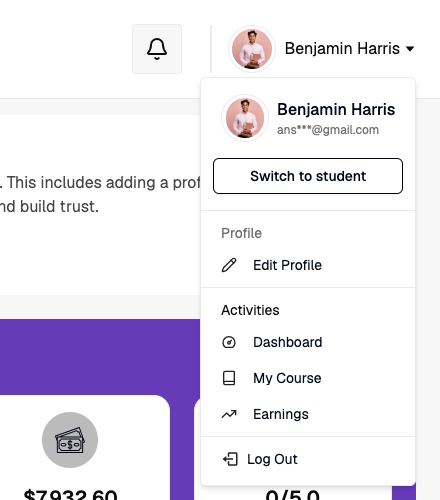
The profile menu displays the instructor's profile image, name, and email address, along with the following shortcuts:
- Switch to Student – Access the student side of the platform.
- Edit Profile – Redirects to the common profile management page.
- Dashboard, My Courses, and Earnings – Quick navigation shortcuts.
- Logout – Securely signs out from the instructor panel.