How to Turn ON Mobile Login
To enable mobile login functionality in the web version of your News App:
-
Go to your News Admin Panel.
-
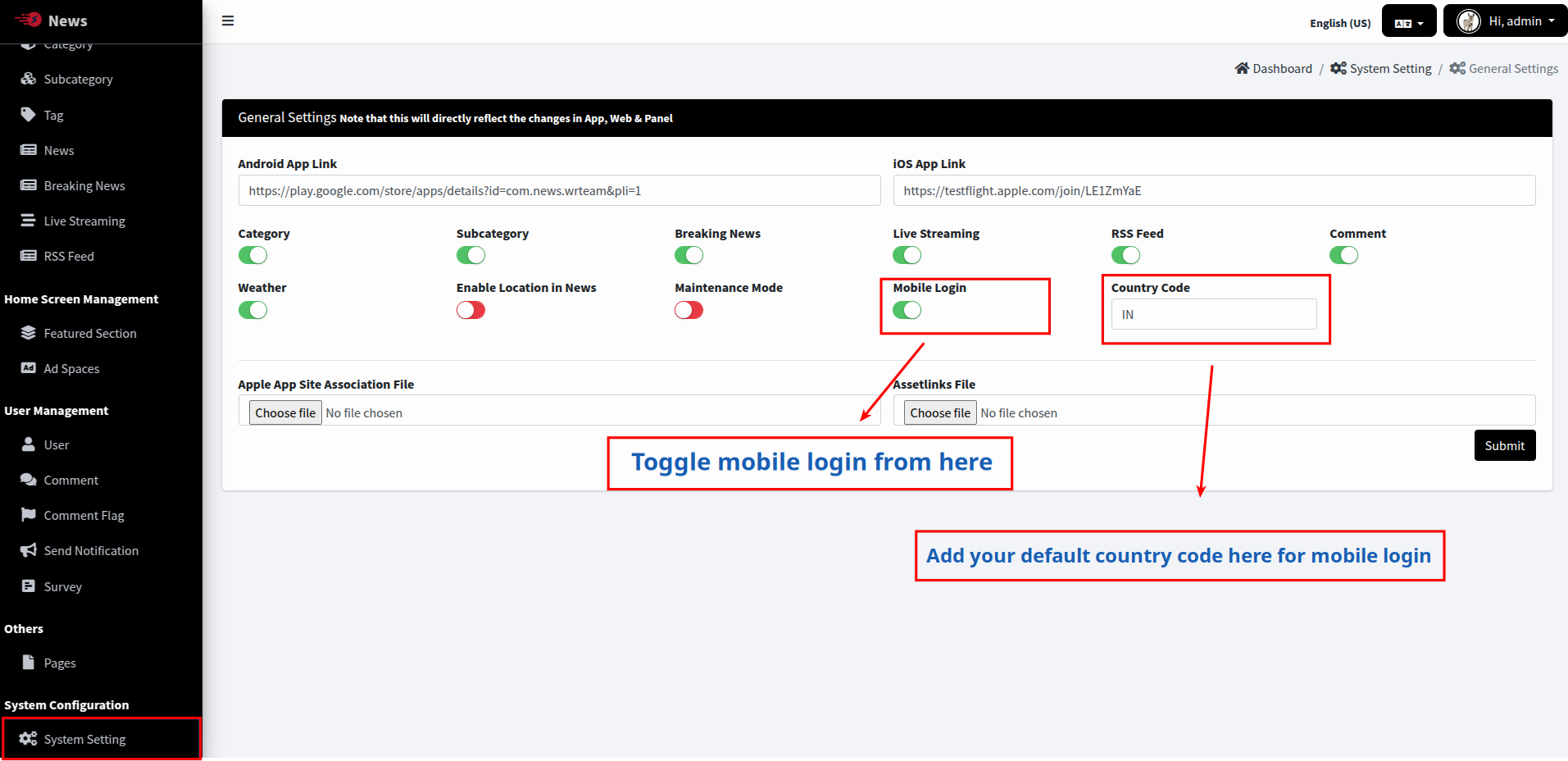
Navigate to Settings > System Settings > General Settings.
-
Locate the "Mobile Login" option and set it to "Enable".
-
Set your country code preference in the corresponding field.
-
Save your changes.
This will enable mobile number-based login in your web application, allowing users to log in using OTP verification sent to their mobile devices.