How to Get Your Gemini api-key
-
Go to google-ai-studio.
-
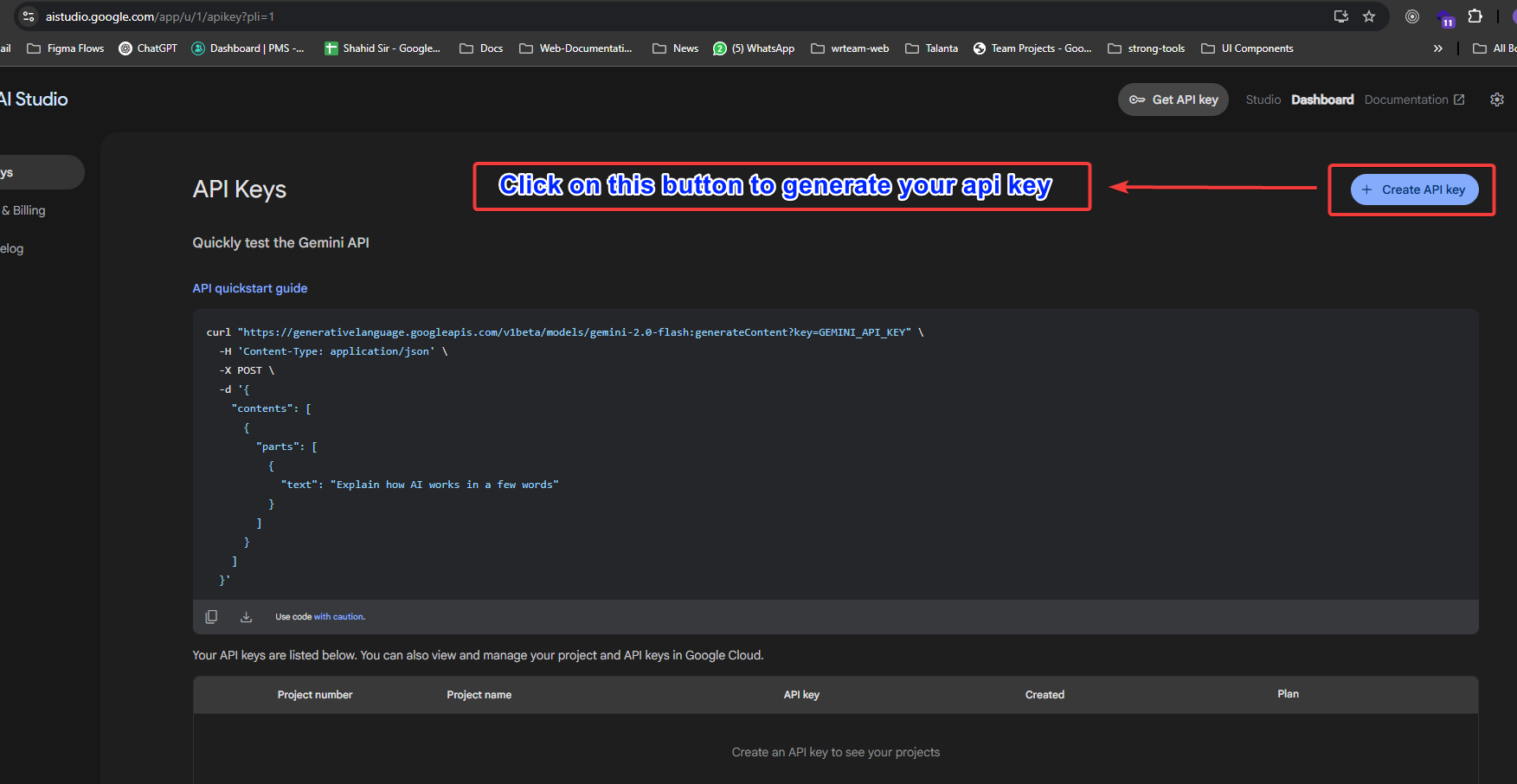
Login with your account and then click on create-api-key as shown in below img.
-
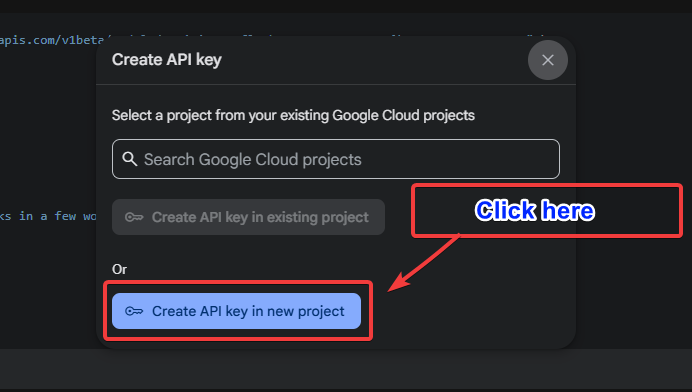
Once you click on the create api key button below shown pop-up will open then click on create api-key in new project and it will generate your api-key.