Change App Name
To change your app name, follow these simple steps:
Method 1: Using app_config.dart
- Navigate to
lib > config > app_config.dartin your project - Find the variable named
applicationNameinside theAppConfigclass (e.g.,static const String applicationName = 'eBroker';) - Update the text inside the quotes with your desired app name
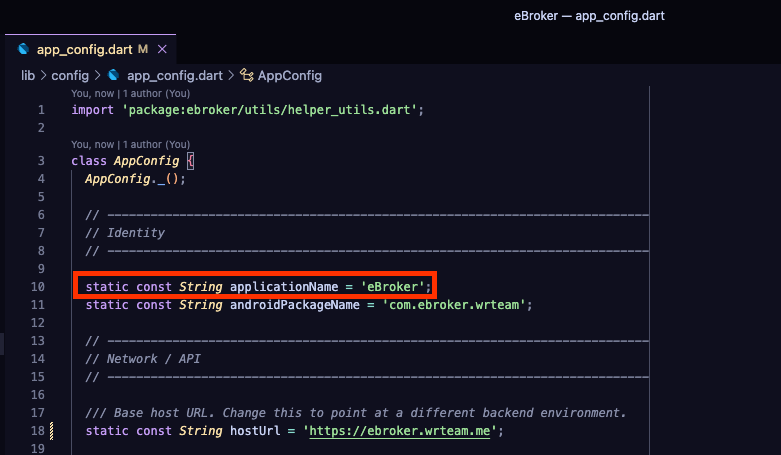
This method only changes the display name of the minimized app. For a complete app name change, you'll need to use Method 2.
Method 2: Using Rename Package
Run the following commands in your terminal:
flutter pub global activate rename
Once the package is activated, run:
rename setAppName --targets ios,android --value "YourAppName"
Replace "YourAppName" with your desired application name.
This will properly update the app name in all necessary Android and iOS configuration files.