Change Package Name
Changing your app's package name is a crucial step, especially before setting up Firebase. Follow these steps:
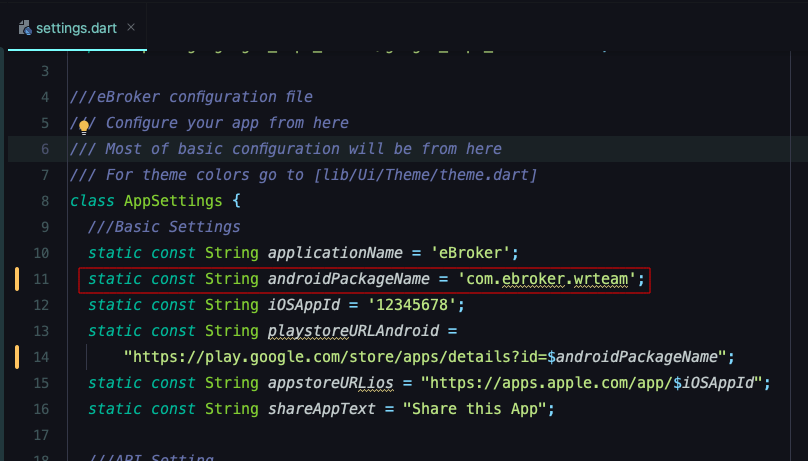
Method 1: Update in settings.dart
- Navigate to
lib > settings.dartin your project - Find the variable named
androidPackageName="Your package name" - Update the text inside the quotes with your desired package name (e.g., "com.yourcompany.appname")
- Globally find the package name in app code and replace it with your package name.
Method 2: Using Rename Package
To properly change the package name throughout your app, run this command in your terminal:
rename setBundleId --targets android --value "com.example.bundleId"
Replace "com.example.bundleId" with your desired package name.
Important Note: Make sure to change the package name before setting up Firebase. If you've already set up Firebase with a different package name, you'll need to update the Firebase configuration to match your new package name.