How to change images
Navigate to the assets folder and replace the image with a new one that has the same filename.
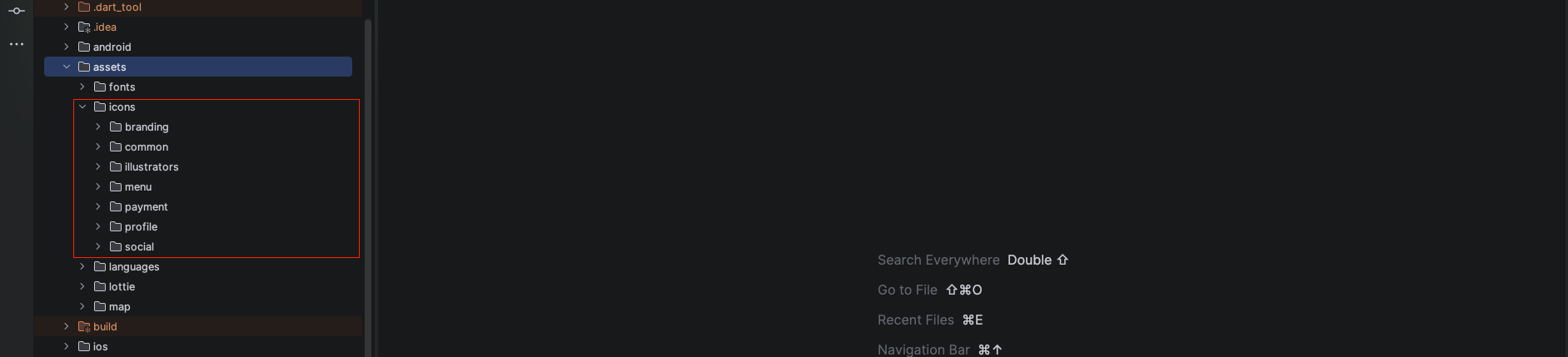
Folder Structure Descriptions
Under assets/icons, you will find several subfolders organized by their purpose:
- branding: Contains app logos, splash screen icons, and primary brand identity assets.
- common: Includes general-purpose icons used across various screens (e.g., search, back, close).
- illustrators: Contains illustrative assets for onboarding screens, empty states, and decorative UI elements.
- menu: specifically for icons used in the bottom navigation bar and sidebar menus.
- payment: Contains icons for different payment methods and gateway provider logos.
- profile: Includes icons related to user accounts, settings, and profile management.
- social: Contains social media platform icons used for authentication and sharing.