How to Enable Firebase Phone Authentication(OTP)
-
Open your firebase console.
-
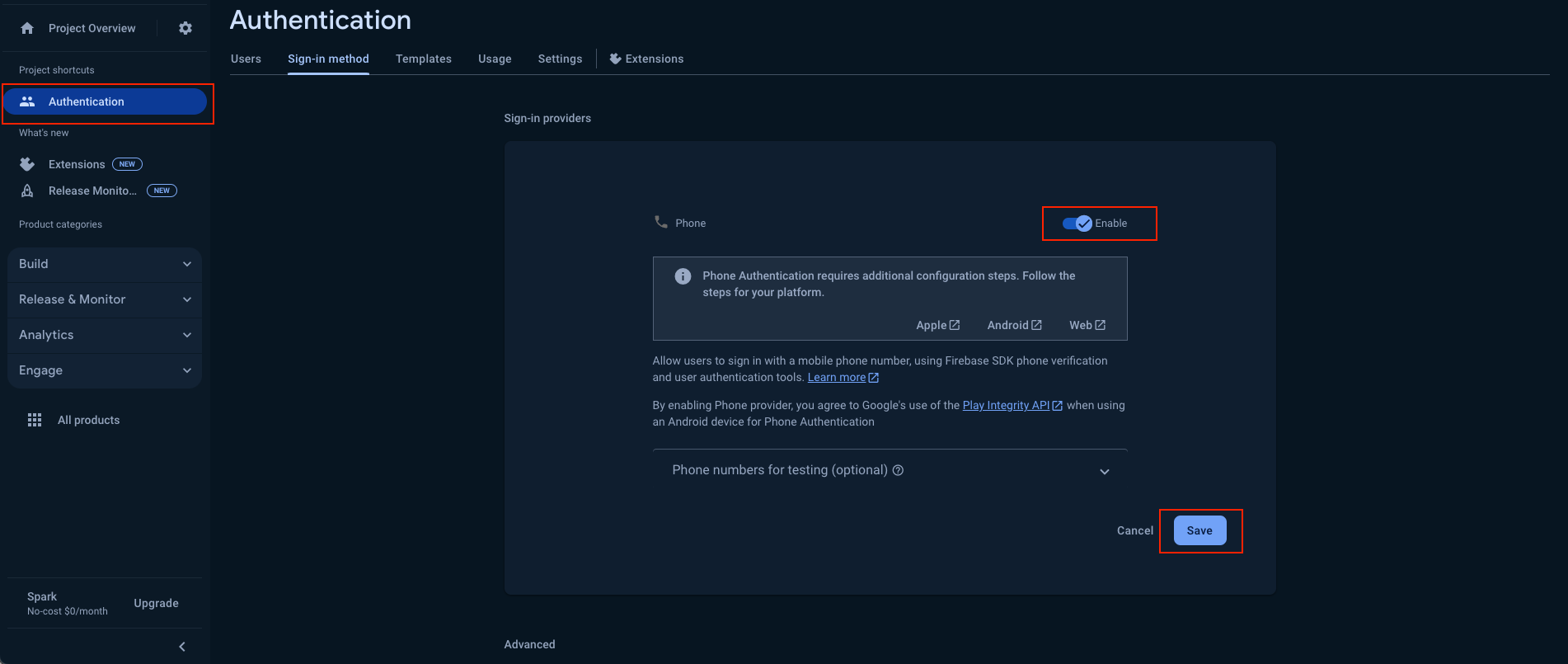
Go to Authentication and open Sign-in method.
-
Enable Phone Sign-in method and save.
-
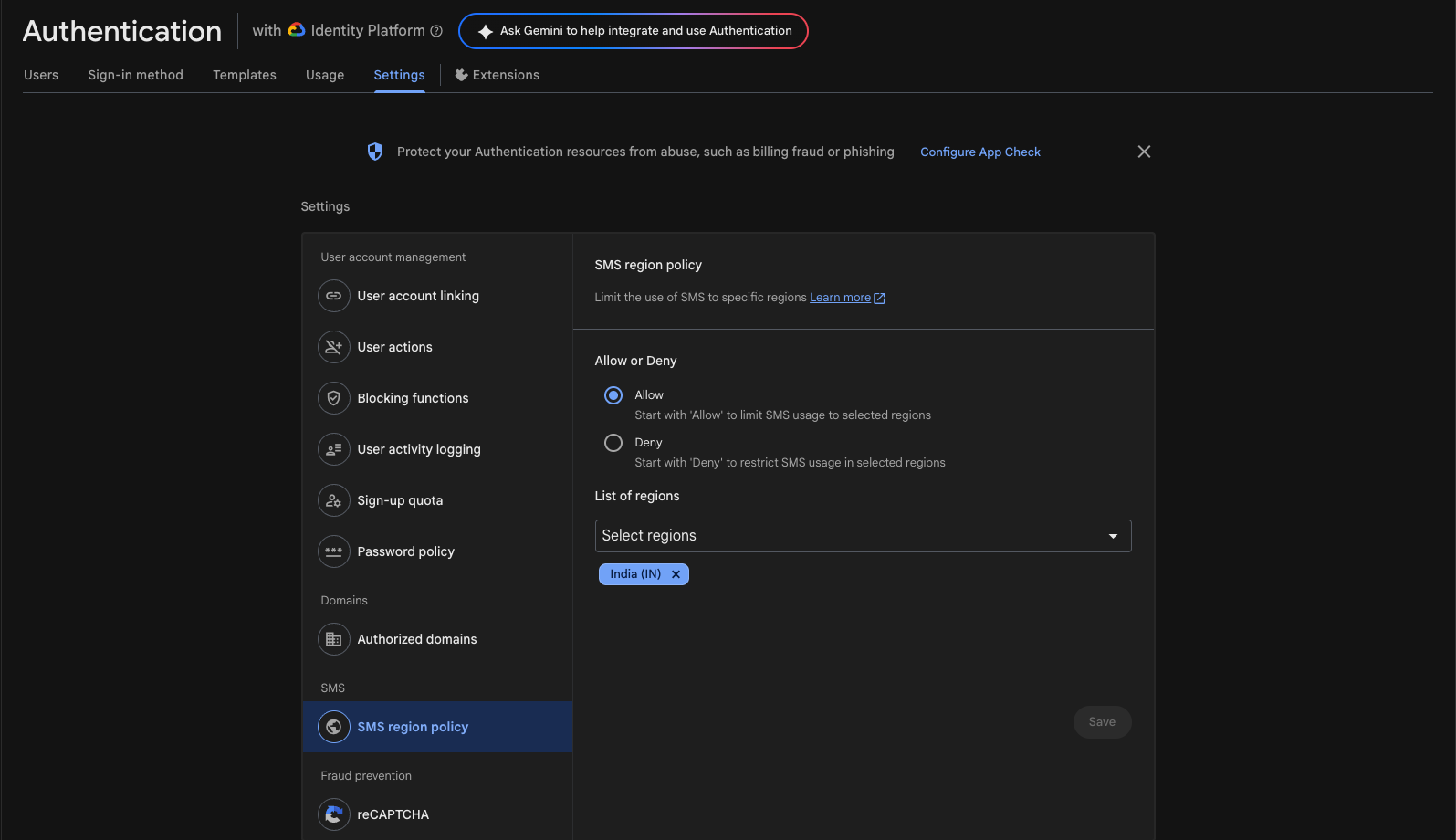
Add your supported countries in "Allow" list in SMS Region Policy.\
Android
important
For adding SHA1 and SHA256 keys in Firebase, please refer to our comprehensive guide. This step is crucial for enabling phone authentication in your Android app.
iOS:
important
For iOS authentication setup and URL scheme configuration, please refer to our comprehensive guide. This step is crucial for enabling phone authentication in your iOS app.