Firebase Setup
This guide will show you how to set up Firebase for the eMarket website.
How to set up firebase config for website?
-
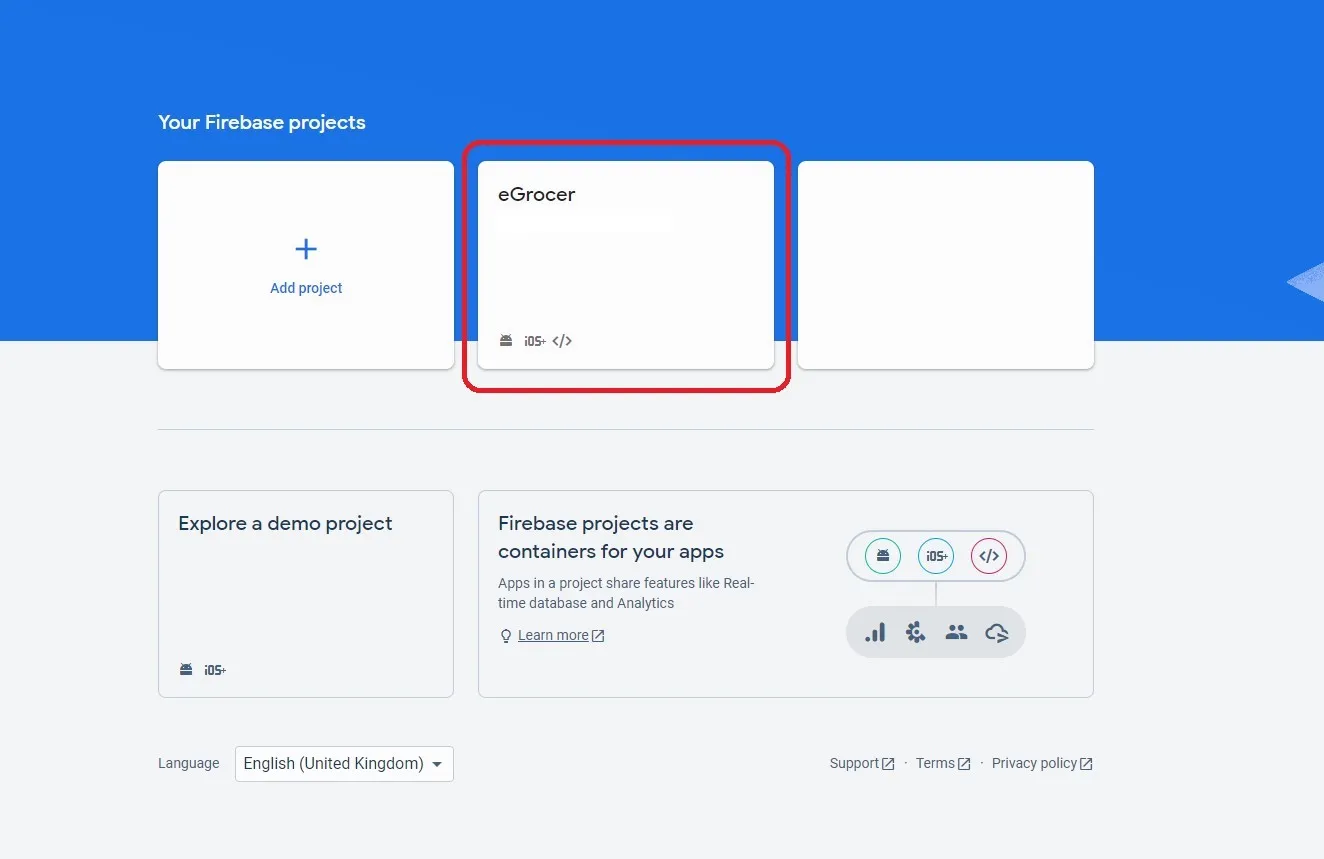
First, create your Firebase app by following these steps:
-
Open the Firebase Console and access your eMarket project.
-
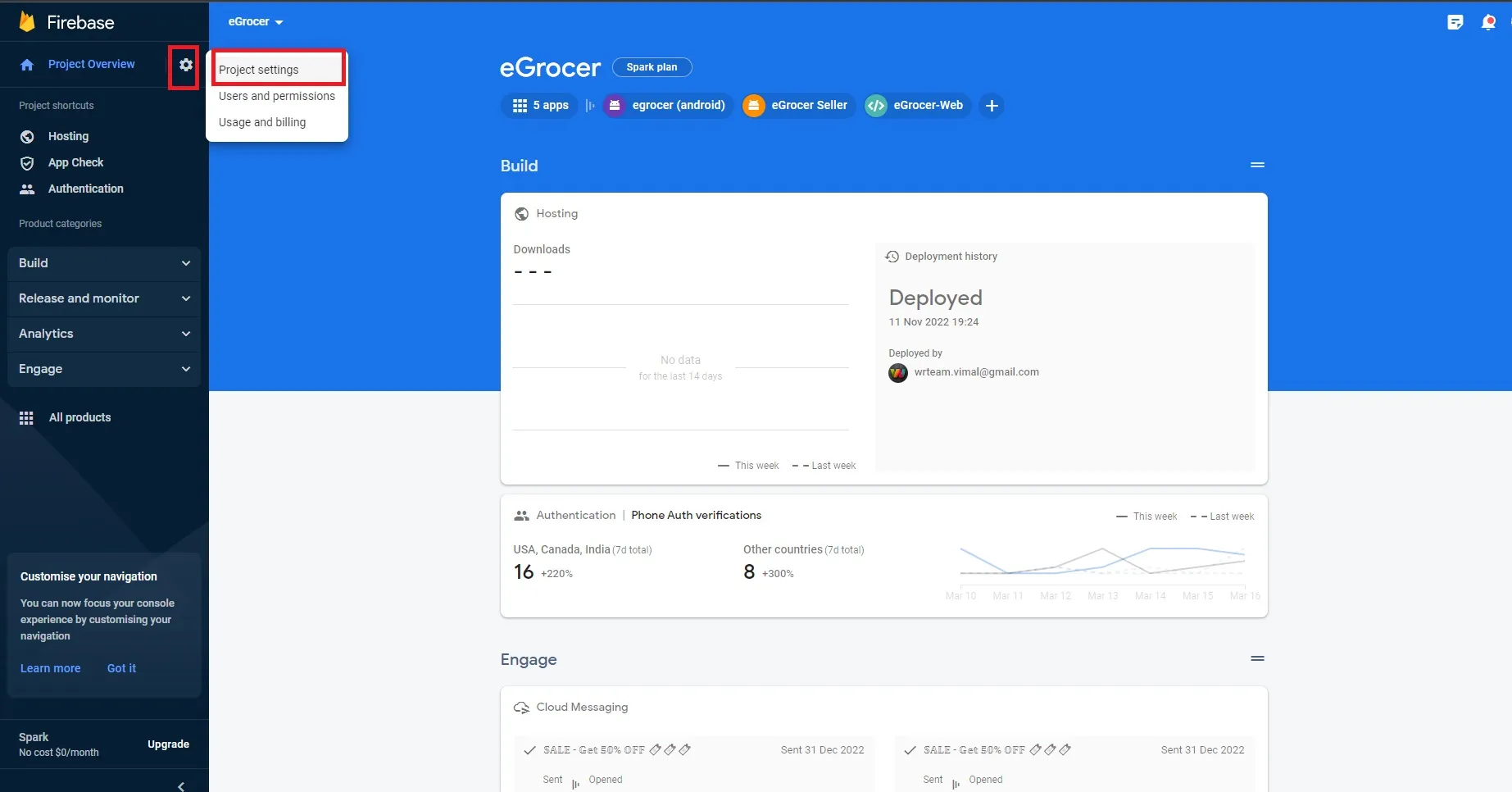
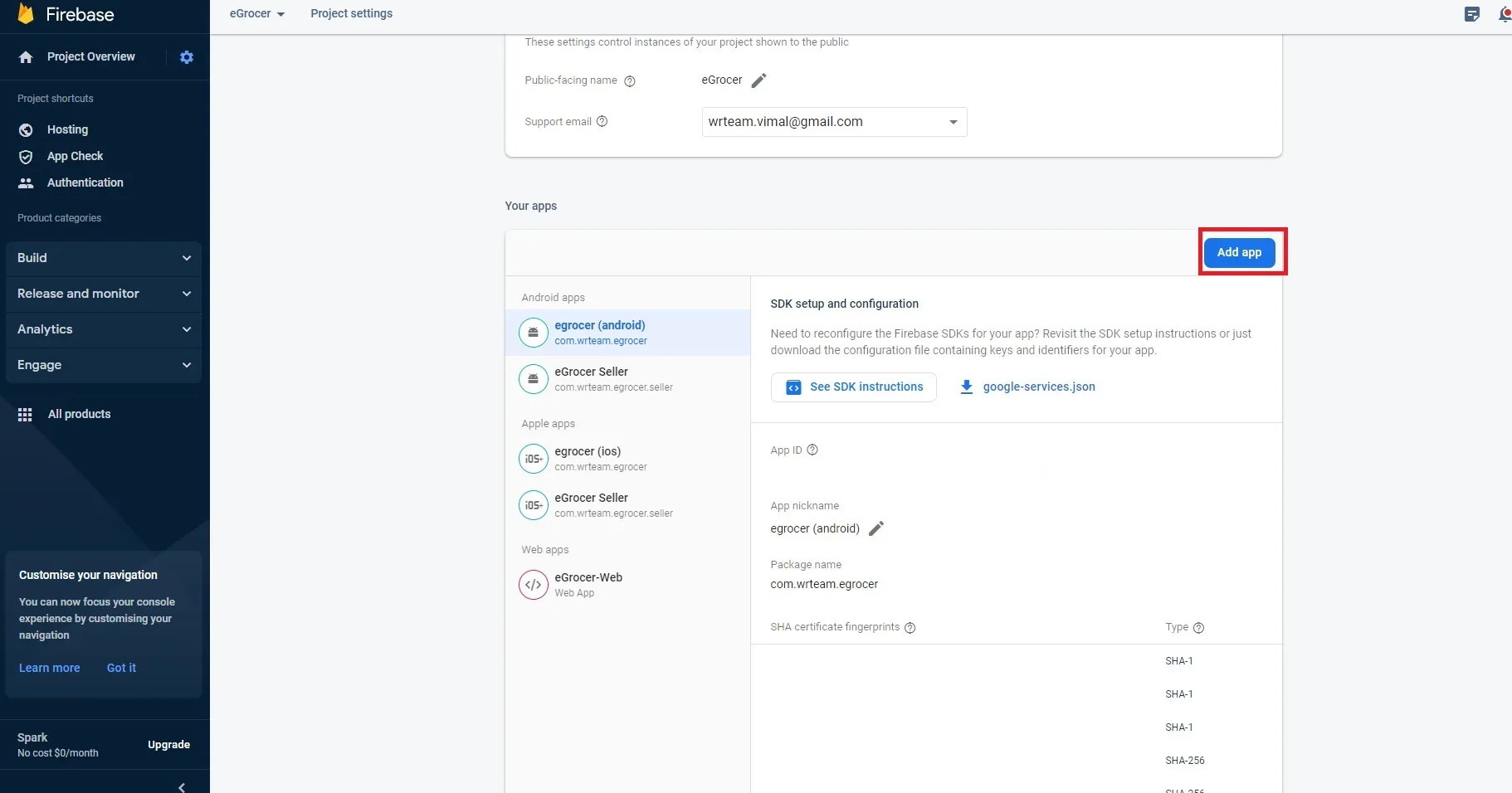
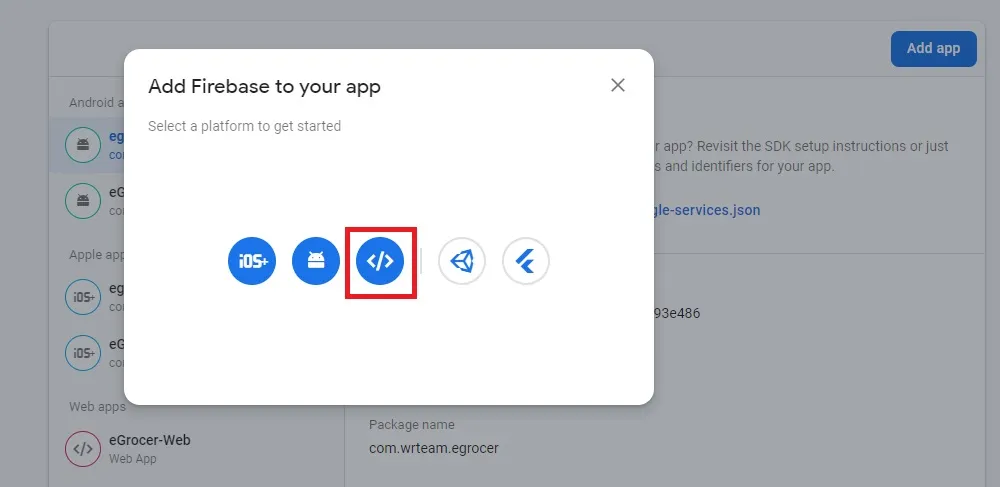
Follow these steps to add a web app to your Firebase project:
-
Provide your app a nickname:
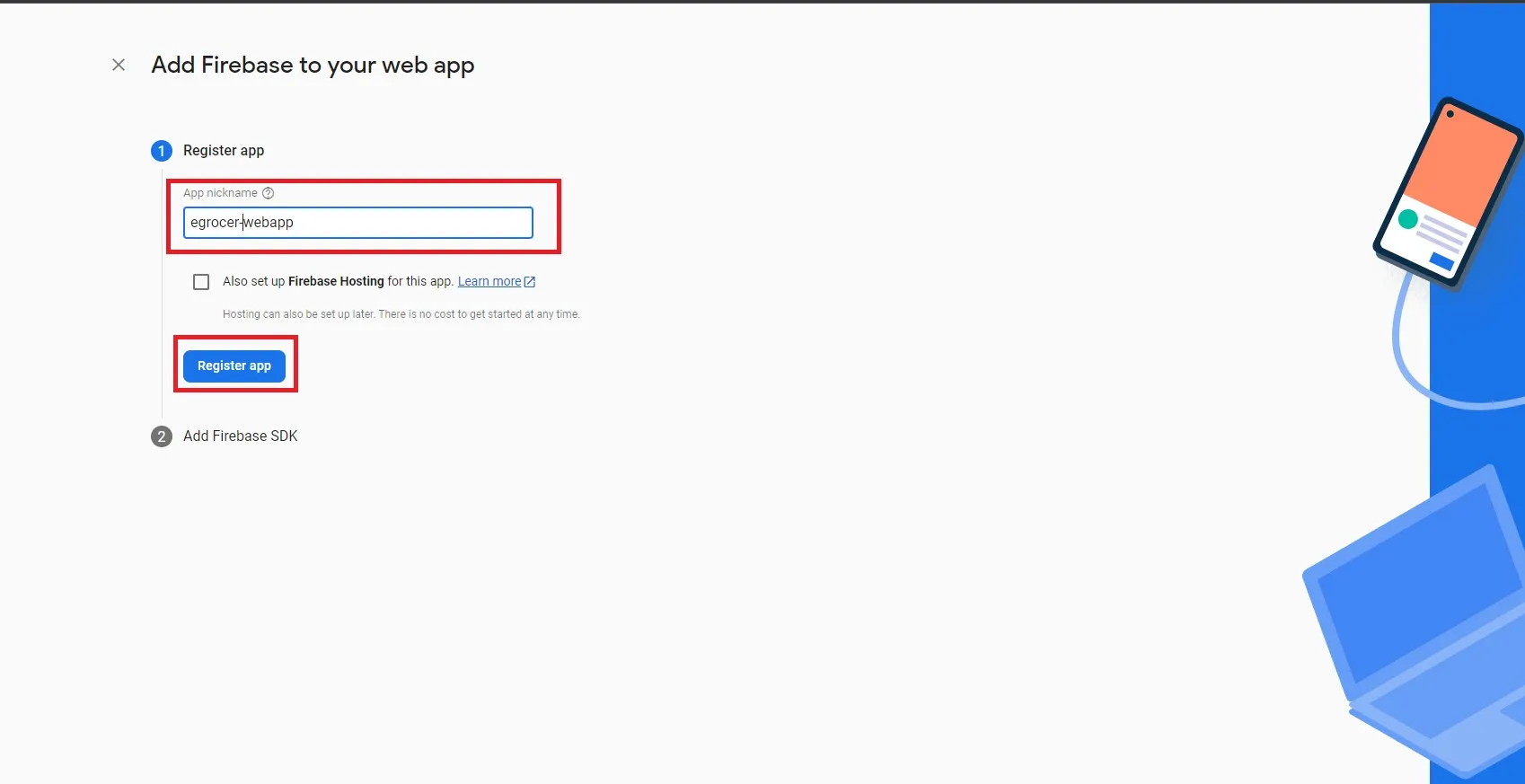
-
Copy the Firebase configuration values one by one:
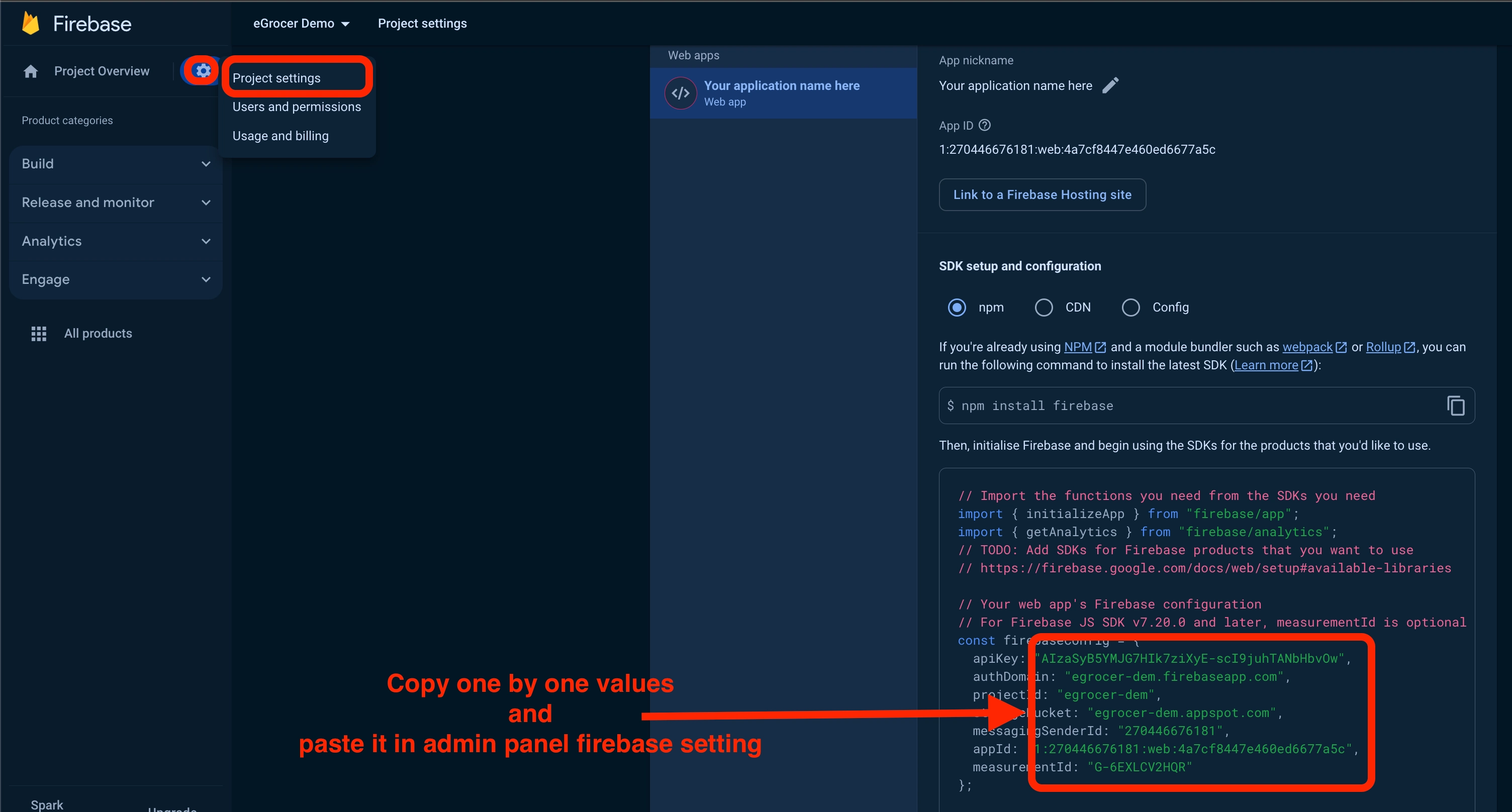
-
Download the Firebase JSON file if needed:
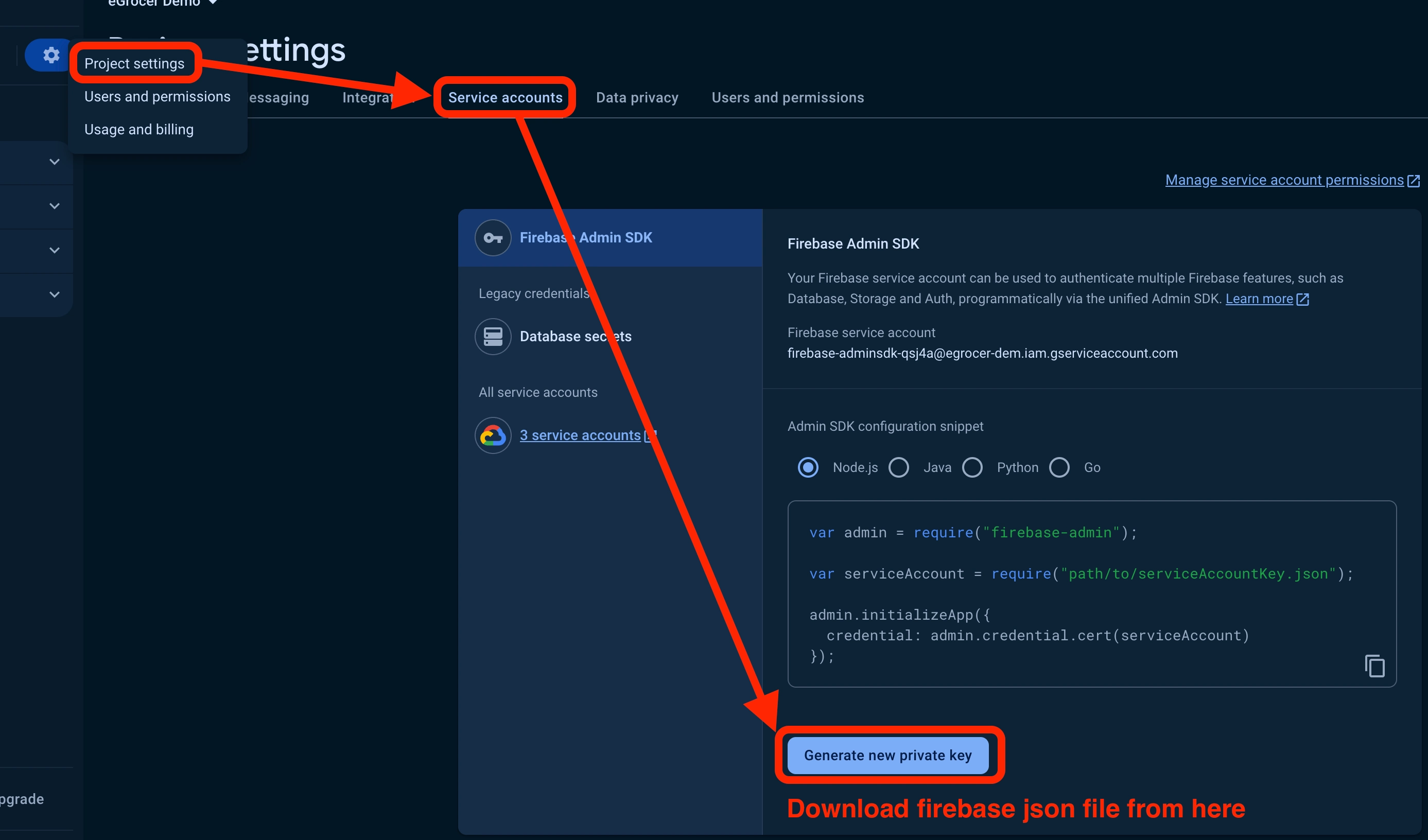
-
Copy and paste each value into your project configuration:
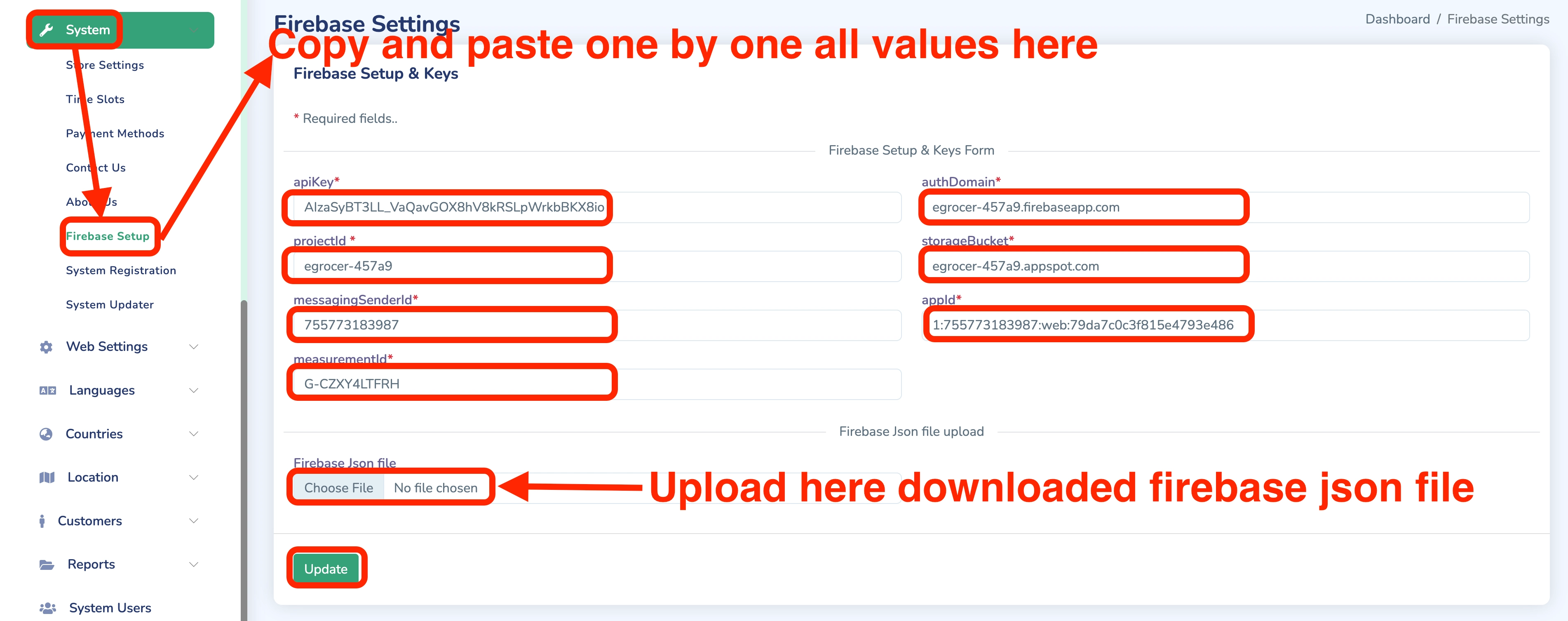
-
Copy the
firebaseConfigobject and click "Continue to console":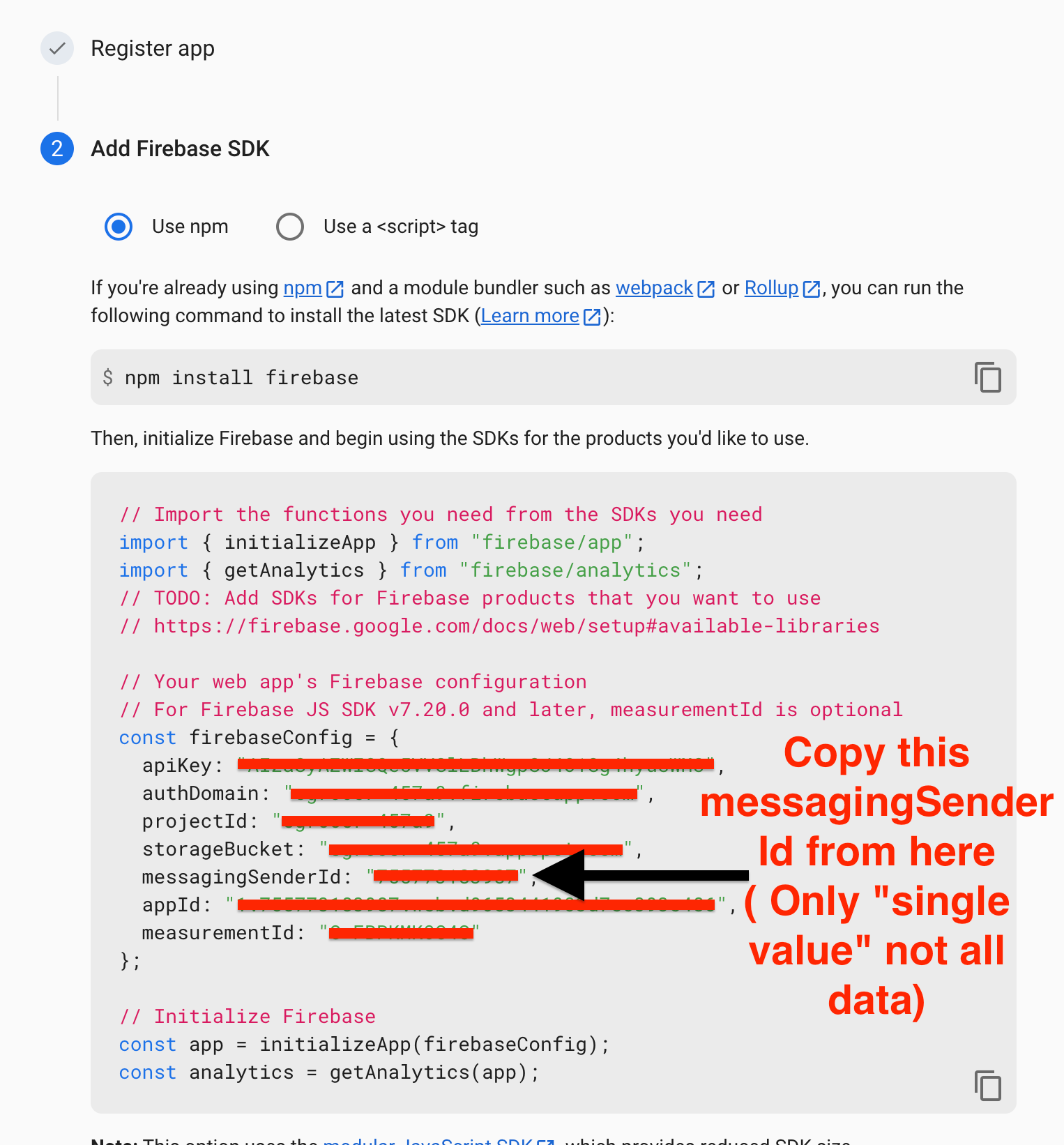
-
Add your domain to Firebase for OTP functionality:
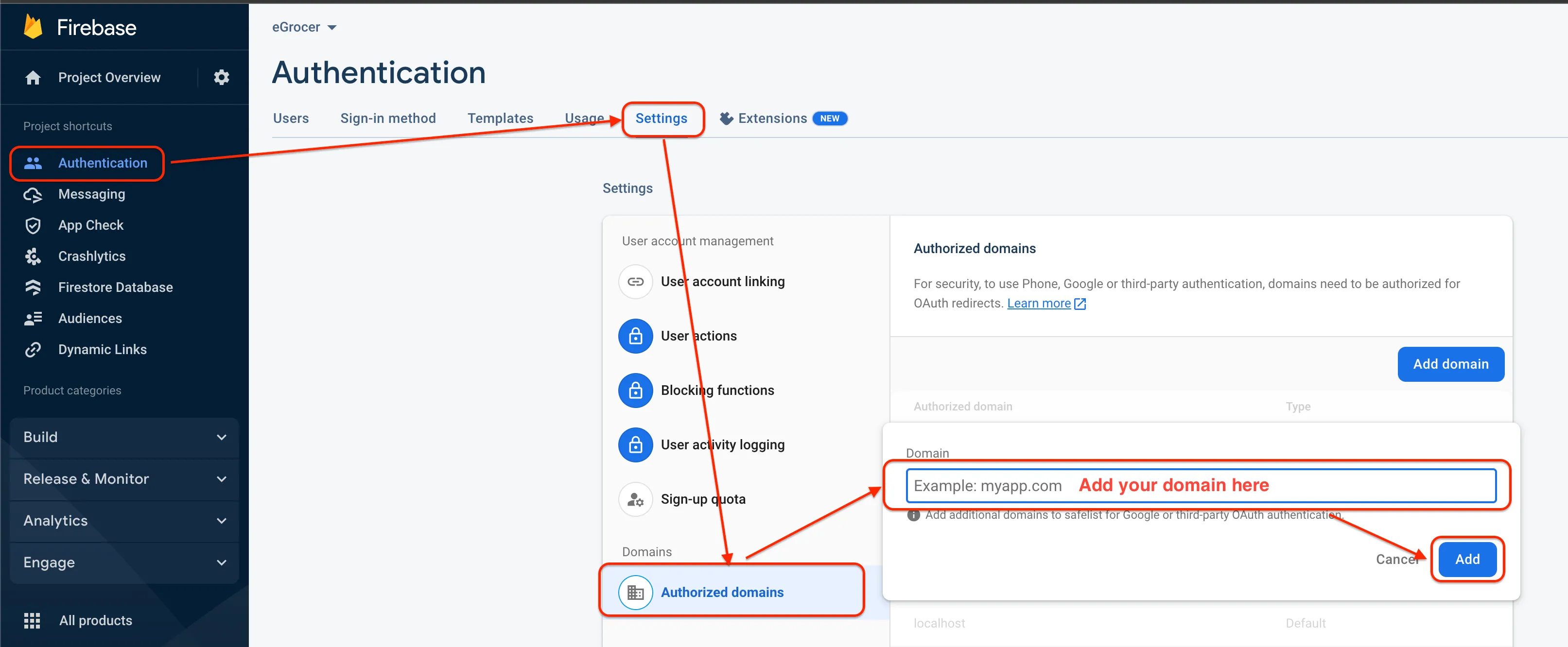
note
If you want to set up the web first, steps 5, 6, and 7 are mandatory; otherwise, you can skip them.