Web Setup Overview
1. Extract the Project Files
Unzip the downloaded code package. This will create an "Elite Quiz - Web Code" folder.
2. Open the Project
Launch Visual Studio Code (or your preferred code editor) and open the project folder.
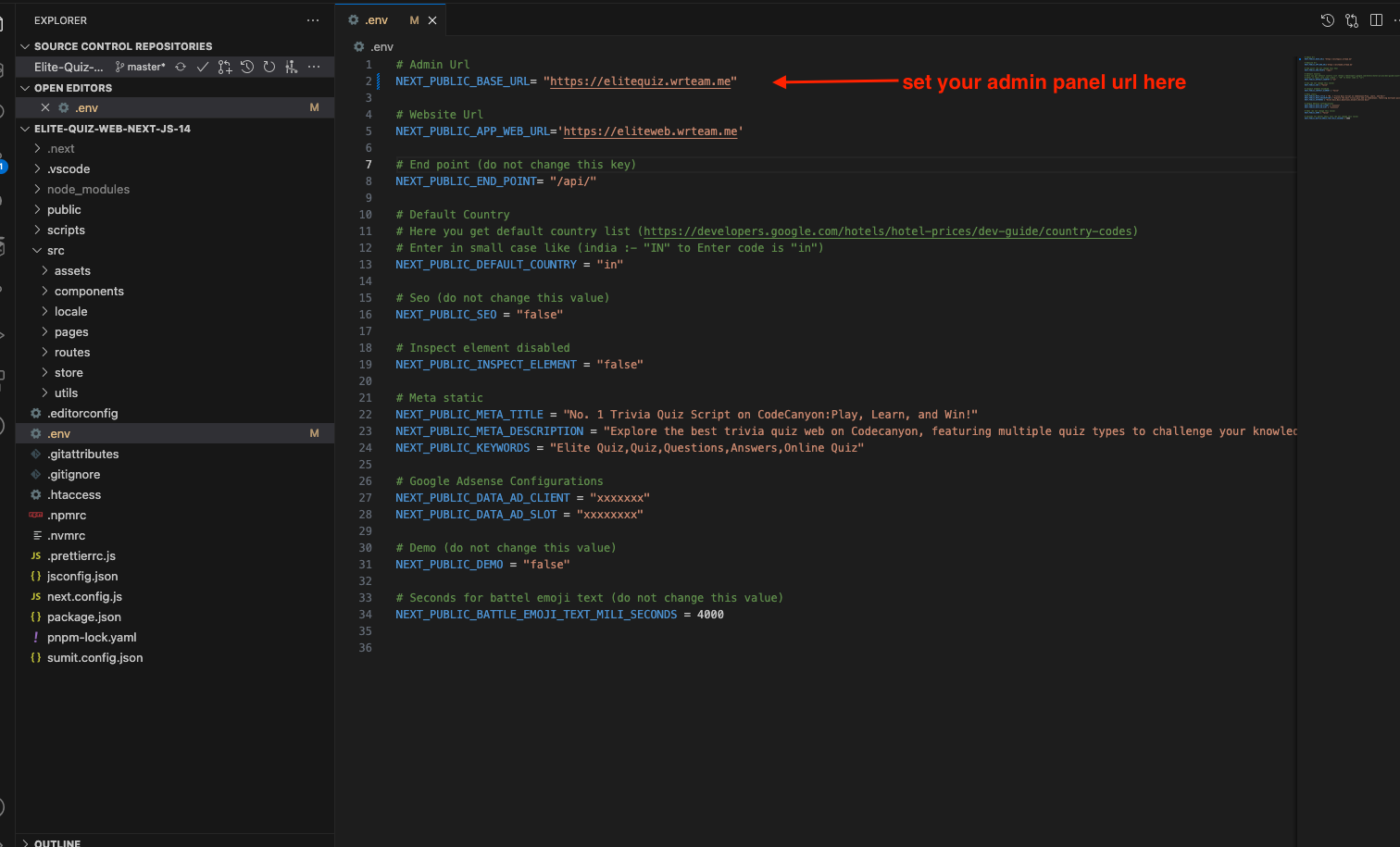
Where to Set API URL (Admin)
- Go to the main folder and open the
.envfile - Set your admin panel URL like this:
https://www.example.com
Why This is Important
Setting the correct API URL is crucial for the web application to communicate with your backend server. Make sure the URL is accessible and properly formatted including the protocol (http:// or https://).
caution
If the API URL is incorrect, users won't be able to log in or access quiz data.