Tasks
The Tasks module in the School Admin panel provides a robust system for administrators to create, assign, and monitor operational tasks. Whether managing your own to-do list or assigning duties to staff members, this module ensures every school activity is tracked through to completion.
📋 Manage Tasks
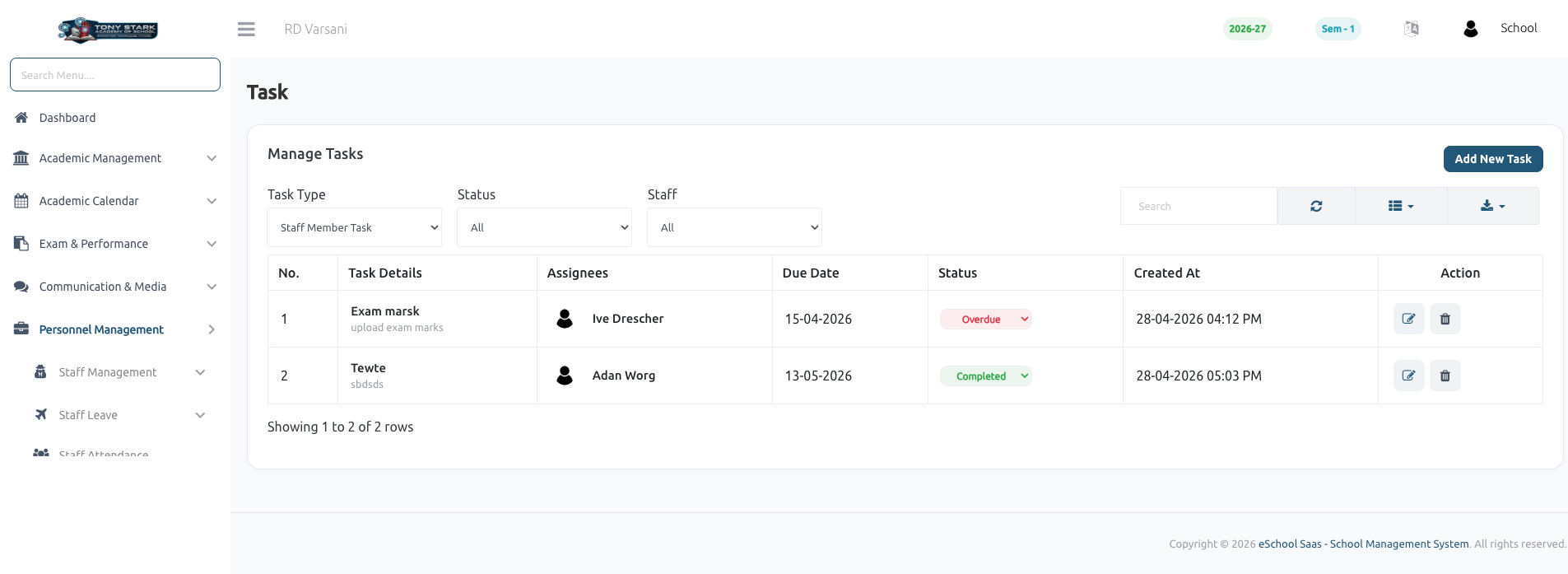
The Task Management dashboard offers a centralized view of all active and historical tasks. Administrators can easily track progress, manage deadlines, and perform administrative actions.
Key Features:
- 🔍 Dynamic Filtering: Quickly filter the task list by Task Type (e.g., My Tasks vs. Staff Tasks), Status (Pending, in progress, Completed, Overdue), or specific Staff members.
- 🛠️ Utility Tools: Integrated tools for searching, refreshing data, toggling column visibility, and exporting task reports.
- 📊 Detailed Overview:
- Task Details: Shows the title and description of the assignment.
- Assignees: Displays the staff member(s) responsible for the task.
- Due Date: Highlights the deadline for completion.
- Status Indicators: Color-coded badges for quick status identification (e.g., Overdue, Completed, In Progress, Pending).
- Quick Actions: Edit task details or remove tasks directly from the list.
➕ Create and Assign Tasks
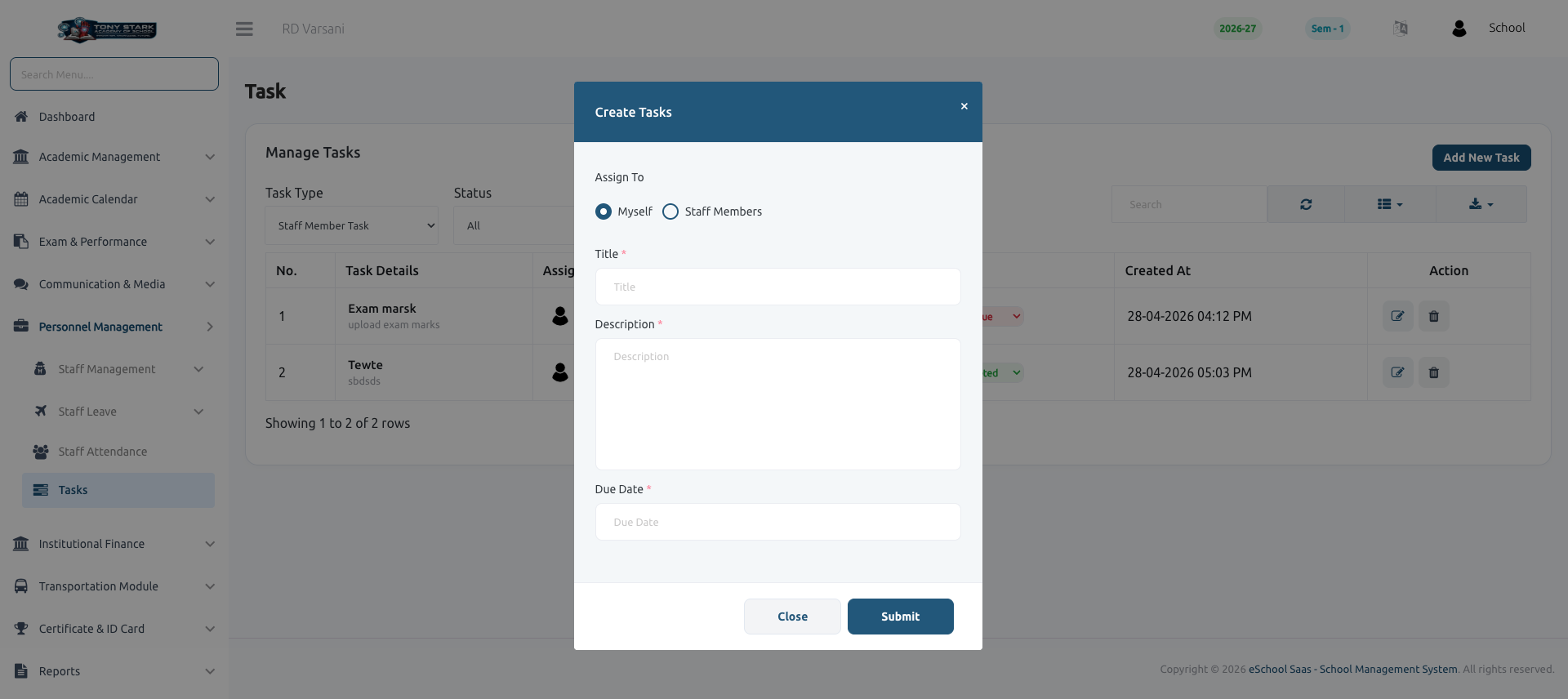
Assigning new responsibilities is simple with the task creation workflow. Clicking Add New Task opens an intuitive modal to capture all necessary details.
Task Configuration:
- Assign To: Choose the recipient—either Myself for personal reminders or Staff Members for delegation.
- Title: A clear and descriptive name for the task.
- Description: Detailed instructions or context required to complete the task.
- Due Date: The target completion date for the task.
Once submitted, the task is immediately added to the system, and the assignee can track it through their respective dashboard. 🚀