PayU India Setup
PayU India is an add-on, not a built-in gateway. It uses PayU's Payment Links: eBroker gets a hosted checkout URL from PayU and sends the buyer there (cards, UPI, netbanking, wallets).
1. Install
Upload the PayU zip with your purchase code in Plugin Manager. It activates on install.
2. Get credentials
In the PayU Dashboard (https://test.payu.in/ for test, https://onboarding.payu.in/ for live), go to Developer → API Keys. Your Merchant ID (MID) is in the top bar; Client ID and Client Secret are under Client ID & Client secret details, behind View details. Test and live credentials differ.
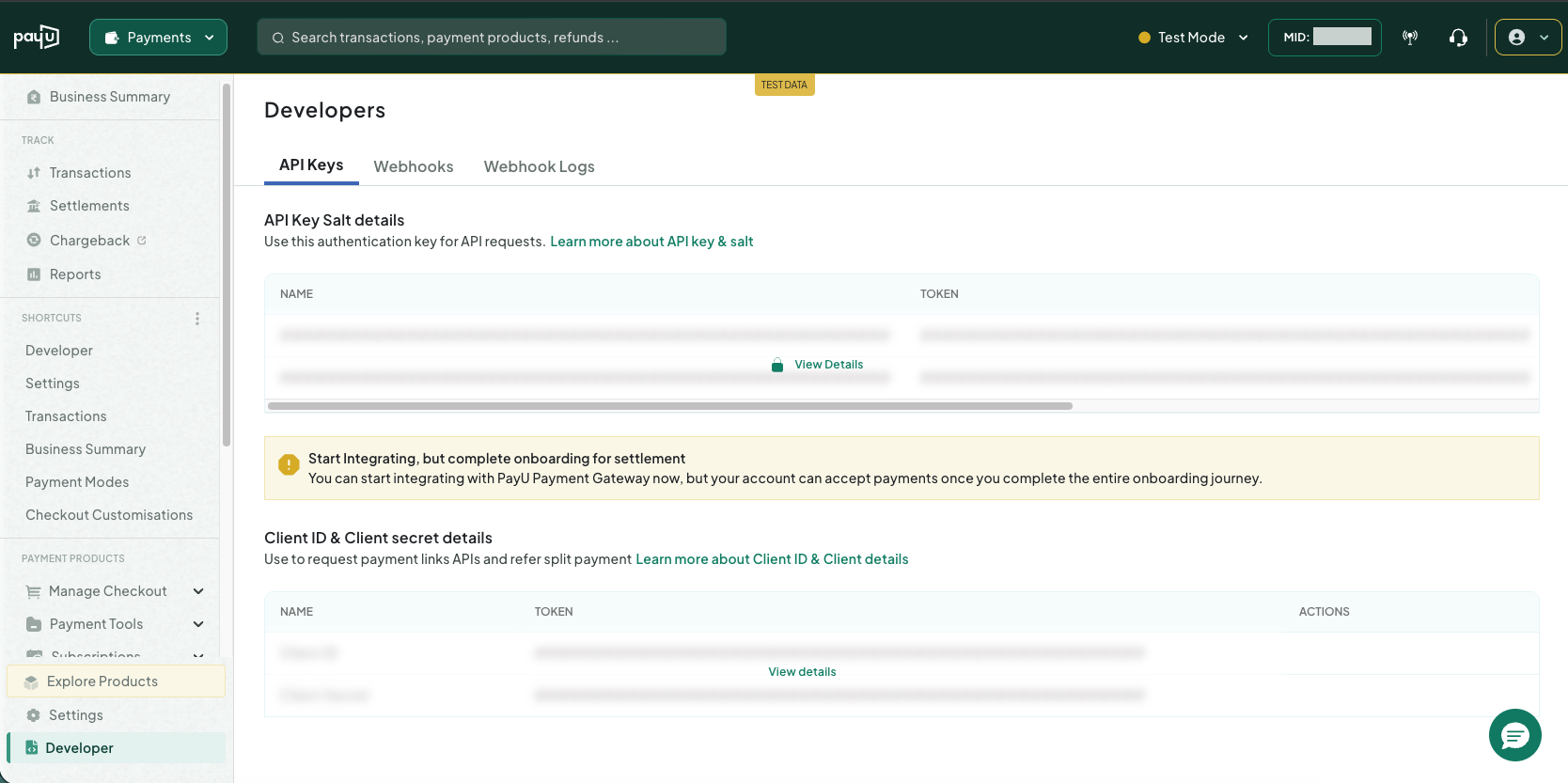
Your Client ID needs the Payment Links scopes (create_payment_links, read_payment_links). If you get a token error, ask PayU support to enable Payment Links on your account.
3. Configure
Settings → Payment Gateway Settings → the PayU India card (or Settings on its Plugin Manager card):
| Field | Value |
|---|---|
| Client ID / Client Secret / Merchant ID | From the PayU dashboard |
| Mode | Test while testing, Live when live |
| Transaction Currency | ISO 4217 code, e.g. INR |
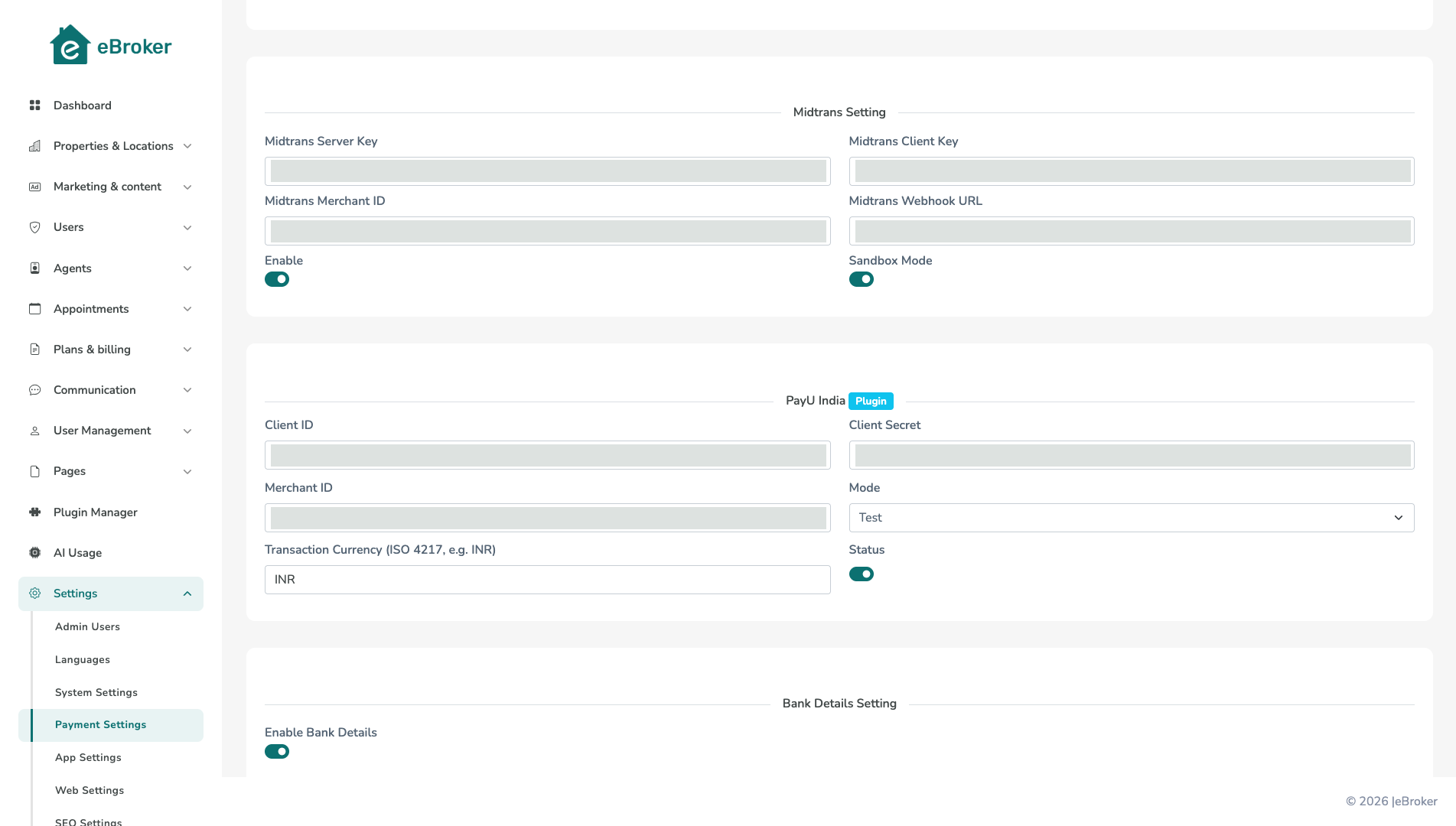
Turn the Status switch on and save. Nothing has to be registered with PayU: eBroker sends its own success/failure URLs and re-confirms every payment before activating a package.
4. Test
Buy a package from the app or website in Test mode, complete the PayU checkout, and confirm the package is active and the transaction successful under Payment Transactions. Then switch to live credentials and Mode = Live.
Good to know
- Amounts are charged in whole units (₹499.50 is sent as ₹500), with a minimum of 1.00. Below-minimum purchases are refused up front.
- PayU is shown to buyers only while it is licensed, enabled and configured (details), and appears with no app or website update.
Troubleshooting
| Problem | Cause / fix |
|---|---|
| "PayU did not return an access_token" | Wrong Client ID/Secret, or test credentials with Mode = Live (or the reverse). |
| "PayU did not return a payment link URL" | Payment Links not enabled on your account, or Merchant ID wrong/empty. |
| PayU not offered at checkout | Add-on disabled, licence lapsed, or the gateway switch is off. |
| Paid but no package | Check the cron job, then re-check the transaction. |