Exam Reports
The Exam Reports module provides a centralized interface for reviewing student academic performance across different offline exams. Administrators can generate detailed performance summaries and individual report cards to track both scholastic and co-scholastic progress.
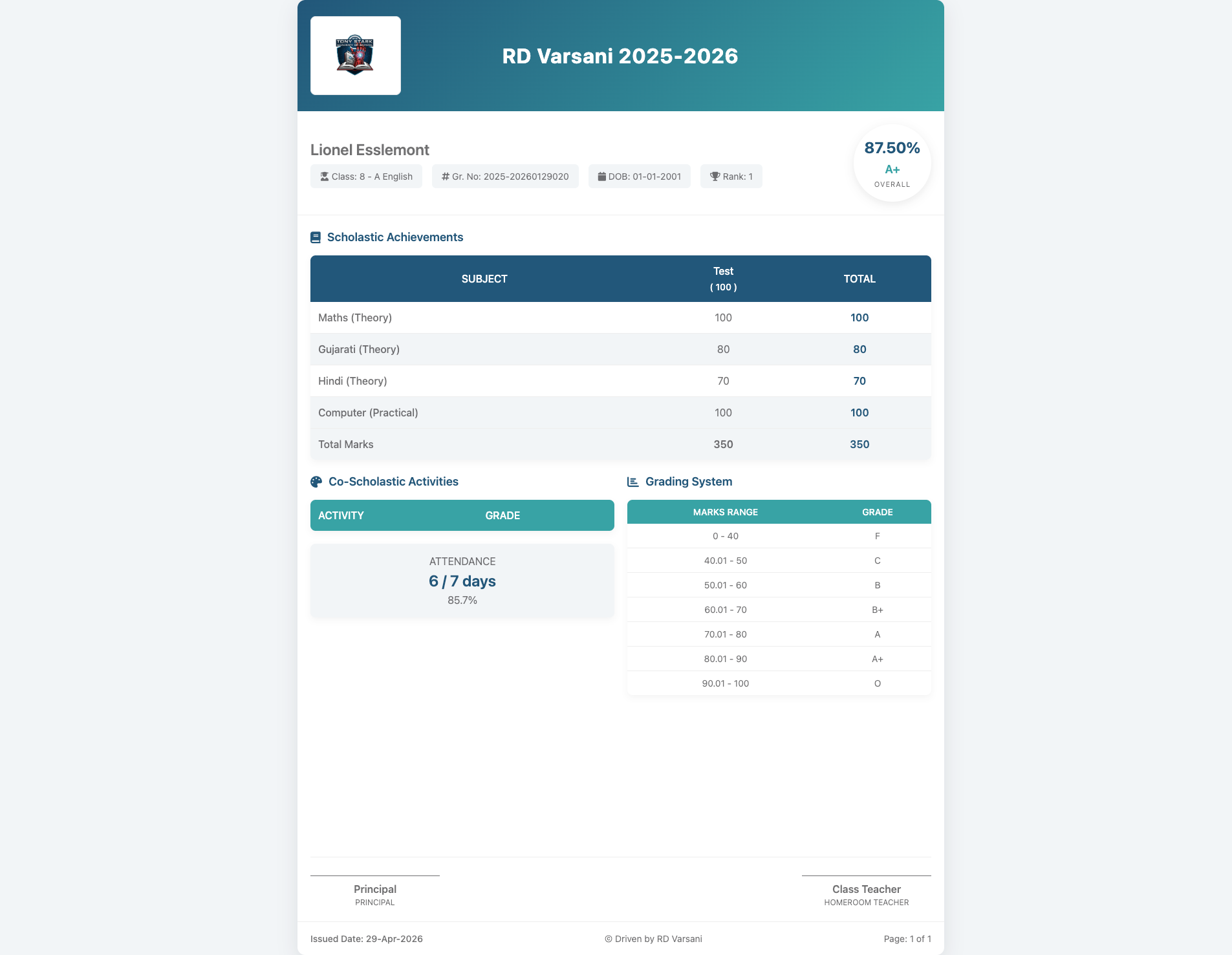
📜 Individual Report Card
Administrators can generate professional, print-ready individual report cards. These comprehensive documents include:
- Scholastic Achievements: A detailed subject-wise breakdown of marks for various components (e.g., Theory and Practical).
- Co-Scholastic Activities: Evaluation and grading of non-academic activities and overall student participation.
- Attendance Summary: A record of the student's attendance percentage during the specific exam term.
- Grading System: A clear reference guide explaining the school's marking ranges and their corresponding letter grades.
- Official Validation: Dedicated spaces for Principal and Class Teacher signatures to validate the results.
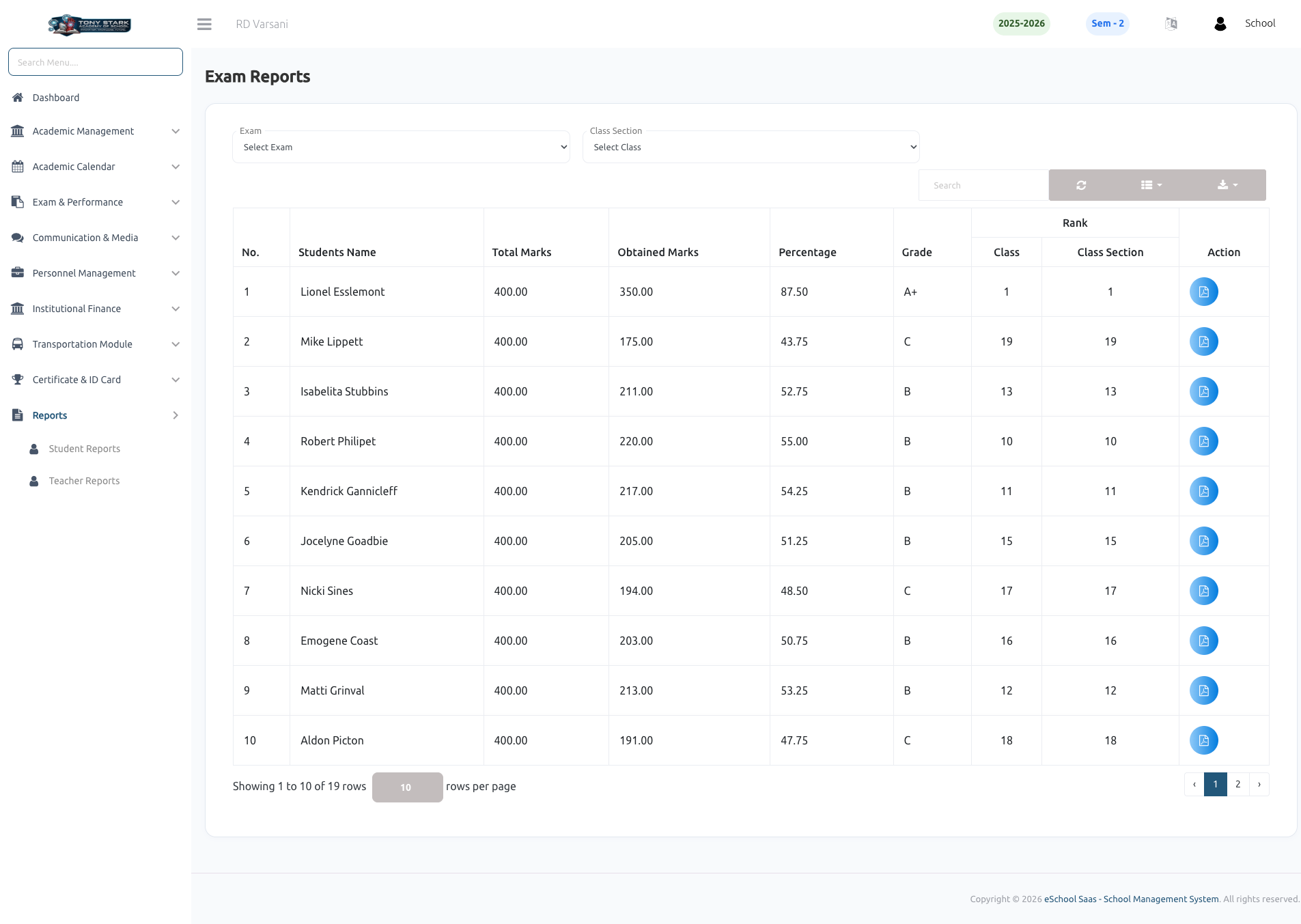
📊 Performance Summary
The main exam reports view displays a comprehensive table of student results for a selected exam and class section. This view helps administrators quickly assess the overall performance of a class. Key data points include:
- Obtained Marks: The total marks scored by each student in the exam.
- Academic Standing: The system automatically calculates and displays the Percentage, Grade, and Rank for each student.
- Comparative Ranking: View student rankings within the entire Class as well as their specific Class Section.
- Report Generation: Use the action icons to view or download individual student report cards.