Teacher Reports
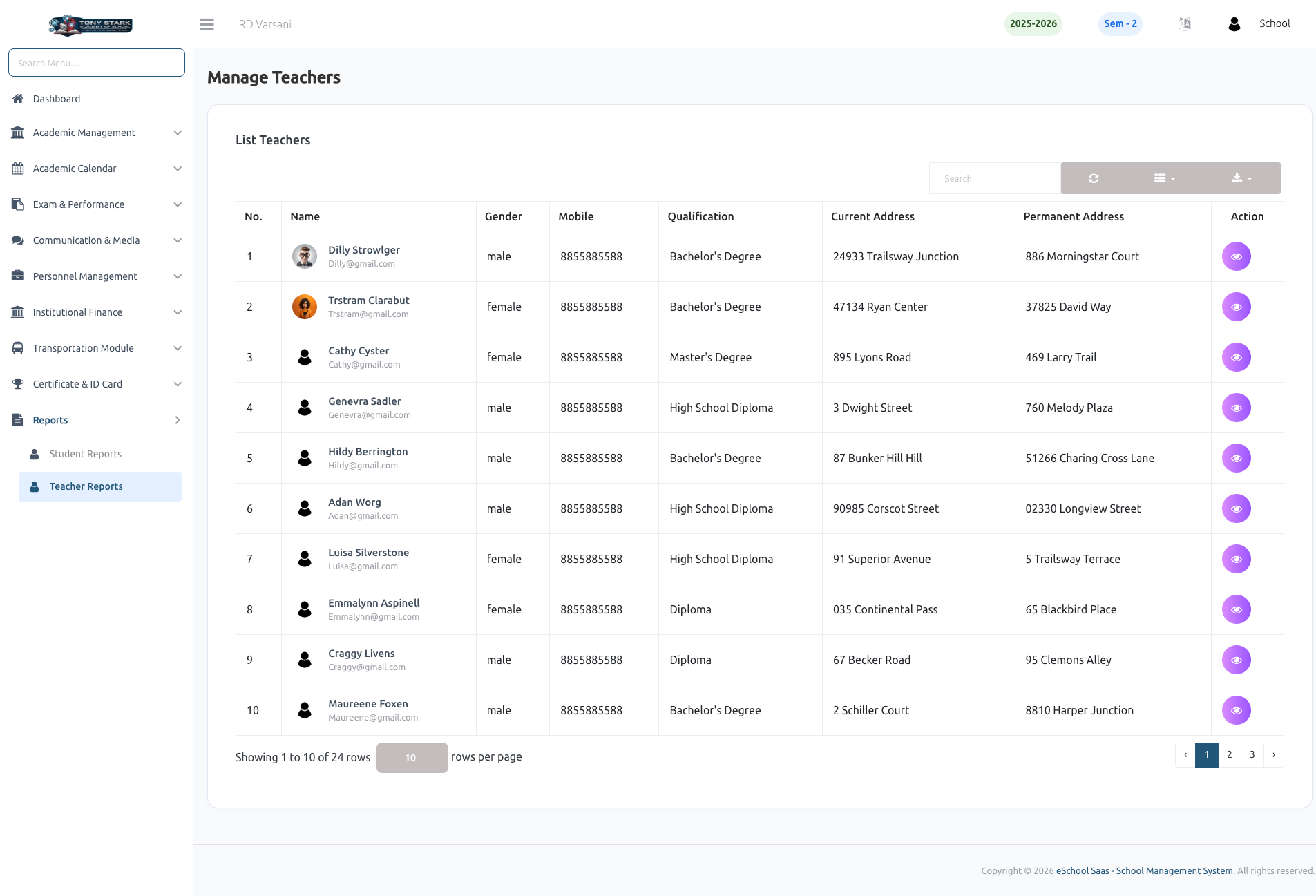
The Teacher Reports section provides comprehensive data on faculty performance, schedules, and profiles. This module allows school administrators to monitor teaching loads, attendance records, and professional details for all faculty members.
👩🏫 Teacher List
The teacher list is the primary view for managing faculty data. It displays a summary of all registered teachers, including their names, qualifications, and contact addresses. Admins can quickly search for specific teachers and access their full report by clicking on individual records.
👤 Teacher Profile
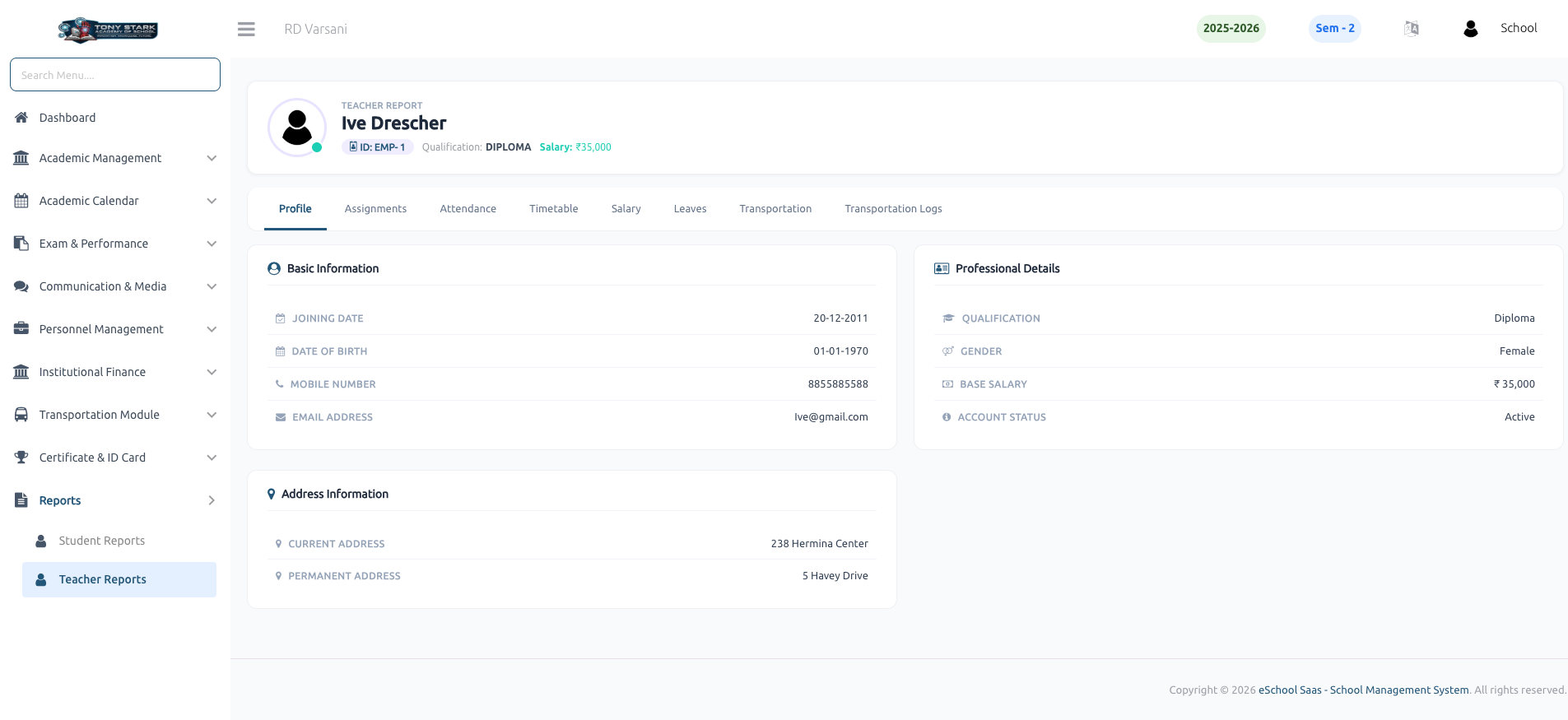
This report provides a detailed overview of a teacher's personal and professional data, organized into three key sections:
- Basic Information: Joining date, date of birth, contact number, and email address.
- Professional Details: Qualification, gender, base salary, and account status (Active/Inactive).
- Address Information: Current and permanent residential addresses.
📋 Teacher Assignments
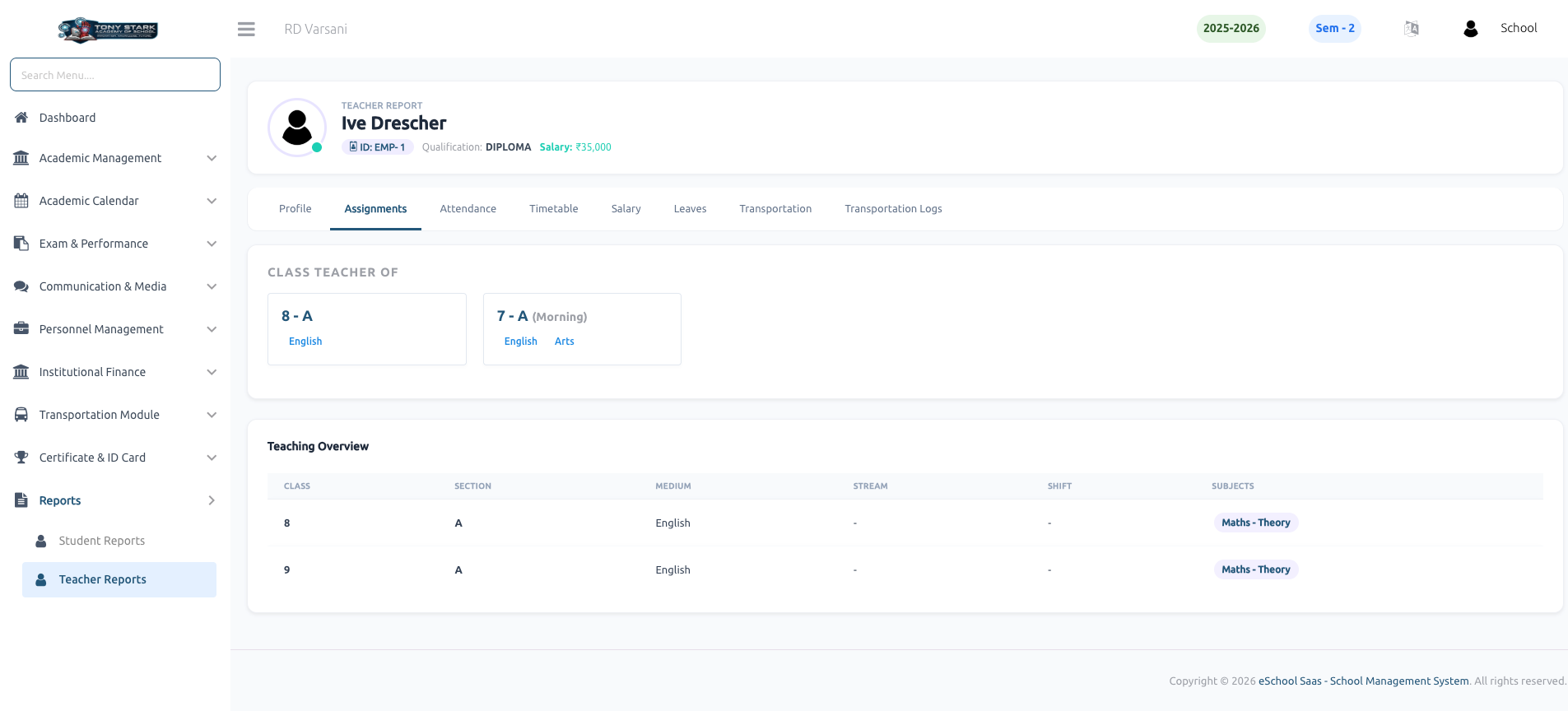
The assignments report tracks the specific academic responsibilities assigned to a teacher:
- Class Teacher of: Identifies the class sections where the teacher serves as the primary class teacher.
- Teaching Overview: Summarizes all classes, sections, and subjects the teacher handles, including medium and shift details.
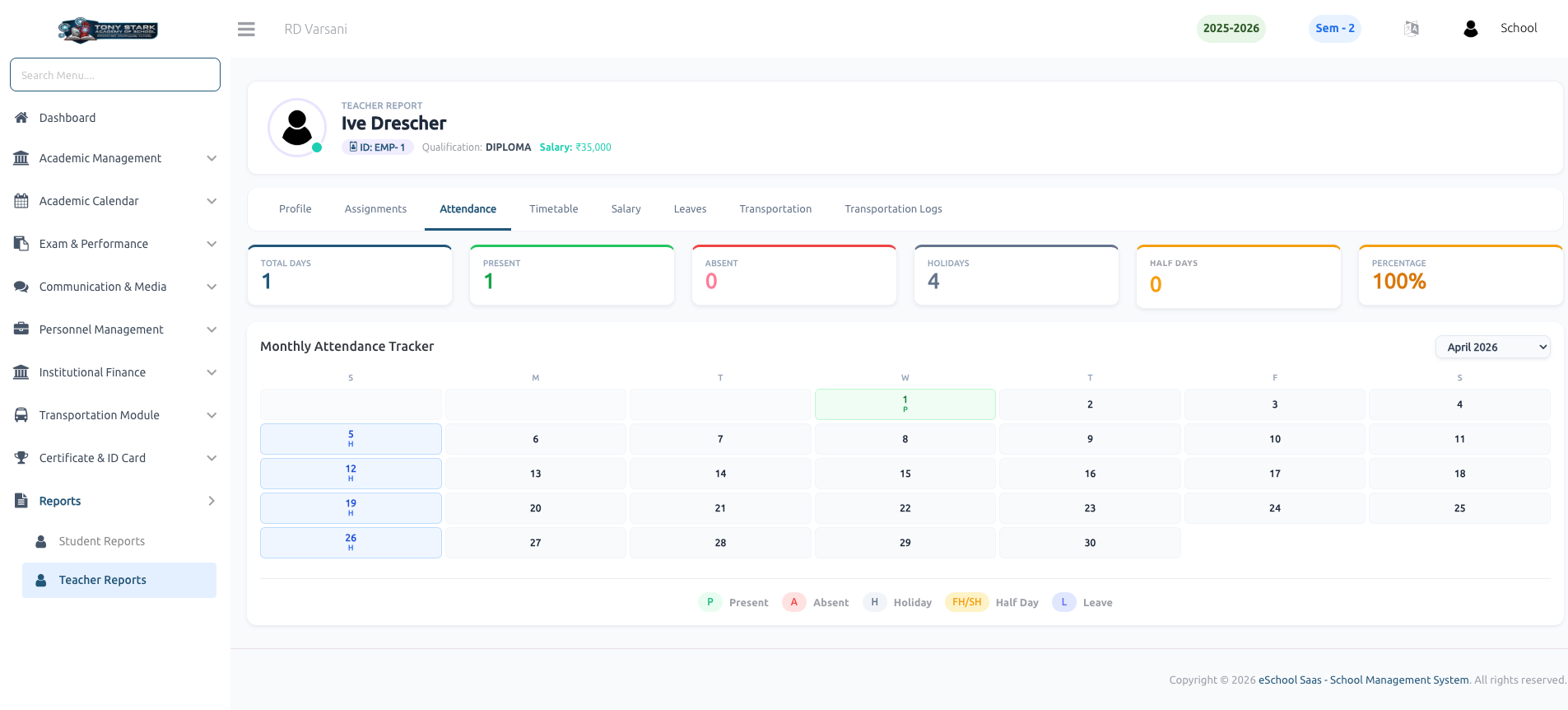
📅 Teacher Attendance
This report monitors staff presence and leave history through a structured interface:
- Attendance Summary: Visual cards showing total days, present count, absent count, holiday count, and overall attendance percentage.
- Monthly Tracker: A color-coded calendar highlighting specific attendance types such as Present, Absent, Holiday, Half Day, or Leave for every day of the month.
🕒 Teacher Timetable
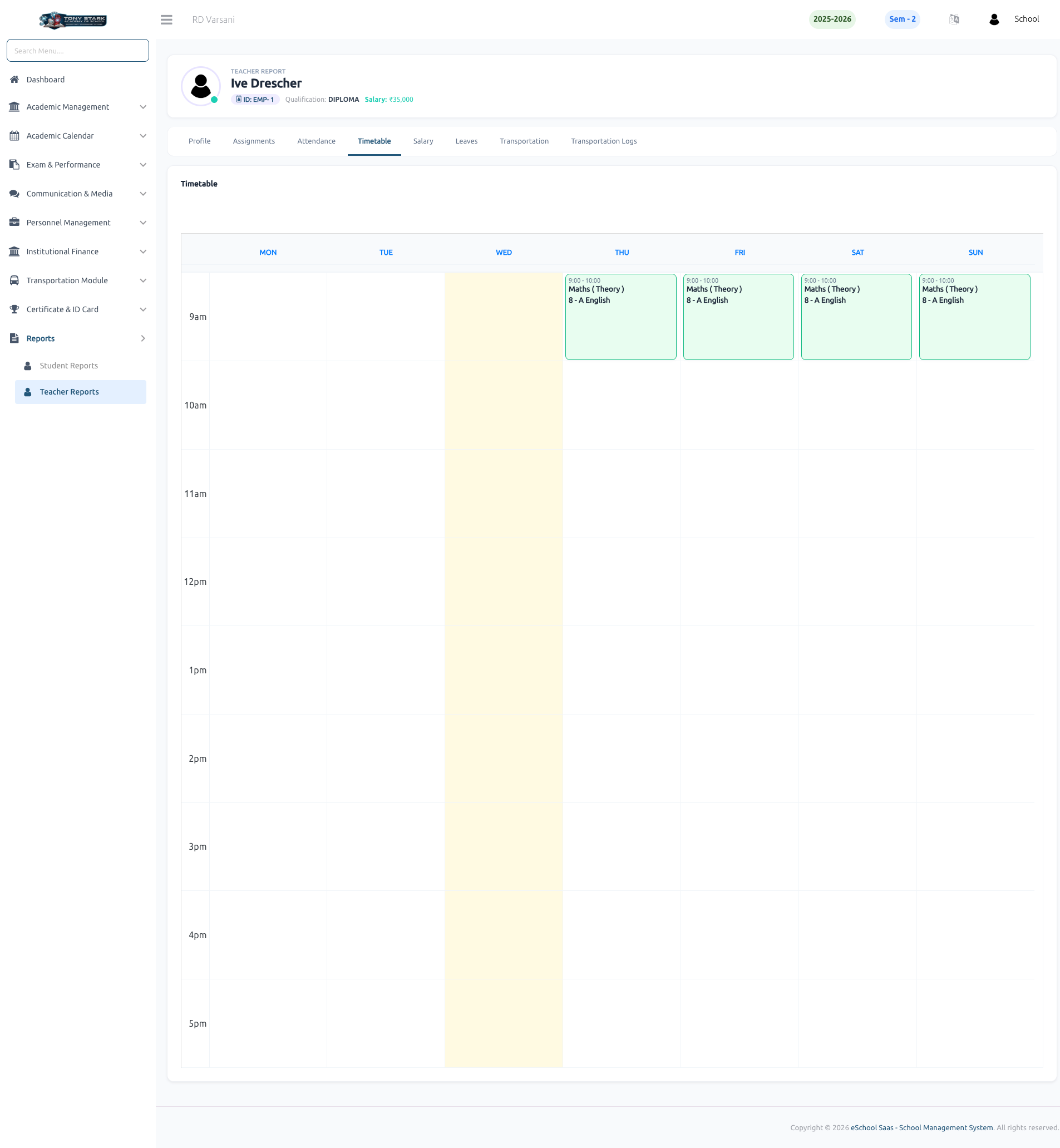
The timetable report displays the teacher's weekly academic schedule. It provides a visual grid showing:
- Specific time slots for each lecture.
- The subject being taught in each session.
- The designated class and section for every period.
💵 Salary Structure
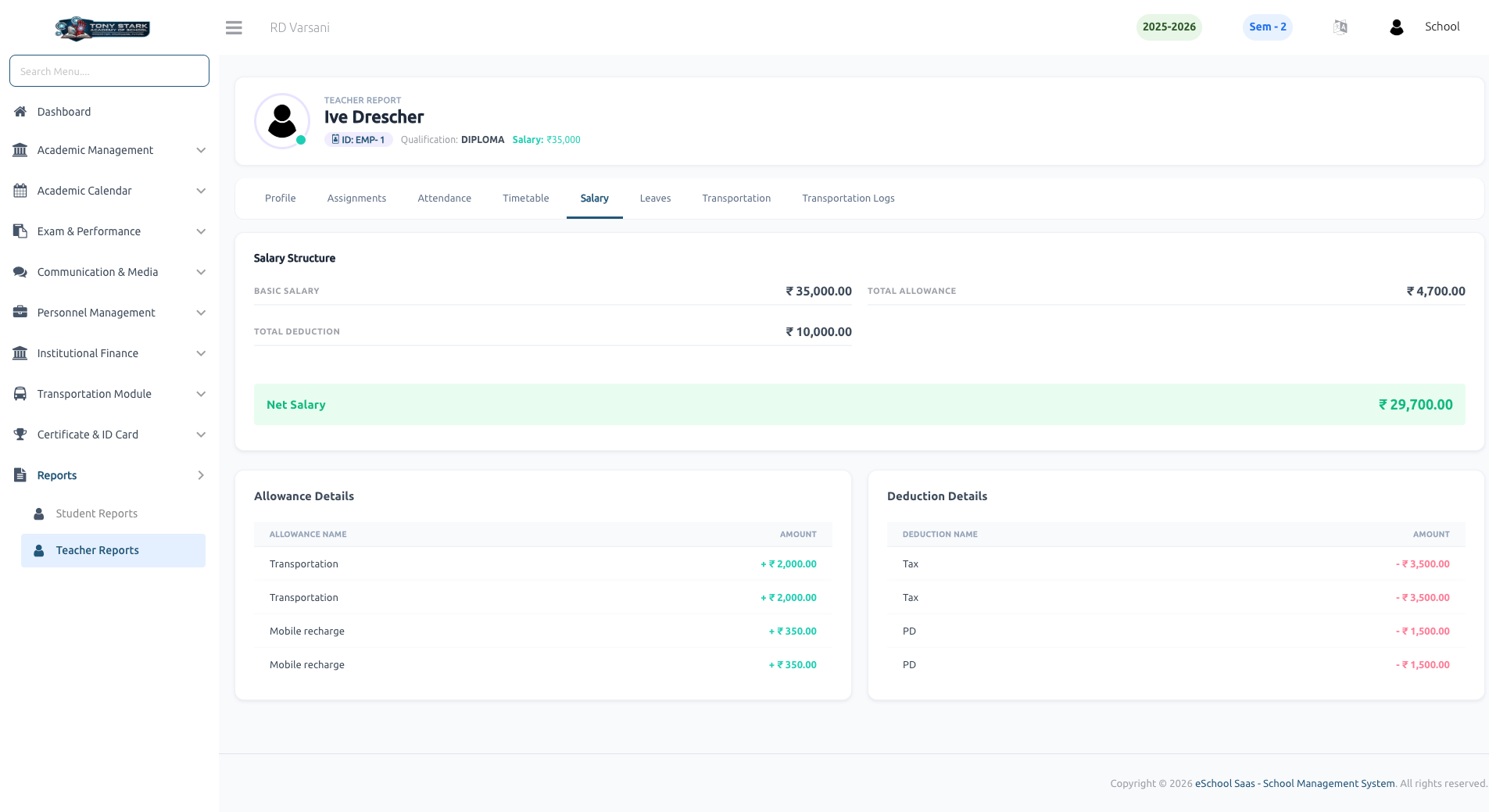
This report provides a detailed breakdown of the teacher's compensation:
- Net Salary: Calculates the final take-home pay after all adjustments.
- Allowance Details: Lists all extra benefits such as Transportation and Mobile recharge allowances.
- Deduction Details: Displays subtractions like Taxes and other professional deductions.
- Summary: Shows Basic Salary, Total Allowance, and Total Deduction for complete financial transparency.
🚪 Leave Details
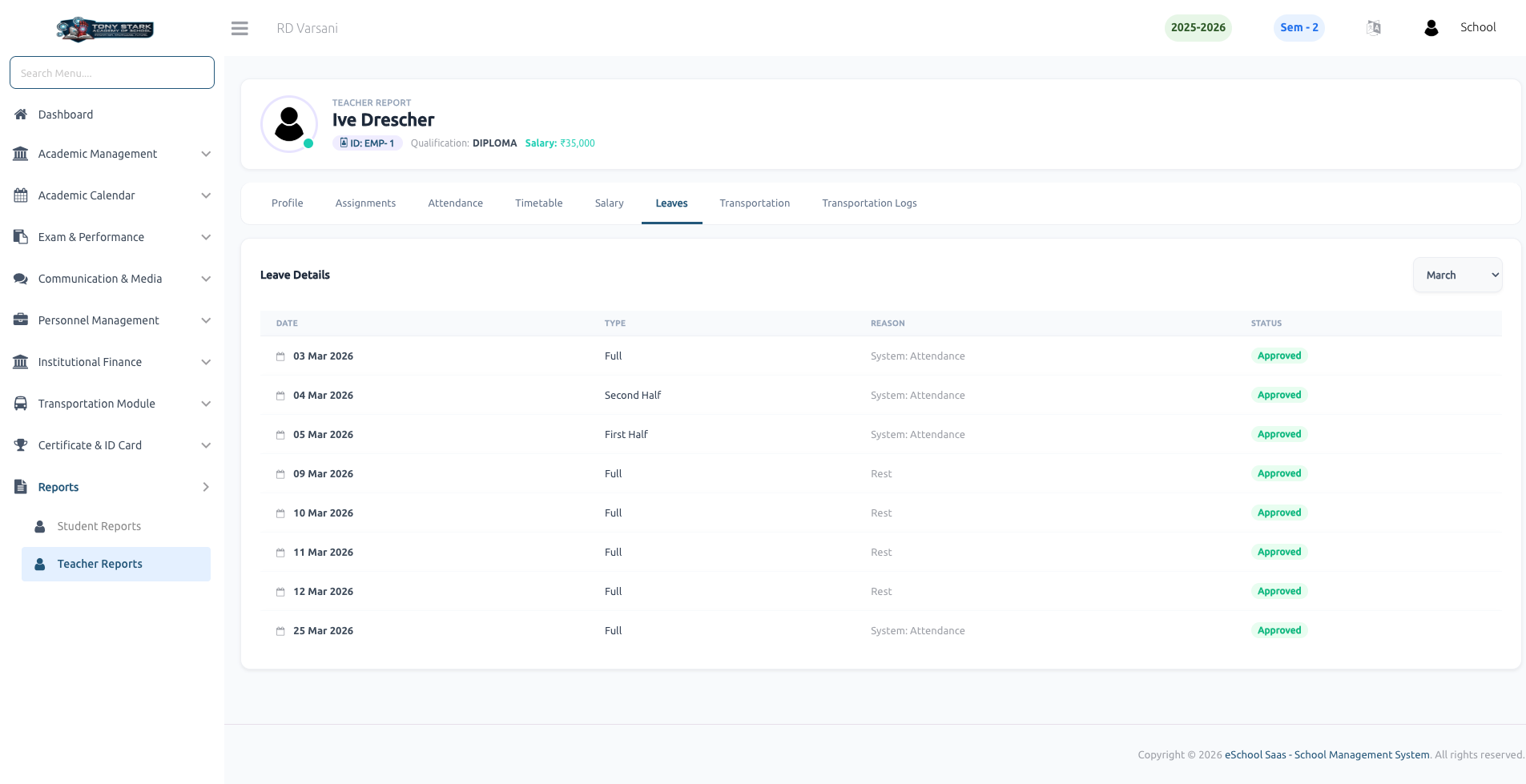
The leave report tracks all time-off records for the teacher. It includes:
- Date & Type: Lists the specific date and the type of leave (Full Day, First Half, or Second Half).
- Reason: Provides the context or reason for the leave request.
- Status: Displays the current approval status (e.g., Approved) for each entry.
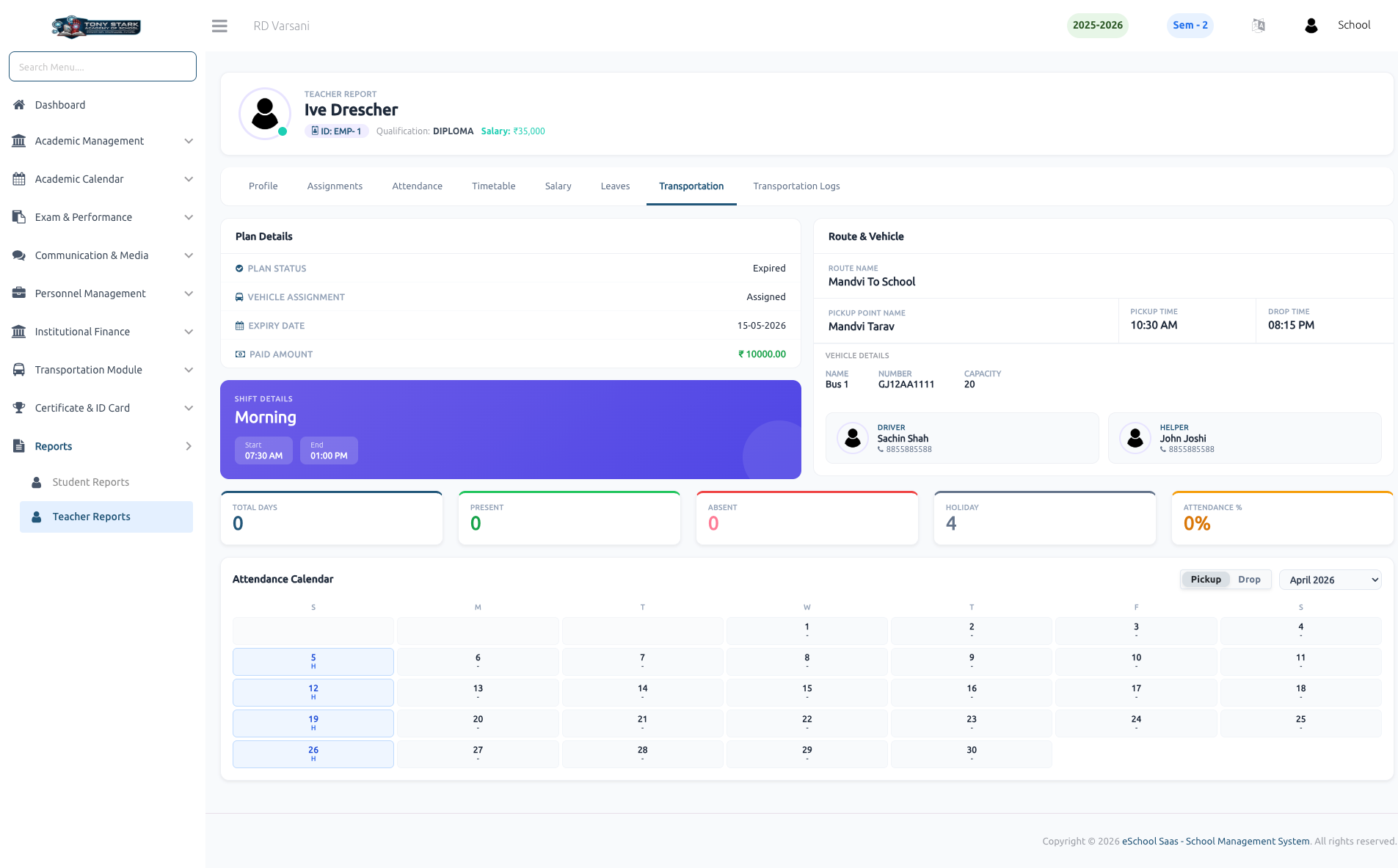
🚌 Transportation Details
For teachers utilizing school transport, this report provides comprehensive commute data:
- Plan Details: Tracks subscription status, validity dates, and payment history.
- Route & Vehicle: Displays the assigned route, pickup point, and specific timings.
- Staff Info: Lists the designated Driver and Helper for the assigned route.
- Commute Tracker: A specialized attendance calendar to monitor daily transportation usage.
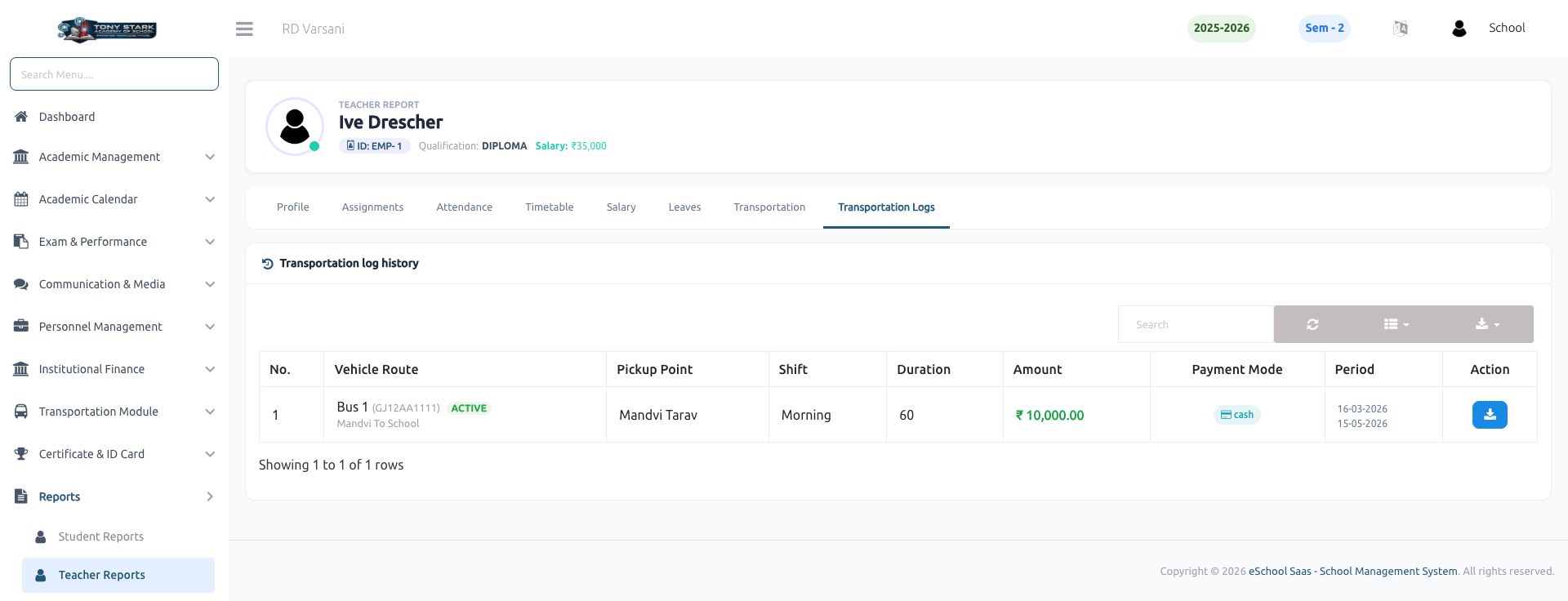
📋 Transportation Logs
The Transportation Log History maintains a record of all transportation-related transactions and service periods:
- Transaction History: Detailed logs of payment amounts, payment modes (e.g., Cash), and subscription durations.
- Service Period: Records the specific date ranges covered by each transportation plan.