Manage Elective Subject
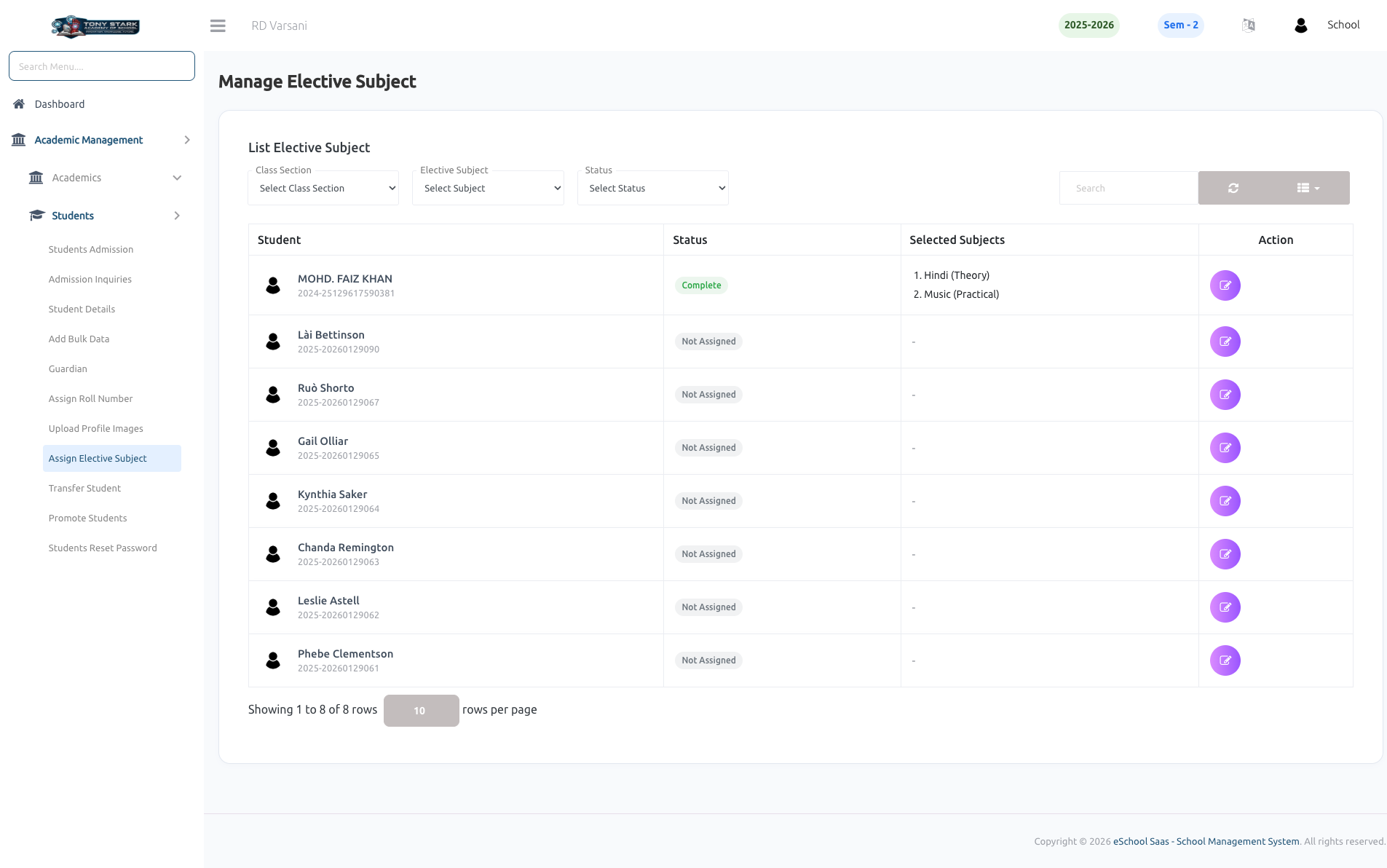
This page allows the School Admin to assign and manage elective subjects for students efficiently.
Key Features:
-
Class & Subject Filters
- Select Class Section to view students of a specific class.
- Filter by Elective Subject to check assignments.
- Use Status filter (e.g., Complete / Not Assigned) for quick tracking.
-
Student List View
- Displays all students in the selected class.
- Shows:
- Student Name & ID
- Assignment Status
- Selected Elective Subjects
-
Elective Subject Assignment
- Admin can assign elective subjects to each student using the Action button.
- Supports assigning multiple subjects (e.g., Theory + Practical).
-
Status Indicators
- Complete → Elective subjects are assigned.
- Not Assigned → No subjects assigned yet.
-
Search & Pagination
- Search students quickly using the search bar.
- Pagination support for handling large student lists.
-
Quick Actions
- Edit/assign subjects directly from the list.
- Easy access to update or modify existing selections.