Promote Students
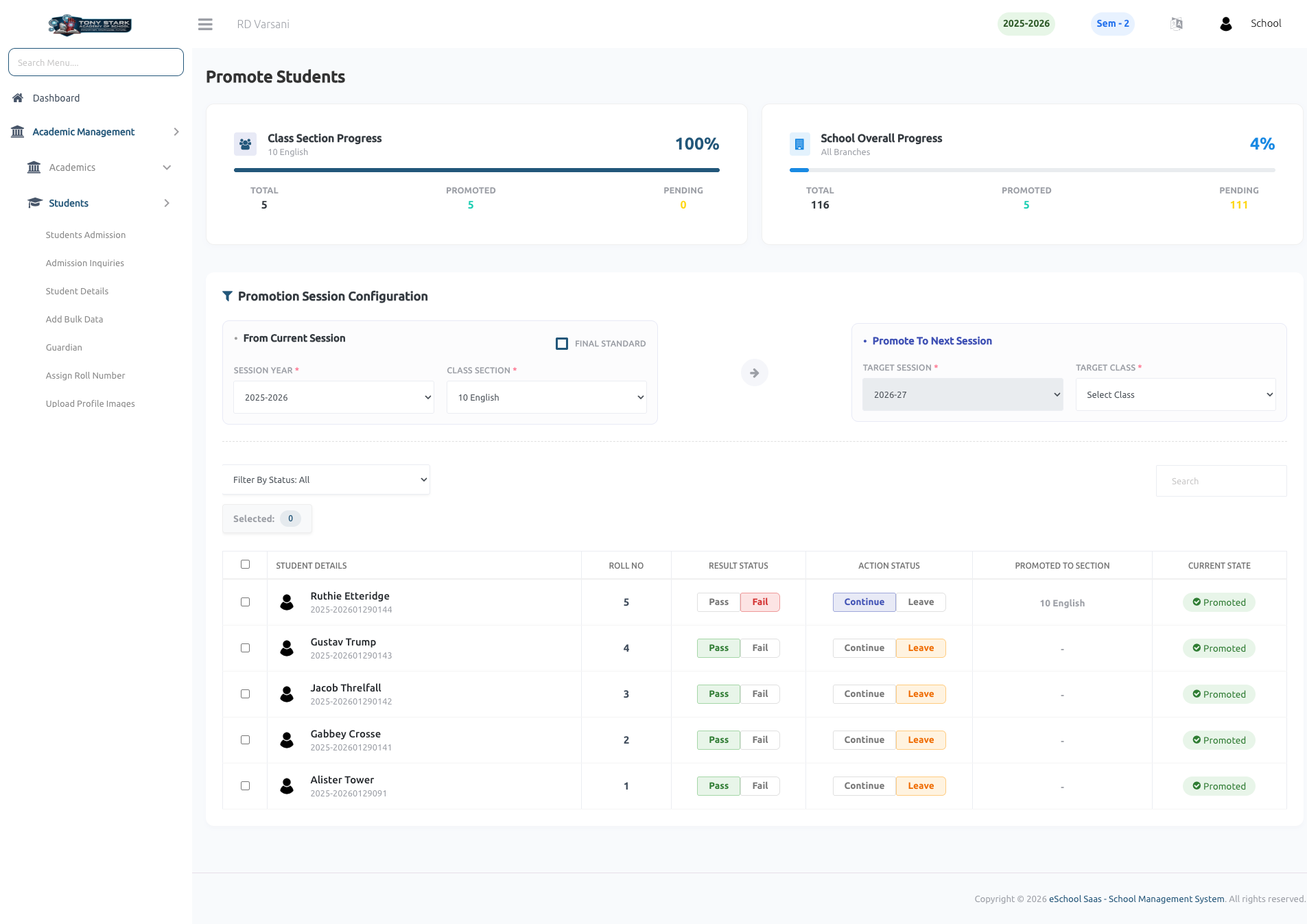
This page allows the School Admin to promote students from the current academic session to the next session based on their academic performance and promotion status.
Key Features:
-
Progress Overview
- Displays Class Section Progress with total students, promoted, and pending counts.
- Shows Overall School Progress for promotion tracking across all classes.
-
Promotion Session Configuration
- From Current Session:
- Select Session Year and Class Section from which students will be promoted.
- Option to mark as Final Standard (for last class students).
- Promote To Next Session:
- Select Target Session Year.
- Choose Target Class Section for promotion.
- From Current Session:
-
Student List Management
- Displays detailed student list including:
- Student Name & Roll Number
- Result Status (Pass / Fail)
- Action Status (Continue / Leave)
- Promoted Section
- Current Promotion State (Promoted / Pending)
- Displays detailed student list including:
-
Promotion Decision Controls
- Admin can mark each student as:
- Continue → Eligible for promotion
- Leave → Not promoted / discontinued
- Result status helps determine eligibility.
- Admin can mark each student as:
-
Bulk Selection & Actions
- Select multiple students for bulk promotion processing.
- Efficient handling of large student datasets.
-
Filtering & Search
- Filter students based on status.
- Search functionality for quick access to specific students.
-
Real-Time Status Indicators
- Clearly shows which students are:
- Already Promoted
- Still Pending action
- Clearly shows which students are:
-
Data Integrity & Workflow Control
- Ensures structured academic year transition.
- Prevents incorrect promotions with controlled configuration.