Cart Reminder
Set here cart reminder notification time.
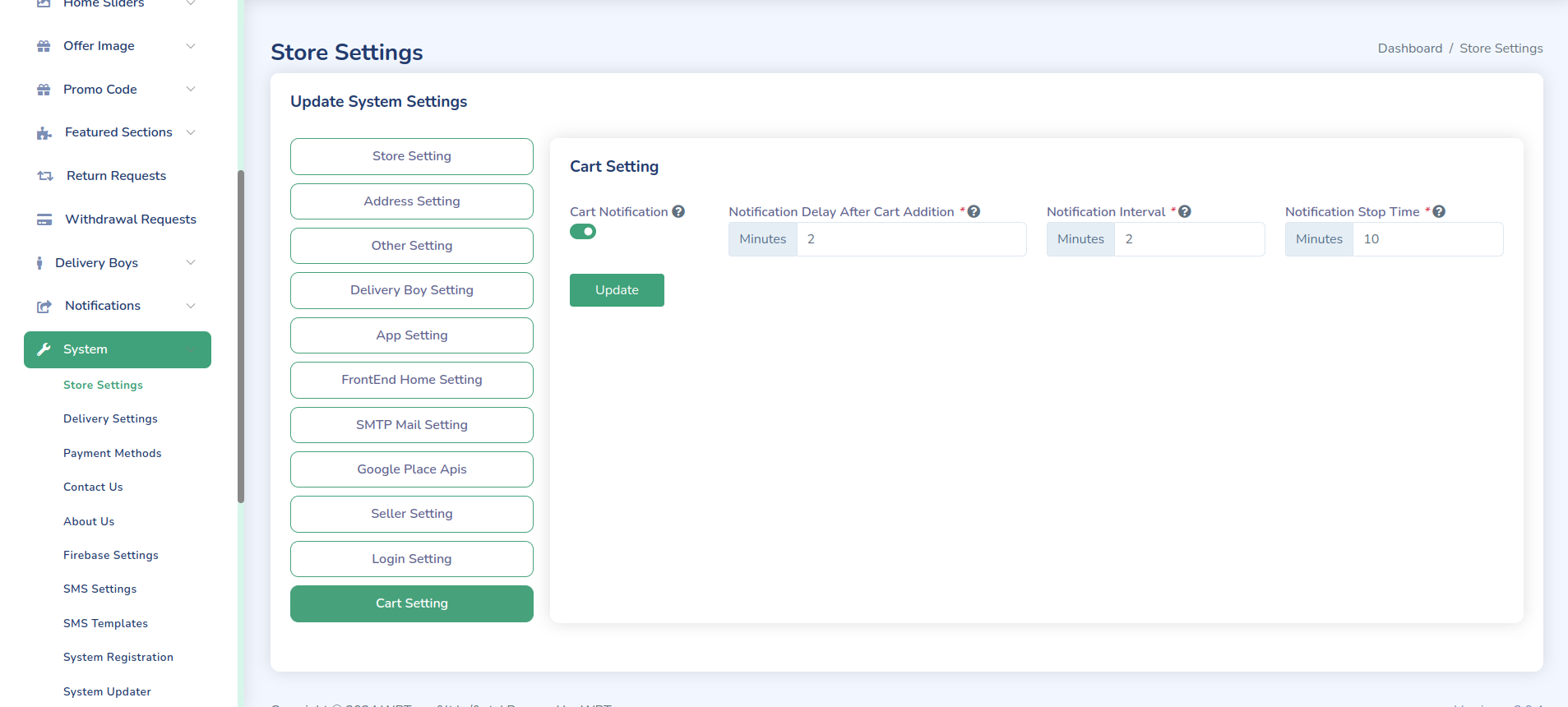
Cart Reminder Configuration
Configure automated cart reminder notifications to recover abandoned carts.
Basic Setup
-
Enable Cart Reminders
- Login to admin panel
- Go to Settings > Cart Reminders
- Toggle Enable/Disable
-
Reminder Schedule
CART_REMINDER_INITIAL_DELAY=1 # hoursCART_REMINDER_FREQUENCY=24 # hoursCART_REMINDER_MAX_ATTEMPTS=3
Notification Settings
-
Email Templates
Subject: Don't forget your items at eMarket! Hi {{customer_name}}, You have{{item_count}} items waiting in your cart: {{item_list}} Complete yourpurchase now: {{cart_url}} -
SMS Templates
eMarket: You have items in your cart!Complete your order now: {{cart_url}}Reply STOP to unsubscribe -
Push Notifications
{"title": "Complete your purchase","body": "Items in your cart are waiting!","action_url": "{{cart_url}}"}
Features Configuration
Reminder Rules
-
Timing Rules
- First reminder: 1 hour
- Second reminder: 24 hours
- Final reminder: 72 hours
-
Conditions
- Minimum cart value
- User logged in
- Items in stock
-
Exclusions
- Opted out users
- Recent purchasers
- Guest carts
Notification Channels
-
Email Settings
- Template customization
- Scheduling options
- Tracking enabled
-
SMS Configuration
- Message templates
- Delivery timing
- Opt-out handling
-
Push Notifications
- Browser notifications
- Mobile app alerts
- Click tracking
Implementation
Queue Configuration
// Example queue setup
return [
    'cart_reminders' => [
        'driver' => 'redis',
        'connection' => 'default',
        'queue' => 'reminders',
        'retry_after' => 90,
    ],
];
Scheduler Setup
// Example scheduler
$schedule->command('cart:remind')
         ->hourly()
         ->withoutOverlapping();
Analytics
Tracking Metrics
-
Cart Statistics
- Abandoned rate
- Recovery rate
- Average value
-
Reminder Performance
- Open rates
- Click rates
- Conversion rate
-
Channel Effectiveness
- Email success
- SMS delivery
- Push engagement
Best Practices
-
Timing Strategy
- Optimal intervals
- Time zone respect
- Frequency limits
-
Content Optimization
- Personalization
- Clear CTAs
- Mobile friendly
-
Testing
- A/B testing
- Template variants
- Timing tests
Troubleshooting
Common Issues
-
Delivery Problems
- Check email setup
- Verify SMS gateway
- Test notifications
-
Tracking Issues
- Check analytics
- Verify links
- Monitor logs
-
Performance Issues
- Queue status
- Server load
- Database queries
Important Notes
-
Compliance
- Privacy laws
- Opt-out handling
- Data retention
-
Monitoring
- Success rates
- Error logs
- Performance
-
Optimization
- Regular testing
- Content updates
- Strategy review