Twilio Setting
Set here SMS setting. If you want Twilio SMS enable than first enable custom SMS gateway in Login Setting.
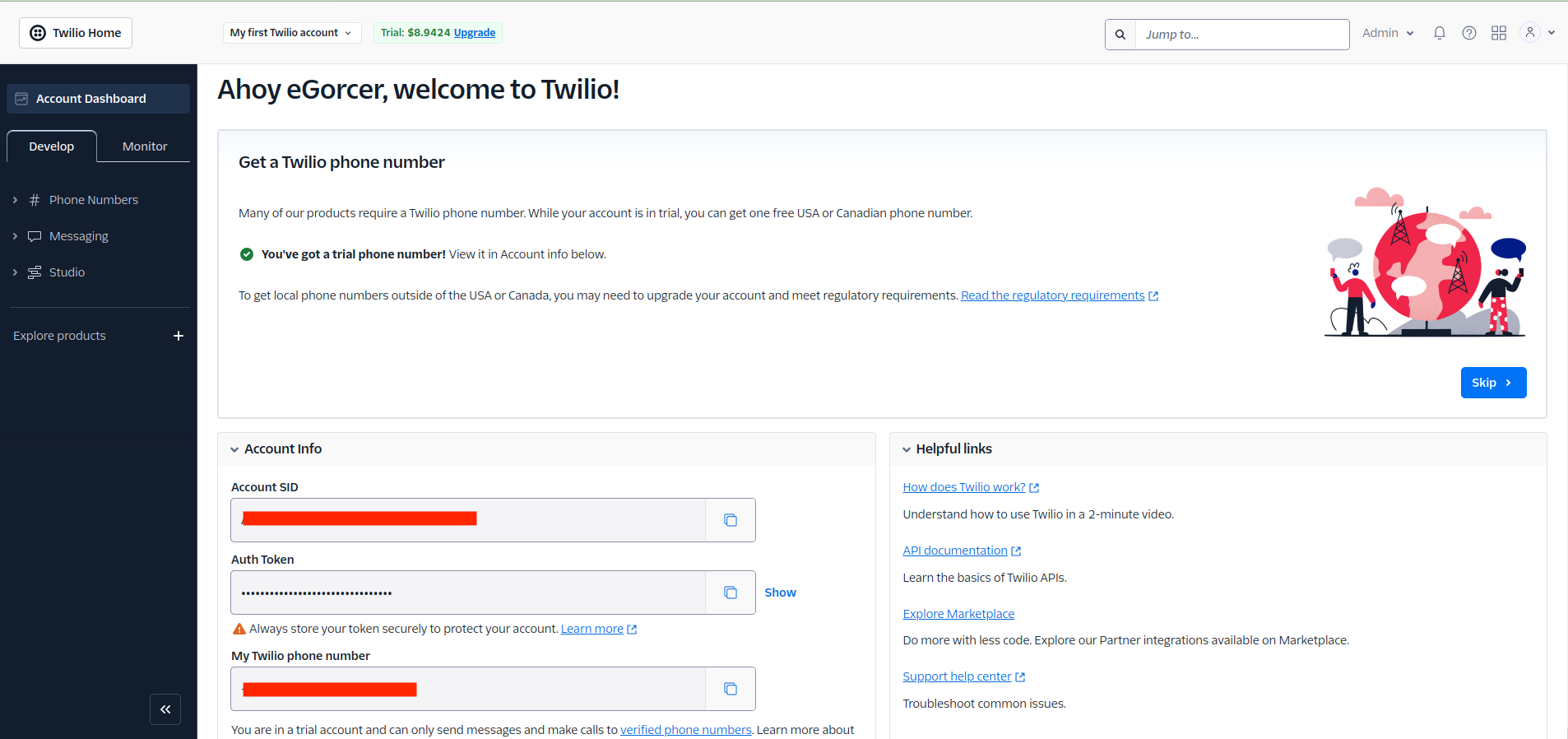
Open yout Twilio dashboard and get these information.
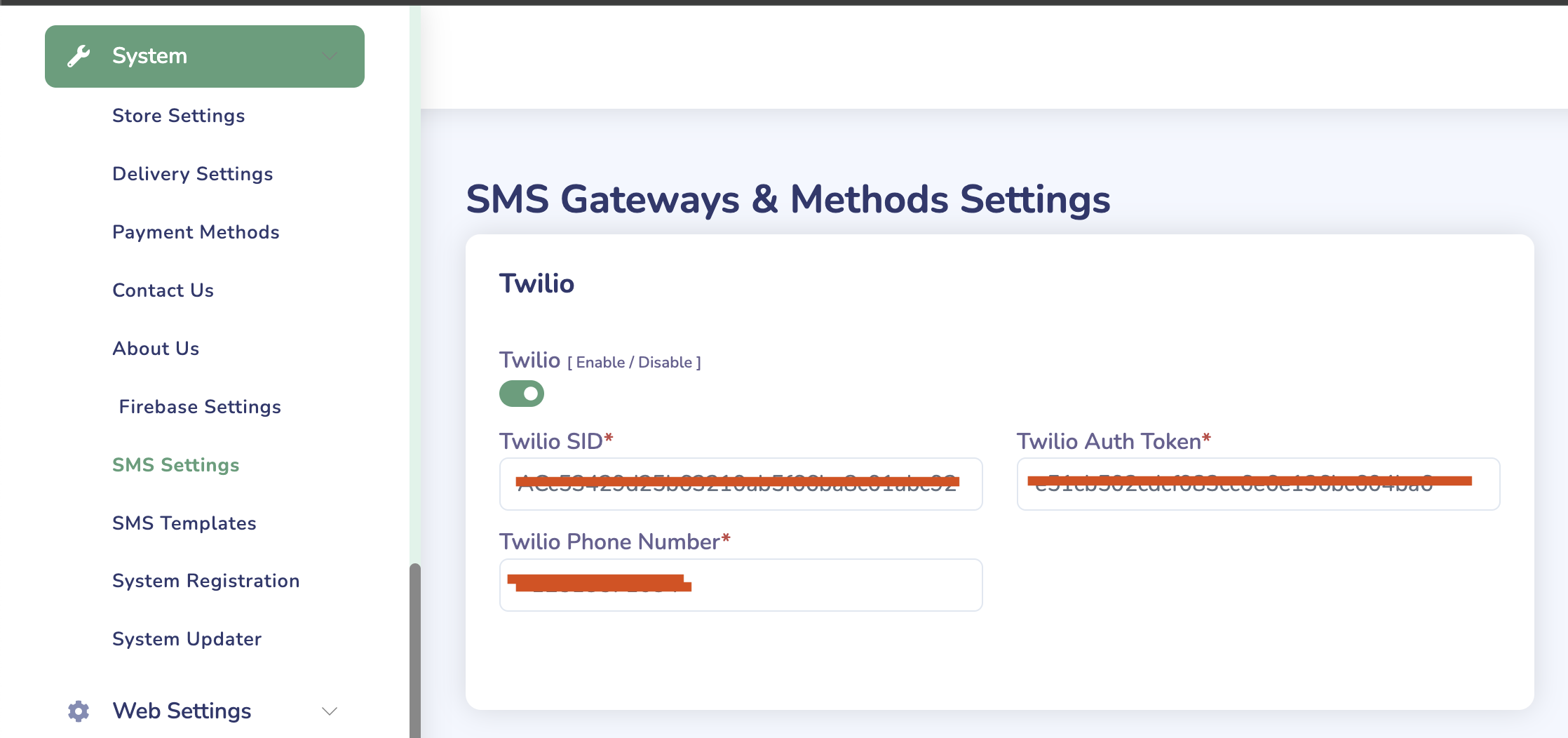
Go to System->SMS Settings and fill those values
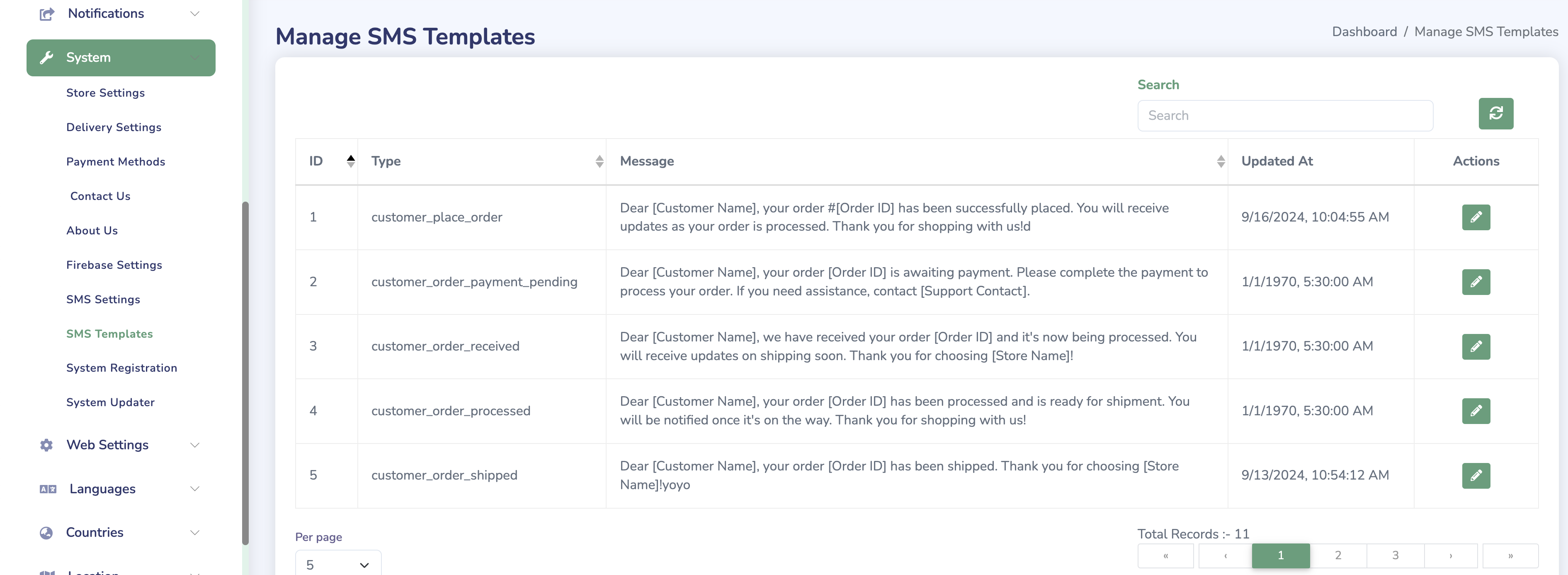
If tou want change any SMS template, than Go to System->SMS Templates and edit message.
Twilio Integration
Configure Twilio SMS service for your eMarket store to enable SMS notifications and OTP verification.
Prerequisites
-
Twilio Account
- Create account at Twilio
- Get Account SID
- Get Auth Token
- Get Phone Number
-
Required Information
- Account SID
- Auth Token
- From Number
- Service SID (for Verify)
Configuration Steps
-
Access Twilio Settings
- Login to admin panel
- Navigate to Settings > Twilio
- Enter credentials
-
Basic Settings
TWILIO_SID=your_account_sidTWILIO_AUTH_TOKEN=your_auth_tokenTWILIO_FROM=your_twilio_numberTWILIO_SERVICE_SID=your_verify_service_sid
SMS Templates
-
Order Status
Your order #{{order_id}} has been {{status}}.Track at: {{tracking_url}} -
OTP Verification
Your eMarket verification code is: {{otp}}Valid for {{minutes}} minutes. -
Delivery Updates
Your order #{{order_id}} is {{status}}.Estimated delivery: {{eta}}
Features Configuration
SMS Notifications
-
Order Updates
- New order
- Order status change
- Delivery updates
-
Account Security
- Registration OTP
- Login verification
- Password reset
-
Marketing Messages
- Promotions
- Offers
- Updates
Verify Service
-
Setup Verify
- Enable service
- Configure templates
- Set timeout
-
Implementation
// Example verification codeTwilio::verify()->v2->services($serviceSid)->verifications->create($phoneNumber, "sms");
Testing
Test SMS Delivery
// Example test message
$message = $twilio->messages->create(
    $to,
    [
        "from" => $from,
        "body" => "Test message from eMarket"
    ]
);
Test OTP Verification
// Example OTP verification
$verification = $twilio->verify->v2->services($serviceSid)
    ->verificationChecks
    ->create([
        "to" => $phoneNumber,
        "code" => $code
    ]);
Best Practices
-
Security
- Secure credentials
- Monitor usage
- Rate limiting
-
Cost Management
- Monitor usage
- Set alerts
- Optimize sending
-
Message Content
- Clear messages
- Include opt-out
- Follow regulations
Troubleshooting
Common Issues
-
SMS Not Sending
- Check credentials
- Verify phone format
- Check balance
-
OTP Issues
- Check service SID
- Verify phone numbers
- Check logs
-
Cost Issues
- Monitor usage
- Check pricing
- Set limits
Important Notes
-
Compliance
- Follow SMS regulations
- Get user consent
- Honor opt-outs
-
Monitoring
- Track delivery rates
- Monitor costs
- Check errors
-
Support
- Twilio support
- Documentation
- API reference