Store Settings
Configure your store's basic information and appearance.
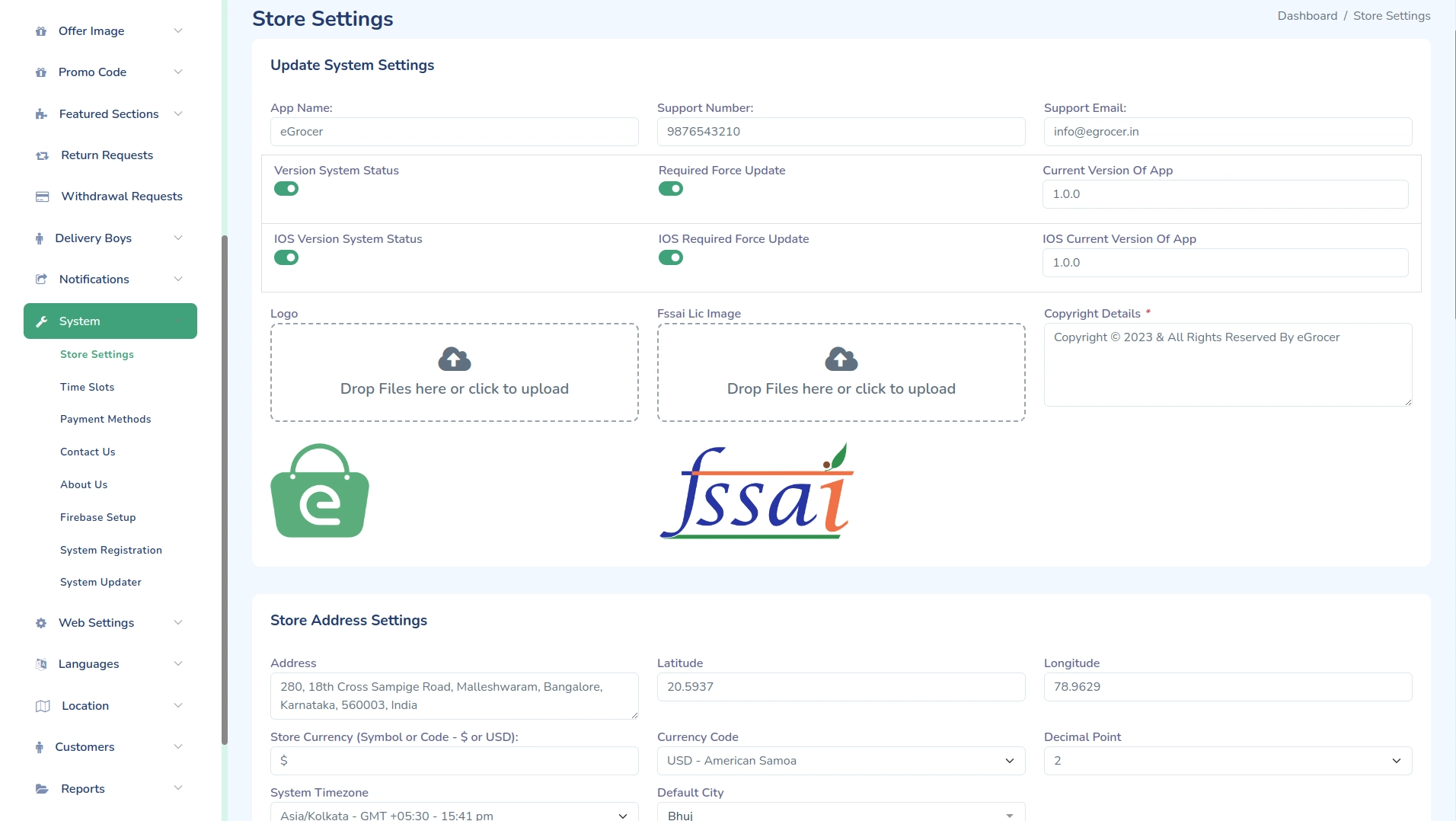
General Settings
All the General Settings like App Name, Support Number, Support Email, Logo, Copyright Details, etc. Just go to System -> Store Setting.
Store Configuration Steps
-
Access Store Settings
- Log in to your admin panel
- Navigate to Settings → Store Settings
-
Configure Basic Information
- Enter your store name
- Upload store logo
- Add store address
- Set contact details
- Configure business hours
-
Theme Settings
- Select primary color
- Choose secondary color
- Set font family
- Configure layout options
Important Notes
- Store logo should be in PNG or JPG format
- Recommended logo size: 200x200 pixels
- Business hours should be set in 24-hour format
- Currency settings affect all pricing displays
Additional Charges
-
You can configure additional charges for orders from the admin panel.
-
Navigate to: setting menu
Here you can:
- Enable or disable additional charges
- Set additional charge title
- Configure additional charge amount
This feature is useful for:
- Packaging charges
- Handling charges
- Service fees
Delivery Charges Refundable
You can manage delivery charge refund settings from: Settings → Store Settings → Other Settings
Enable the Delivery Charges Refundable toggle if you want delivery charges to be refunded to customers when an order is cancelled or returned.
Disable this option if delivery charges should remain non-refundable.
Notes
- When enabled, delivery charges will be included in refund calculations.
- When disabled, only product amount will be refunded.
- This setting applies to all orders in the system.
Important Notes
- Store logo should be in PNG or JPG format
- Recommended logo size: 200x200 pixels
- Business hours should be set in 24-hour format
- Currency settings affect all pricing displays
Troubleshooting
Common Issues
-
Logo Not Uploading
- Check file format
- Verify file size
- Ensure proper permissions
-
Settings Not Saving
- Check internet connection
- Verify admin permissions
- Clear browser cache
Support
For assistance with store settings, contact our support team:
- Email: support@wrteam.in
- Website: https://wrteam.in
- Support Hours: Monday to Friday, 9:00 AM to 6:00 PM IST (GMT +5:30)