Login Settings
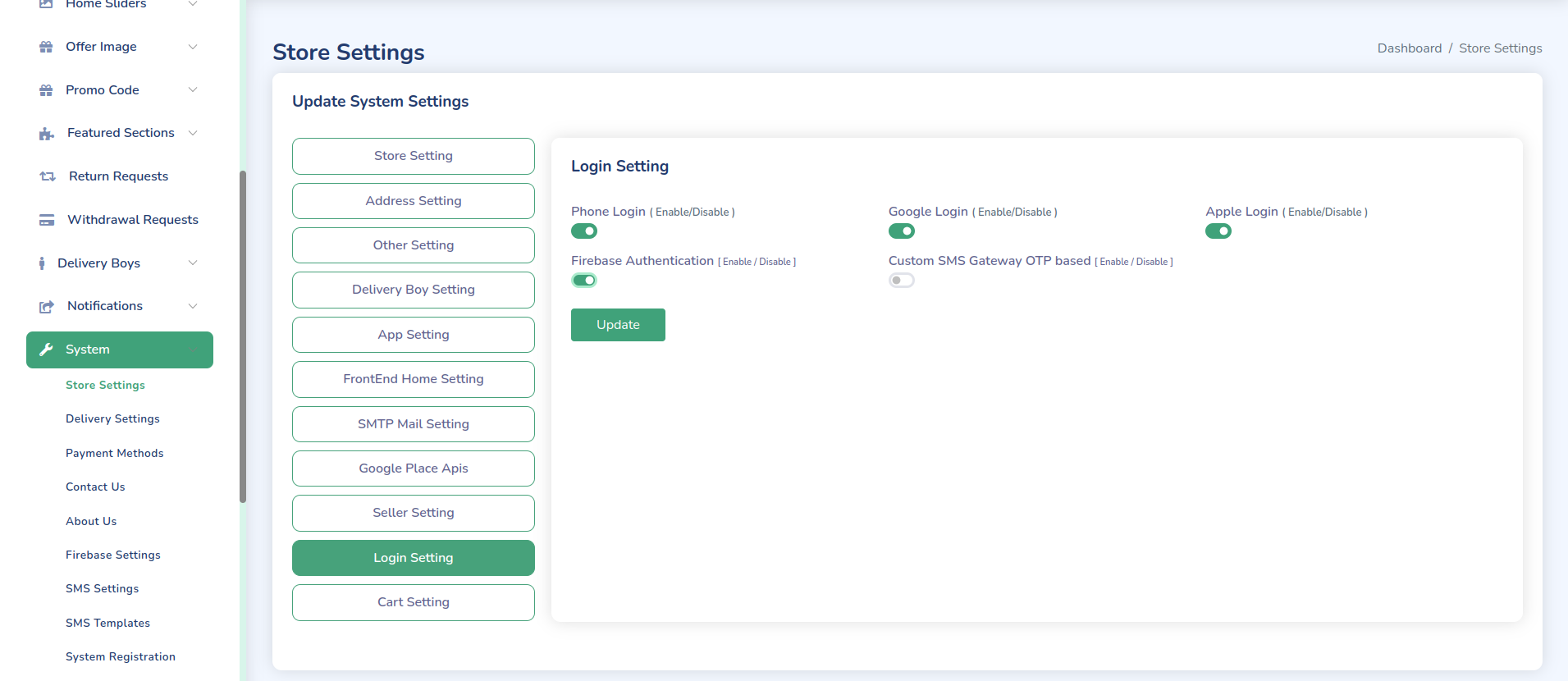
Set here Login settings. If you want enable phone setting than you should enable either firebase or custom SMS gateway.
Authentication Methods
-
Email/Password
- Enable/disable email login
- Set password requirements
- Configure password reset
-
Social Login
- Google Login
- Facebook Login
- Configure API keys
- Set callback URLs
-
Phone Number (OTP)
- Enable/disable OTP login
- Configure SMS gateway
- Set OTP validity period
Security Settings
-
Password Policy
- Minimum length
- Character requirements
- Password expiration
- History tracking
-
Login Security
- Maximum login attempts
- Lockout duration
- IP restrictions
- Session timeout
-
Two-Factor Authentication
- Enable/disable 2FA
- Configure 2FA methods
- Set backup options
Configuration Steps
-
Access Login Settings
- Log in to admin panel
- Navigate to Settings → Login Settings
-
Configure Authentication
- Enable desired login methods
- Set up social login APIs
- Configure OTP settings
-
Set Security Options
- Define password policy
- Configure login security
- Set up 2FA if needed
Important Notes
- Keep API keys secure
- Regularly update security settings
- Monitor login attempts
- Maintain backup authentication methods
Troubleshooting
Common Issues
-
Login Failures
- Check API configurations
- Verify server settings
- Test authentication methods
-
Security Issues
- Review login attempts
- Check IP restrictions
- Verify 2FA setup
Support
For assistance with login configuration, contact our support team:
- Email: support@wrteam.in
- Website: https://wrteam.in
- Support Hours: Monday to Friday, 9:00 AM to 6:00 PM IST (GMT +5:30)