How to Change App Color?
To customize the color scheme of your News App:
-
Navigate to the colors definition file:
lib > core > theme > theme_colors.dart -
In Flutter, color codes start with
0xfffollowed by the hex color code. You can change the primary, secondary, and font colors as shown in the image below.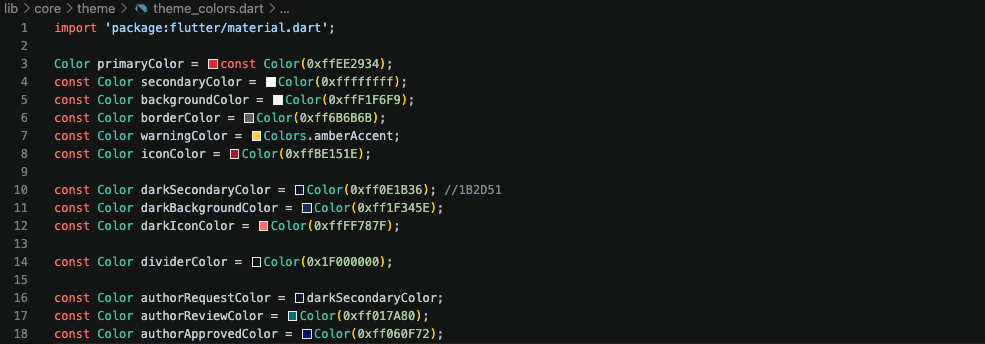
-
Additionally, you can set these colors in the
lib > core > theme > app_theme.dartfile according to Light and Dark Theme preferences.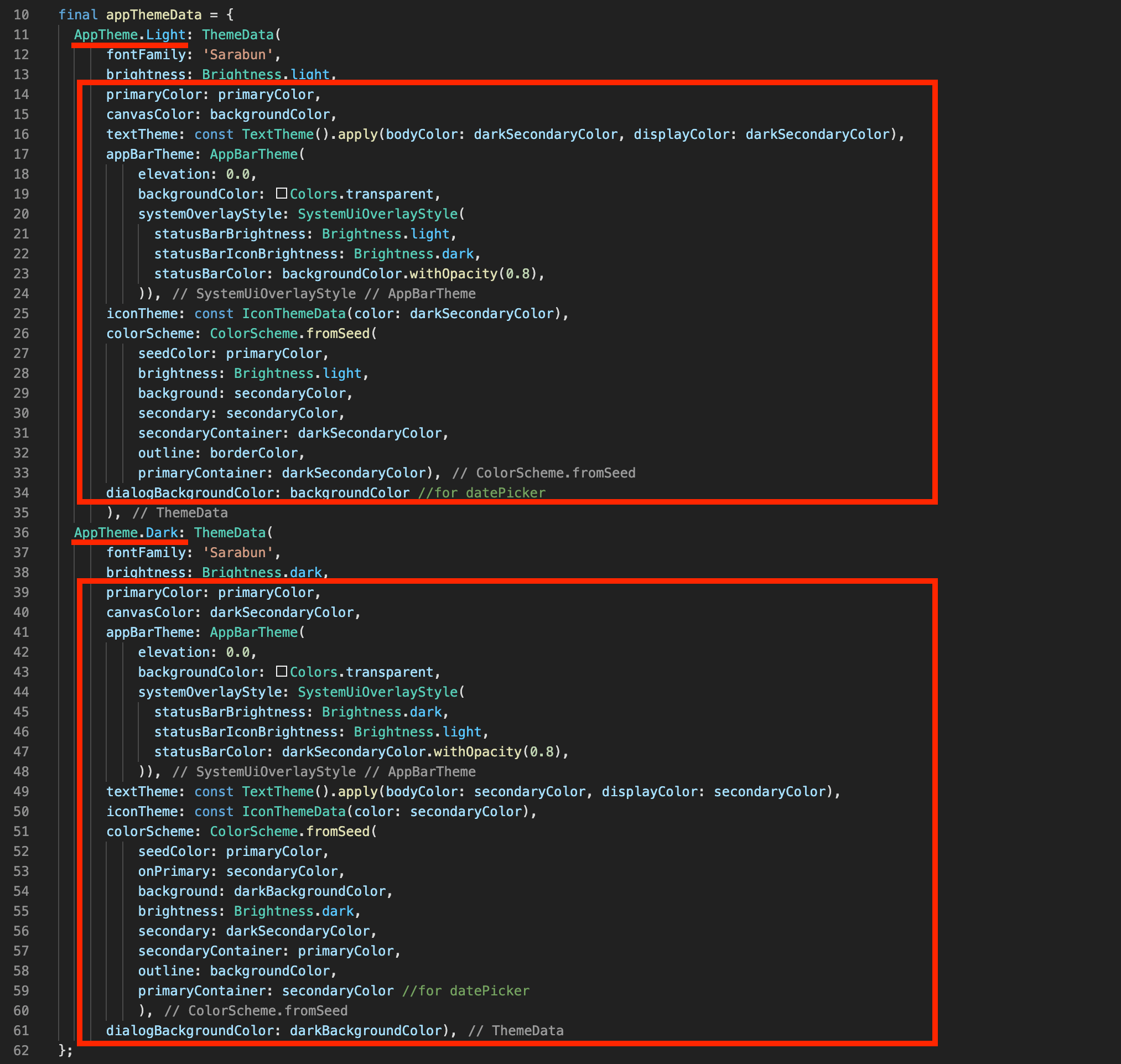
This will update the color scheme throughout your application.
note
You can use tools like Material Color Tool to create a consistent color scheme for your app.