Authenticate with Firebase Using Email and Password
To enable email and password authentication in your News App, follow these steps:
-
Open your Firebase console.
-
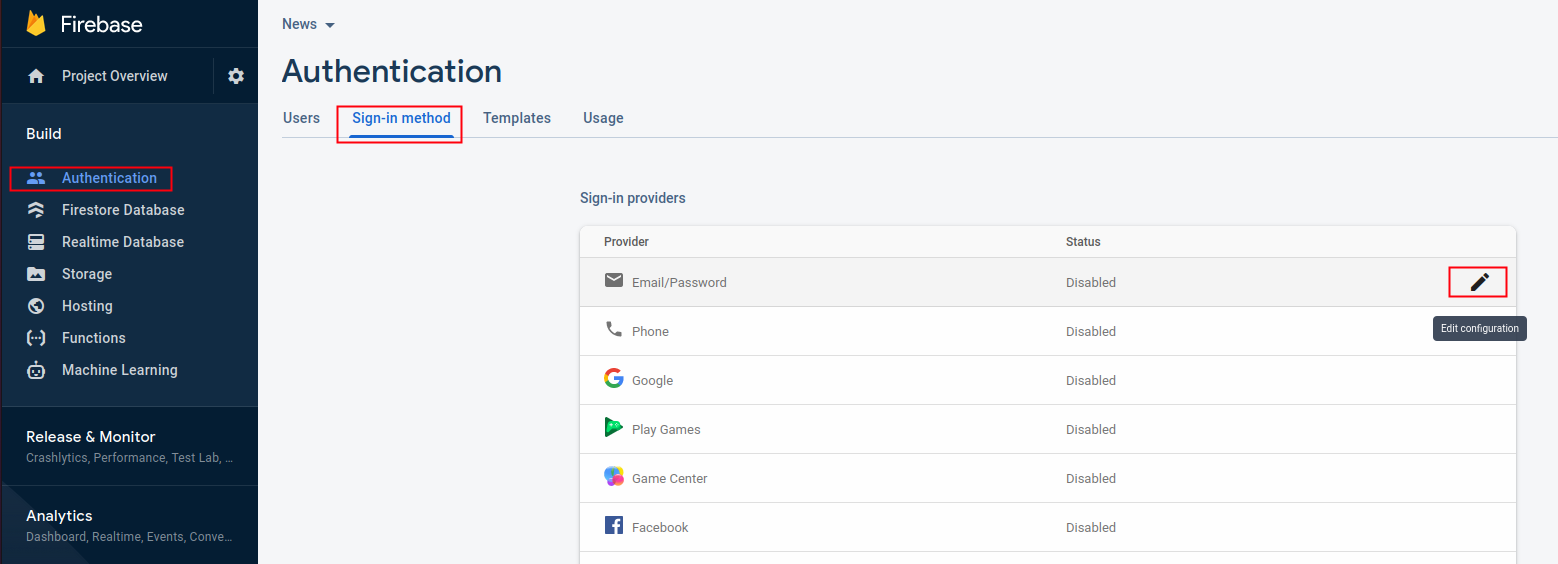
Navigate to Authentication and select the Sign-in method tab.
-
Find Email/Password authentication method and enable it. You should enable both "Allow users to sign in with their email and password" and "Email link (passwordless sign-in)" options.
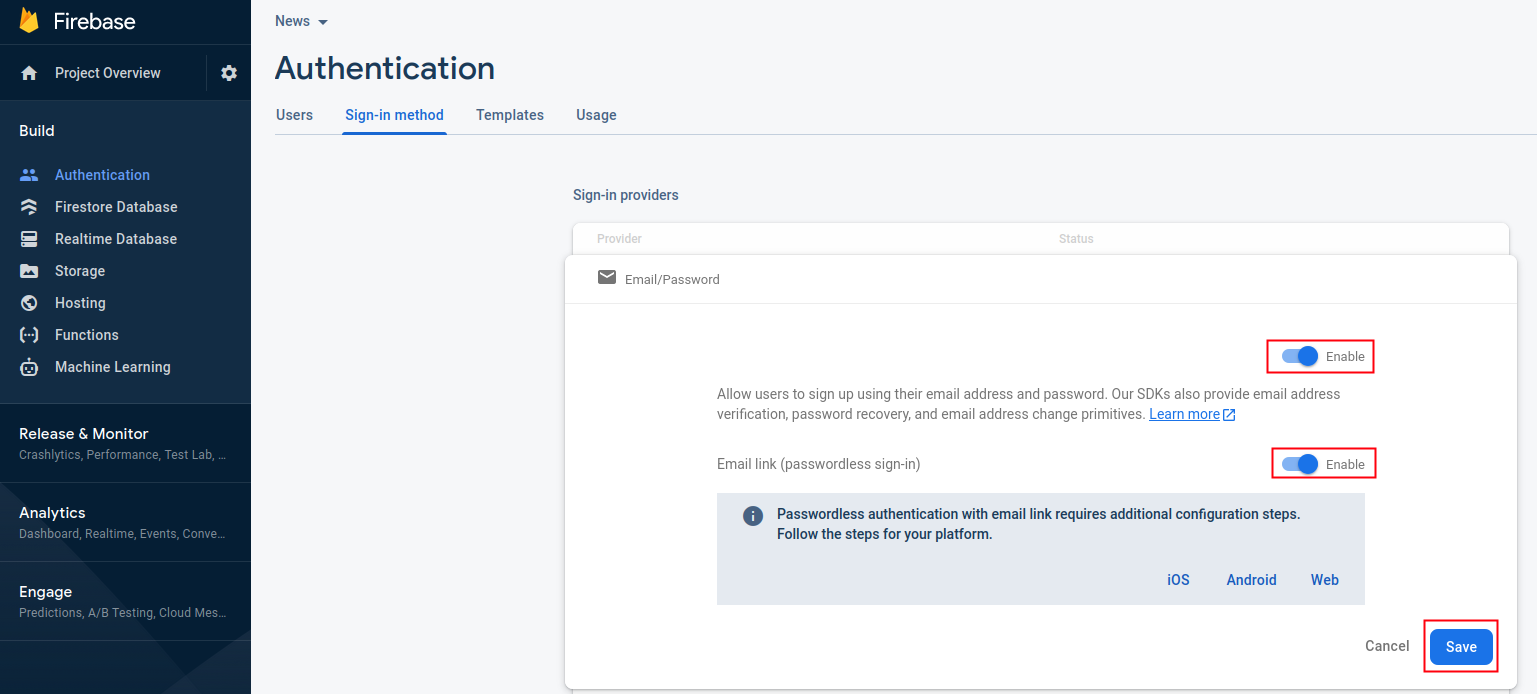
After pressing the save button, email authentication will be enabled in your app.
-
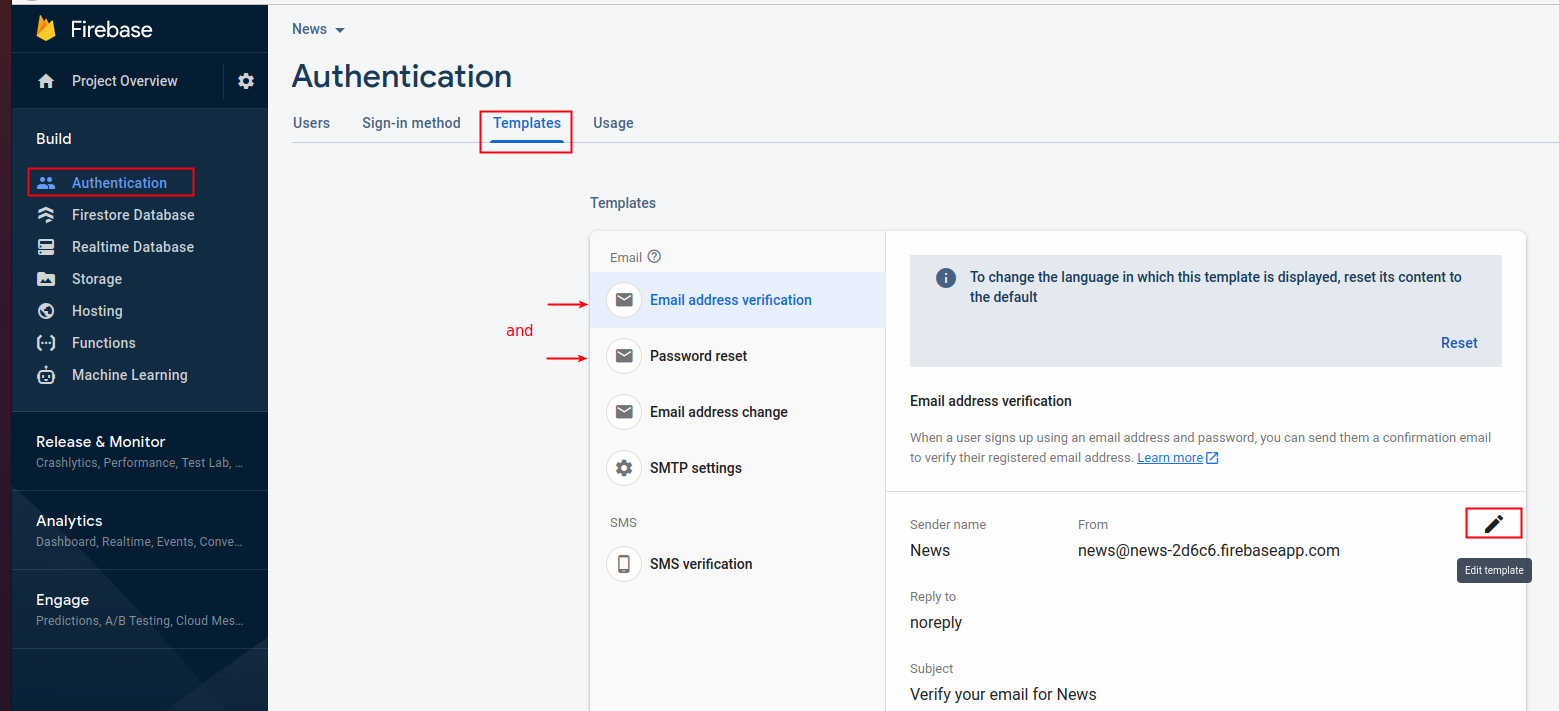
You can customize the sender name and subject for verify email and reset password messages:
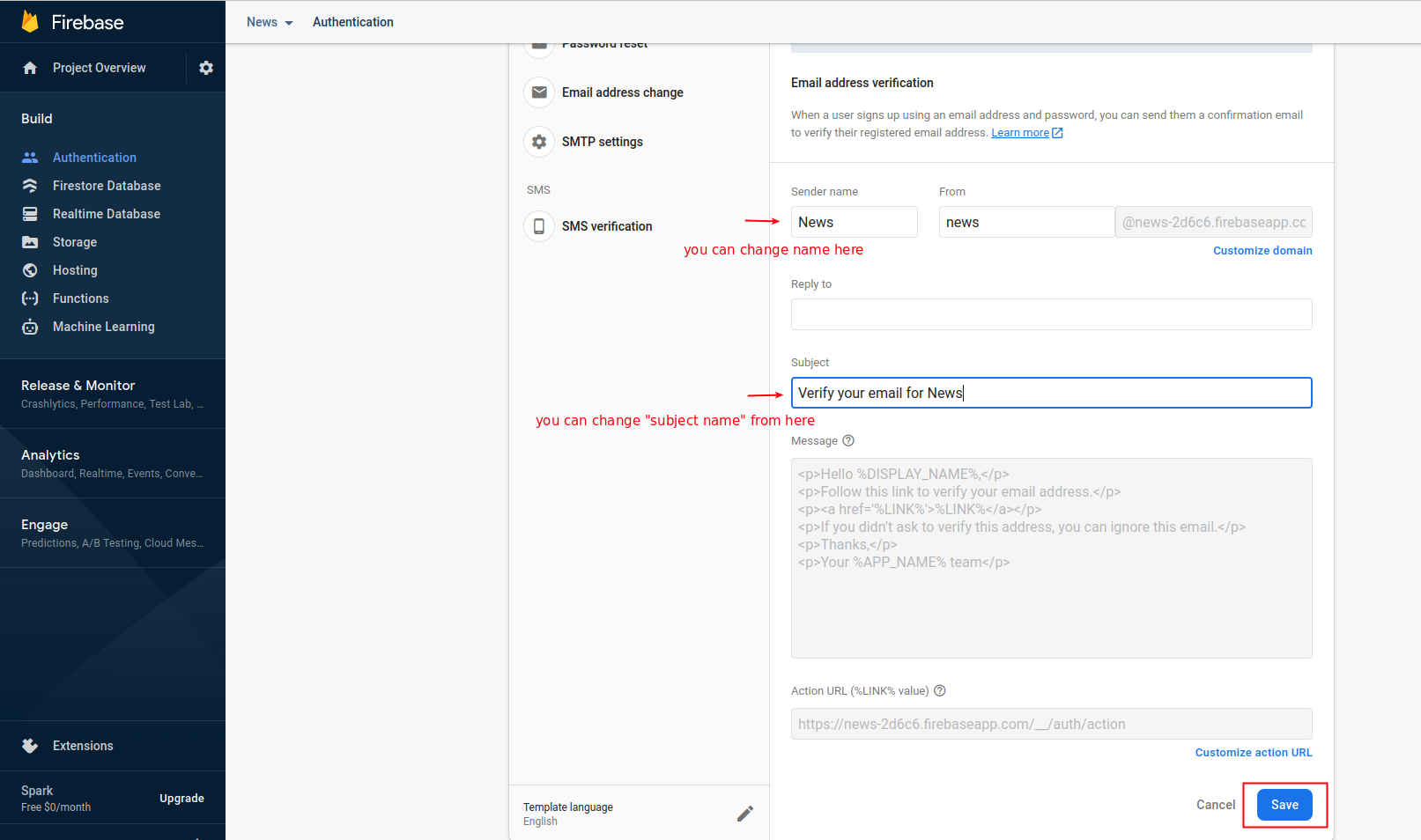
With these settings in place, users will be able to register and log into your News App using their email and password.
tip
Always handle authentication errors properly and show appropriate error messages to users.