Authenticate with Firebase Using Google Sign-In
To enable Google Sign-In authentication in your News App, follow these steps:
-
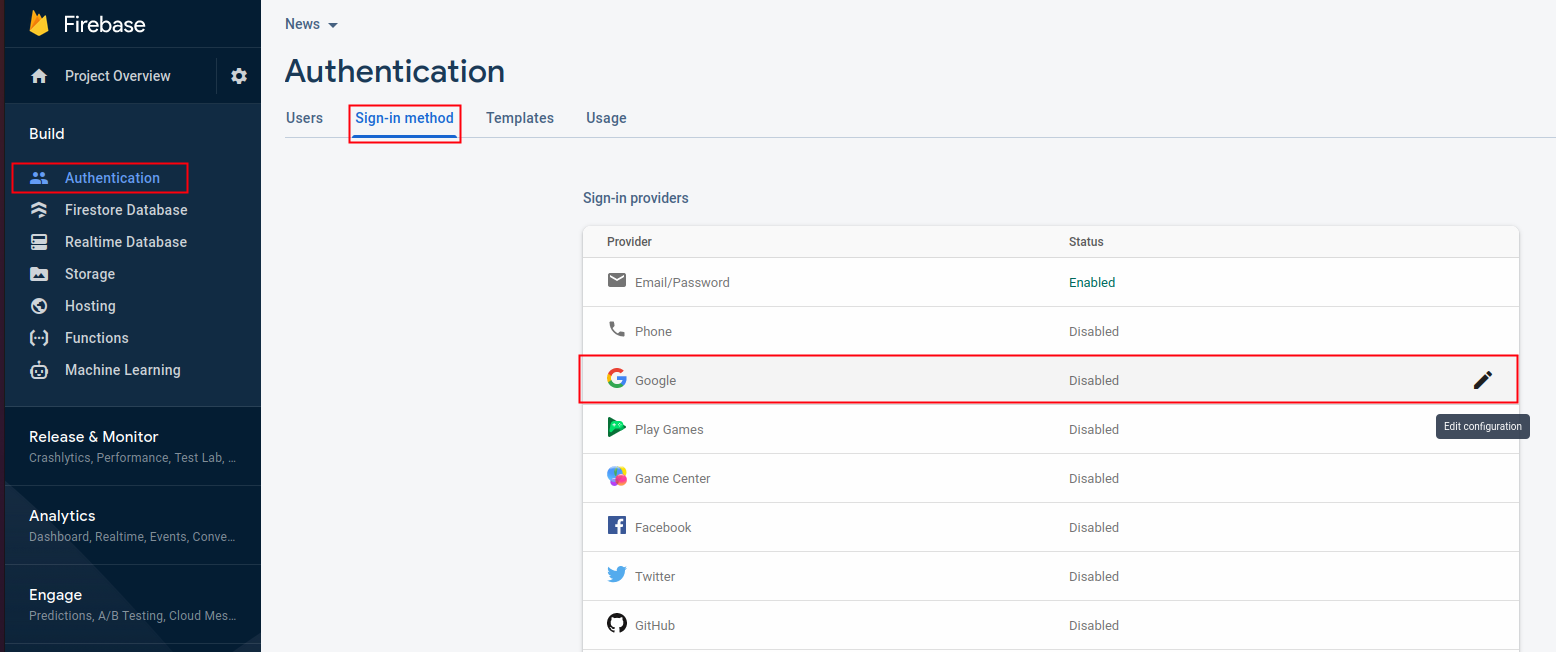
Open your Firebase console.
-
Go to Authentication and select the Sign-in method tab.
-
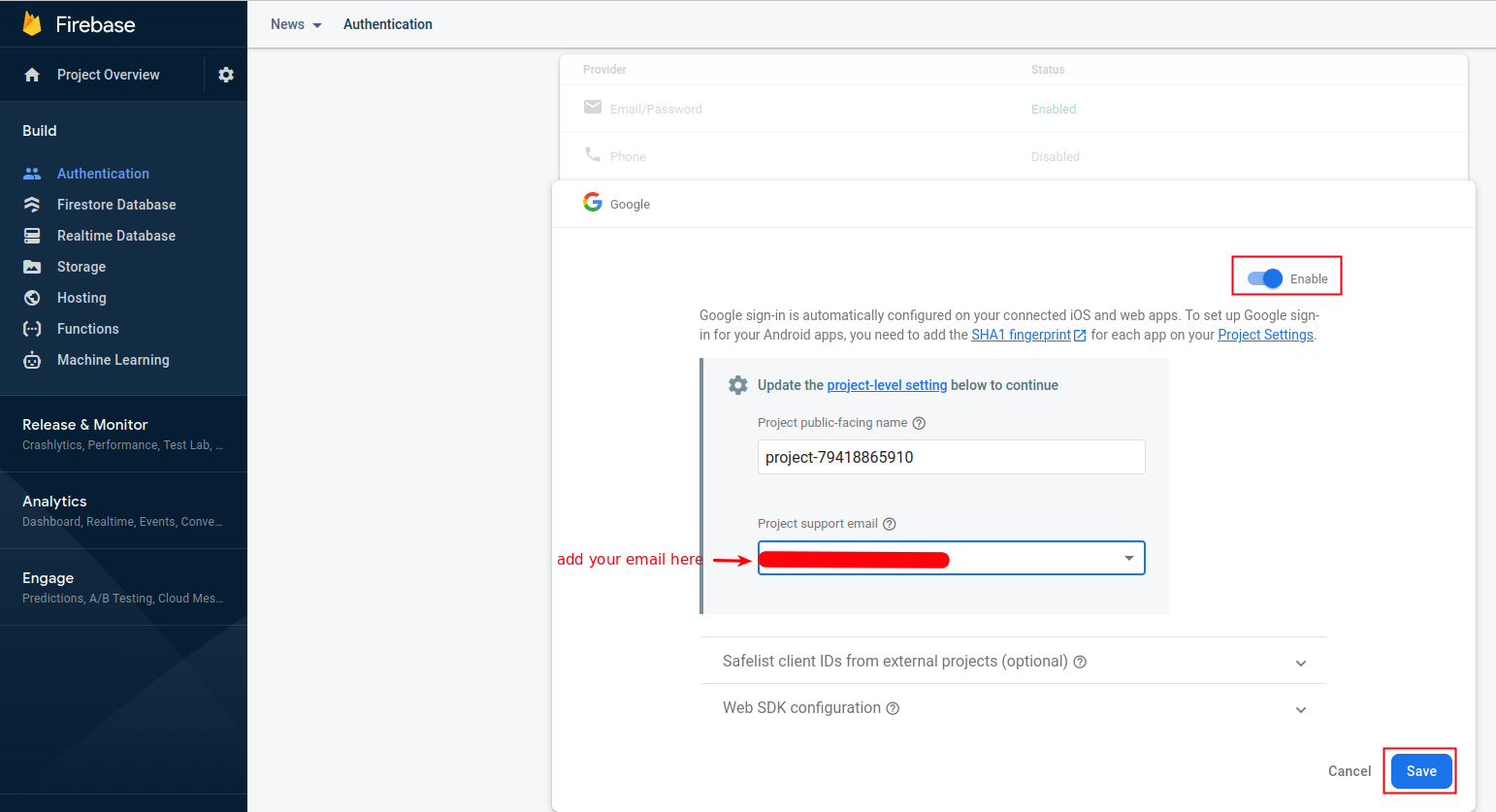
Find the Google provider and enable it. This will automatically set up Google sign-in.
-
Download and install JDK x64 Installer from Oracle's website and set JAVA_HOME by following these instructions if you haven't done so yet.
-
After that, Follow 🔒 Add SHA1 & SHA256 Keys in Firebase
With these settings in place, users will be able to sign into your News App using their Google accounts.
tip
Test Google Sign-In thoroughly on both Android and iOS platforms to ensure a smooth user experience.