Authenticate with Firebase Using Phone(OTP)
To enable phone authentication (OTP) in your News App:
Enable in Admin Panel
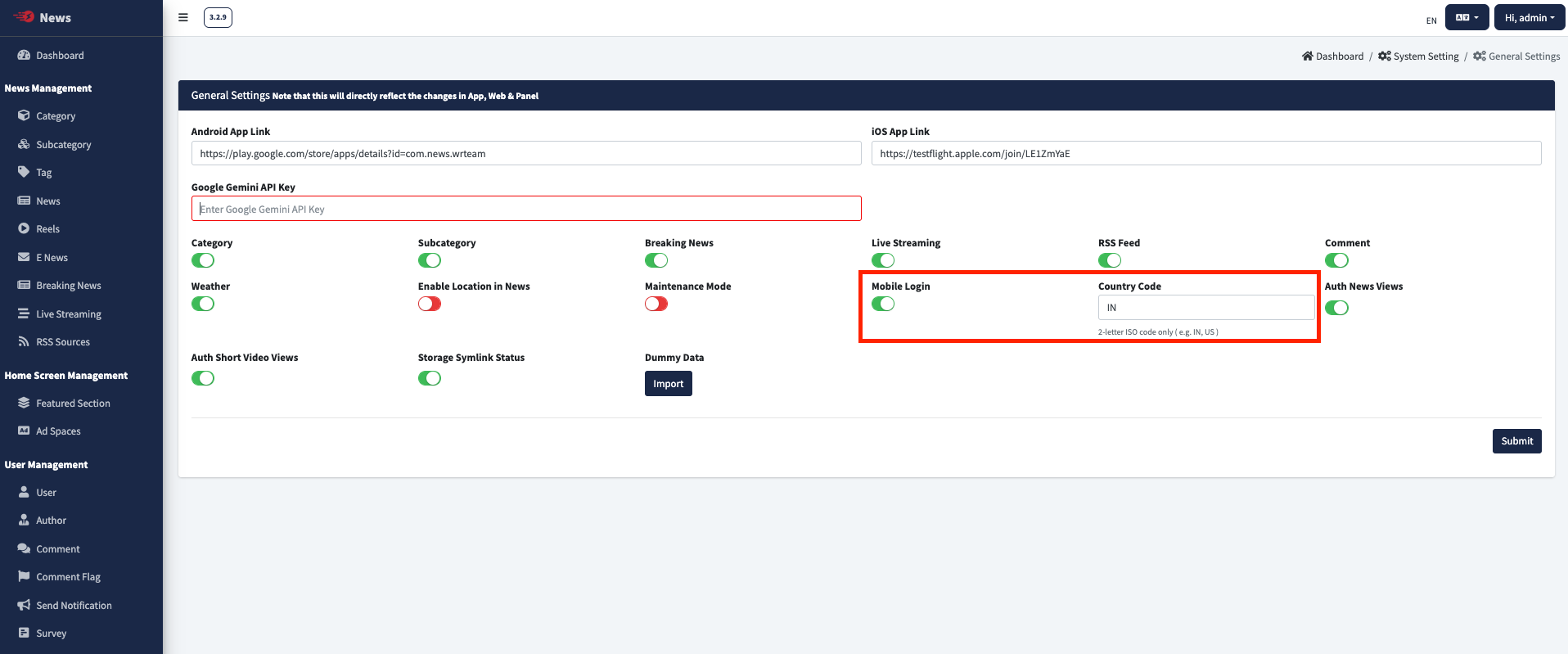
- Enable Mobile Login from Admin panel > System Setting > General Settings & Set Country code there.
Configure Firebase
- NOTE: You need to enable Blaze Plan From Firebase for this - Refer this video or our guide Upgrading the Firebase project from Spark to Blaze
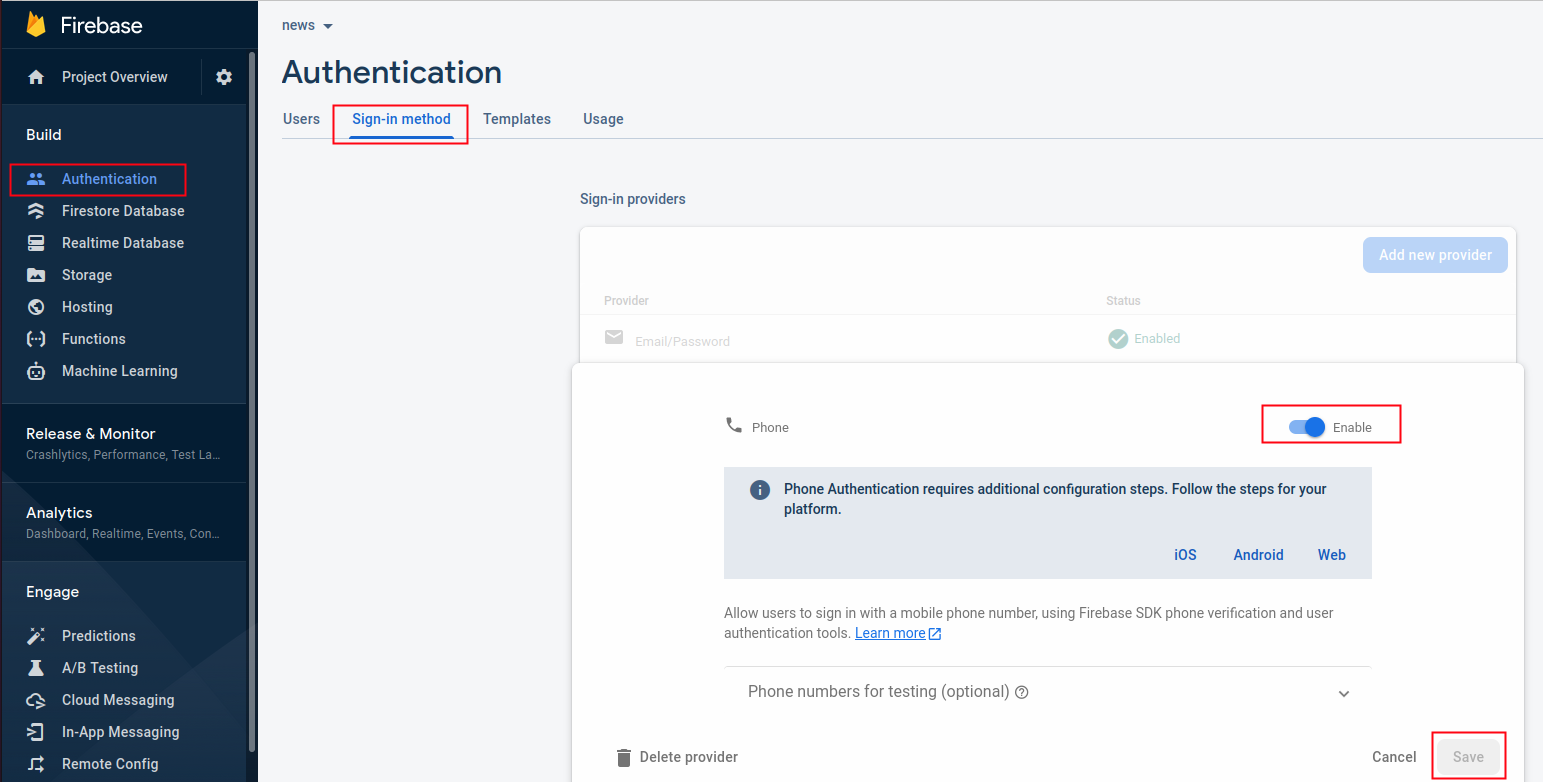
- Open your Firebase console
- Go to Authentication and open Sign-in method
- Enable Phone Sign-in method and save
Common Issues
If you're facing issues with Phone Authentication, you may:
- Disable it from Admin Panel > System Setting > General Settings
- Or enable Firebase Blaze plan from Firebase console and check more information from here