Change App Name
Update the displayed app name on Android, iOS, and inside the app code.
Android Configuration
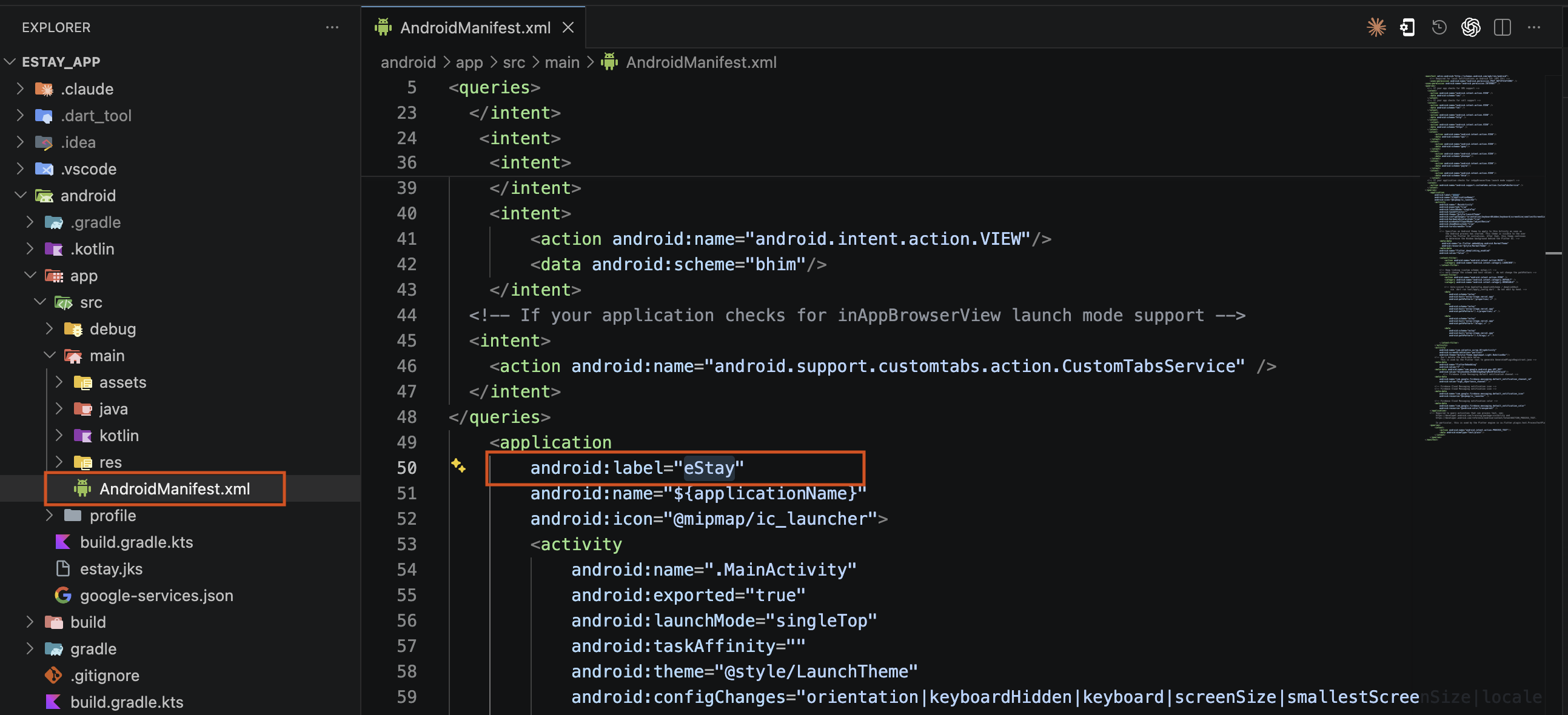
- Navigate to
android/app/src/main/AndroidManifest.xml. - Change the app name by modifying the
android:labelvalue inside the<application>tag.
iOS Configuration
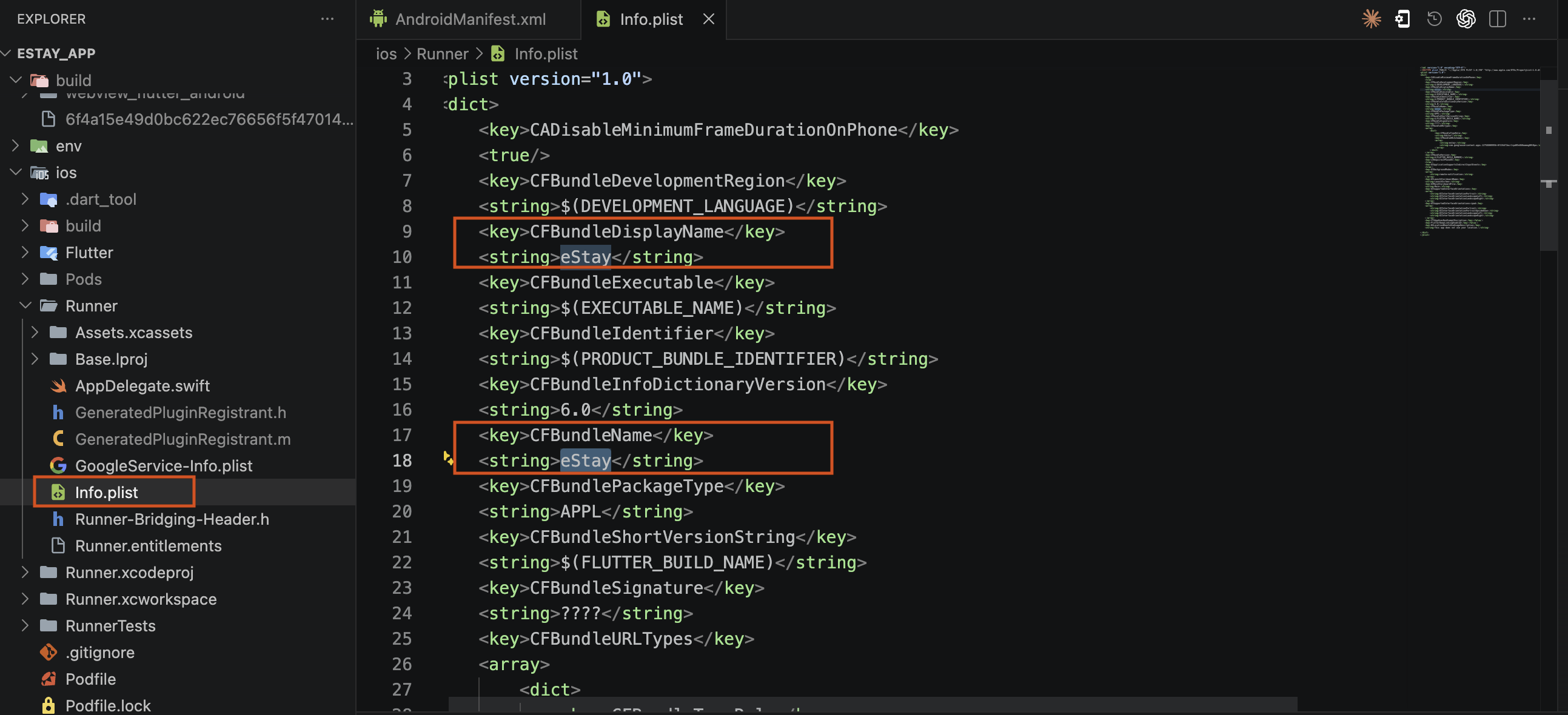
- Navigate to
ios/Runner/Info.plist. - Change the app name by modifying the
CFBundleDisplayNameandCFBundleNamevalues.
Change App Name in Code
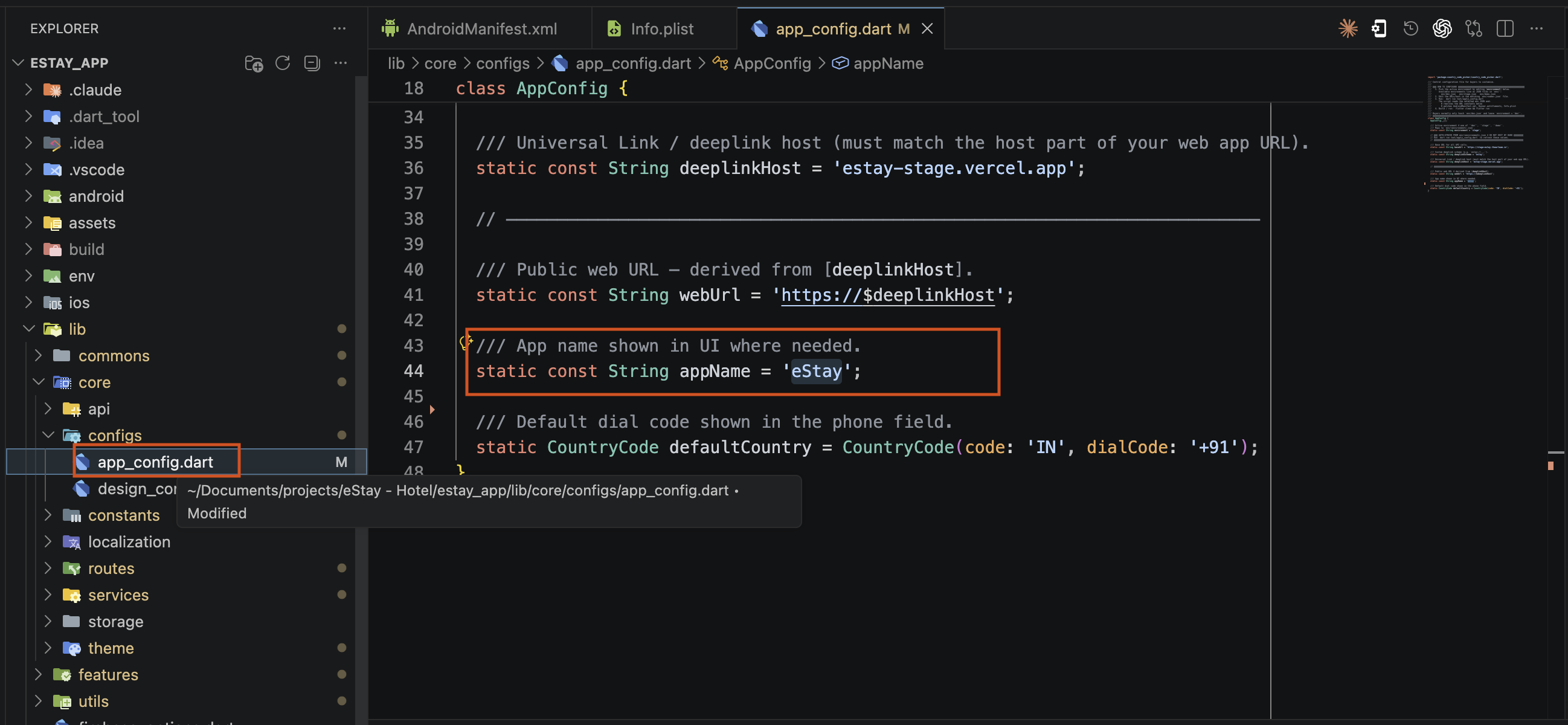
- Open
lib/core/configs/appConfig.dart. - Change the value of the
appNamevariable to your desired app name.
Save the changes.
Rebuild the app by running the following commands:
flutter clean
flutter pub get
flutter run