Add Map API Key
The app uses Google Maps for showing nearby locations of property. You need a Google Cloud API key with the Maps SDK for Android and Maps SDK for iOS enabled.
Step 1 — Open Google Cloud Console
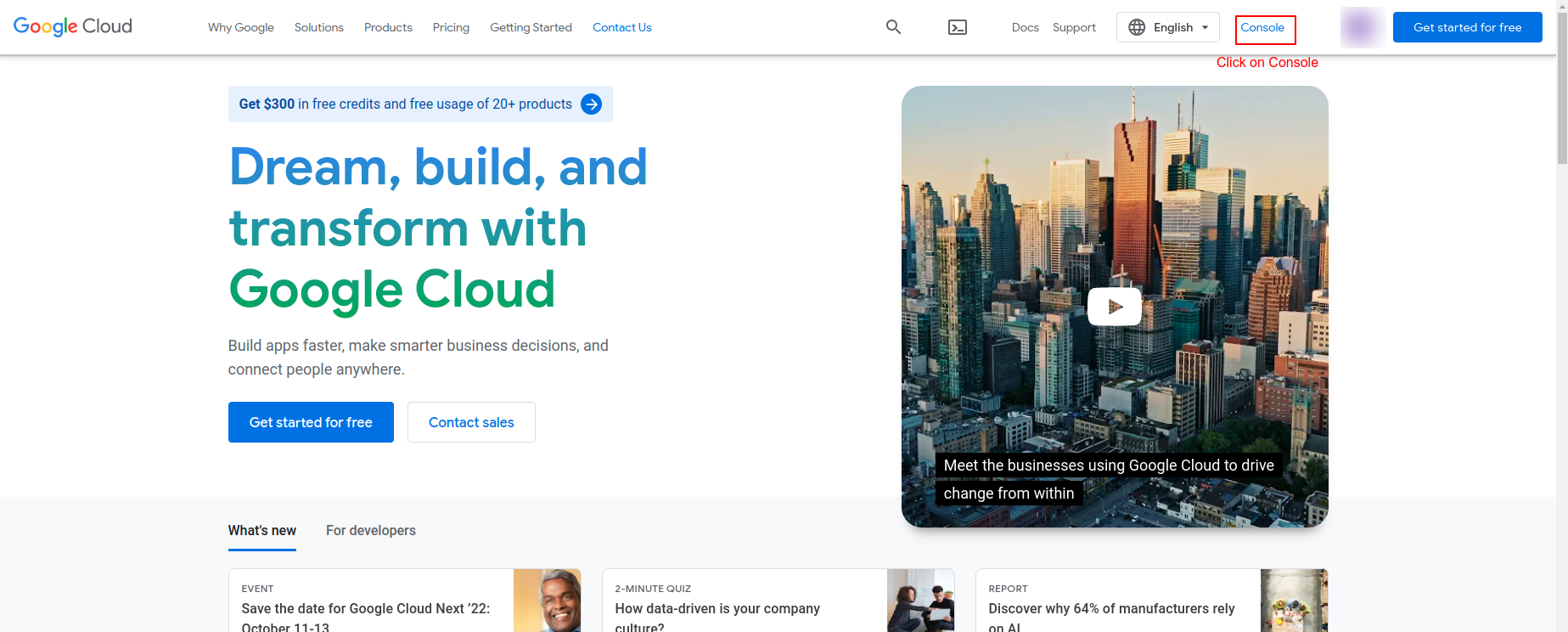
- Visit https://cloud.google.com/ and sign in with your Google account.
- Click Console (top-right) to open the Google Cloud Console.
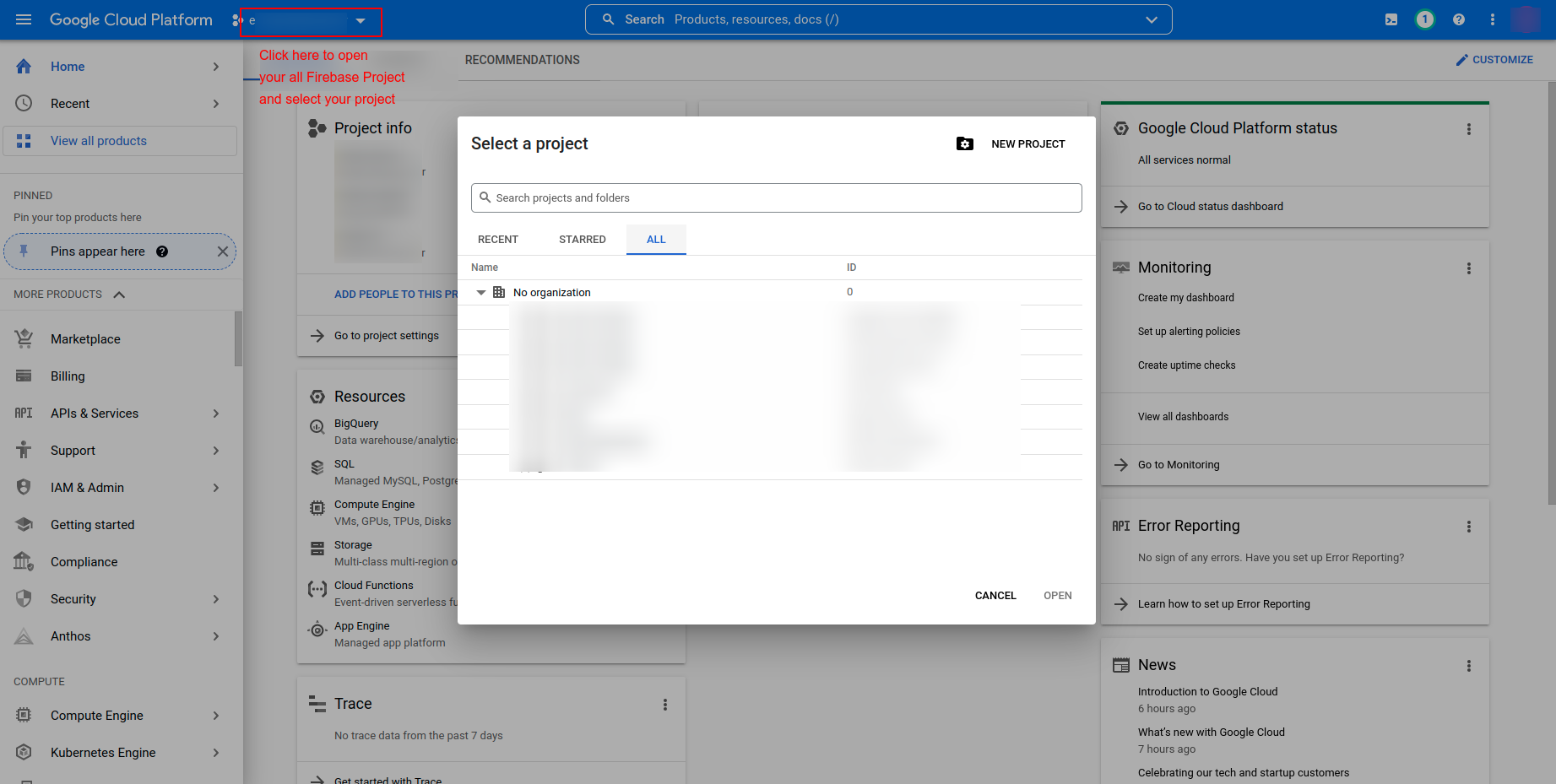
- Create a new project, or select an existing one from the project picker.
Step 2 — Enable Required APIs
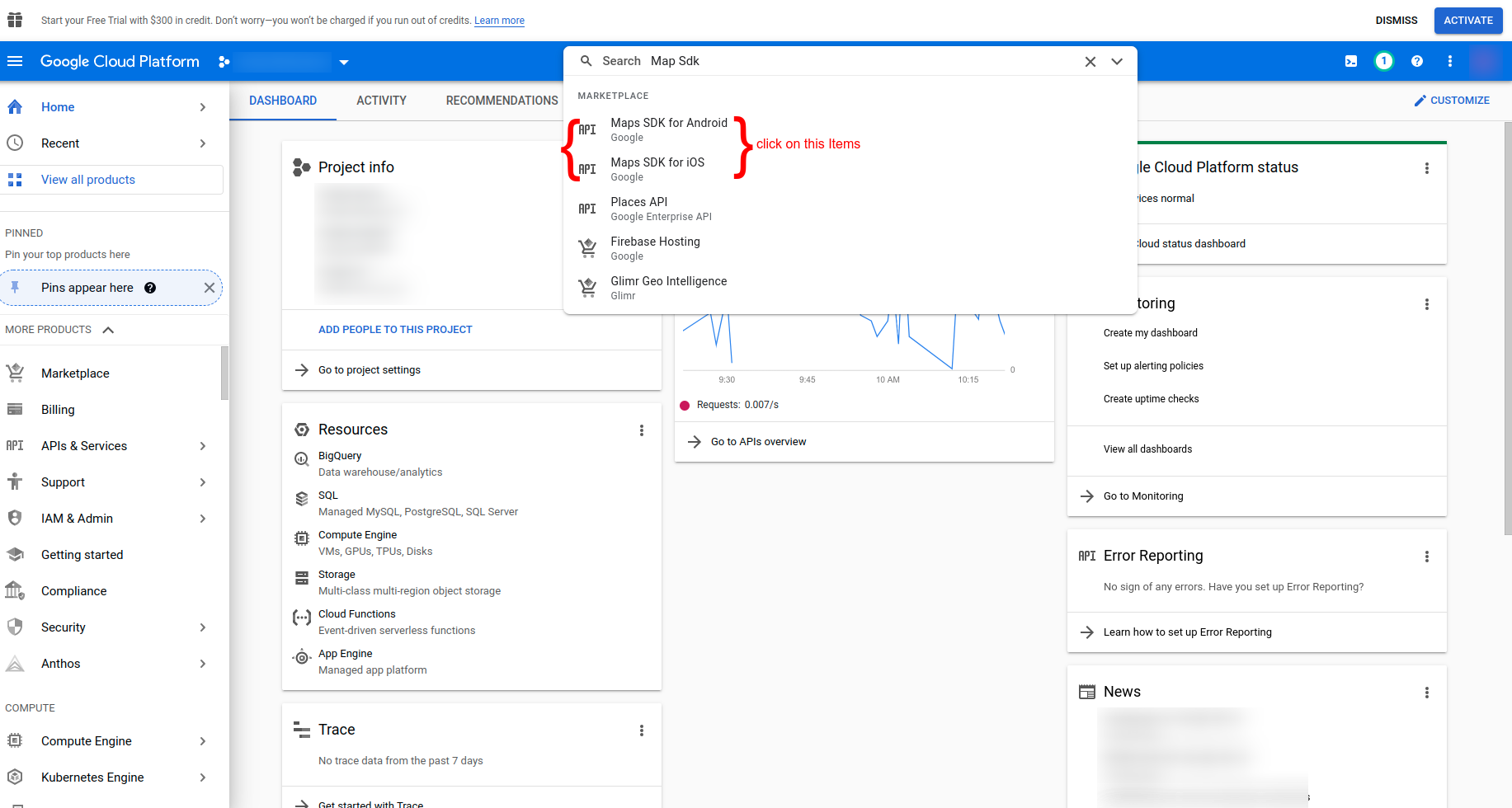
In the left sidebar, go to APIs & Services → Library, then search for and enable the following APIs:
- Maps SDK for Android
- Maps SDK for iOS
For each one, click the API → Enable.

Step 3 — Create an API Key
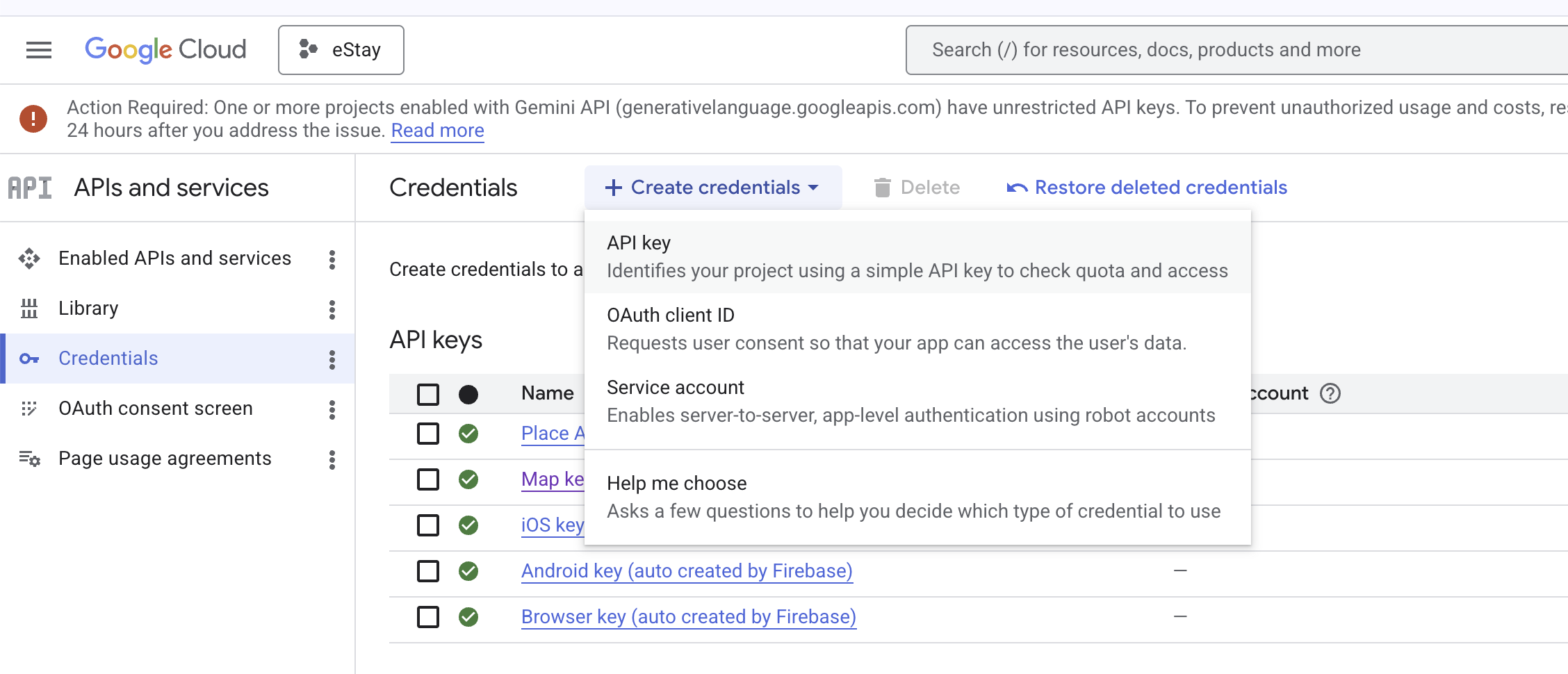
- Go to APIs & Services → Credentials.
- Click + Create Credentials → API key.
- Edit the newly created key. Add the APIs you enabled in Step 2. and tap Save
- Copy the generated API key — you will paste it into the app code in the next step.
For production, restrict the key:
- Application restrictions — Android apps (package + SHA-1) and iOS apps (bundle ID).
- API restrictions — limit to Maps SDK for Android & iOS only.
Step 4 — Paste the Key into the App
Android — AndroidManifest.xml
Open android/app/src/main/AndroidManifest.xml and add the following <meta-data> tag inside the <application> tag:
<meta-data
    android:name="com.google.android.geo.API_KEY"
    android:value="YOUR_API_KEY_HERE"/>
Replace YOUR_API_KEY_HERE with the API key you copied in Step 3.
iOS — AppDelegate.swift
Open ios/Runner/AppDelegate.swift and search for the following line:
GMSServices.provideAPIKey("YOUR_API_KEY_HERE")
Replace YOUR_API_KEY_HERE with the same API key.
Step 5 — Rebuild
flutter clean && flutter run
Maps should now load correctly on both platforms.
Never commit your raw API key to a public repository. Use key restrictions (Step 3 tip) and consider storing the key in a non-tracked file for production builds.