App Store URLs & Force Update
Configure the Play Store / App Store URLs used by Share and Rate App features, and set the minimum supported app version for Force Update.
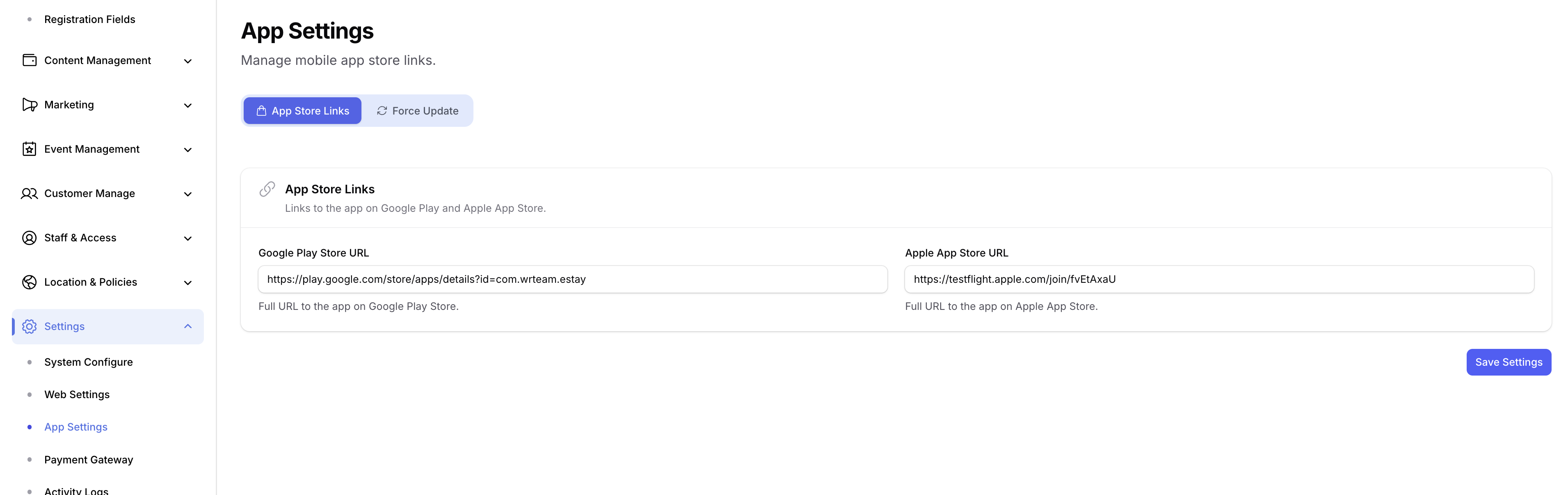
1. App Store Links
- Open your Admin Panel.
- Navigate to Settings → App Settings → App Store Links tab.
- Set the following:
- Play Store URL — full link to your Android app on Google Play.
- App Store URL — full link to your iOS app on Apple App Store.
- Click Save.
warning
Without these URLs set, the in-app Share and Rate App features will not work.
2. Force Update
Use the Force Update tab to prompt users on outdated app versions to upgrade before continuing.
- Stay in Settings → App Settings.
- Switch to the Force Update tab.
- Set the following:
- Android Version Code — the
versionCodeof the latest build currently live on the Play Store. - iOS Version Name — the
version(e.g.1.2.0) of the latest build uploaded to the App Store.
- Android Version Code — the
- Click Save.
Any user on a lower version will see the force-update prompt on next launch and be redirected to the store to install the latest build.
tip
Update these values every time you publish a new release so that older users are nudged to upgrade.