Change App Theme Color
Update the app's primary (theme) color from the admin panel — no code changes required.
Steps
- Open your Admin Panel.
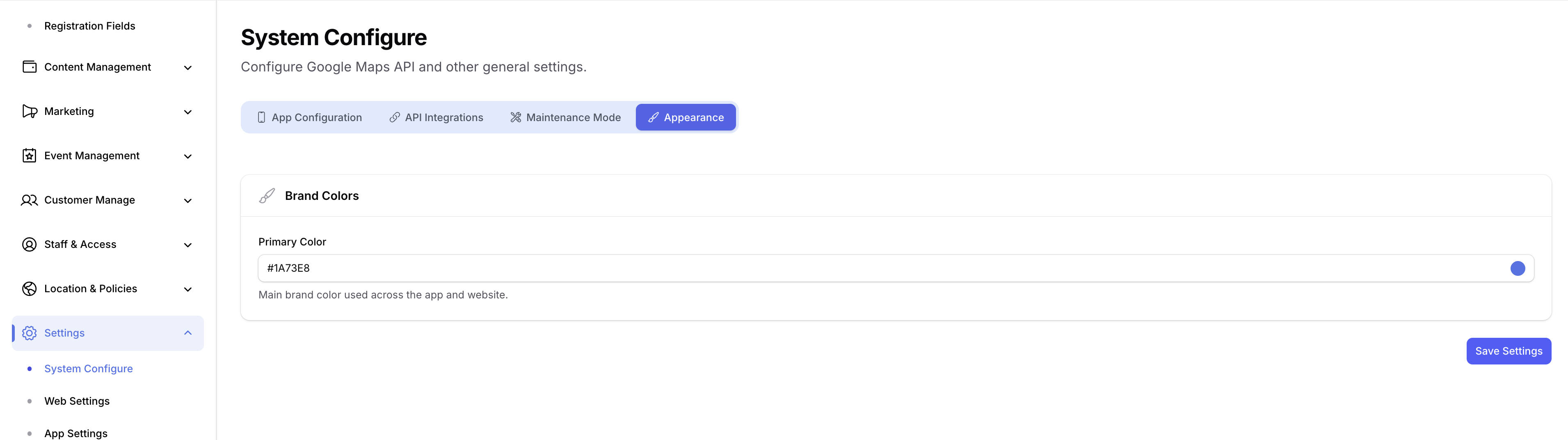
- Navigate to Settings → System Configure → Appearance tab.
- Set the new color in the Primary Color field.
- Click Save.
warning
Enter the color as a hex code only (e.g. #FF5722). Other formats (RGB, named colors) are not supported and will be rejected.
The app fetches the updated theme color on next launch and applies it across all primary UI elements (buttons, highlights, etc.).