Client API Keys Configuration
Client API Keys Configuration
Here you can configure your client API keys for the application. This is essential for integrating third-party services and ensuring secure communication between your application and external APIs.
Adding a New API Key
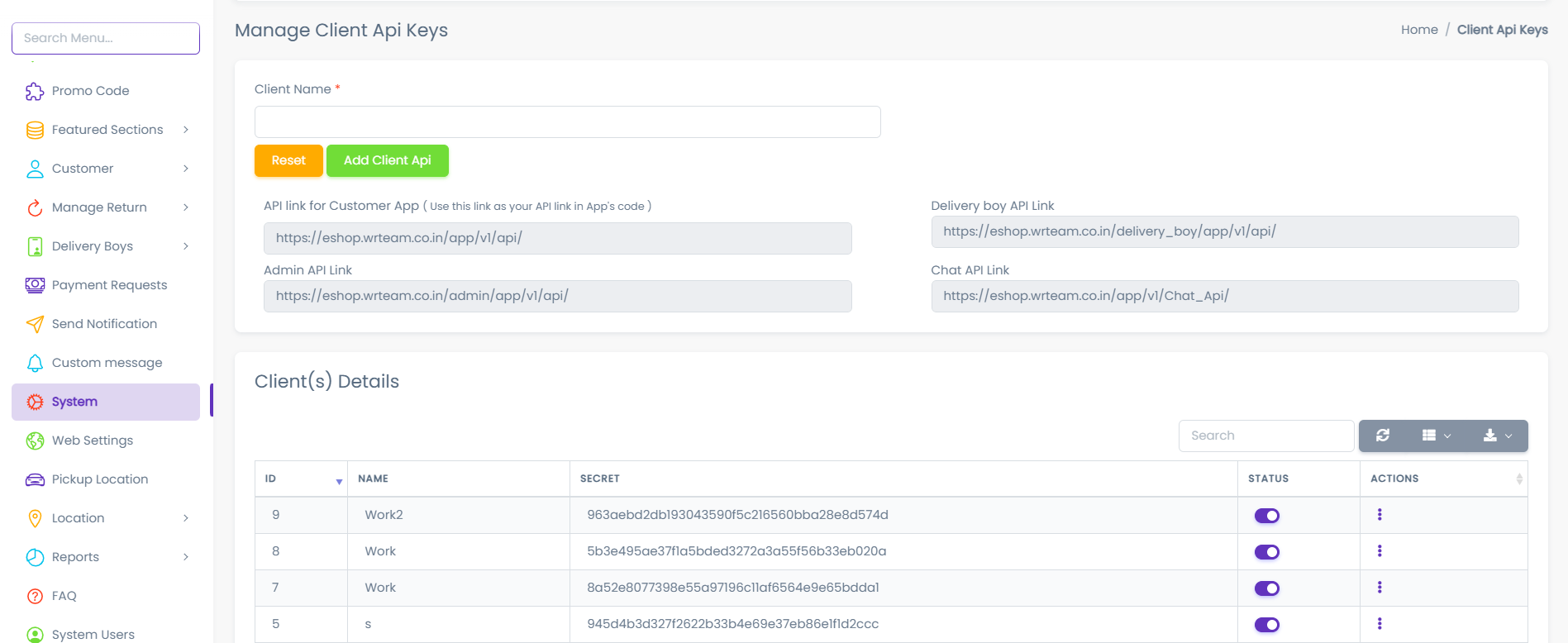
- Navigate to the Client API Keys section in your System Settings.
- Fill in the required details:
- Key Name: A descriptive name for the API key.
- Click on the Add Client API button.
- The new API key will be displayed in the list of configured keys.
Managing Existing API Keys
- To edit an existing API key, click on the Edit button next to the key.
- You can update the key name as needed.
- To delete an API key, click on the Delete button. Confirm the deletion when prompted.
Security Considerations
- Ensure that API keys are kept confidential and not exposed in client-side code.
- Regularly review and rotate API keys to maintain security.