Installation
Step 1. How to install the eShop backend and/or web version code on your server by using installation wizard?
- First of all find the eShop folder from the PHP code folder from the downloaded package and upload the code to your server on your desired domain or subdomain. For example, you have https://eshop.com domain with you.
- Create a new database from cPanel.
- Create new user for the database & give all the privileges to the user.
- After creation of user visit
https://eshop.com/install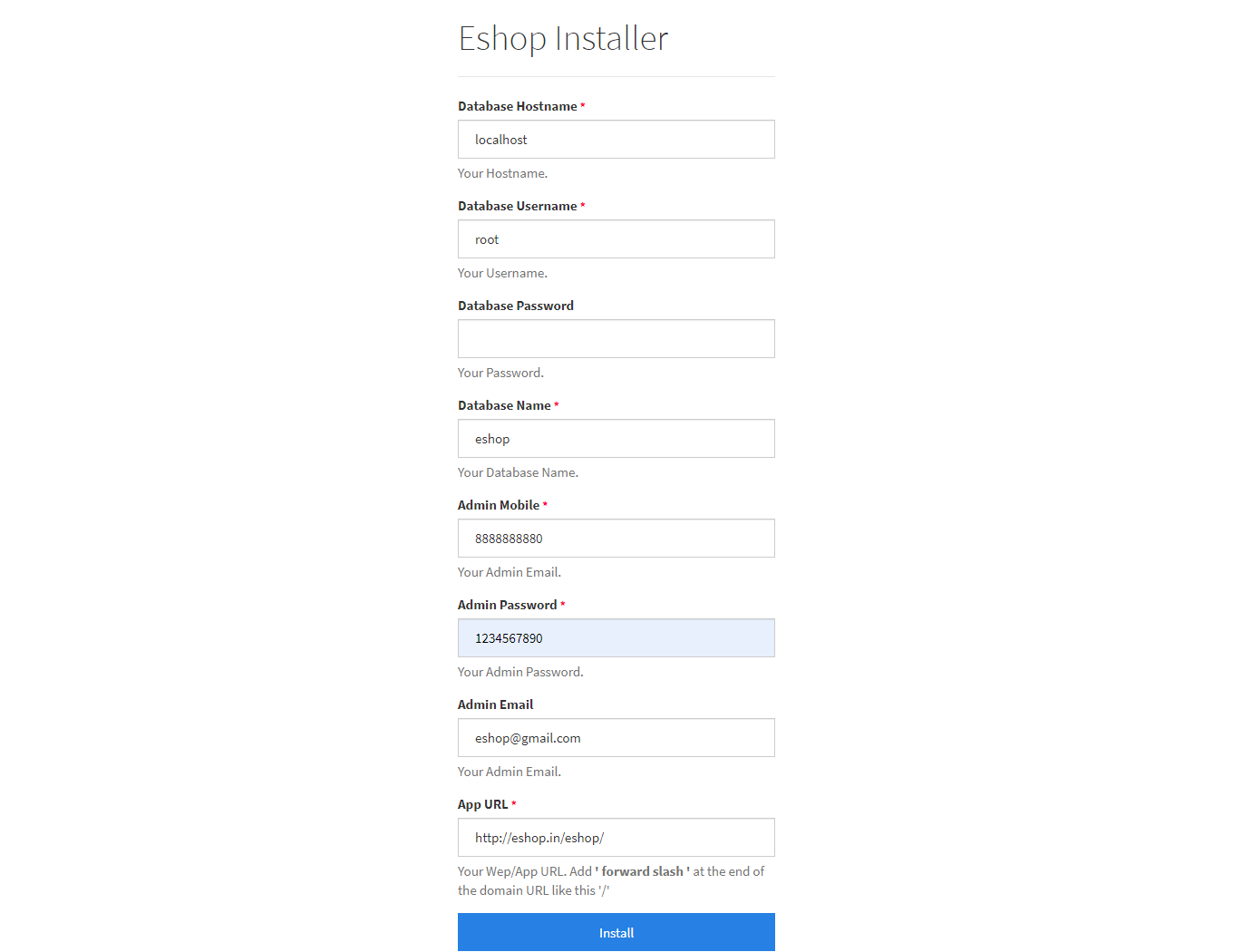 Sample image
- Database Hostname : Enter the hostname.
- Database Username : Enter the username that has access to the database.
- Database Password : Enter the password.
- Database Name : Enter the name of the database.
- Admin Mobile : Enter the mobile number (The mobile number will be used further for user authentication)
- Admin Password : Enter the password (The password will be used further for user authentication)
- App Url : Enter your app / domain URL. Make sure you enter the complete URL with the correct protocol (e.g., http:// or https://).
Now click Install. That's it! You are ready to run your first e-commerce App: https://eshop.com/