Configure the Firebase Setup for Social Login (Web Version)
To enable social login (e.g., Google) for your eShop web version, follow these steps:
1. Enable Social Login in Admin Panel
- Go to System → Store Settings in your Admin Panel.
- Turn ON the social login method(s) you want to enable.
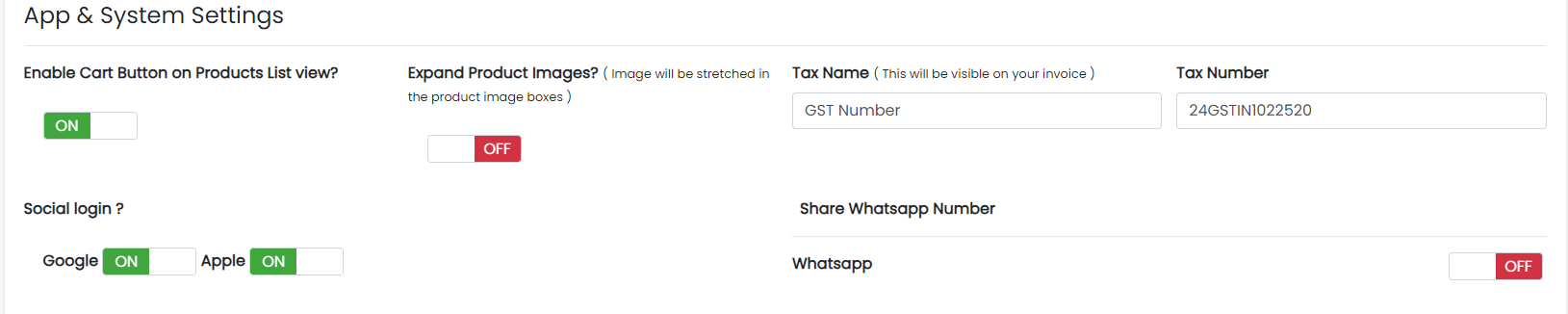 Sample image
2. Enable Social Sign-In Method in Firebase
- Open your Firebase project.
- Go to Authentication and open the "Sign-in method" tab.
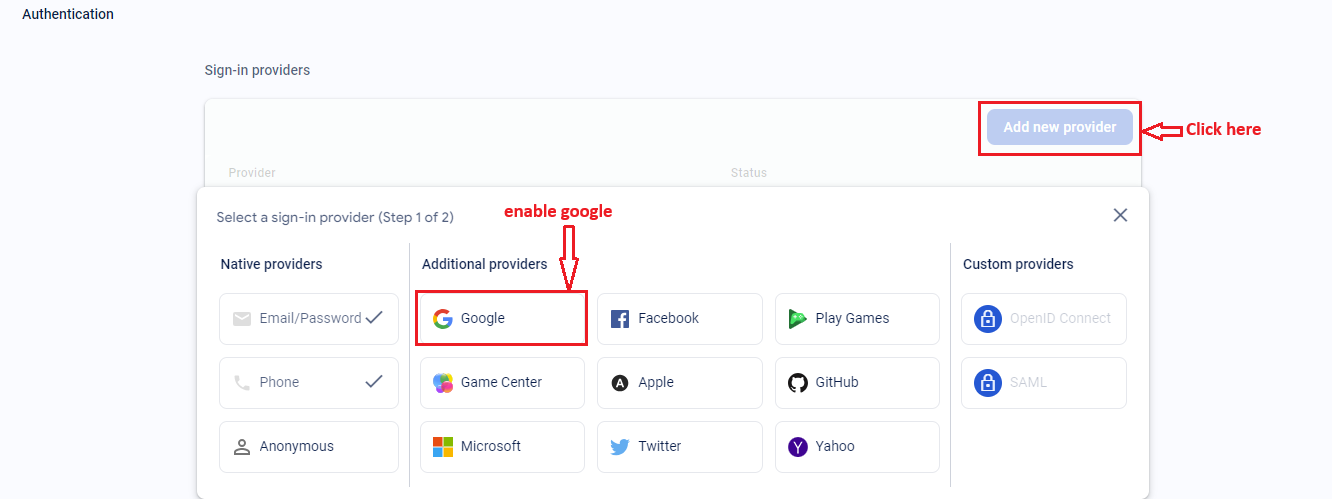 Sample image
- Enable Google sign-in method (and any other providers you require).
You have now configured Firebase for social login on your web version!