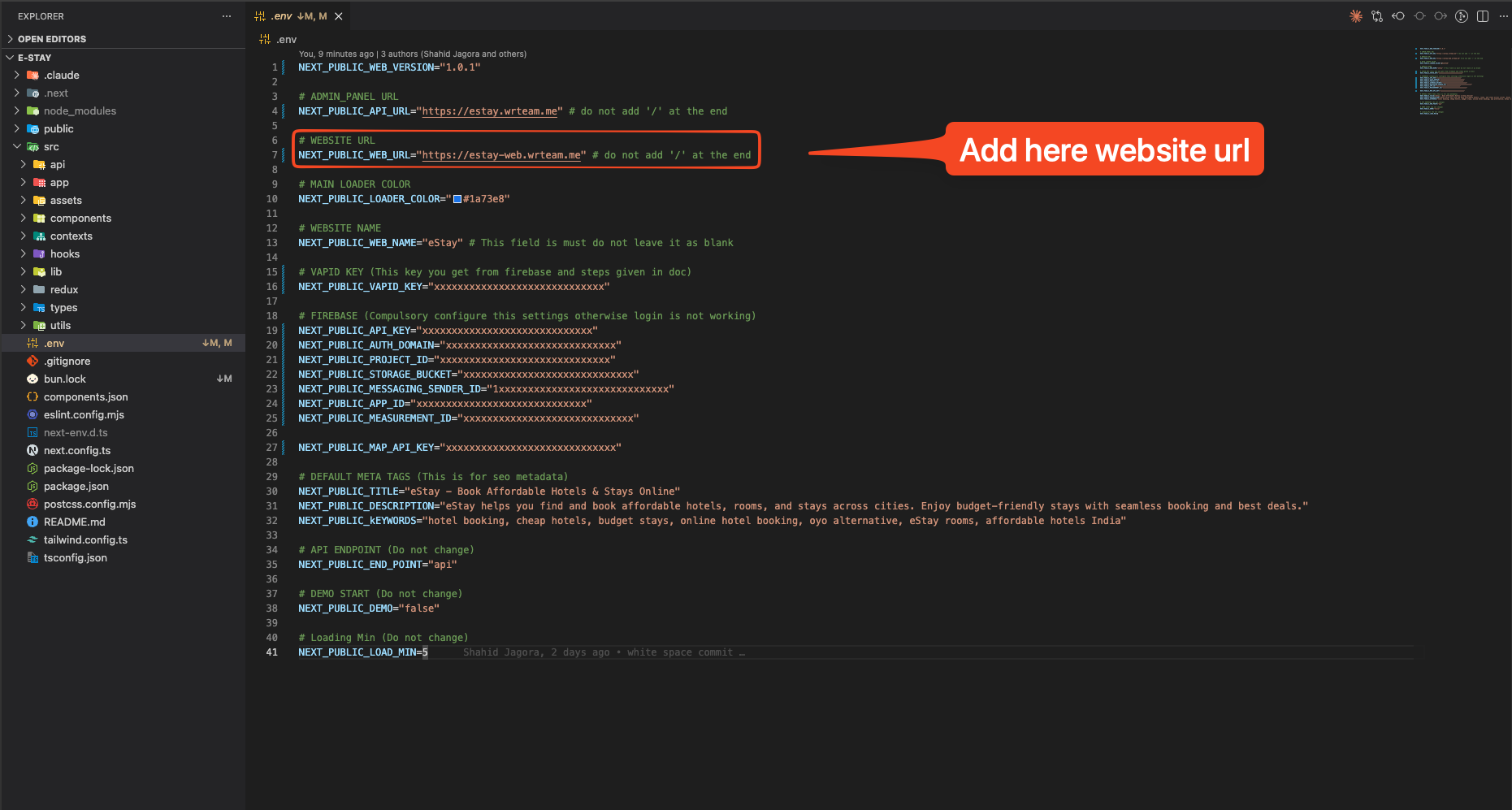
Where to Set Admin URL & Web URL
eStay web needs two URLs configured — the Admin Panel URL and the Web App URL. Both are set inside the project's configuration file.
Step 1 — Open the Environment File
Open the .env file in the project root:
.env
info
If .env does not exist, copy .env.example to .env and fill in your values.
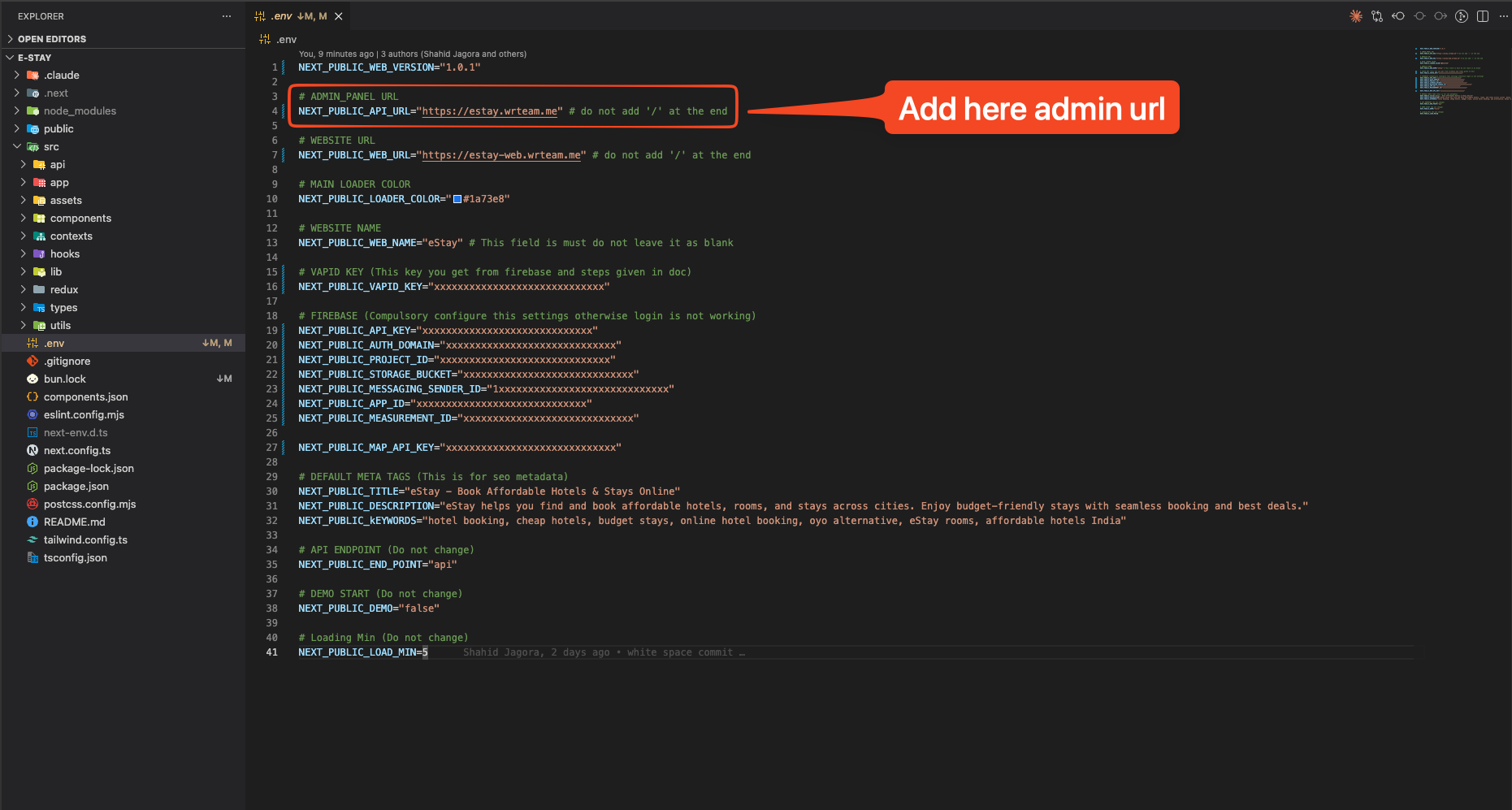
Step 2 — Set Admin Panel URL
Find NEXT_PUBLIC_ADMIN_PANEL_URL and replace the placeholder with your actual admin panel domain.
NEXT_PUBLIC_ADMIN_PANEL_URL=https://admin.yourdomain.com
warning
Admin panel must be on a subdomain (e.g., admin.yourdomain.com). Do not use the same domain as the web app. SSL is mandatory.
Step 3 — Set Web App URL
Find NEXT_PUBLIC_WEB_URL and set it to your main domain.
NEXT_PUBLIC_WEB_URL=https://yourdomain.com