How to Change Website Name
The website name appears in browser tabs, search results, and the site header. Change it from the project config file.
Step 1 — Open the Environment File
.env
info
If .env does not exist, copy .env.example to .env.
Step 2 — Update Website Name
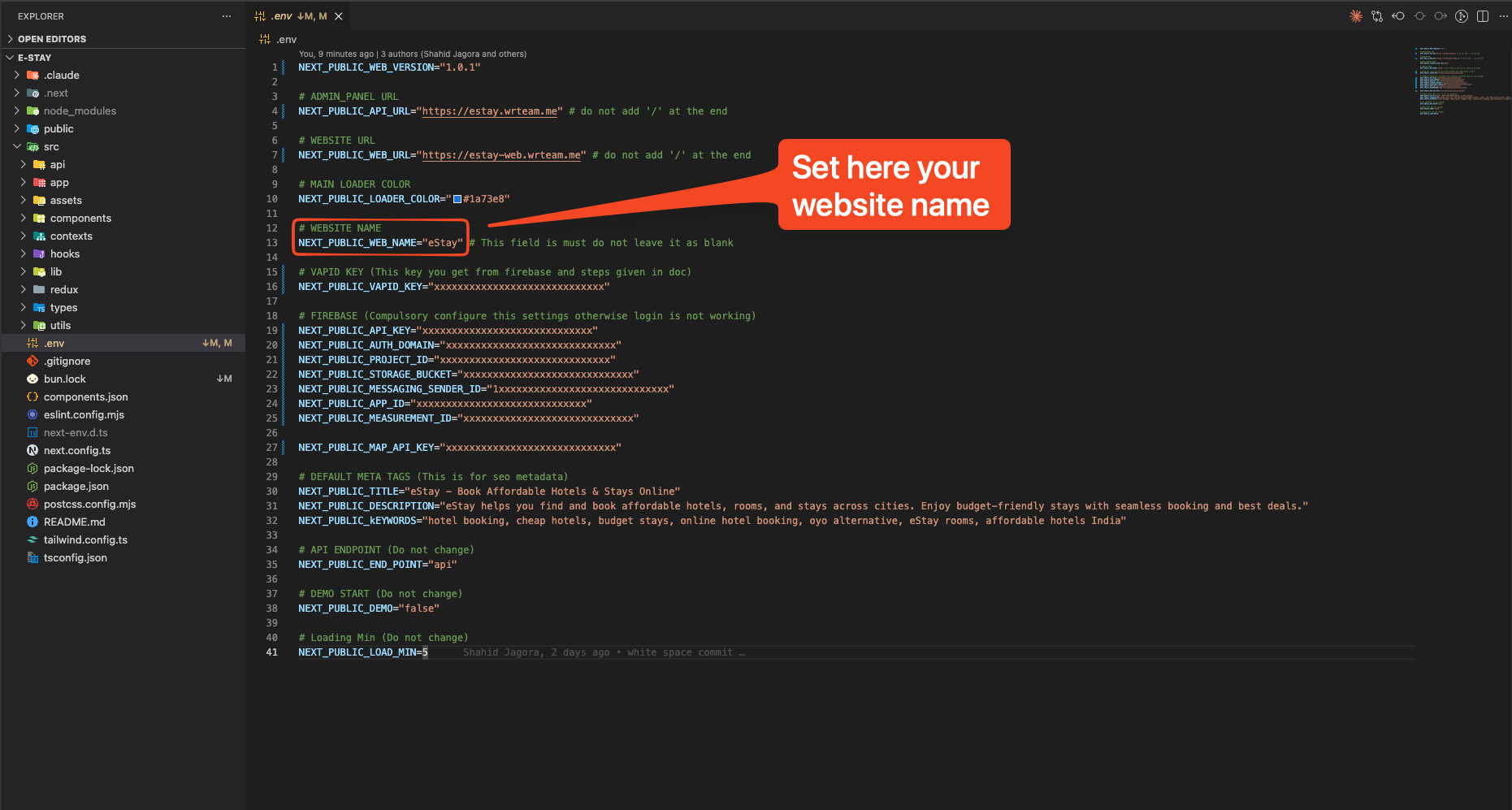
Find NEXT_PUBLIC_WEBSITE_NAME and replace it with your brand name:
NEXT_PUBLIC_WEBSITE_NAME=Your Brand Name
info
The website name is also used in meta tags and OG tags. After changing it, verify the browser tab and page title reflect the update.