Attribute Values
Attribute Values
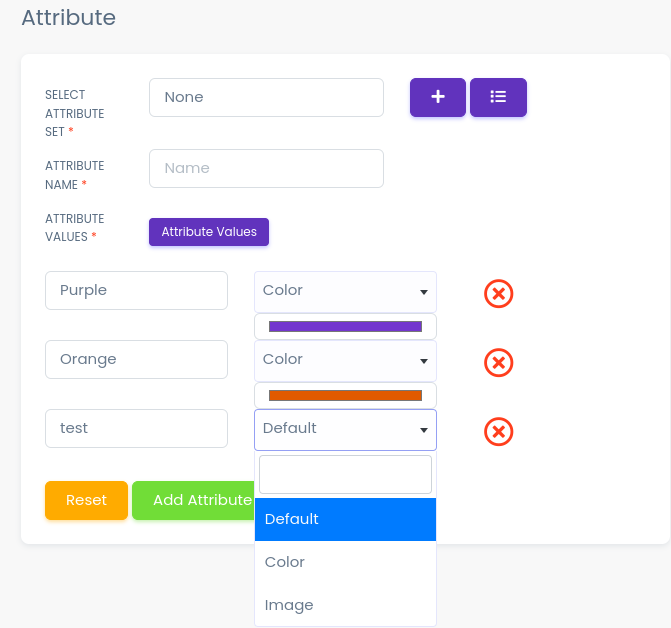
Here all the information related to Attribute Values is display
Actions
- Search Attribute Values details
 To search the Attribute Values Name or Any other Detail
- Refresh Attribute Values list
 To Refresh Attribute Values List
- Filters
 Used to filter the Attribute Values details according to the criteria
- Edit Attribute Values
 Used to Edit the Attribute Values details
- Delete Attribute Values
 Used to Delete the Attribute Values details
- Attribute Values Status
 Used to Active And Deactive the Attribute Values Status
We Can add New Attribute Values and delete Attribute Values by following Steps :
Step 1:Adding New Attribute Values in the Attribute Values List
Click on Add Attribute Values Tab Present On The Right Side

Clicking to the Add Attribute Values tab a new window will be displayed as follows
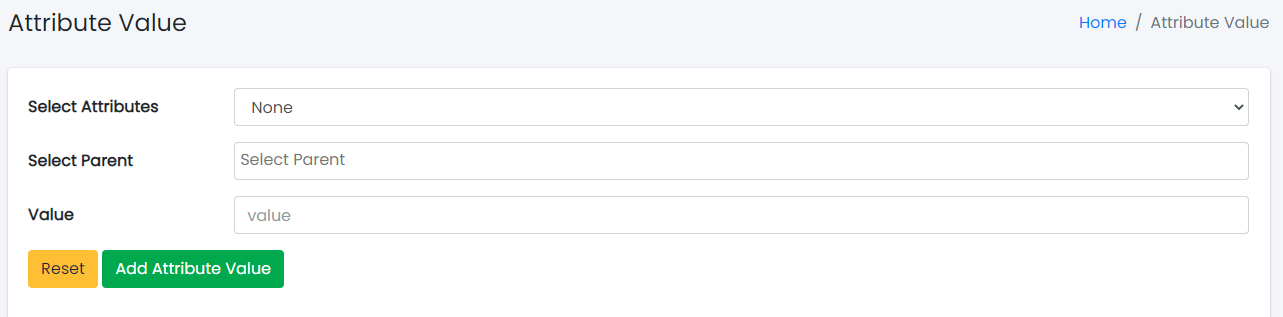
- Select the Attribute Values

- Select the Parent

- Click add Attribute Values to add Attribute Values or Reset to Reset the form.
Step 2:Delete Attribute Values from the List
For Deleting Attribute Values we need to use as explained above under Actions Attribute Values.