Shipping Methods
Shipping Methods
- In Shipping you can select shippings method for deliver orders to customers.
- Currently 2 shipping methods are available in Eshop. If you want you can use both shipping method at a time.
Type :
- Local Shipping
- Standard Shipping
- Shiprocket
How to change shipping Methods:
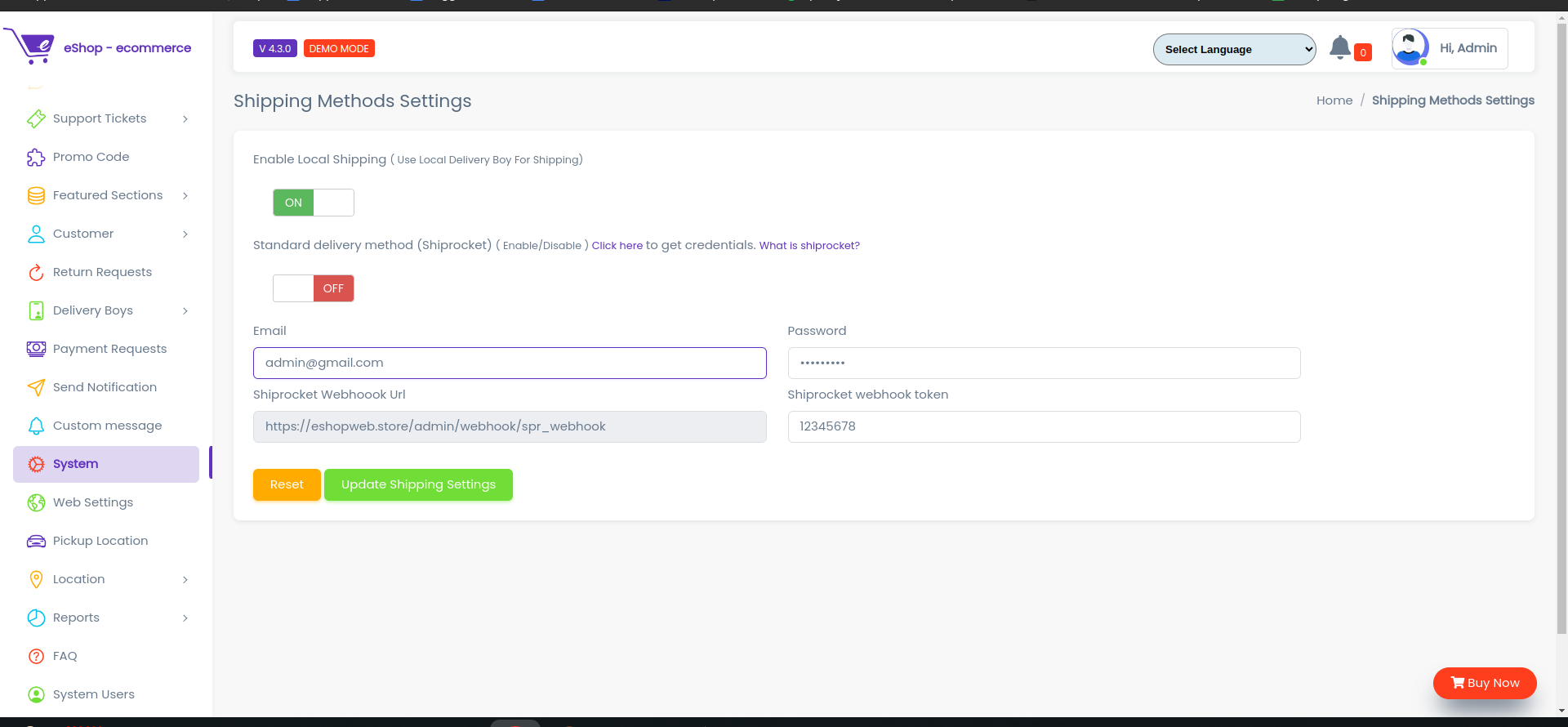
Local Shipping Method
- In this method you can assign your delivery boy for deliver customer orders.
Standard Shipping
- In this method you can use other currier services like shiprocket for deliver orders to customers.
-
Shipprocket
Shiprocket, a product of Delhi based BigFoot Retail solution, is India's first automated shipping software that aims reduce ecommerce shipping to its bare bones. ... You can print bulk shipping labels and ship your products to in and around the world using a single platform.
Account
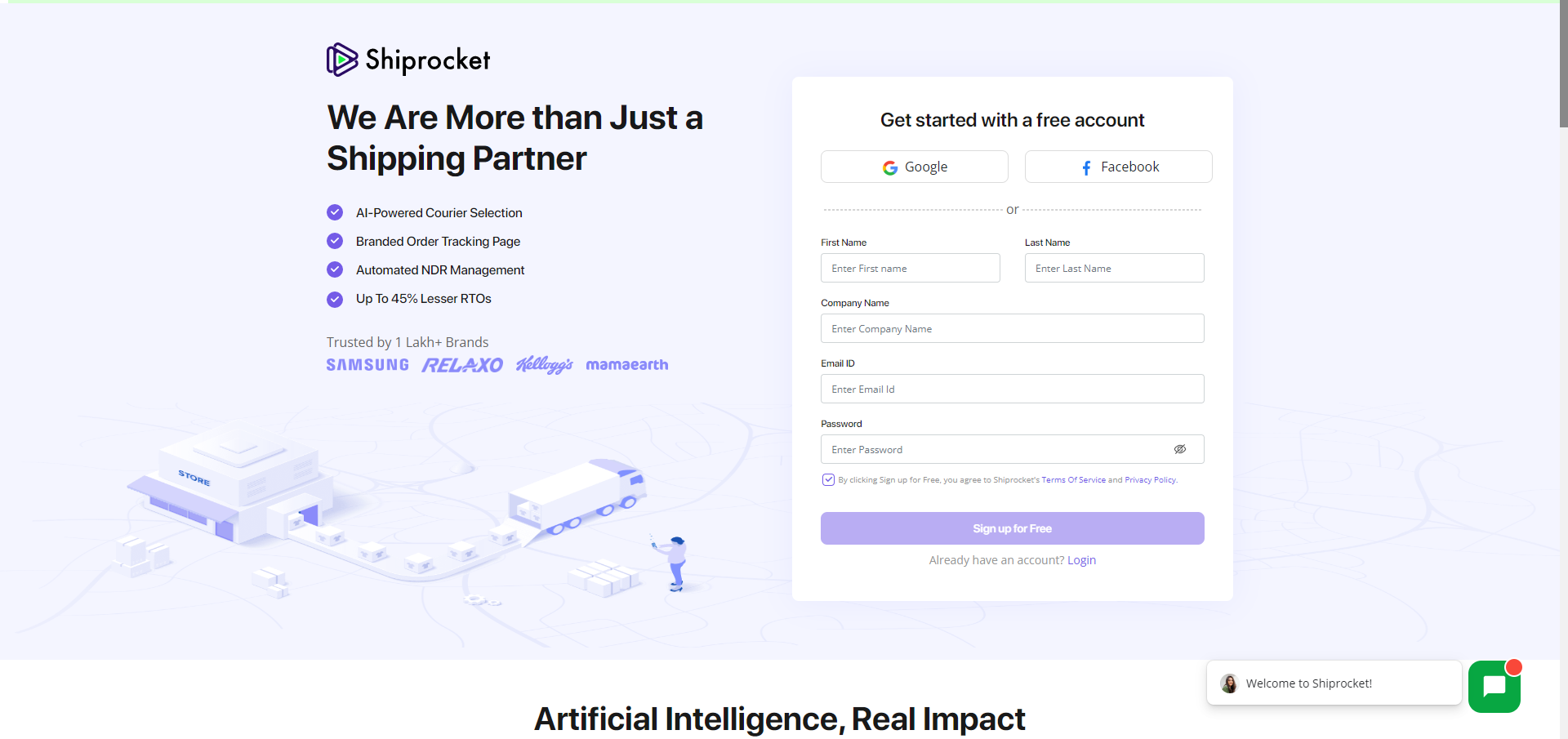
- First Create shiprocket account Click here.
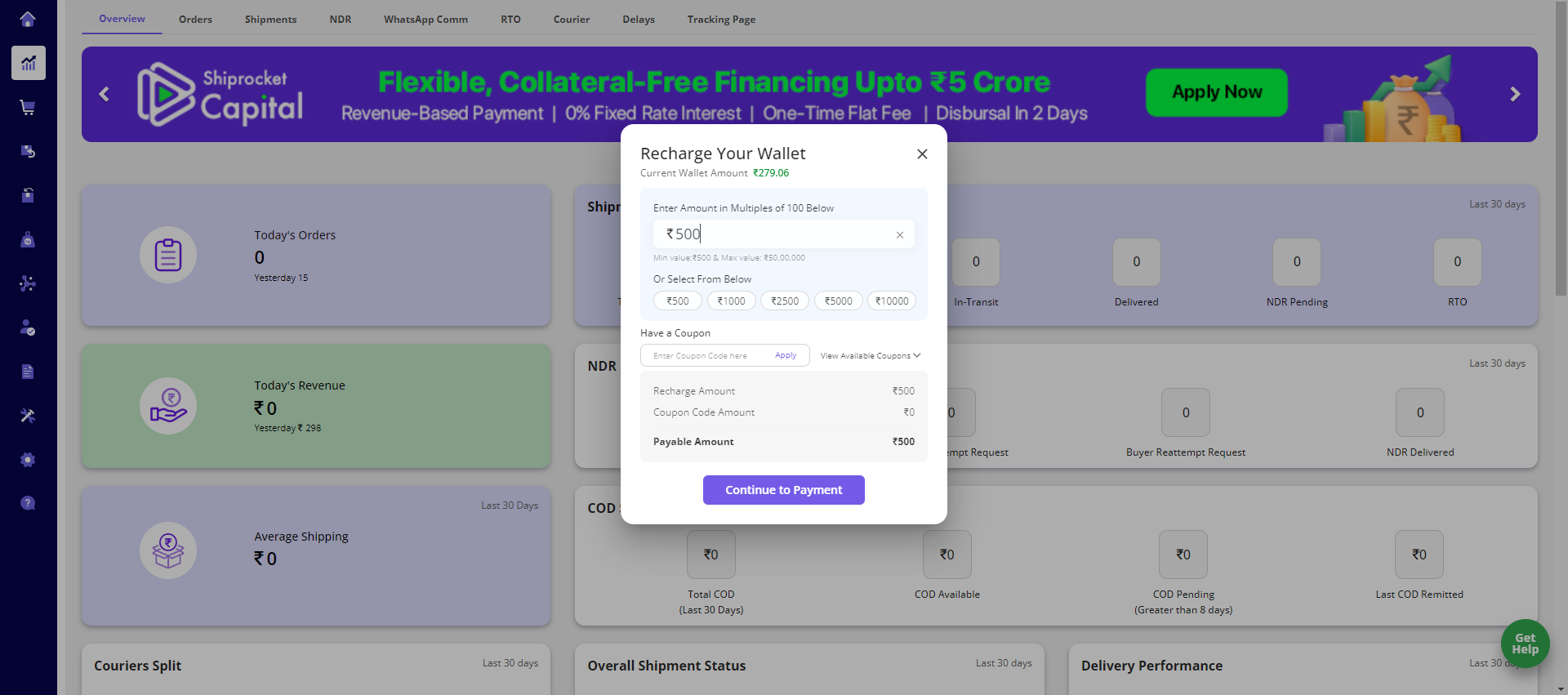
Recharge Wallet
- After successfully login you have to recharge you shiprocket wallet without wallet balance you can not use their services
API Config
- So now to use shiprocket in your system first go to api Config from here
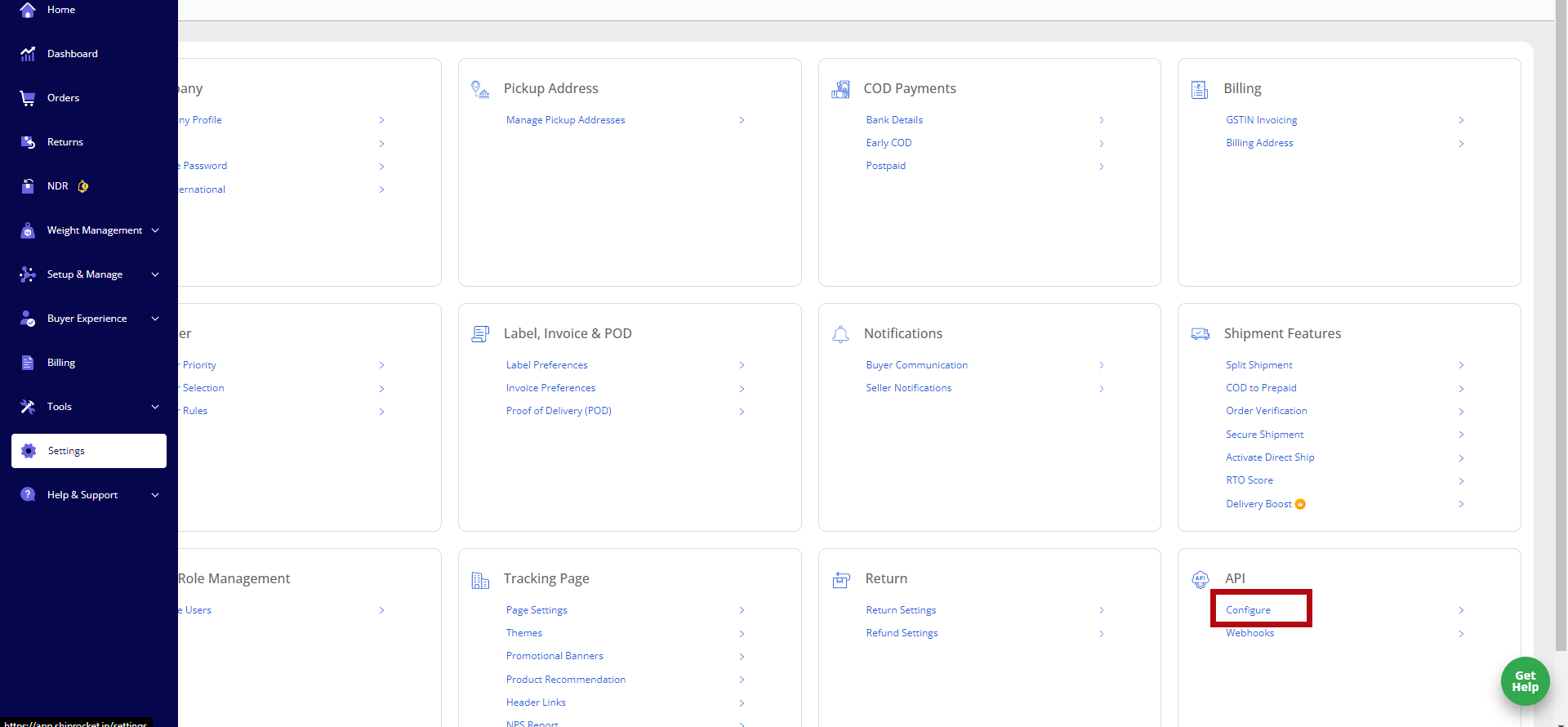
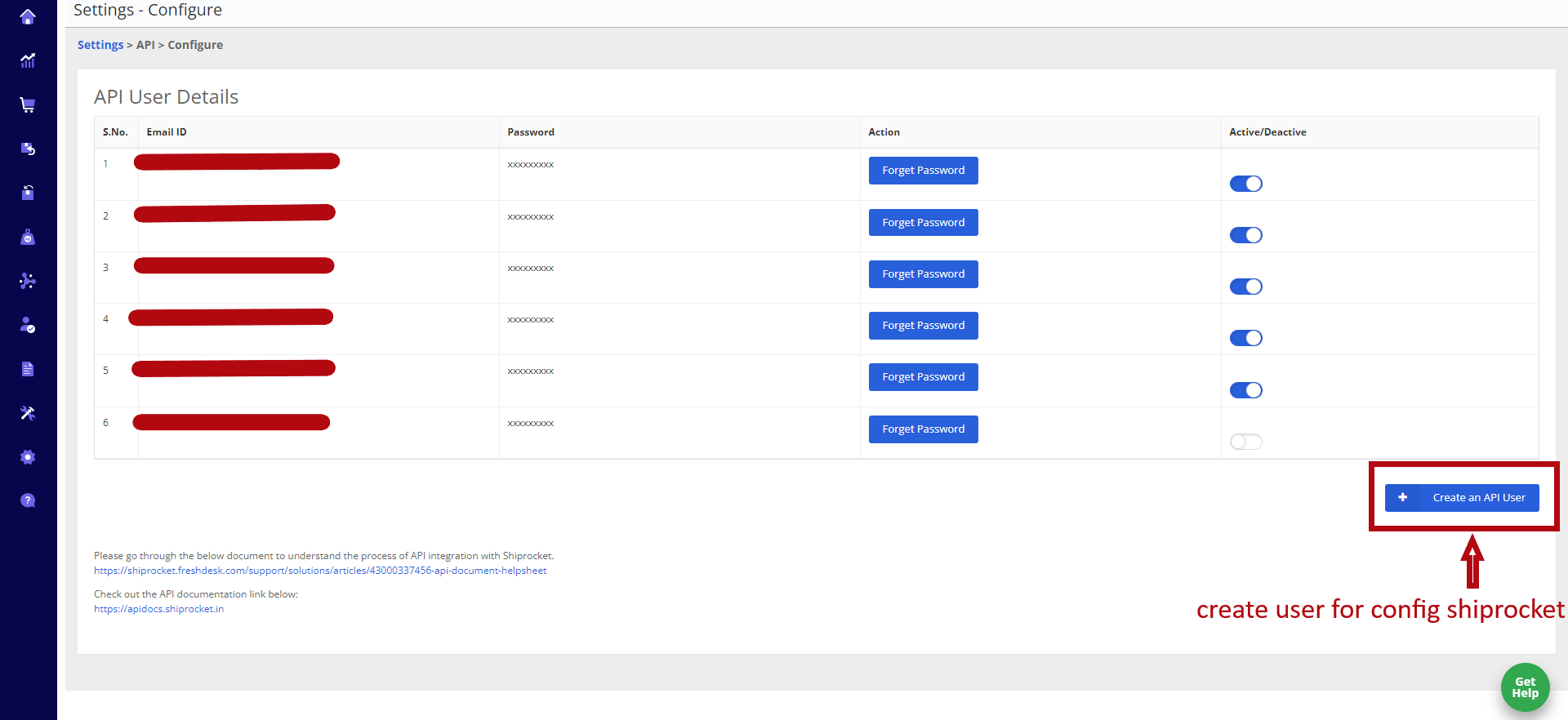
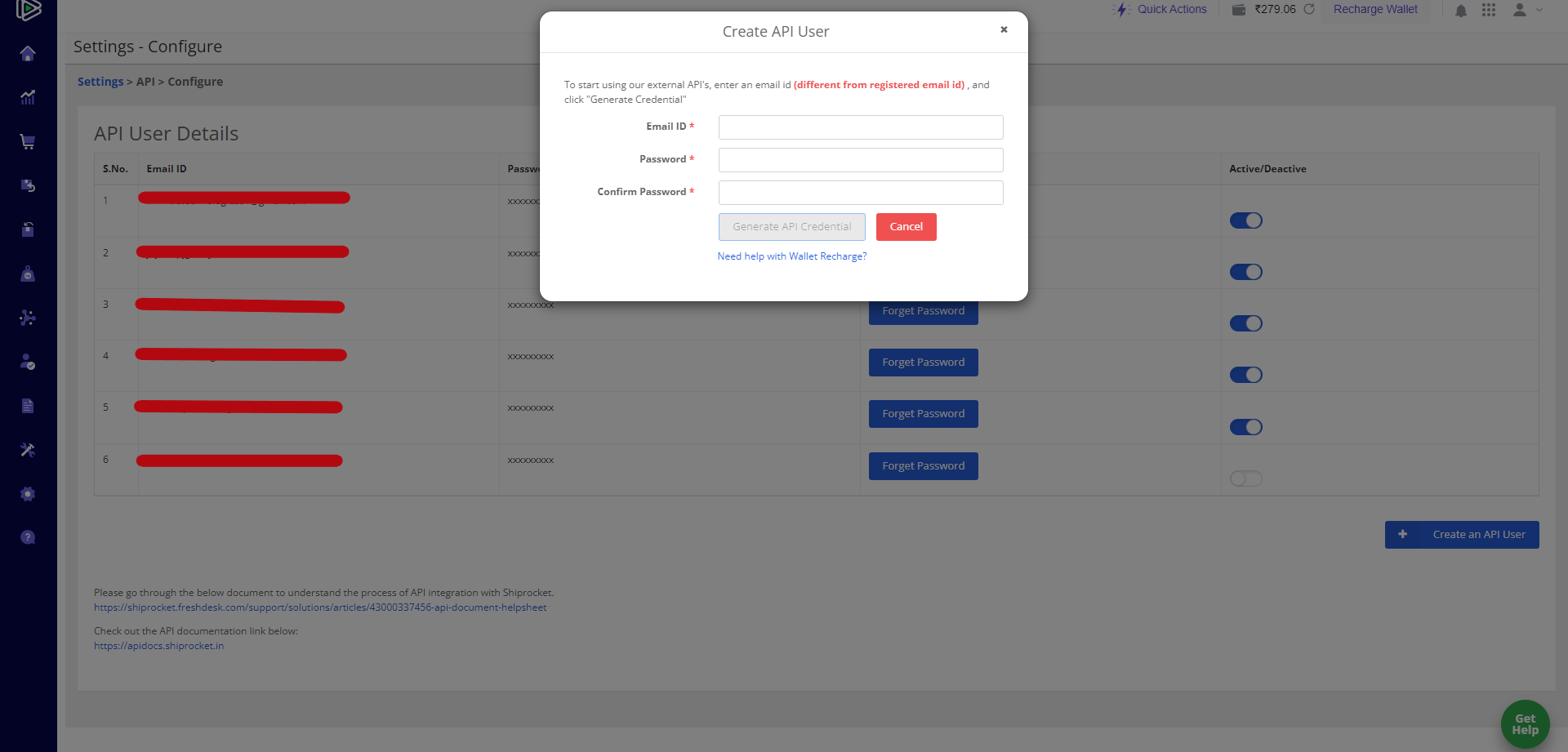
- Here you have to create user for use shiprocket in your system.
-
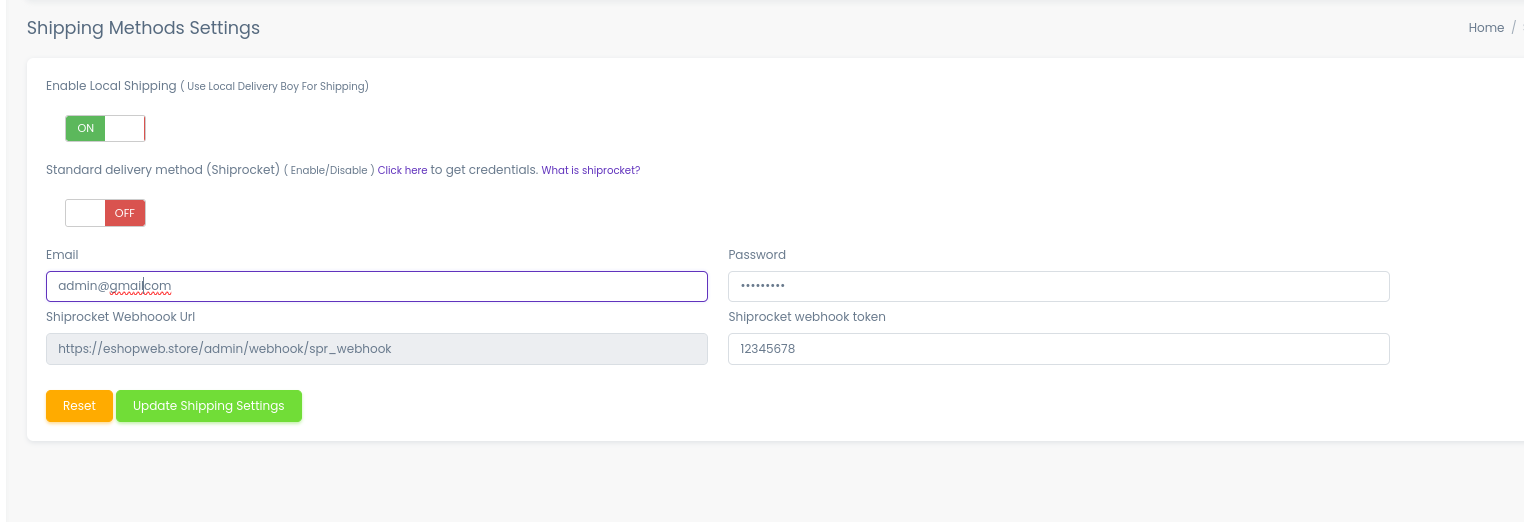
After creating user you have to add user credentials in your admin panel here.
How it will work?
1. Add Pickup Location.
- Shiprocket uses pickup location for pickup orders from owner
- In your system only seller can add pickup location, from here seller can add pickup location.
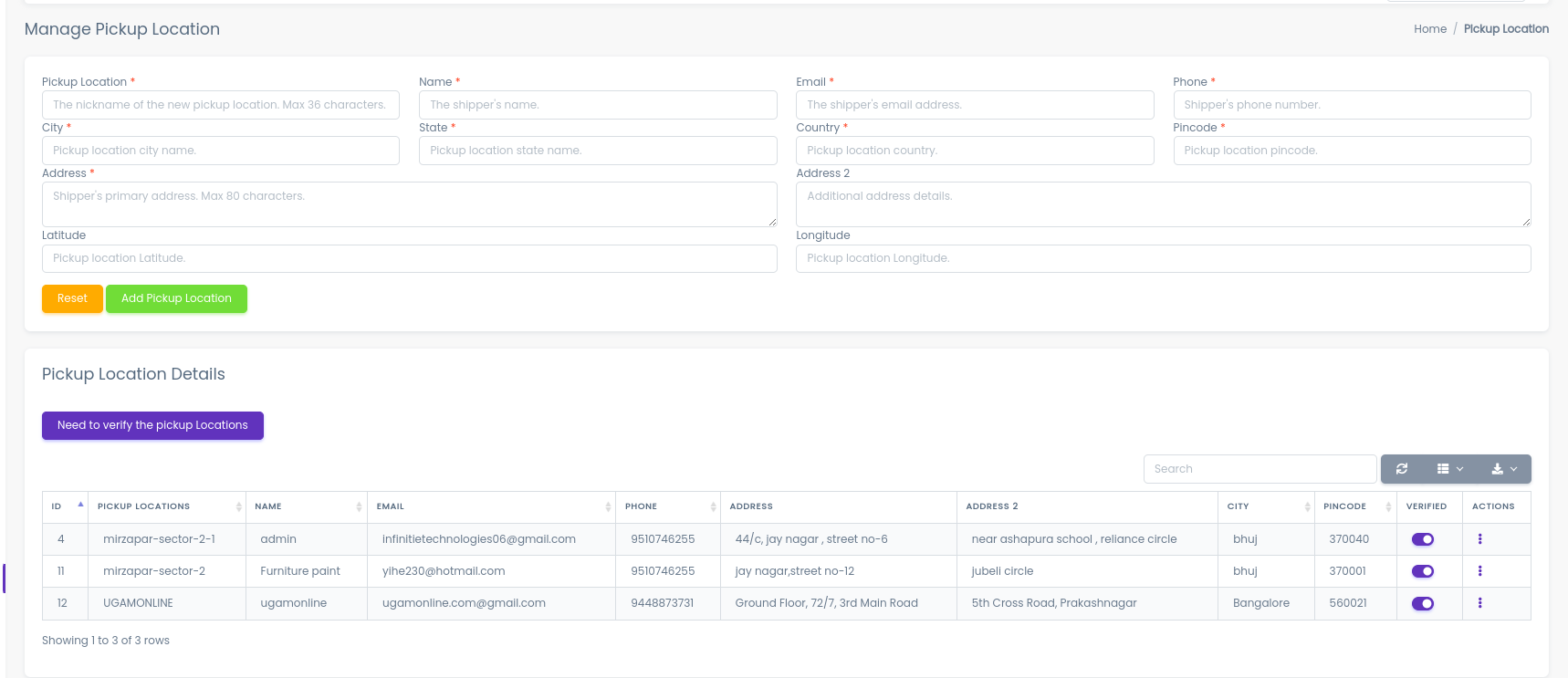
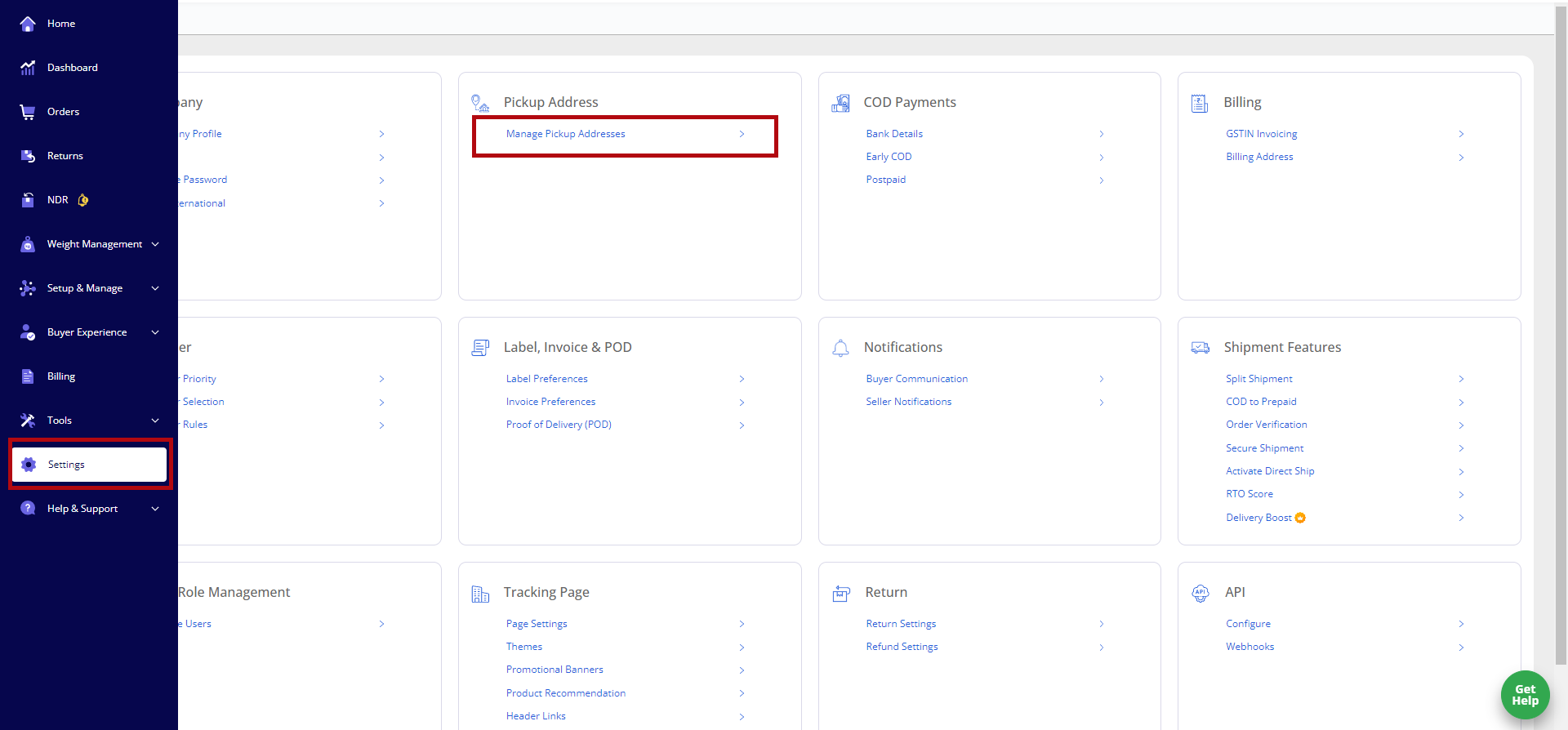
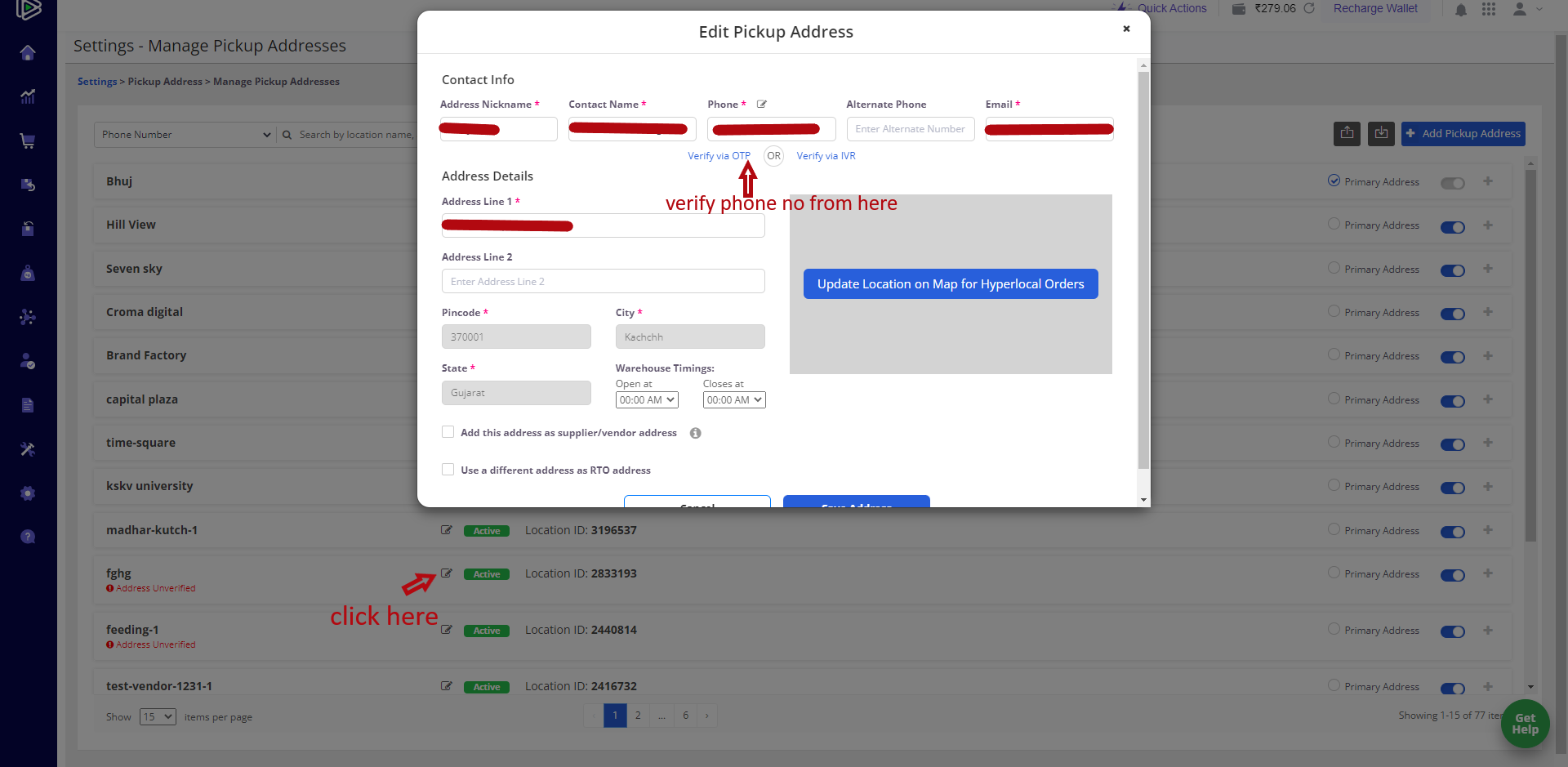
After adding pickup location admin have to verified pickup location from admin panel and also from shiprocket dashboard
-
Verify pickup location from admin panel
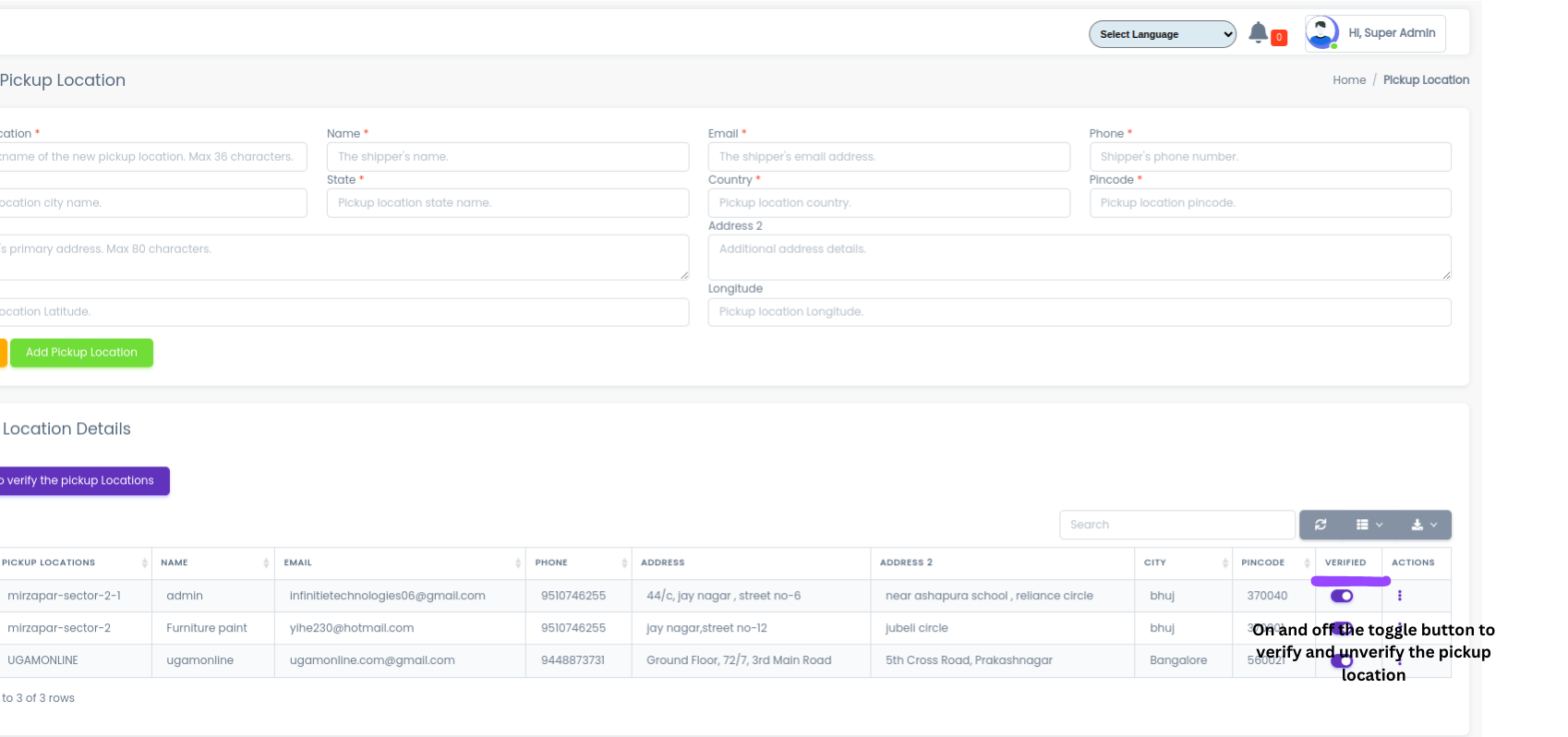
-
Verify pickup location from shiprocket dashboard
2. Add product or Edit product.
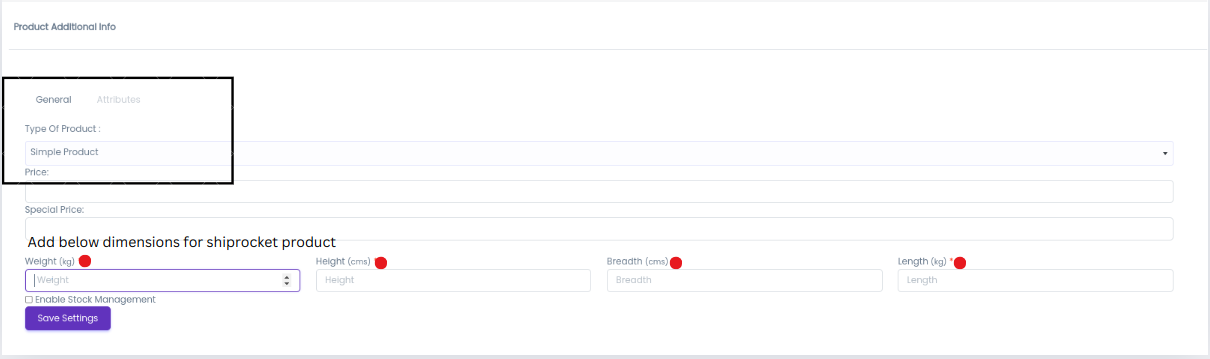
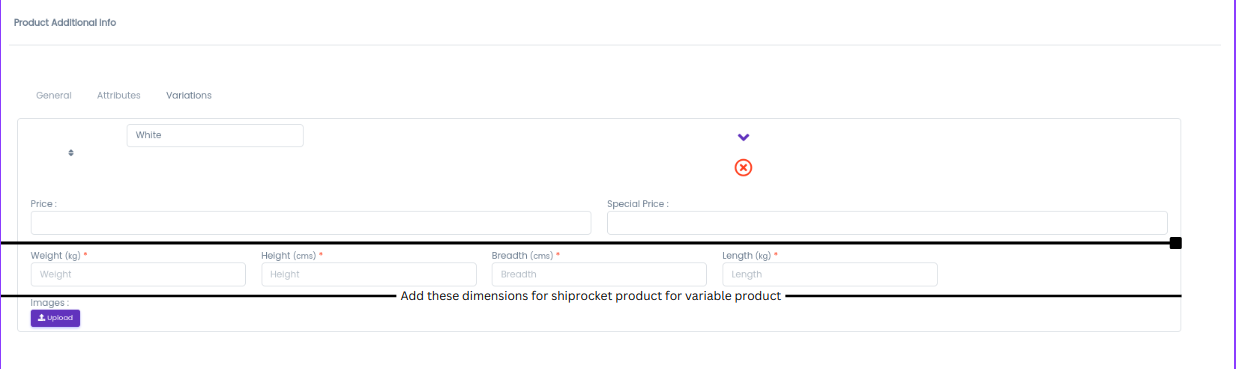
- After successfully verify pickup location you can add/edit product like this
-
For simple product
-
For variable product
How to create shiprocket order?
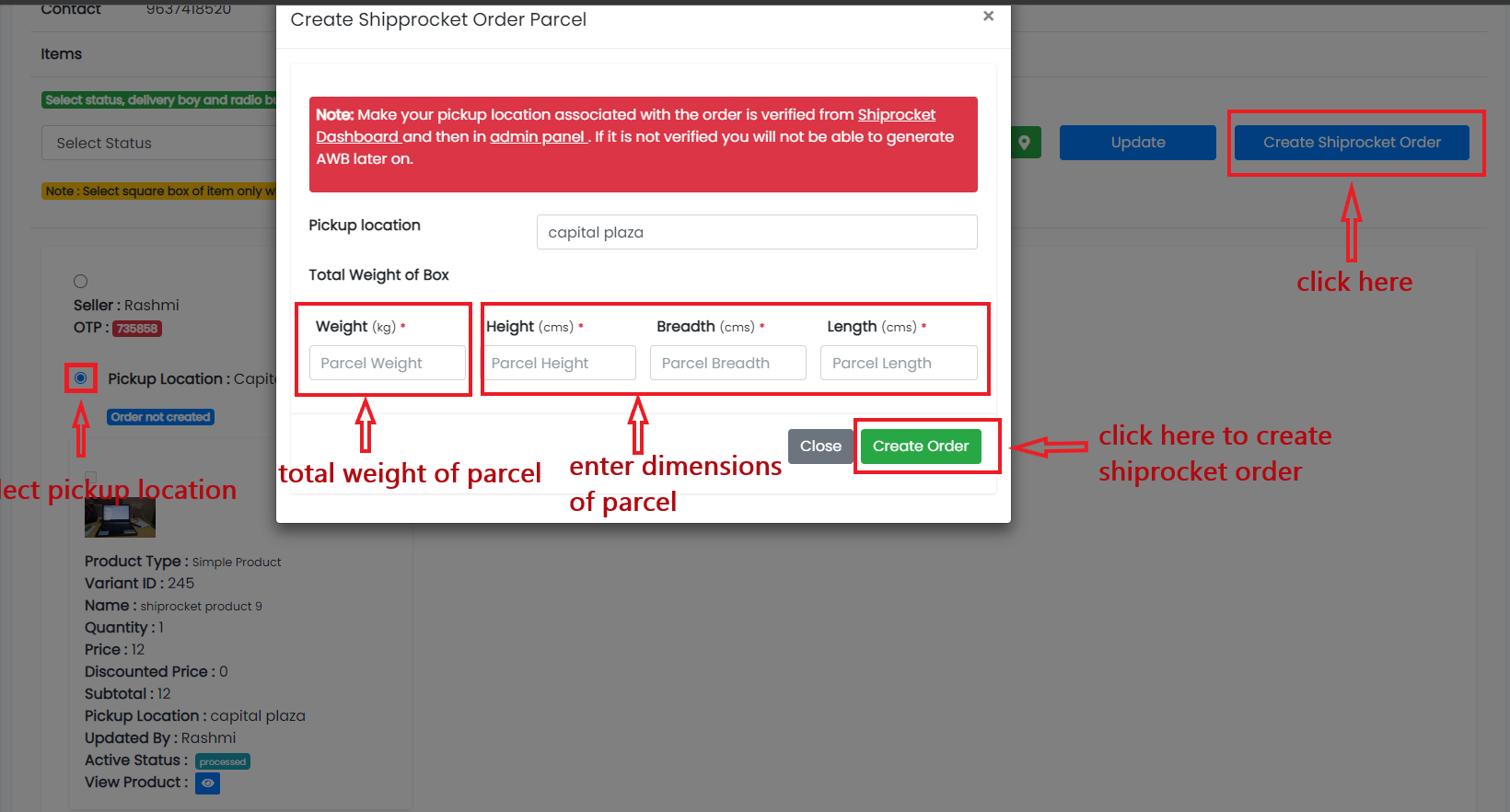
- After getting orders and want deliver order using shiprocket you have to create shiprocket order Go to edit order in your panel
-
Select Pickup Location for which you want to create parcel and click on Create Shiprocket Order button.
-
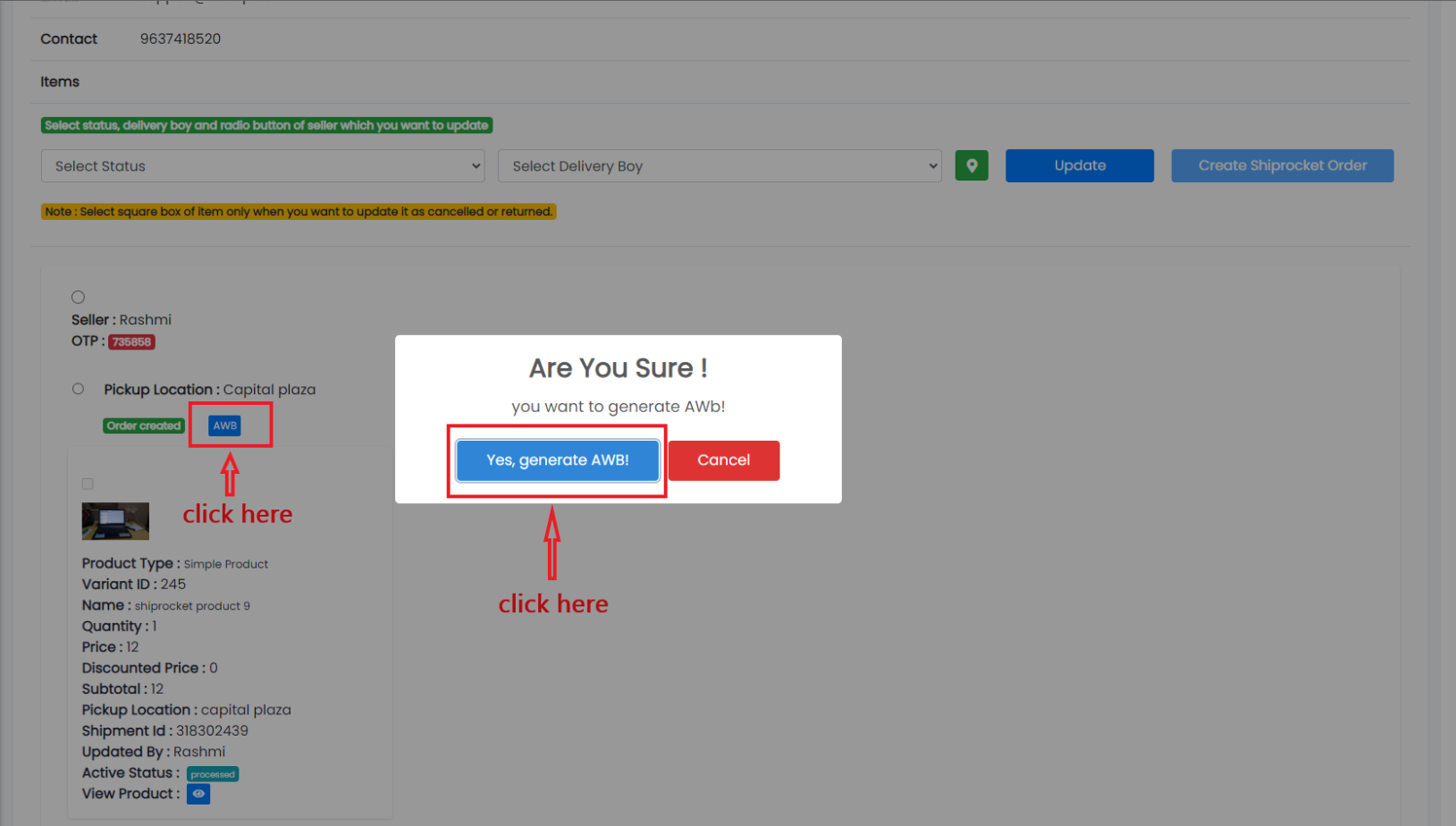
After creating order generate AWB code (its unique number use for identify order) like this.
-
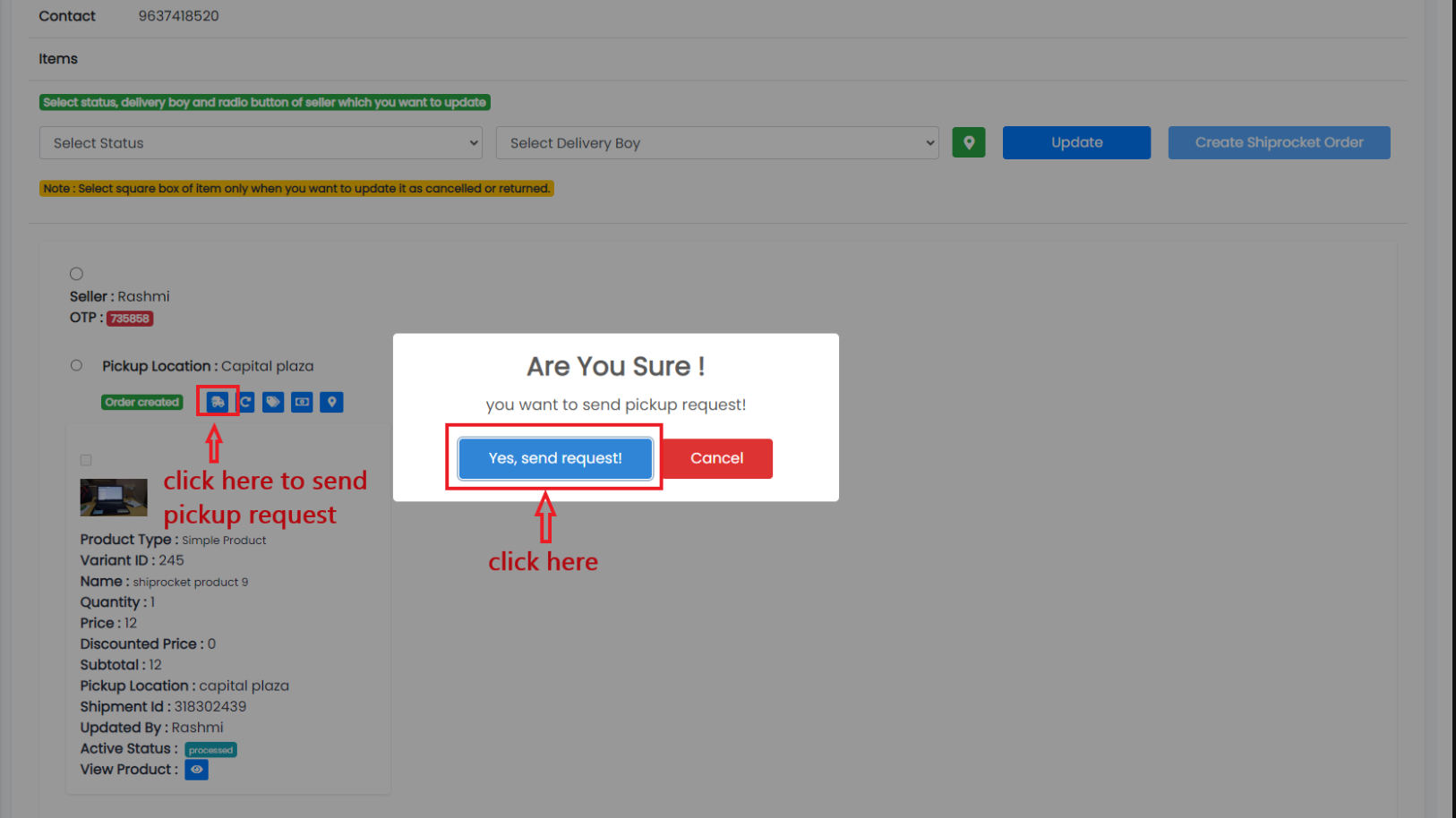
After generate AWB Send pickup request for scheduled your shipping.
-
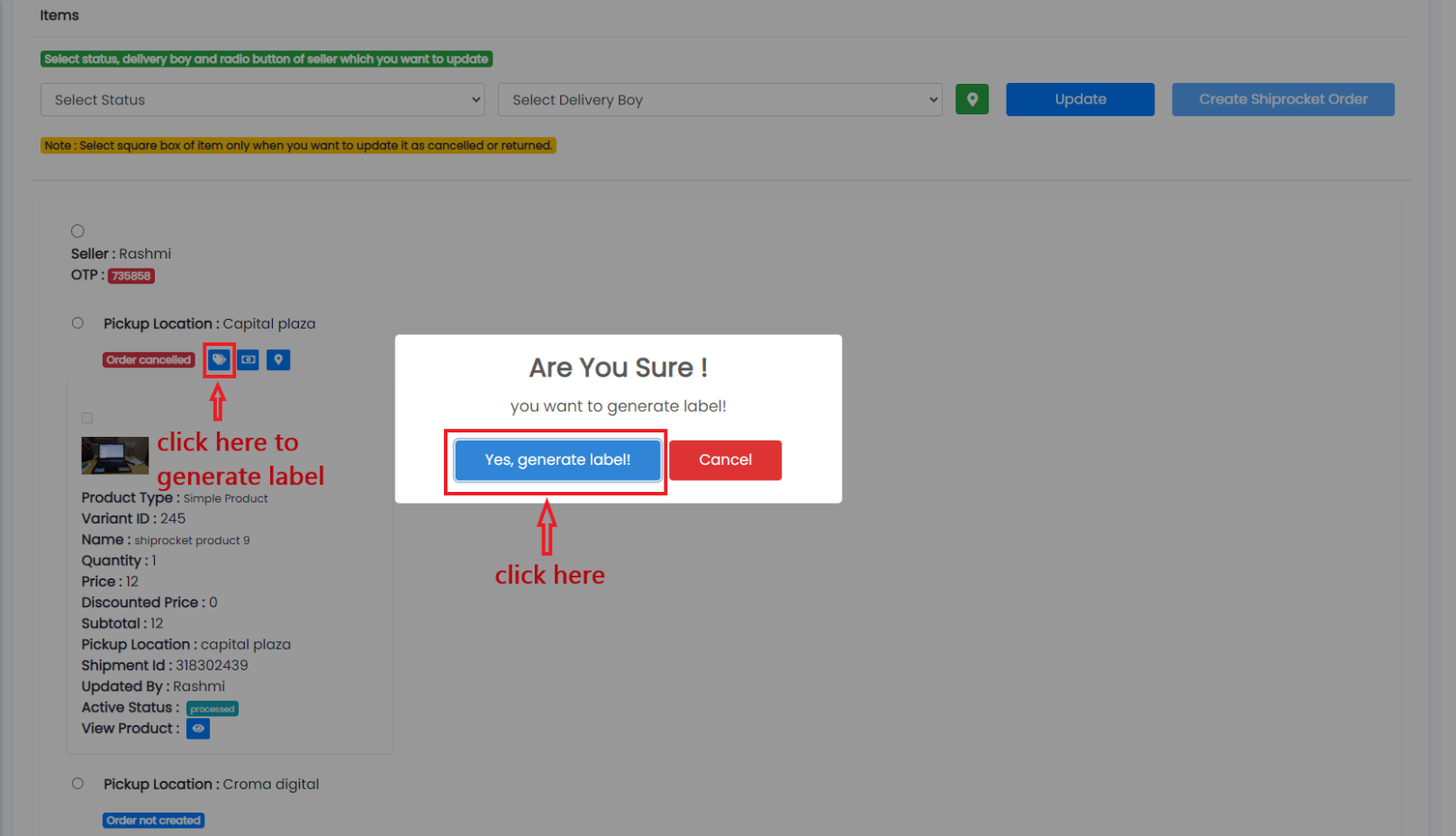
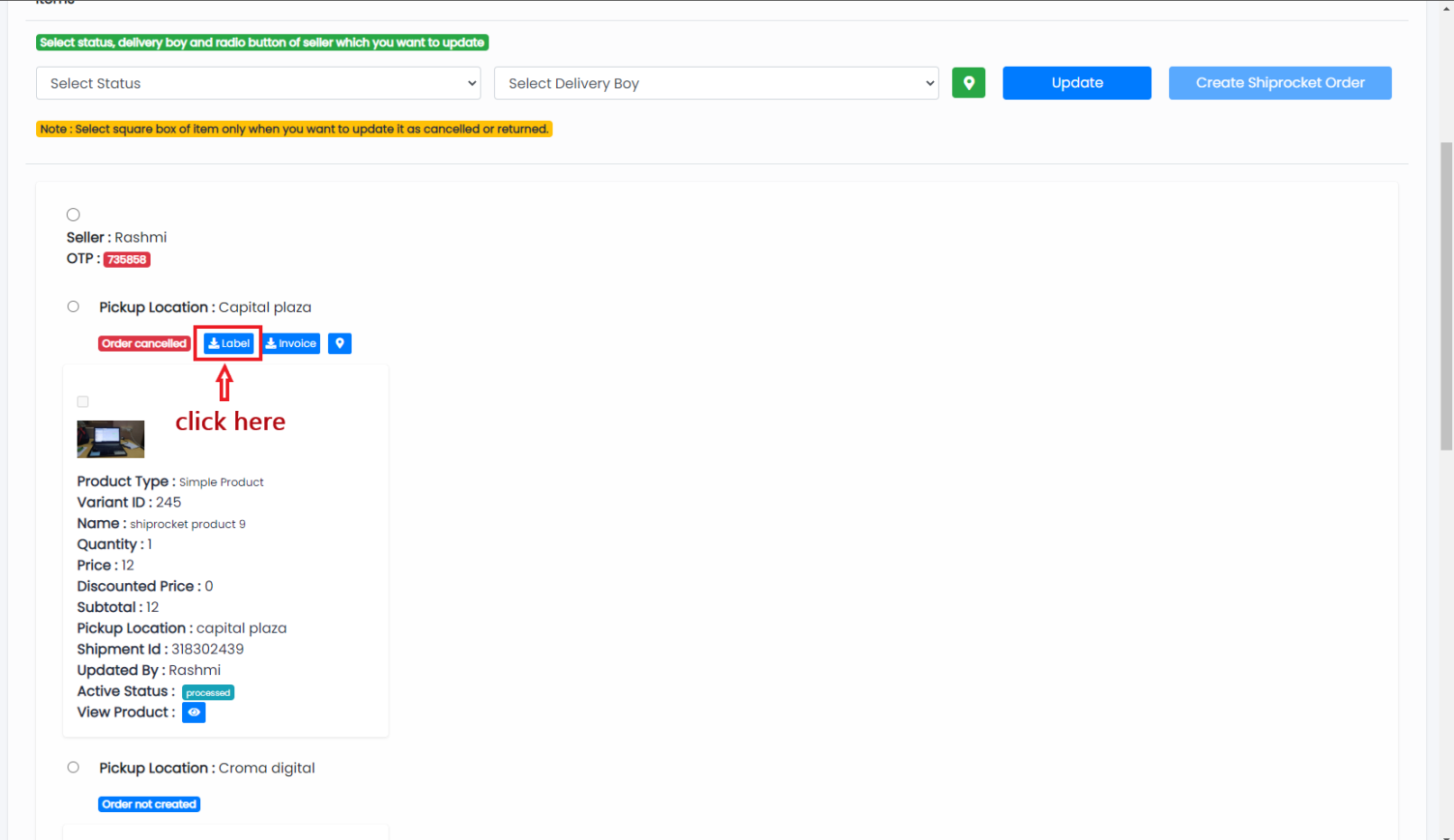
Generate and download Label.
-
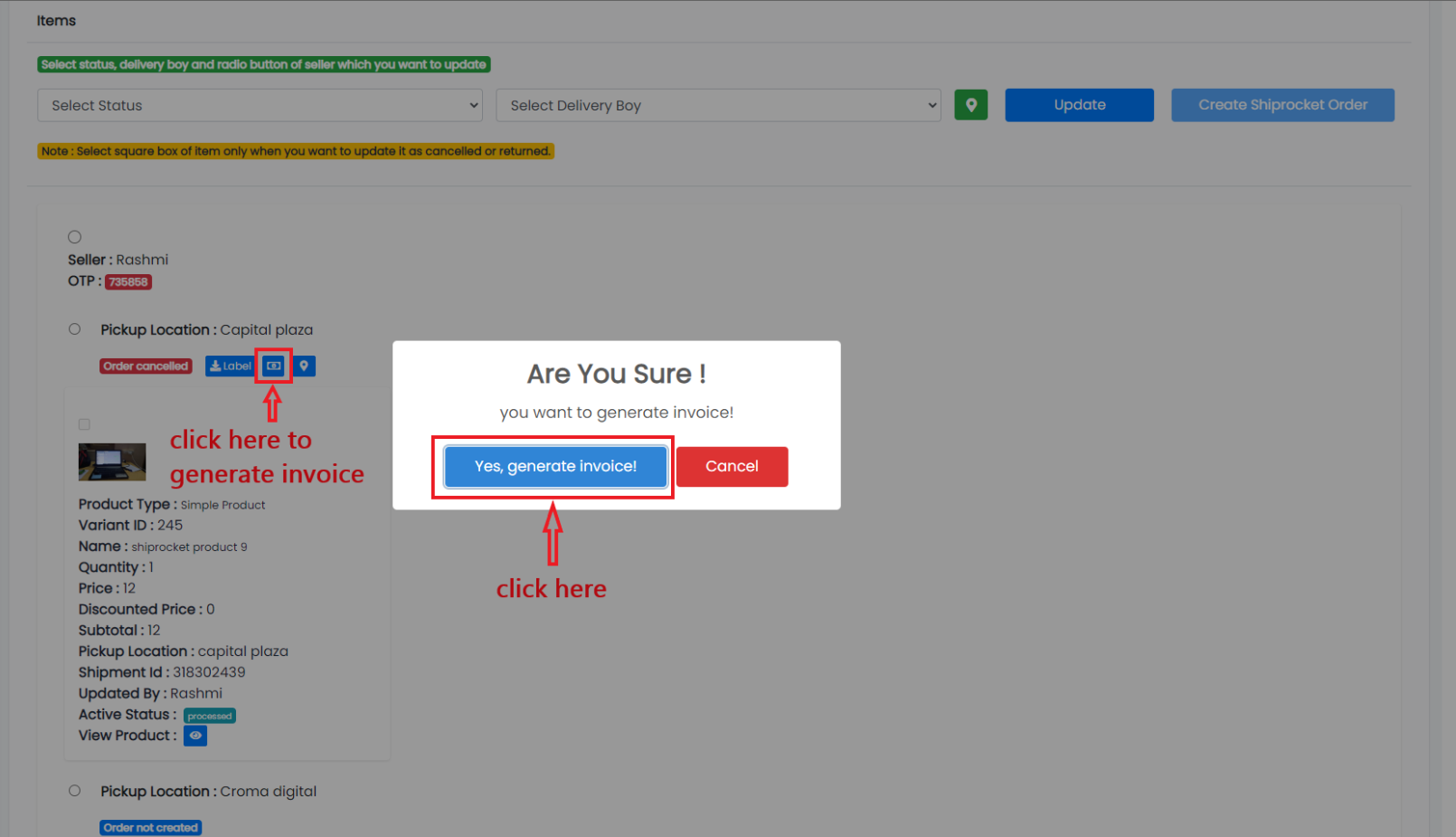
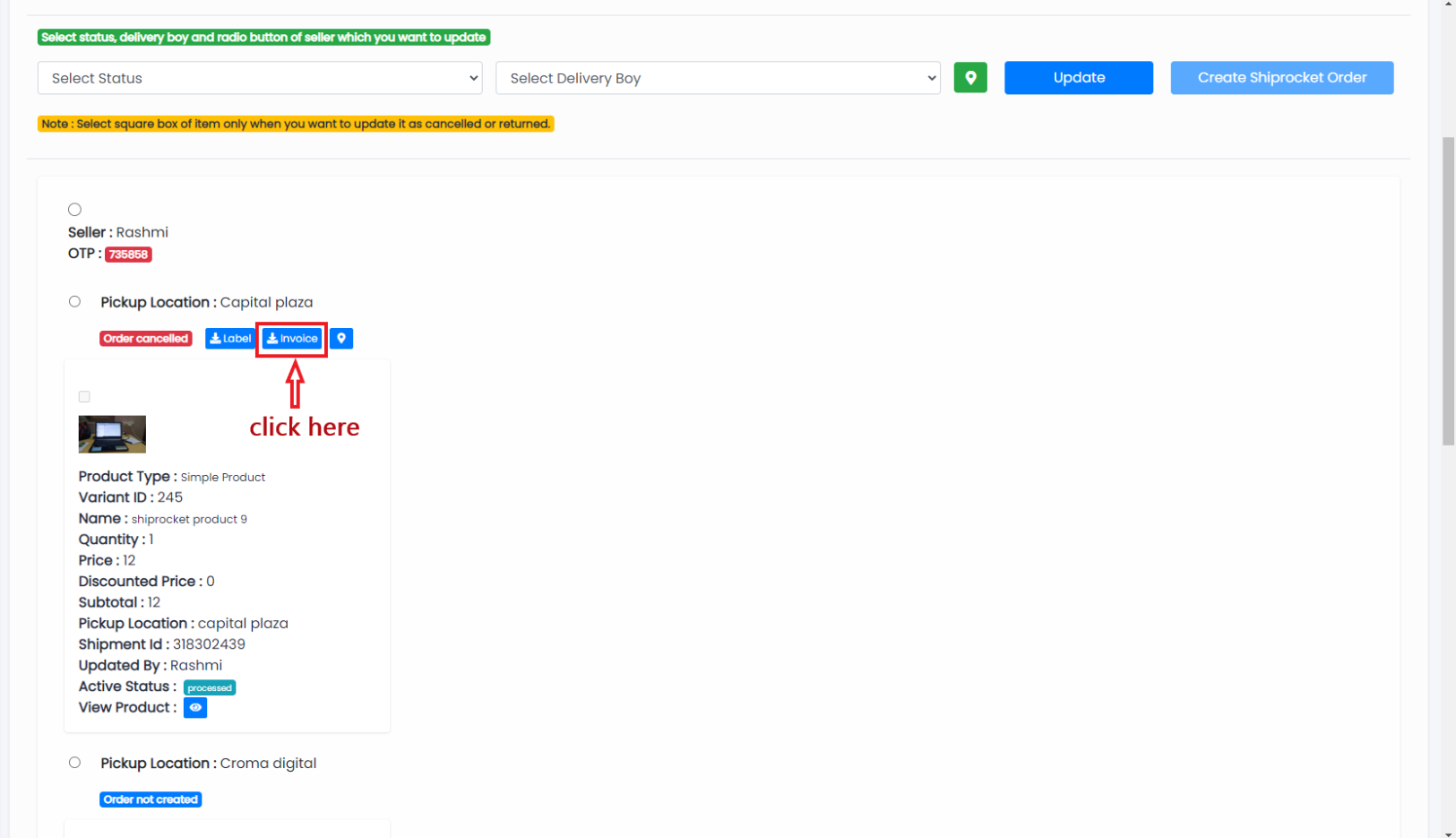
Generate and download Invoice.
-
Cancel shiprocket order.

-
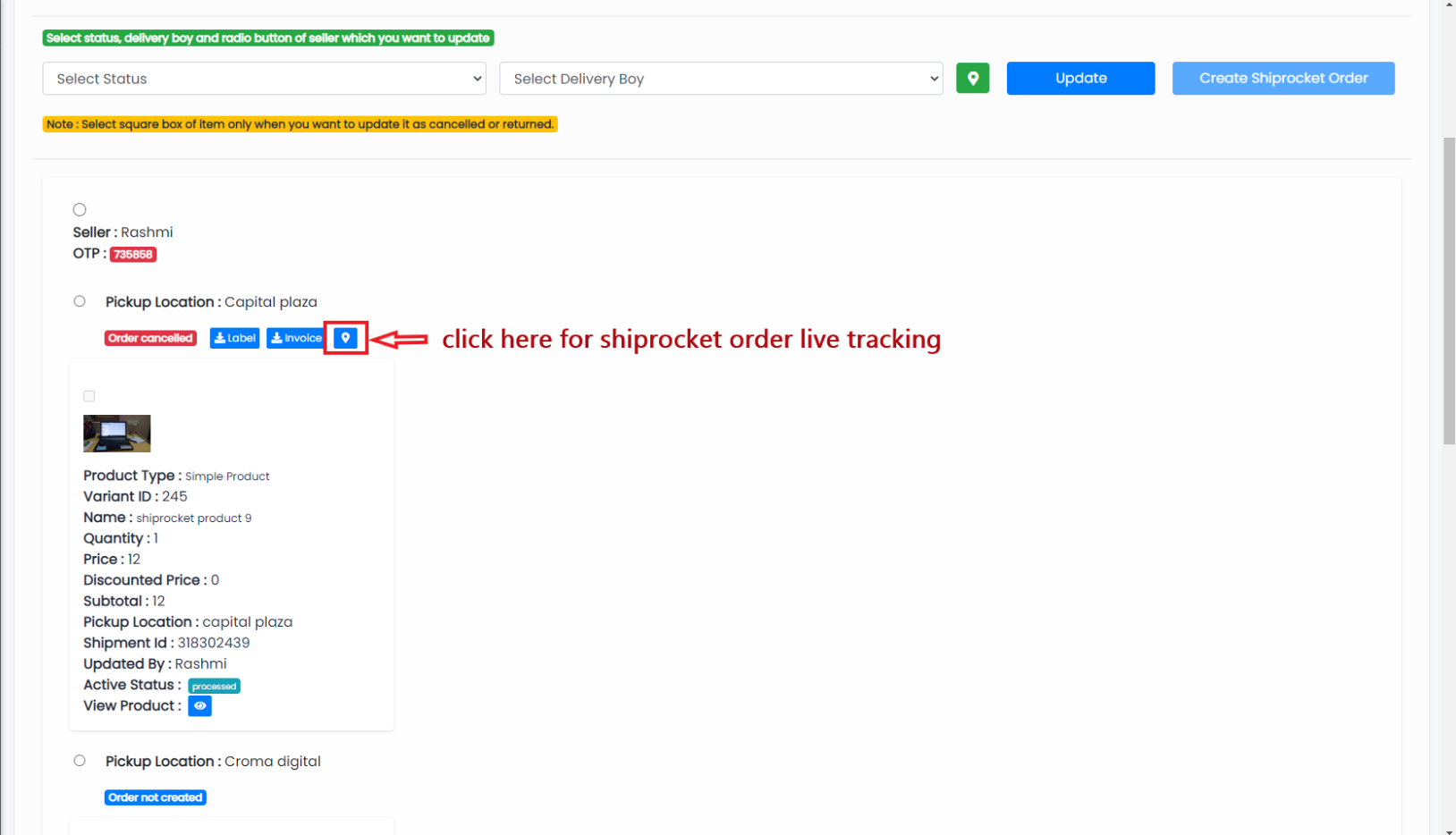
Shiprocket order tracking.