Languages
Go to Settings → Languages to add and manage the languages available in the app, web and admin panel.
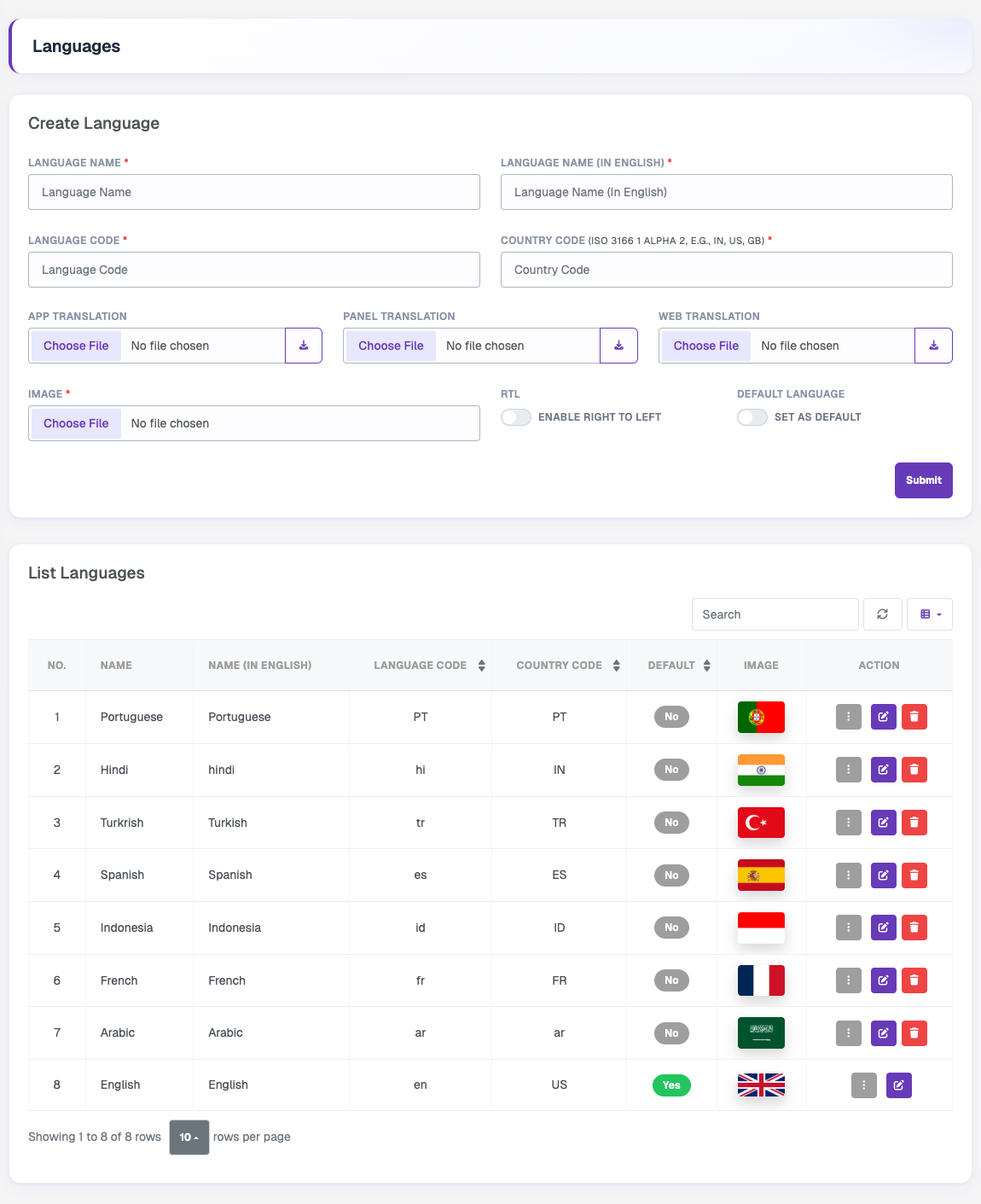
Create Language
| Field | Description |
|---|---|
| Language Name | Name in the language itself, for example Español. |
| Language Name (In English) | Name in English, for example Spanish. |
| Language Code | Language code, for example es. |
| Country Code | ISO 3166-1 alpha-2 code, for example IN, US, GB. |
| App Translation | Translation file for the Flutter app. |
| Panel Translation | Translation file for the admin panel. |
| Web Translation | Translation file for the website. |
| Image | Flag or icon shown in the language list and selector. |
| RTL | Enable for right-to-left languages such as Arabic. |
| Default Language | Set this language as the default. |
Use the download icon next to each translation field to get the sample file, translate its values, and upload it. Click Submit to create the language.
List Languages
The table shows all languages with their codes, default status and flag. You can search, refresh and choose visible columns. Use the edit button to update a language or the delete button to remove it. The default language cannot be deleted.