SEO for Web
Enabling SEO (Search Engine Optimization) for your eBroker web application requires a VPS server and additional configuration. This guide explains how to set it up.
warning
This section is for advanced users who have a VPS server and are familiar with Node.js, npm, and pm2. If you don't need SEO functionality, you can use the Deployment Without SEO approach instead.
Enabling SEO Mode
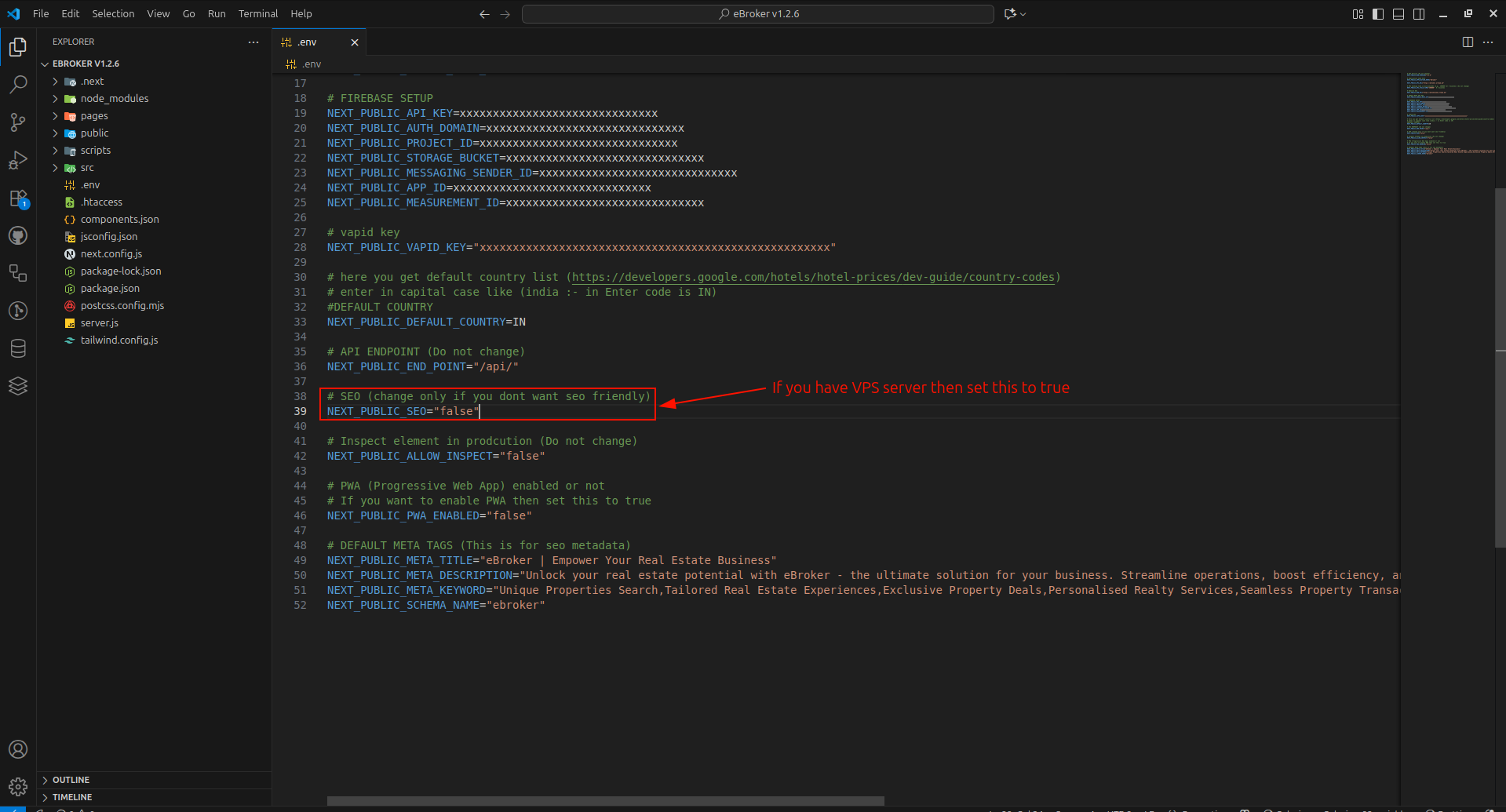
To enable SEO for your web application:
- Open the
.envfile in your project's root directory - Find the
NEXT_PUBLIC_SEOvariable - Set its value to
"true"
Server Requirements
For SEO functionality, you'll need:
- A VPS (Virtual Private Server) with at least 3-4GB of free RAM
- SSH root access
- Node.js (version 20.9 or later; 22 LTS recommended) installed
- A Linux-based operating system (preferably Debian-based)
SEO Benefits
Enabling SEO mode provides several advantages:
- Server-side rendering of pages for better search engine indexing
- Improved page load times for users
- Better handling of meta tags and structured data
- Support for social media preview cards
- Improved accessibility for users with slower connections
SEO Best Practices
In addition to enabling the SEO mode, follow these best practices:
- Create descriptive, unique titles for each page
- Write compelling meta descriptions
- Use semantic HTML with proper heading structure
- Ensure your site has a valid sitemap.xml file
- Register your site with Google Search Console and Bing Webmaster Tools
- Implement structured data (schema.org) for rich snippets
- Optimize images with descriptive alt text and efficient formats
- Ensure your site is mobile-friendly
- Create high-quality, unique content
Next Steps
After enabling SEO, proceed to:
- Setting up the sitemap for better indexing
- Next.js deployment for your SEO-enabled application