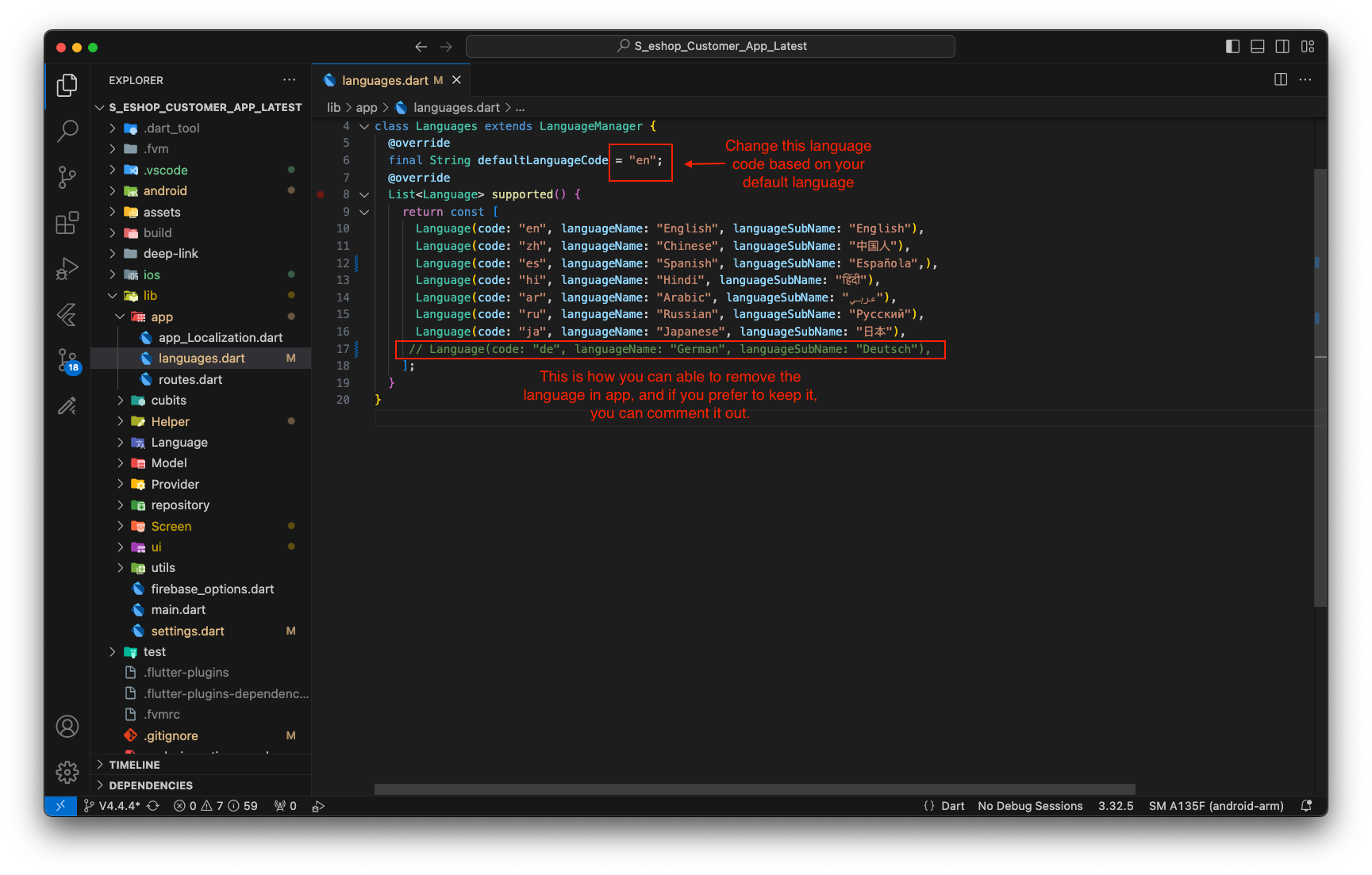
How to Add/Remove language
How to Add/Remove language
To Add New Language
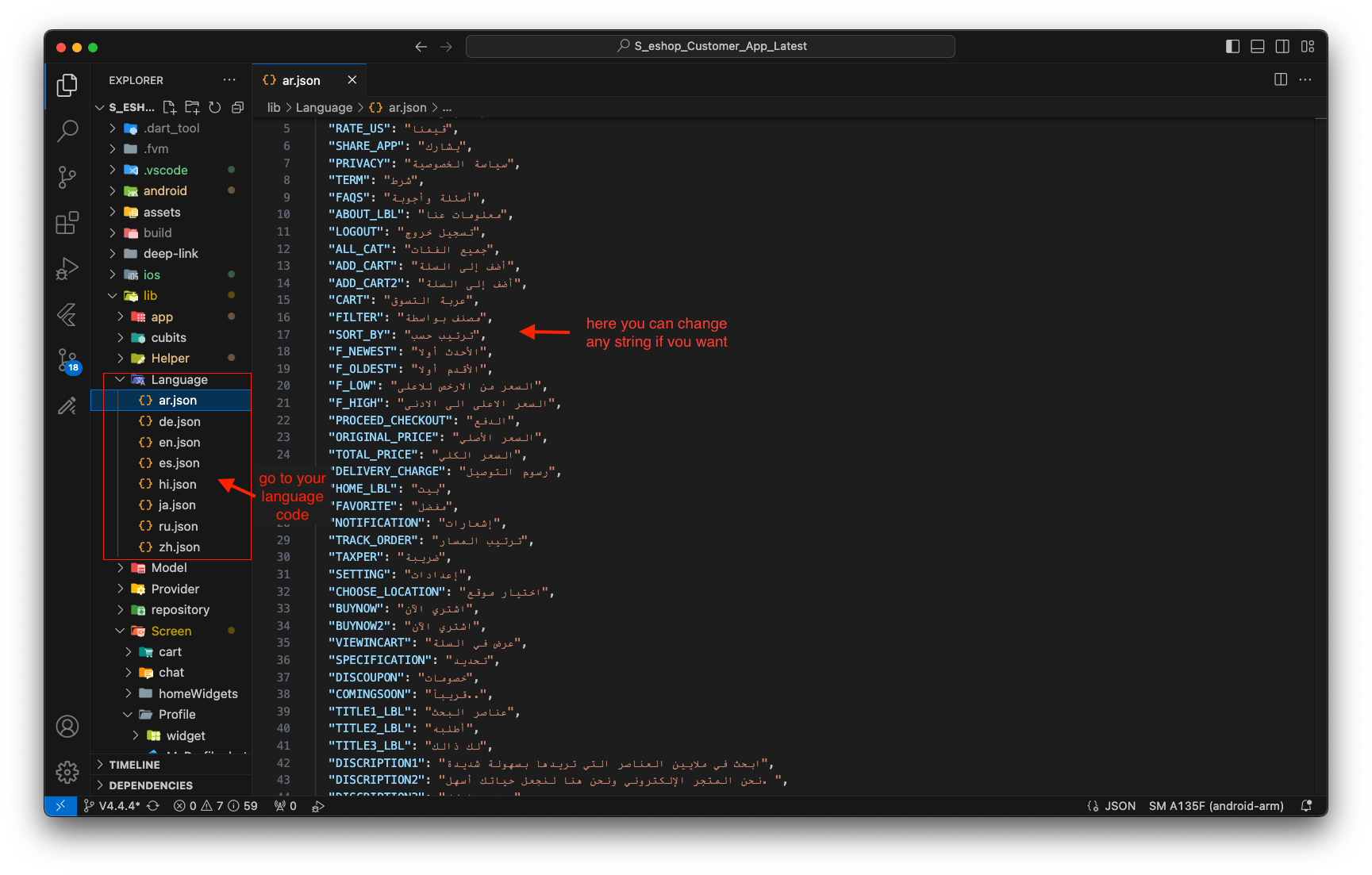
1. For add new language copy one json file from language folder and add it to language folder then rename it to language code of your new language
- Now open that json file and change value of string to your language string. Remember here you need to add all string in file if any one string is missing in any file then when you change that language then it will give you error. so add all string in all json file.
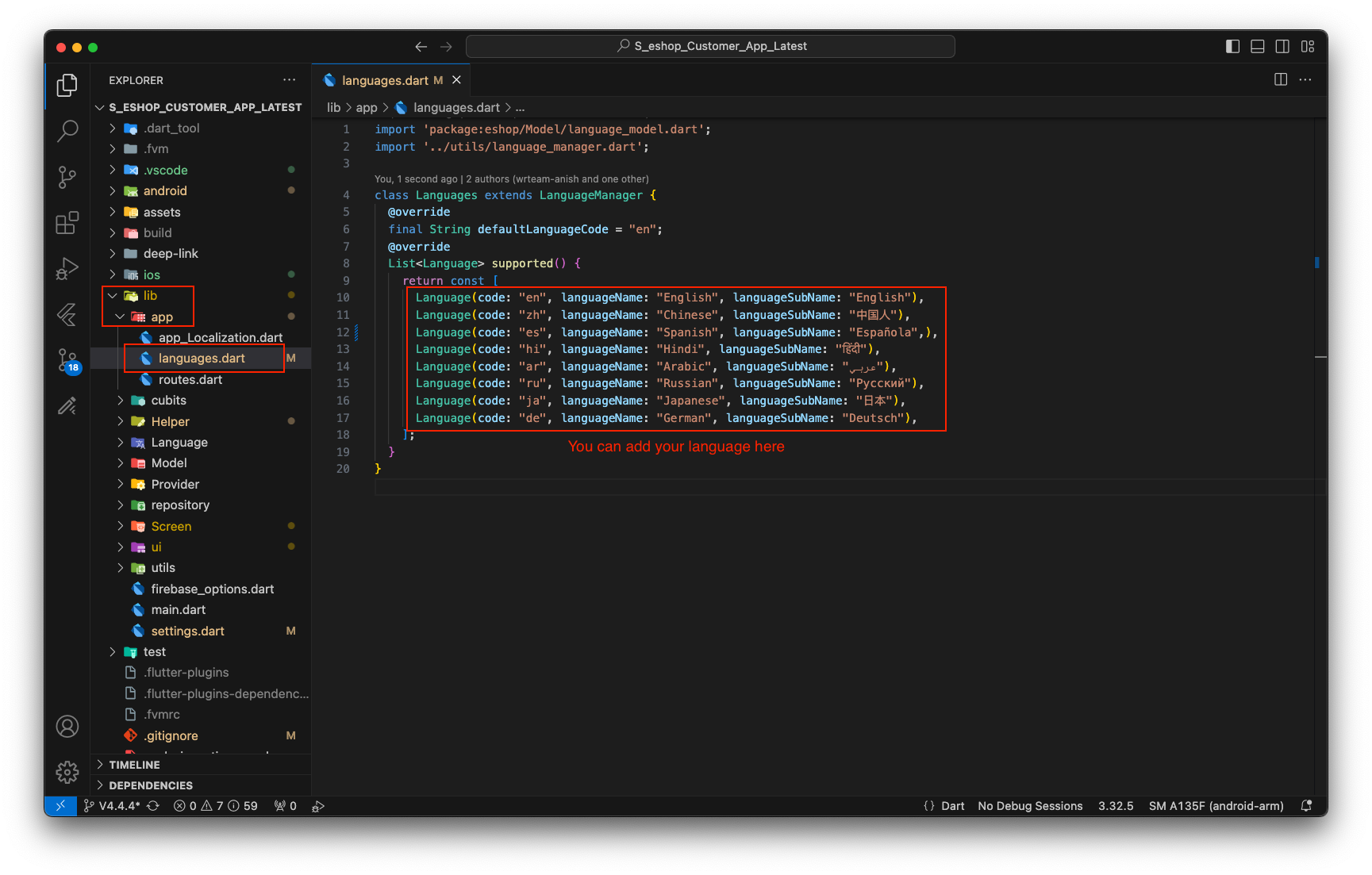
3. To add a new language, you would add a new Language object to this list with the appropriate code and names.
- For example, to add French, add the following line to your list:
Language(code: "fr", languageName: "French", languageSubName: "Français"),
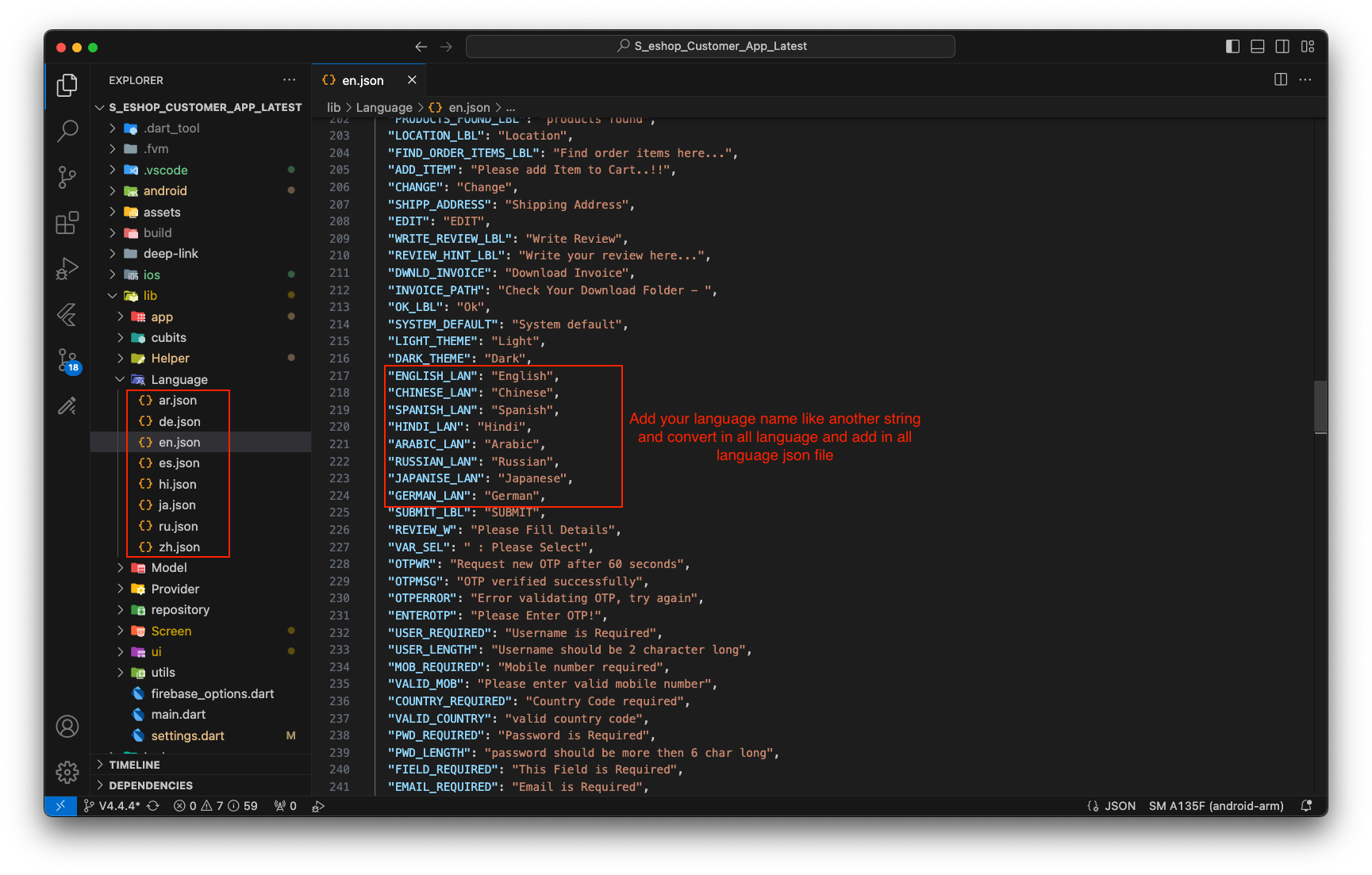
4. Add your language name in each and every language file
To remove language
- If you want to remove a language from the app, simply delete its corresponding files or remove the relevant language code line as shown in the picture below. Be sure to update your code to fall back to your default language wherever necessary.