How to Change server url
How to Change server url
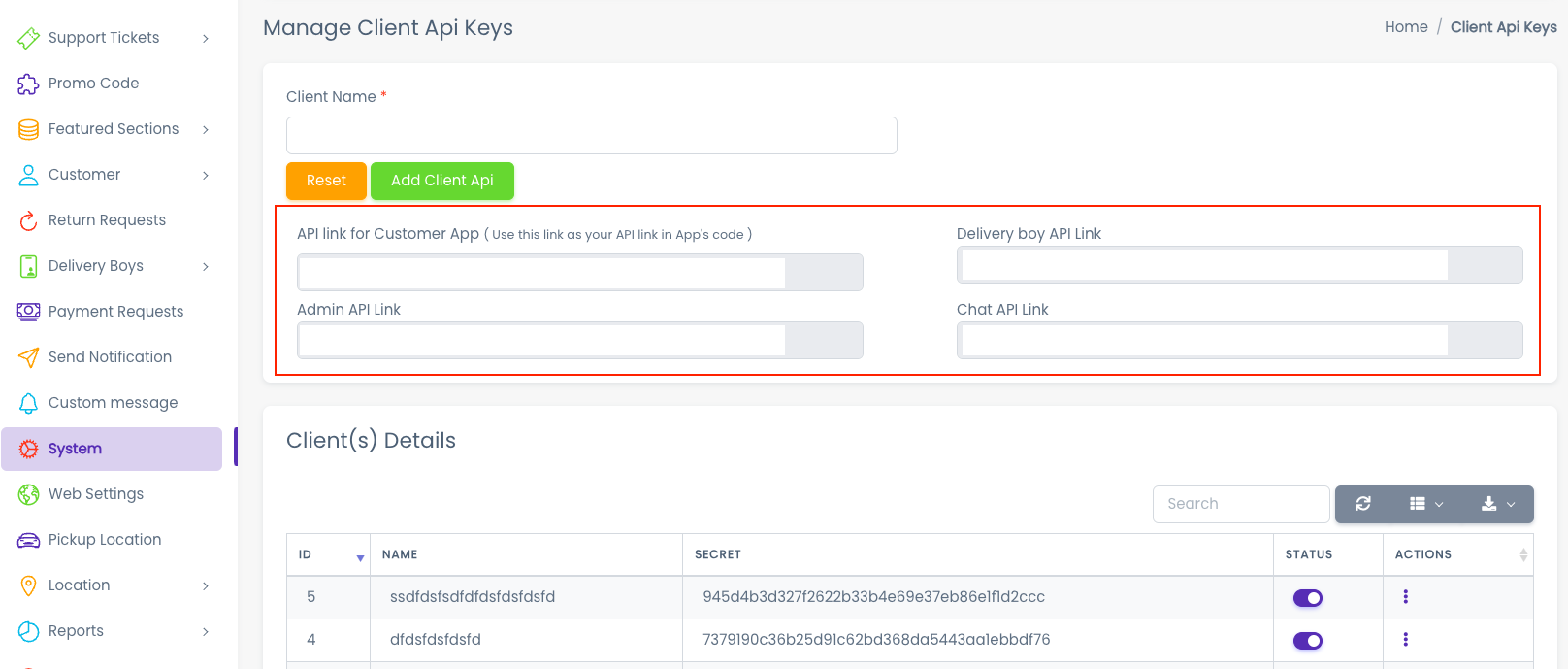
1. Go to your admin panel in that go to system and inside that client api key, here you have to copy API link as shown in below fig and paste it in app baseURL.
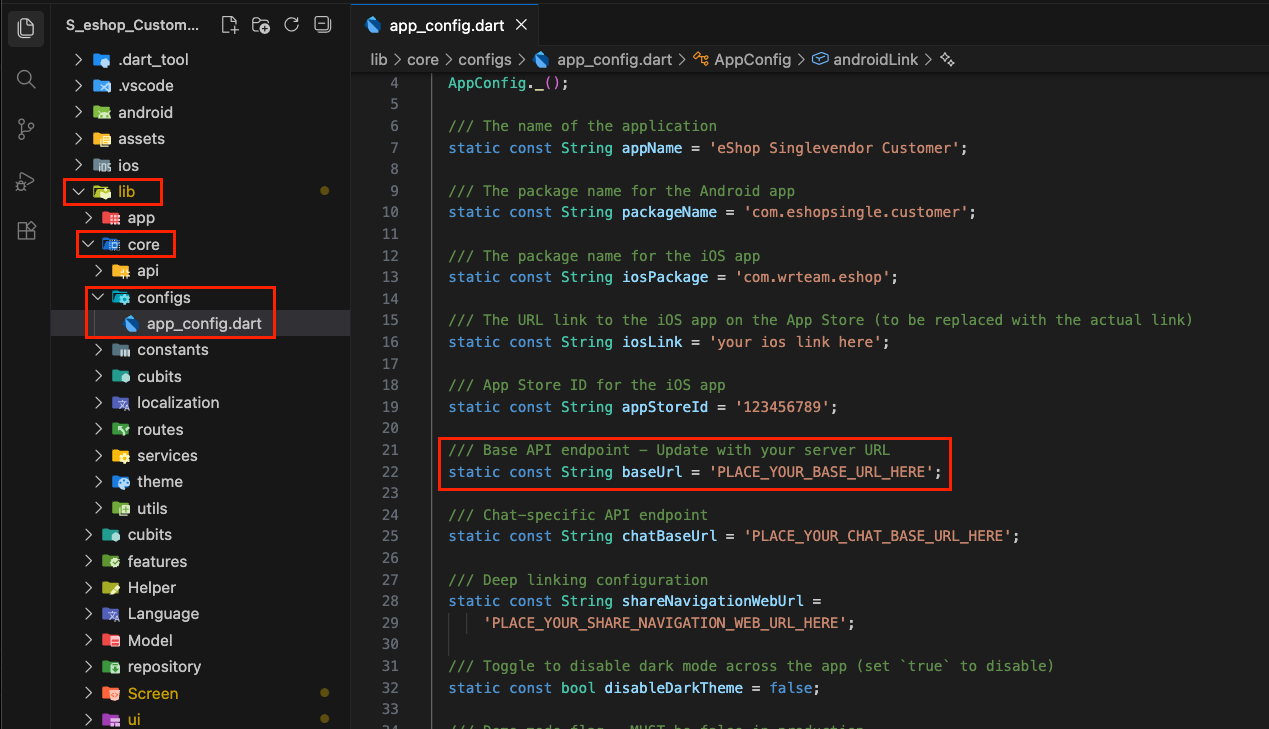
2. Go to lib > settings.dart. Here you have to change your API server url. Don't forget to add a slash(/) after the api keyword.
- Example: Change this:
String baseUrl = "https://yourdomain.com/api";
to this:
String baseUrl = "https://yourdomain.com/api/";