How to change App Version
How to change App Version
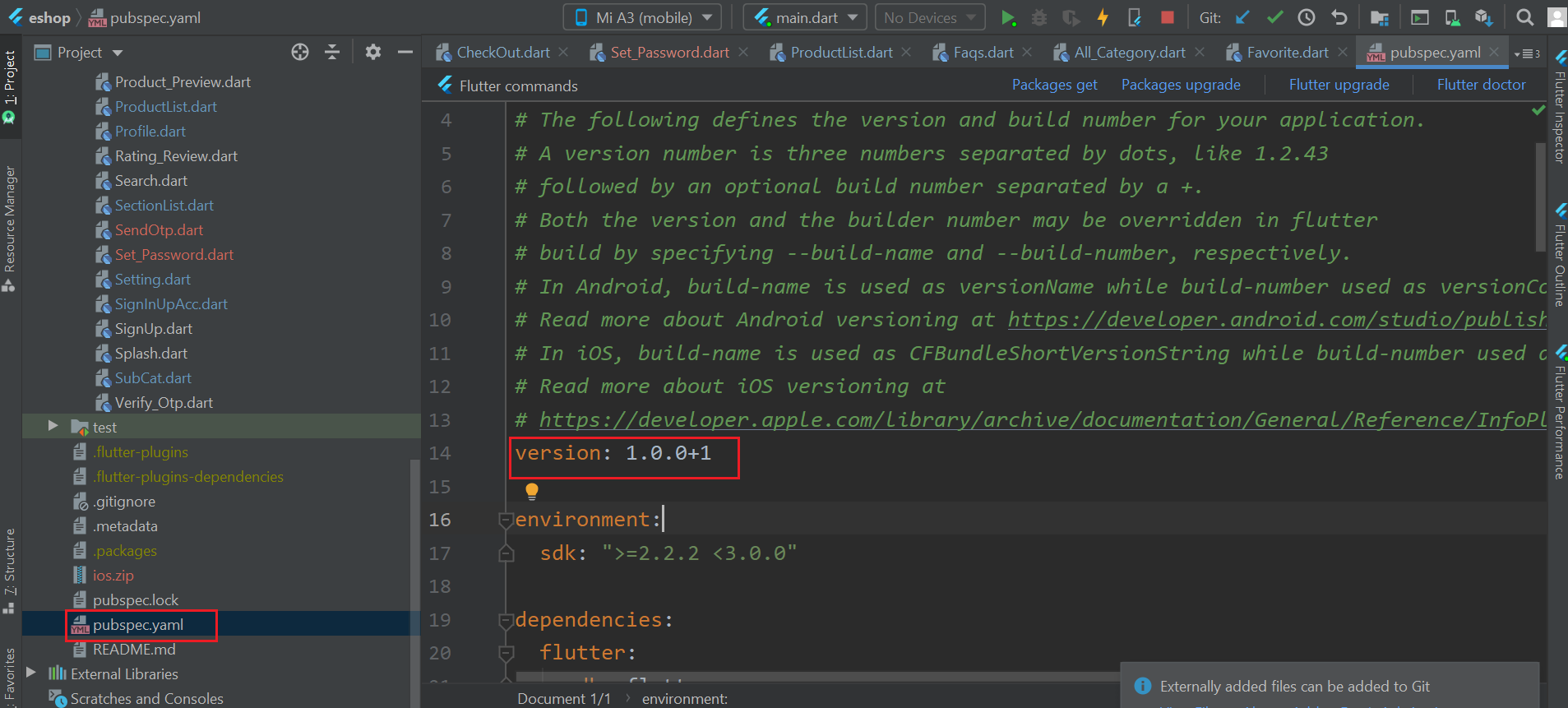
1. Go to pubspec.yaml
- EX.Update version:A.B.C+X in pubspec.yaml.
- For Android: A.B.C sets the versionName (e.g., 1.0.0), and X (the number after the +) sets the versionCode (e.g., 1, 2, 3, etc.).
- Do not forget to execute flutter packages get.
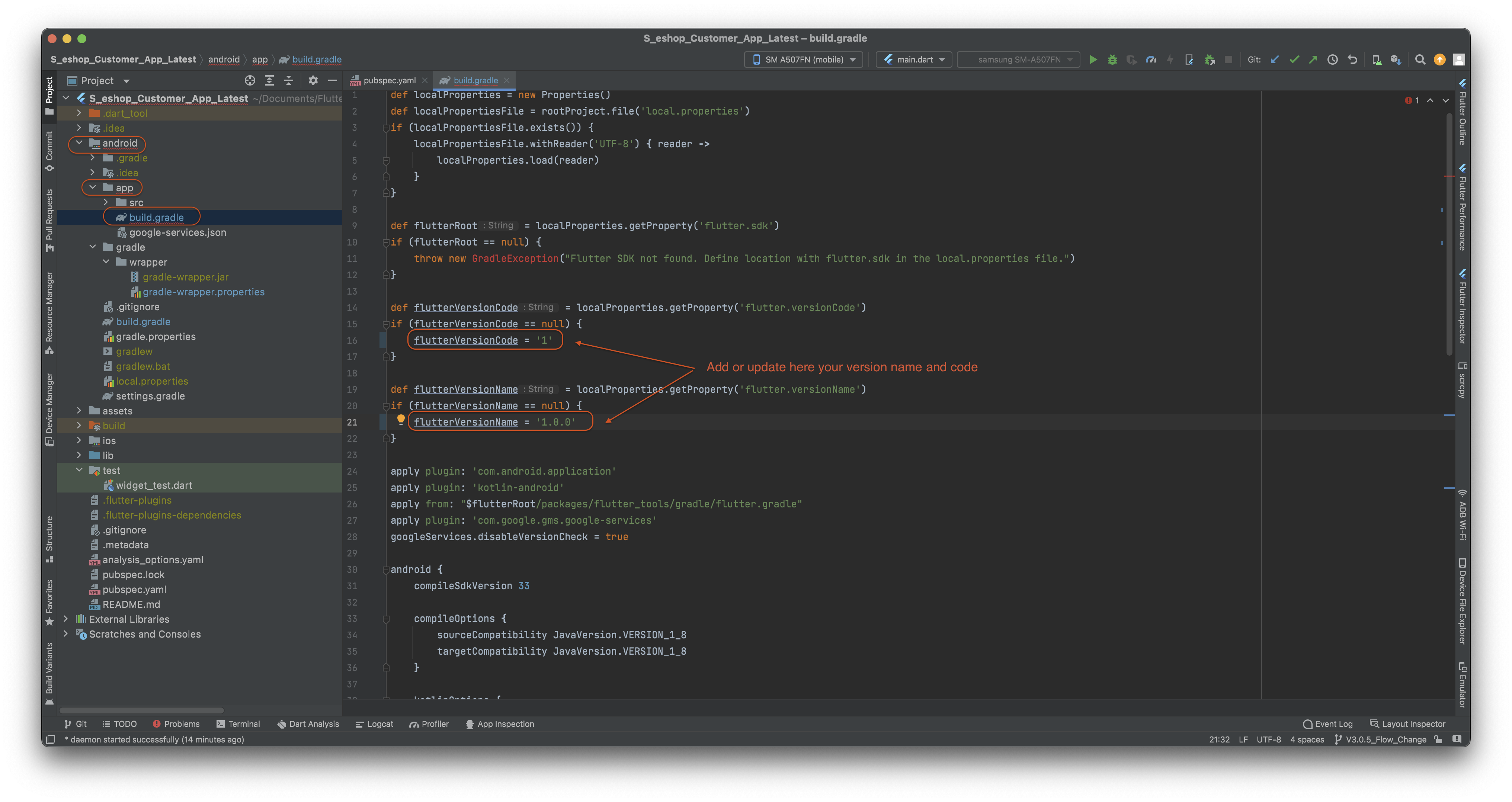
4. Go to android -> app -> build.gradle file and change your app version code and app version name like below image.
5. For iOS:
- A.B.C represents the CFBundleShortVersionString such as 1.0.0.
- X (the number after the +) represents the CFBundleVersion such as 1, 2, 3, etc.
- Do not forget to execute flutter packages get.