Steps to Publish iOS App to App Store
Steps to Publish iOS App to App Store
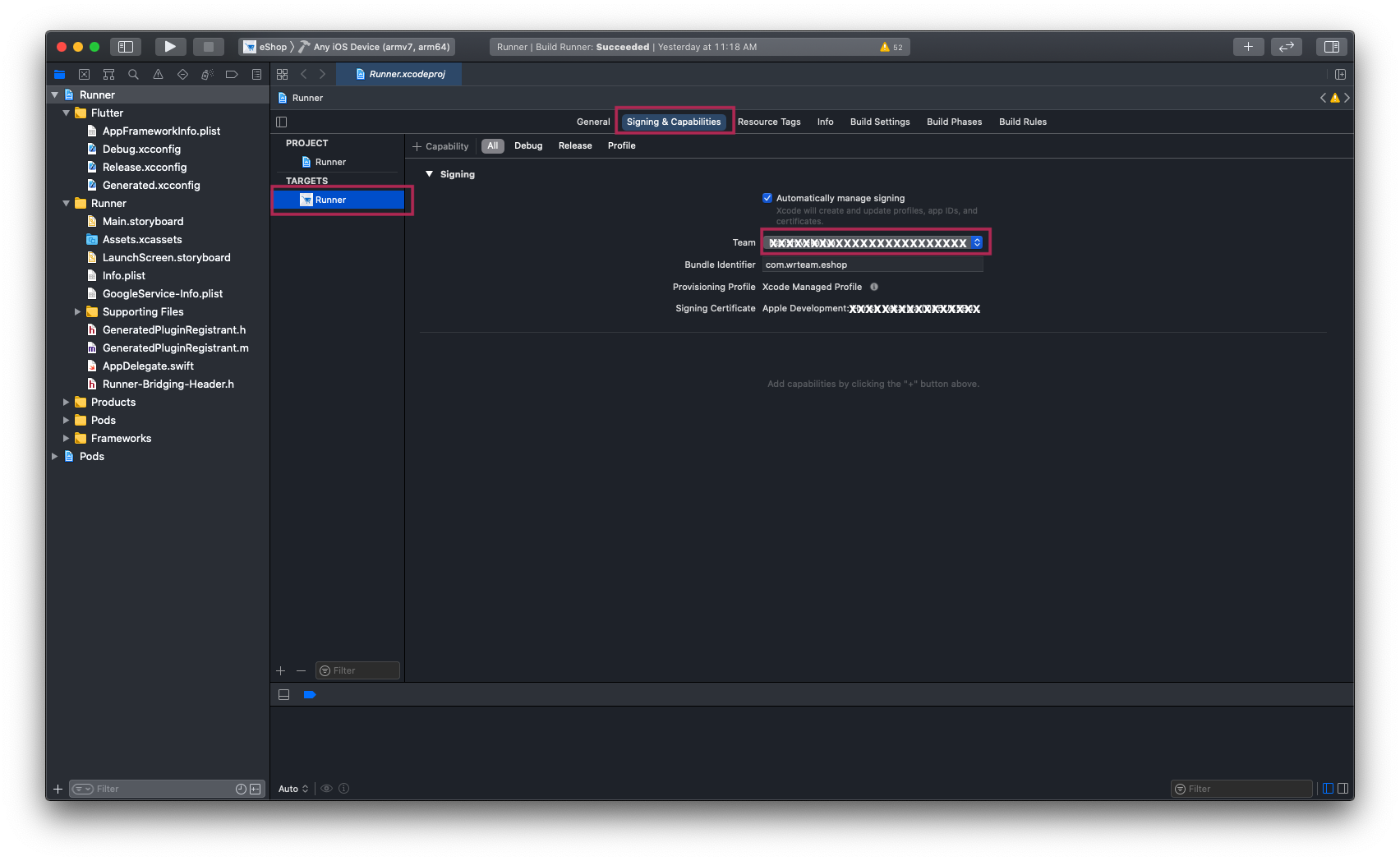
1. Open your Project's Runner.xcworkspace file in Xcode, and Add your Team [Your Apple Developer ID] and also Insert GoogleService-Info.plist file [Downloaded From Firebase Project] inside folder named Runner.
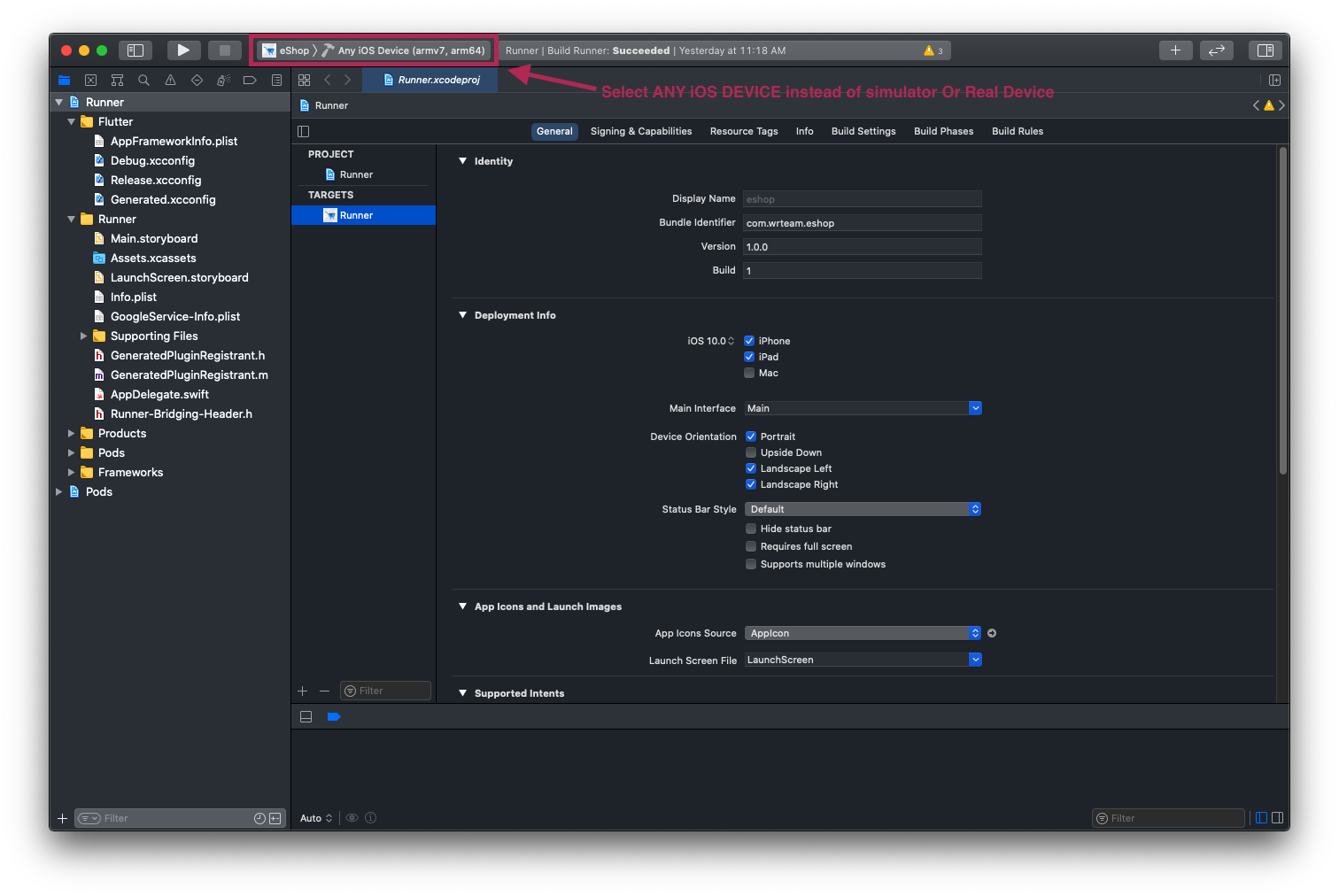
2. And then Select Any iOS Device (armv7,arm64) as shown in image below.
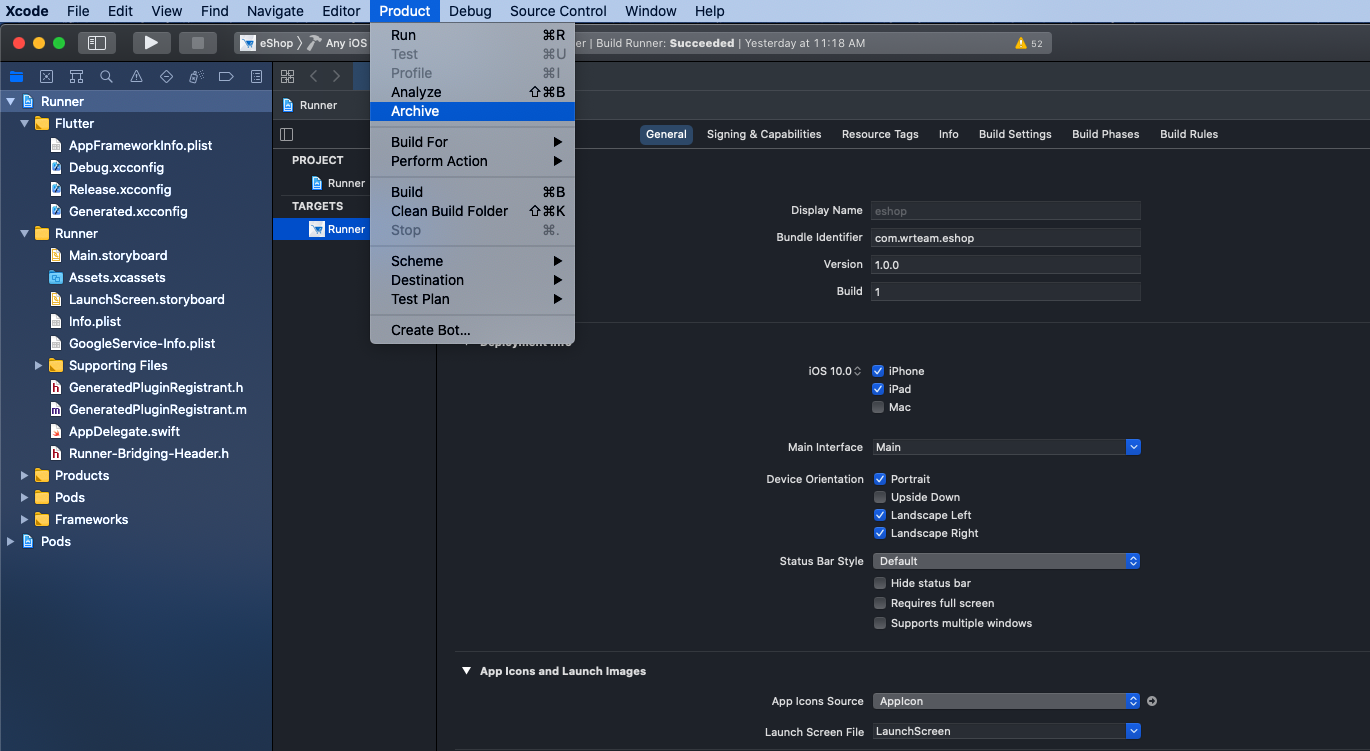
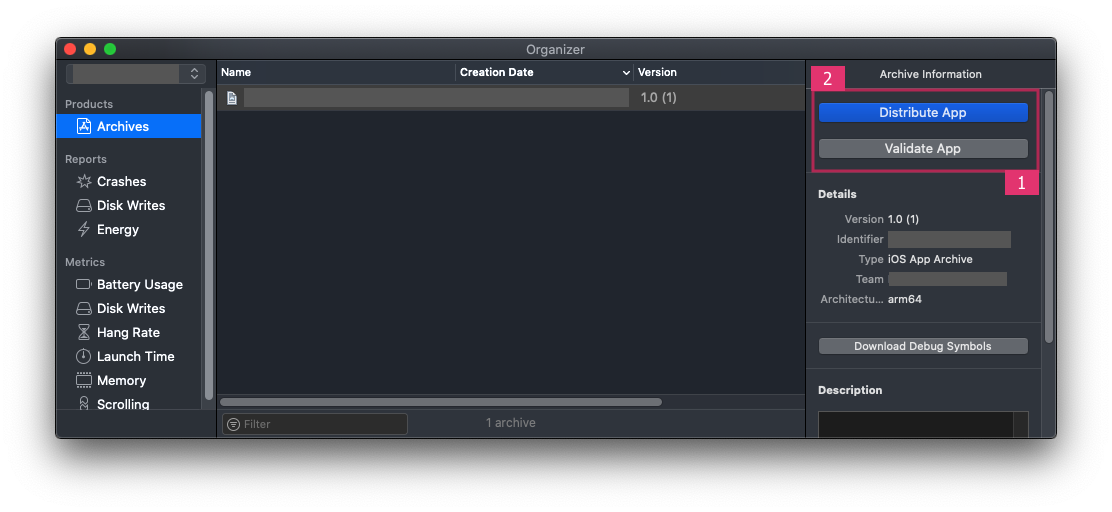
4. Once Build / Archive Generated, pop up window will be shown. Validate app First, and After Successful Validation of App, You Can Distribute App to AppStore.
5. After Successful Submission of Build File, it will be Reflected to your Apple Developer Account in which we have created app with same Bundle ID.
Click here for Detailed Help