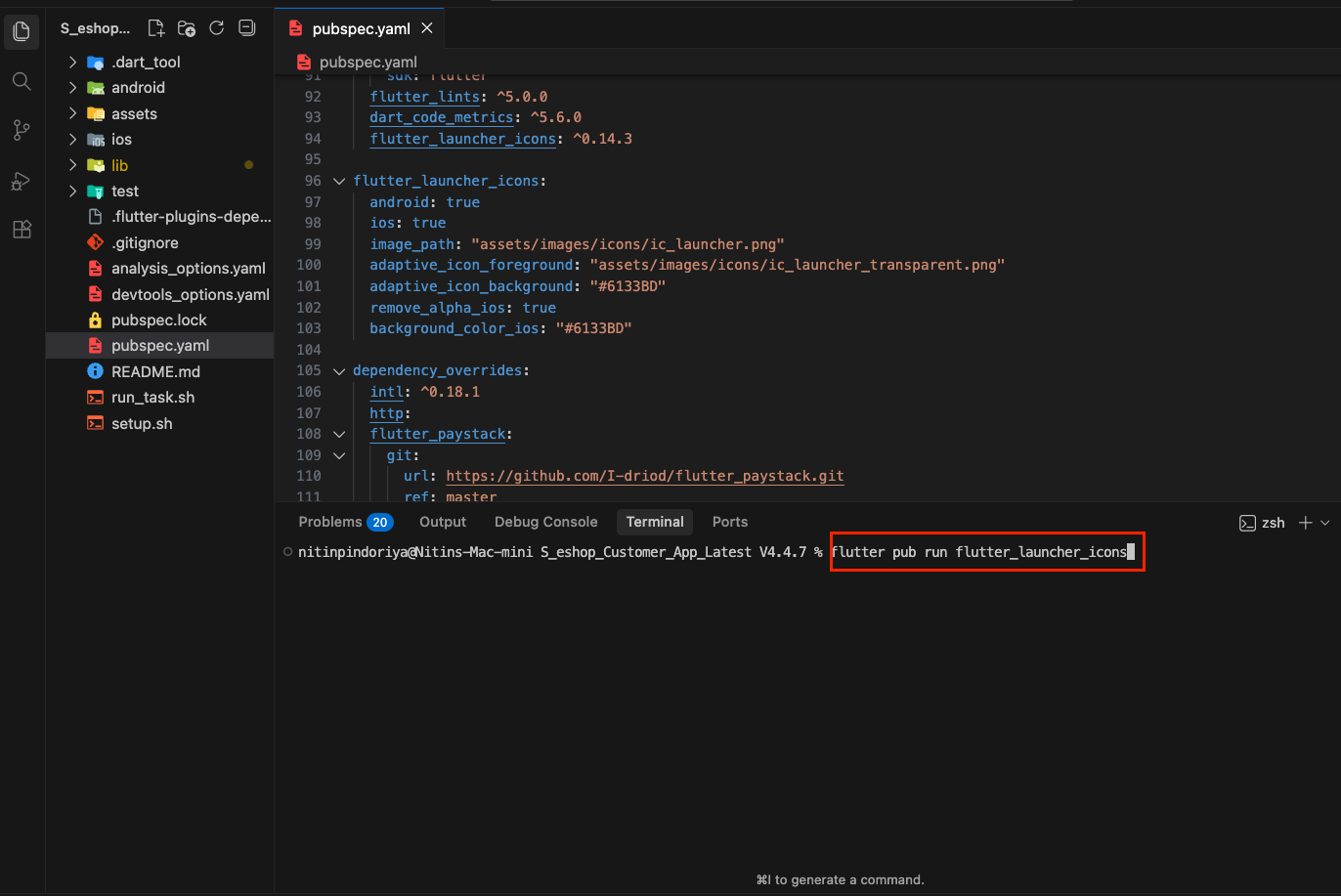
How to Change app logo
How to Change app logo
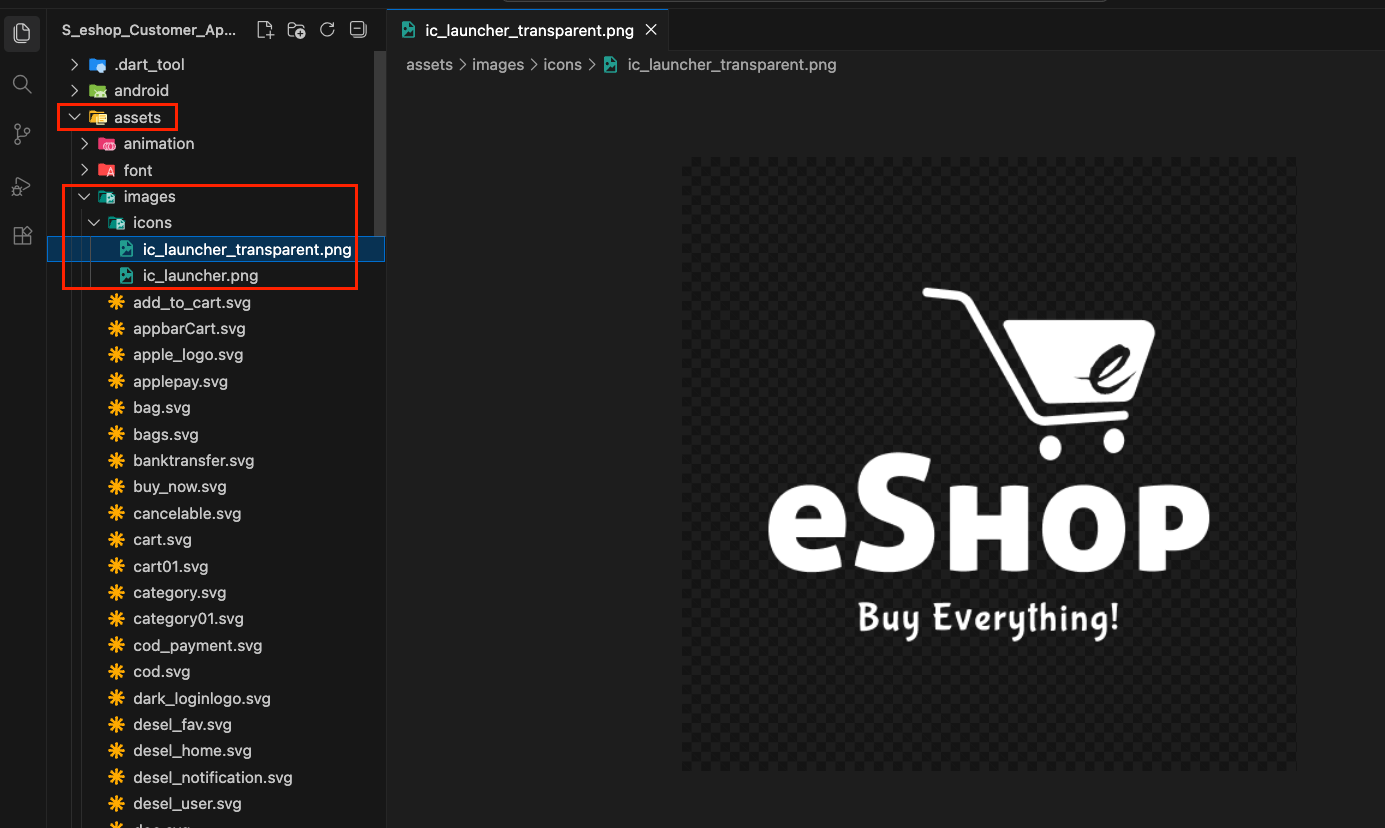
1. Go to assets > images > icons and replace ic_launcher.png and ic_launcher_transparent.png with your logo.
Note: Make sure your logo is in png format and do not change the name of the files.
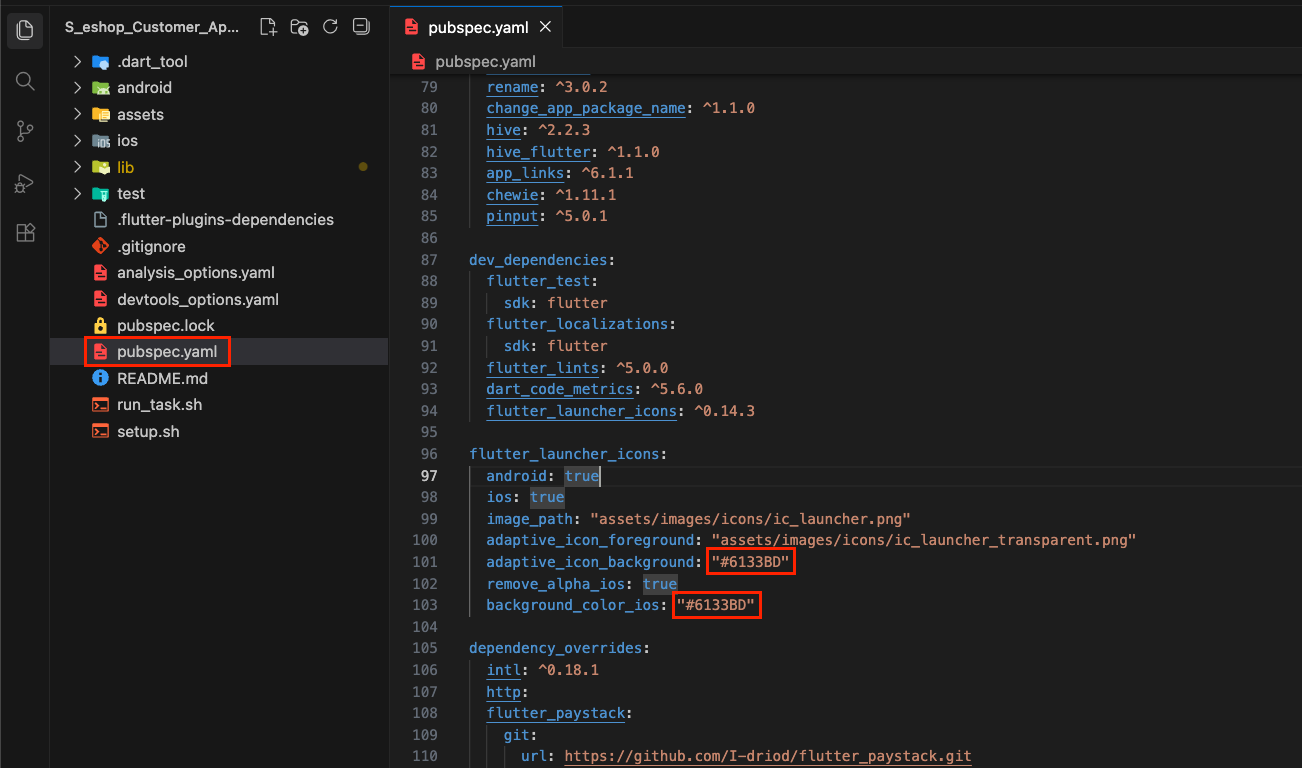
2. Open pubspec.yaml file and update the adaptive_icon_background(For android) and background_color_ios(For ios) with your logo background color.
3. Afterward, run the following command in your terminal: flutter pub run flutter_launcher_icons. This will generate icons for android and ios.