How to Change language String value
How to Change language String value
1. Go to lib > Language > go to your language code. Here you can change any string as you want
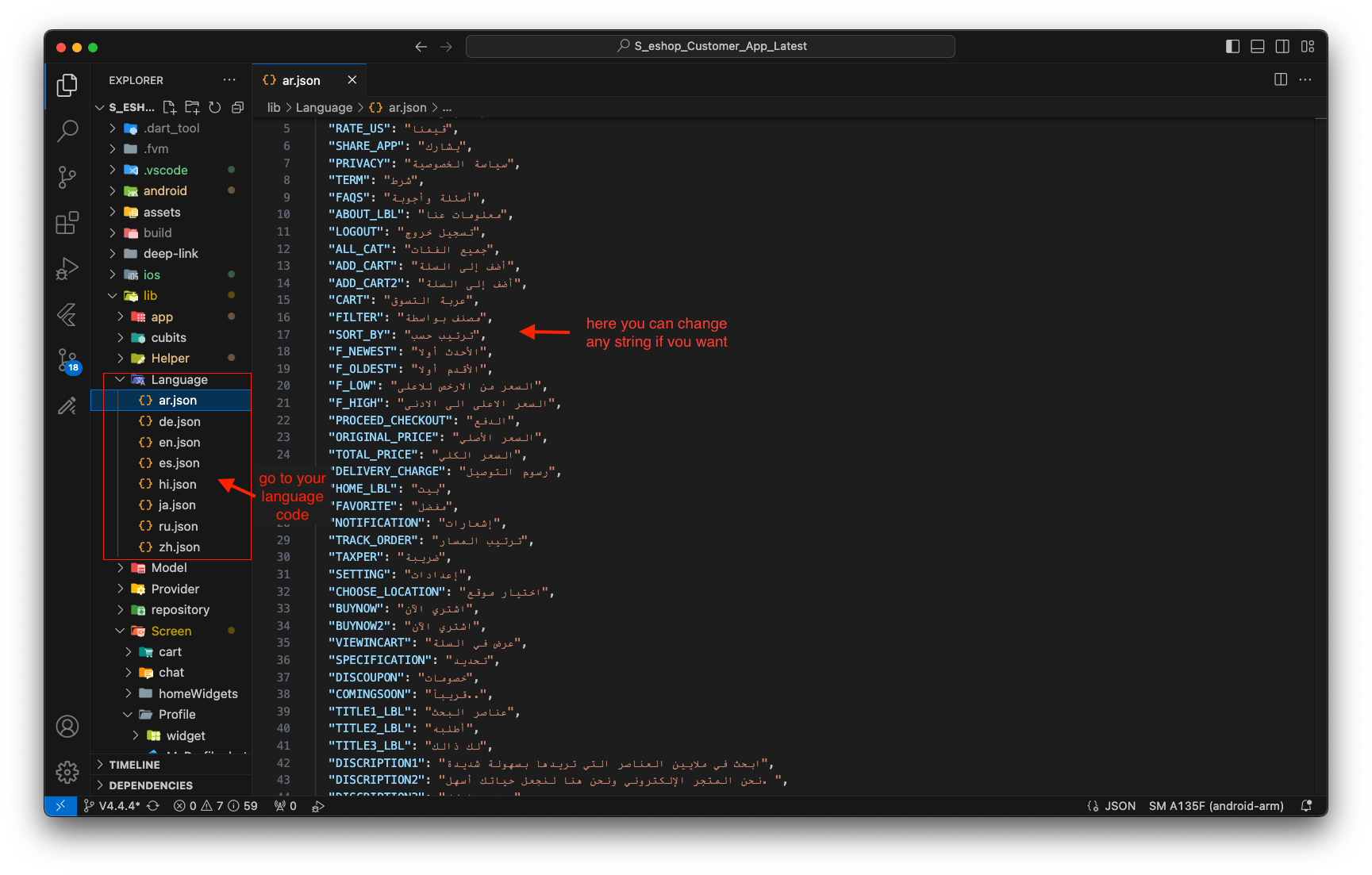
2. If you want to update this string for all supported languages, repeat the process in each language's JSON file, ensuring the new value is consistent across all files.
-
For example, If you want to change "Welcome to eShop" string in your app then find that string in lib -> language folder .json files and replace with your string.
-
Example: To change the welcome message in English, open
lib/language/en.jsonand update the value. For example, change:
"welcome": "Welcome to eShop"
to
"welcome": "Hello and welcome!"