How to change package name
How to change package name
1. Open a terminal in your project directory.
Steps:
-
The tool will update all necessary files for the selected platform(s).
-
Run this command to change the package name for both platforms, replacing
com.new.package.namewith your desired package name:dart run change_app_package_name:main com.new.package.name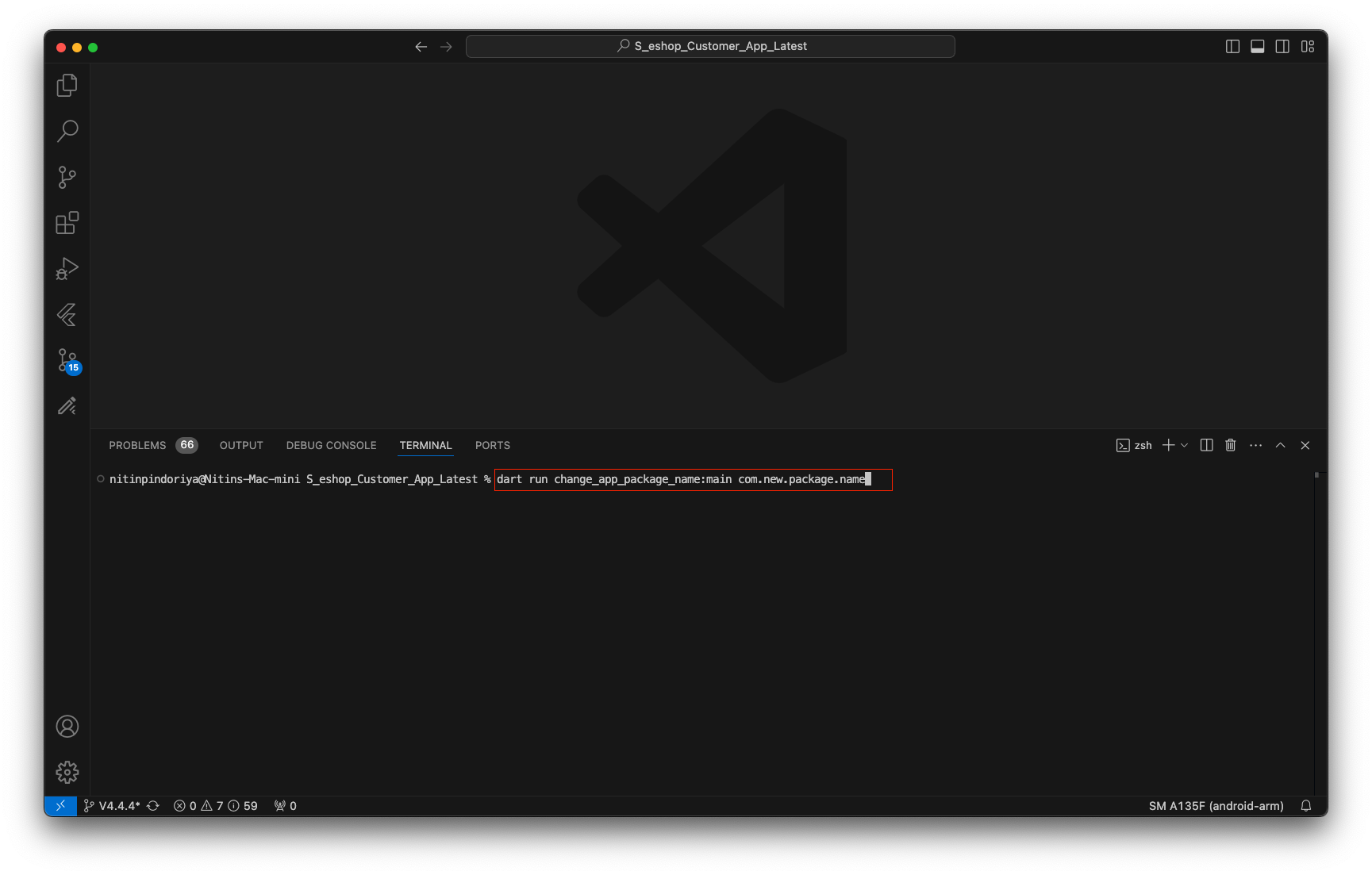
2. After the process completes, open the lib/settings.dart file and manually update the package name there, as this file is not automatically updated by the tool. All other necessary changes are handled by the package.
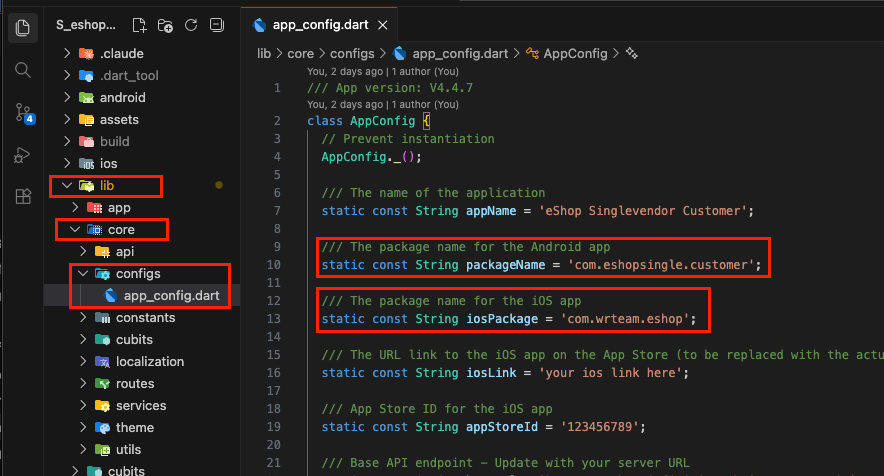
3. Review your project to ensure all changes are correct. Then, run flutter clean and flutter pub get to refresh your project.
Important Note: Replace com.new.package.name with your desired package name (e.g., com.yourcompany.appname). The package name should follow the reverse domain name notation.
That's it! Your app's package name has been changed successfully.